
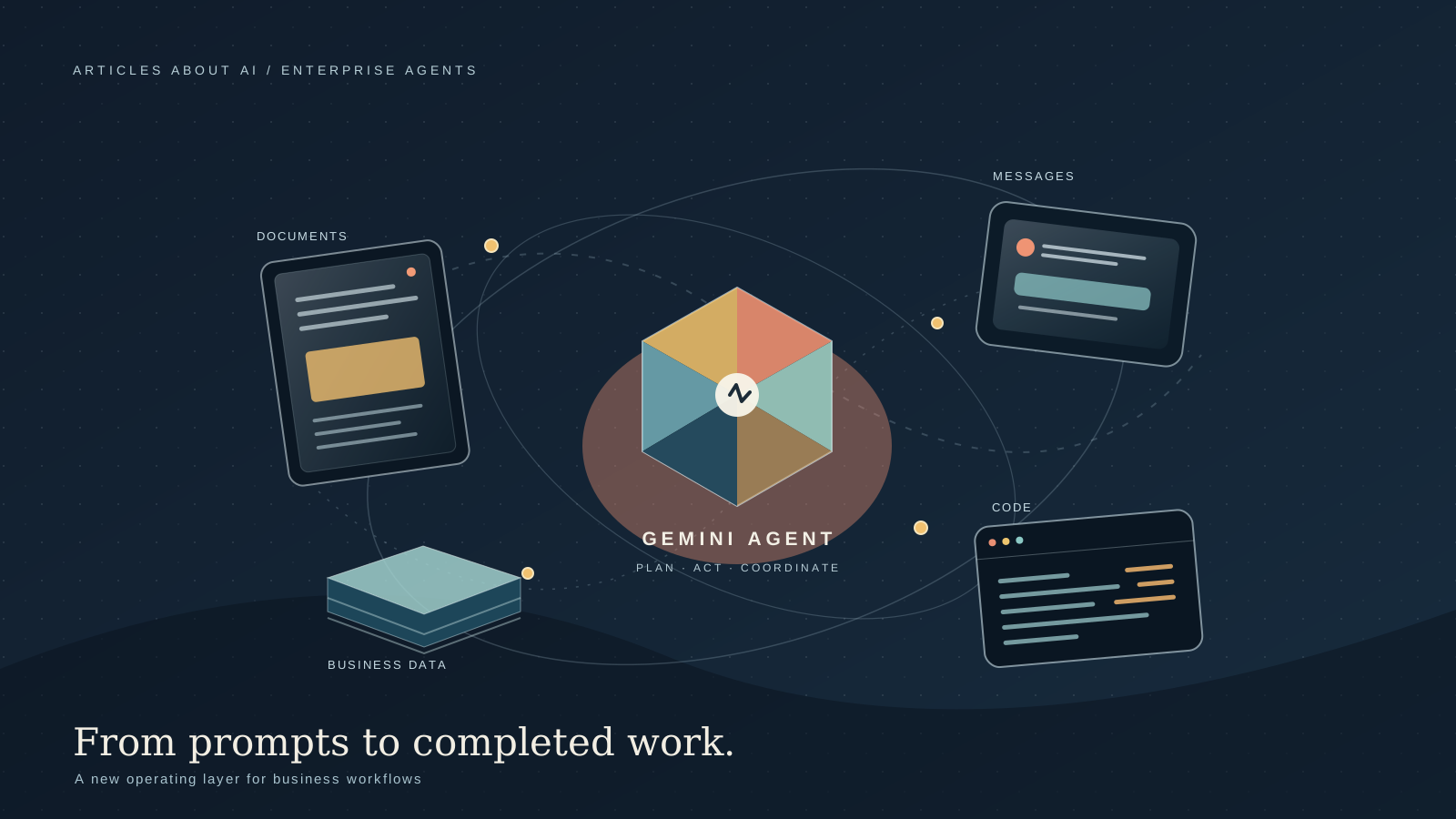
Google Cloud introduced the Gemini agent on October 8, 2026, positioning it as a universal AI agent for work rather than a chatbot limited to answering questions. In its announcement at Gemini at Work 2026, the company described a system intended to take an objective, plan the work, select tools and skills, connect to business systems, and return a completed result inside the applications employees already use. The announcement covers a broader enterprise direction: persistent tasks, coordination among specialized agents, connections to company data, model selection, and administrative controls.
The distinction matters. A conventional assistant mainly helps a person think through a task or produce a response. An agentic system is designed to carry work across multiple steps and applications. That can be useful for tasks such as preparing a project update from scattered documents, turning business questions into data queries, coordinating a meeting, or drafting code and supporting analysis. It also raises harder questions about permissions, accountability, cost, and the difference between a promising product description and a capability an organization can deploy today.
Google’s announcement is substantial, but it should be read precisely. It describes the intended architecture and a set of product capabilities, while some details—such as account eligibility, regional availability, rollout timing, and exact pricing for each capability—are not fully specified in the announcement itself. Businesses should verify those details with Google Cloud before making purchasing or deployment decisions.
What Is the Gemini Agent?
Google describes Gemini agent as a single, universal agent for work. Employees can provide an objective through a prompt window and ask the system to answer questions, handle knowledge work, create images and other media, write code, or run code. The agent is intended to plan a sequence of actions, use appropriate tools, connect to company systems, and deliver an outcome in the documents, inboxes, or developer environments where the work belongs.
That approach moves the interaction from asking for an isolated response toward delegating an outcome. For example, instead of asking an assistant to summarize a market report, an employee might ask it to review several approved sources, build a financial model in a spreadsheet, and prepare a presentation explaining the findings. Google’s description says Gemini can work across applications without requiring the user to restate the project context at every step.
The important word is intended. An agent can only complete a task reliably when it has the right access, relevant context, suitable tools, and clear boundaries. A system that can connect to a document repository is not automatically entitled to read every document in that repository. A system that can generate code is not necessarily authorized to execute it in a production environment. Those distinctions determine whether enterprise agents save time safely or create new operational risks.
How the New Agent Is Designed to Work
Google outlines several architectural principles behind Gemini agent. Together, they describe a move toward a persistent work system rather than a series of disconnected chat sessions.
1. One agent for questions, delegated work, and code
The company says the same agent can answer questions in a chat, work autonomously on assigned objectives, and generate code through one interface. Users can assign work, schedule tasks, or configure responses to events. This could reduce the need to move between separate AI tools for research, writing, analysis, and software development.
However, a single interface does not mean every task should be fully automated. A company may want the agent to draft a contract summary but require a lawyer to approve the final interpretation. It may allow code generation in a development environment while requiring human review before deployment. Sensible implementation begins by deciding which actions are advisory, which can be executed automatically, and which require approval.
2. Persistent execution across devices and channels
Google says the agent runs in the cloud and can preserve context while work continues for hours or days, even after a user closes a laptop. The announcement describes access through web, iOS and Android, Windows and Mac, command-line environments, Google Workspace, Microsoft 365, Slack, and third-party applications. It also describes a headless mode, meaning an agent can operate without a dedicated user-facing interface.
Persistent execution is useful for longer workflows: gathering inputs, waiting for a response, processing results, and continuing with the next step. It also changes the operational model. Organizations need to know which tasks are still running, how to pause them, what happens when an external service fails, and how to inspect or cancel an action that is no longer appropriate.
The public announcement does not provide a complete, capability-by-capability availability matrix for every channel. Companies should therefore confirm which integrations are available to their account and whether each connection is generally available, in preview, or subject to additional configuration.
3. Multiple agents for complex projects
Google says Gemini can create temporary, task-specific sub-agents to handle parts of a larger job in parallel or in sequence. It also describes “coworker” agents with persistent roles, identities, storage, and an operational presence across sessions. These agents could, for example, support a project team with research, documentation, analysis, or coordination.
Delegation can help when a task naturally separates into independent workstreams. But adding agents does not automatically improve quality. If several agents rely on the same incorrect source, they may reinforce the same mistake. Parallel work can also increase costs and make it harder to determine which agent produced a particular conclusion. Teams should evaluate the entire workflow, not simply count how many agents it uses.
4. Context, skills, and memory
Google identifies three elements that help the agent adapt to an organization: tools that connect it to systems, skills that describe reusable workflows, and context that helps it remember relevant information. Skills can be reusable instructions or procedures, while departments can create and share their own skills through a registry. The announcement also describes session, semantic, procedural, and episodic memory.
In practice, these elements could let a finance team encode its reporting conventions once rather than repeat them in every prompt. A support team might create a skill that explains how to classify incidents, check approved documentation, and prepare a response for review. A development team might standardize how an agent inspects a repository or prepares a test report.
Memory must still be governed. Organizations should decide what can be retained, who can access it, how long it persists, and how outdated or incorrect information is corrected. The fact that a system can remember an earlier task does not mean every piece of that task should be retained indefinitely.
Integrations With Business Software
The announcement describes connections to collaboration tools such as Confluence, Microsoft Office, Teams, Slack, and Google Workspace; development tools such as Git and Jira; enterprise platforms such as Salesforce and ServiceNow; and data systems including BigQuery, Databricks, PostgreSQL, and Snowflake. Google also says the agent can connect to Model Context Protocol (MCP) servers inside or outside an organization’s network.
These connections are central to the product proposition. Business value often depends less on a model’s ability to write a polished paragraph than on whether it can retrieve the right approved data and carry a task into the system where work is performed. A useful agent should not merely describe how to update a ticket; it should be able to prepare or make the update through an authorized integration, with an auditable record of what happened.
Integrations should not be treated as blanket permission. Access must be configured deliberately, and the organization’s existing data-sharing rules should remain meaningful. Before enabling a connector, administrators should identify the information it can read, the actions it can perform, the credentials it uses, and the consequences of a mistaken action. They should also test what happens when a requested task crosses a permission boundary.
Gemini Inside Google Workspace
Google says Gemini will work directly inside Gmail, Drive, Docs, Slides, Sheets, Chat, and Calendar, carrying context, skills, and controls across those environments. The announcement describes three broad modes: personal assistance, proactive delegation, and coworker agents.
For personal assistance, Google gives an example in which a user asks the agent to arrange a meeting with a familiar group. The agent could infer the relevant people from a chat space and an earlier event, check calendars, and start coordinating a time. Another example spans applications: researching a market, building a financial model in Sheets, and preparing a presentation from the results.
Proactive delegation could surface work that is suitable for an agent. If a manager requests a project update in slide form, the system may offer to take on that task rather than requiring the employee to notice the email and manually start a new workflow. Coworker agents, meanwhile, are described as having their own Workspace account, email address, calendar, Drive, and directory presence. They can be added to a Chat space or mentioned by colleagues, and Google says they act under their own identity rather than impersonating the employee who created them.
Those examples illustrate the intended experience; they are not a guarantee that every account already has every feature. Organizations should check product documentation and their admin console for rollout status, license requirements, and configuration steps. They should also decide whether employees may create agents independently or whether agents must be approved by IT or security teams.
Data Analysis and Business Intelligence
Google also announced capabilities for data and machine-learning engineering, as well as operational reporting for business users. The company says engineers can describe an outcome in plain language and have Gemini generate PySpark code, provide notebooks to edit and test, train models, and troubleshoot pipeline problems. Business users, meanwhile, can ask for operational reports that use BigQuery and Knowledge Catalog to construct and save queries.
The value proposition is to make data work more accessible without removing the need for validation. A business analyst might ask why a metric changed, request a breakdown by region, and generate a chart for a review meeting. A data engineer might ask the agent to investigate a failing pipeline and suggest a correction. In both cases, the result is only as reliable as the underlying data, definitions, permissions, and validation steps.
Google highlights Knowledge Catalog as a way to ground answers in business definitions and schemas. This matters because familiar terms can have different meanings across departments. “Revenue,” “active customer,” or “margin” may be calculated differently depending on the business context. A catalog of approved definitions can reduce ambiguity, but it cannot guarantee that every generated query is correct. Teams should inspect generated SQL or code, compare results against trusted reports, and retain review steps for consequential decisions.
Google also describes Smart Storage and a Borderless Lakehouse approach intended to work with data across systems without forcing every organization to copy it into a single location. The announcement names several data platforms and describes querying or accessing information across them. Exact support and costs will depend on the configuration, so companies should verify technical requirements rather than assume every source is immediately connected.
Industry-Specific Capabilities
Google says industry-specific versions are being developed with tools, skills, connectors, and knowledge tailored to particular workflows. The announcement says Gemini for Financial Services and Gemini for Legal are in preview, with Government, Healthcare, and Retail described as coming soon.
For financial services, Google describes capabilities for investment research, credit analysis, and risk modeling, using external financial data alongside an organization’s own repositories. For legal work, it highlights permissions and ethical walls inherited from document-management platforms, and examples involving confidential information redaction and contract workflows.
These areas can benefit from structured automation, but they also carry high consequences for error. A generated financial analysis should not be mistaken for independently verified investment advice. A legal summary should not replace a qualified lawyer’s review. A system that handles sensitive records needs controls for confidentiality, auditability, retention, and the separation of client matters. Preview status also matters: organizations should not build critical processes around a capability without understanding its support and service commitments.
Security, Permissions, and Audit Trails
The announcement devotes significant attention to enterprise governance. Google says each agent receives its own identity and least-privilege permissions, with actions recorded in an audit trail and attributed to the agent rather than to a human user. It describes role-based authorization, propagation of identity to connected systems, and controls intended to make agent actions observable.
Google also describes an Agent Sandbox with a network boundary and an Agent Gateway that mediates traffic between agents and external systems according to organizational policy. The stated aim is to give administrators a consistent way to define rules—for example, prohibiting agents from opening documents marked as restricted—and apply those rules across agents.
These controls are important because autonomy increases the number of actions a system can take without a person reviewing each step. But the presence of a security feature in a product description is not proof that a particular deployment is safe by default. Organizations need to test the controls in their own environment, check whether logs capture the information needed for investigations, and verify how policies behave when agents use third-party connectors or delegate work to other agents.
A responsible rollout should include clear limits on high-impact actions, a reliable way to stop running tasks, monitoring for unusual behavior, and a process for investigating mistakes. Teams should begin with low-risk workflows, measure failure modes, and expand access only after the controls have been validated.
Cost Controls and Model Selection
Google says Gemini can choose among models based on the task, including Google’s Gemini models and Anthropic’s Claude models, with other private and open models described as future options. It also highlights smart routing and real-time spend caps. Administrators can set a hard limit for a project’s AI spending; if the limit is reached, the project’s agent pauses until the user chooses whether to resume.
This is a meaningful design choice. A multi-step workflow may involve many model calls, tool operations, and periods of execution. Sending every step to the most capable—and potentially most expensive—model can be wasteful. Model selection based on the task may help balance quality and cost, while spending caps make it easier to define a maximum budget.
The trade-off is that model routing introduces another layer to evaluate. Teams should know which models are eligible for a workload, whether model choice can be constrained for sensitive tasks, how costs are attributed to departments, and what happens when the selected model changes. They should measure total cost per completed workflow, not only the price of an individual model call.
The announcement does not provide one universal price for Gemini agent across all enterprise uses. Pricing can depend on the relevant product, subscription, model, usage, and configuration. Buyers should request current commercial terms and run a representative pilot before estimating savings.
What Businesses Should Verify Before Adopting It
Before using Gemini agent for production work, organizations should answer several practical questions:
- Availability: Is the specific feature available to the organization’s account, region, and subscription, or is it still in preview?
- Permissions: What can the agent read, change, send, execute, or delete through each connected system?
- Human approval: Which actions require confirmation, and which can run unattended?
- Auditability: Can administrators identify the agent, reconstruct its actions, and investigate a failure?
- Data governance: What information can enter context or memory, how is it retained, and how can it be corrected or removed?
- Reliability: How does the workflow handle ambiguous requests, incorrect data, failed tools, or partial completion?
- Cost: What is the total cost of a completed task, including model usage, tool calls, and execution time?
- Exit and portability: Can the organization preserve its skills, context, data, and workflow logic if it changes models or providers?
A pilot should test realistic tasks, including edge cases and deliberate permission violations. Measure how often the agent completes the task correctly, how much human correction is required, how long it takes, and whether the resulting audit record is sufficient. The goal is not to prove that an agent can perform a successful demonstration; it is to determine whether it can perform a defined job reliably within acceptable limits.
Gemini Agent Compared With a Traditional Chatbot
A traditional chatbot is primarily a conversational interface. It can explain, summarize, draft, and reason, but a user often has to transfer the output into another application and carry out the remaining steps. An agent is designed to connect those steps: it can plan, select tools, work across systems, maintain task context, and return a result in the environment where it is needed.
That does not make an agent automatically more accurate. More access and autonomy create more opportunities for useful action—and more opportunities for mistakes with external consequences. For a one-off question, a standard chat interface may be simpler, cheaper, and easier to supervise. For a multi-step workflow with clear boundaries, an agent may reduce repetitive work. The right choice depends on the task, the risk, the integration requirements, and the cost of errors.
Google’s announcement is notable because it combines the agent, persistent execution, business context, Workspace integration, multi-model orchestration, and governance in one enterprise proposition. Its success will depend on how well those elements work together in real deployments, not merely on the breadth of the feature list.
Availability: What Is Confirmed?
Google announced Gemini agent on October 8, 2026, during Gemini at Work 2026. The official post describes the product direction and a broad set of capabilities, but it does not provide a complete universal list of account eligibility, regional availability, pricing, and rollout dates for every feature discussed. It explicitly says Gemini for Financial Services and Gemini for Legal are in preview, while Government, Healthcare, and Retail specializations are coming soon.
The safest next step is to consult the official Google Cloud announcement and the relevant Google Cloud product and admin documentation. Buyers should ask Google or their reseller to confirm the features included in their specific subscription, the integrations that can be enabled, and the applicable pricing and service terms.
The Bottom Line
Google Cloud’s Gemini agent announcement points toward enterprise AI systems that are expected to do more than answer prompts. The intended product can plan multi-step work, use connected tools, maintain context across sessions, coordinate sub-agents, work inside Workspace, and apply identity, policy, auditing, and spending controls. Those capabilities could make AI more useful for business workflows that currently require employees to move manually between documents, messages, databases, and code.
The main question for organizations is not whether an AI agent can complete a task once. It is whether the system can complete the right tasks repeatedly, within the right permissions, at an acceptable cost, while leaving a record that people can inspect. That requires careful pilots, explicit boundaries, and independent validation of results.
For teams considering the product, start with a narrow workflow, define what success and failure look like, and verify availability and pricing directly with Google Cloud. The announcement is an important signal of where enterprise AI is heading; deployment decisions should still be based on documented capabilities and evidence from the organization’s own environment.