
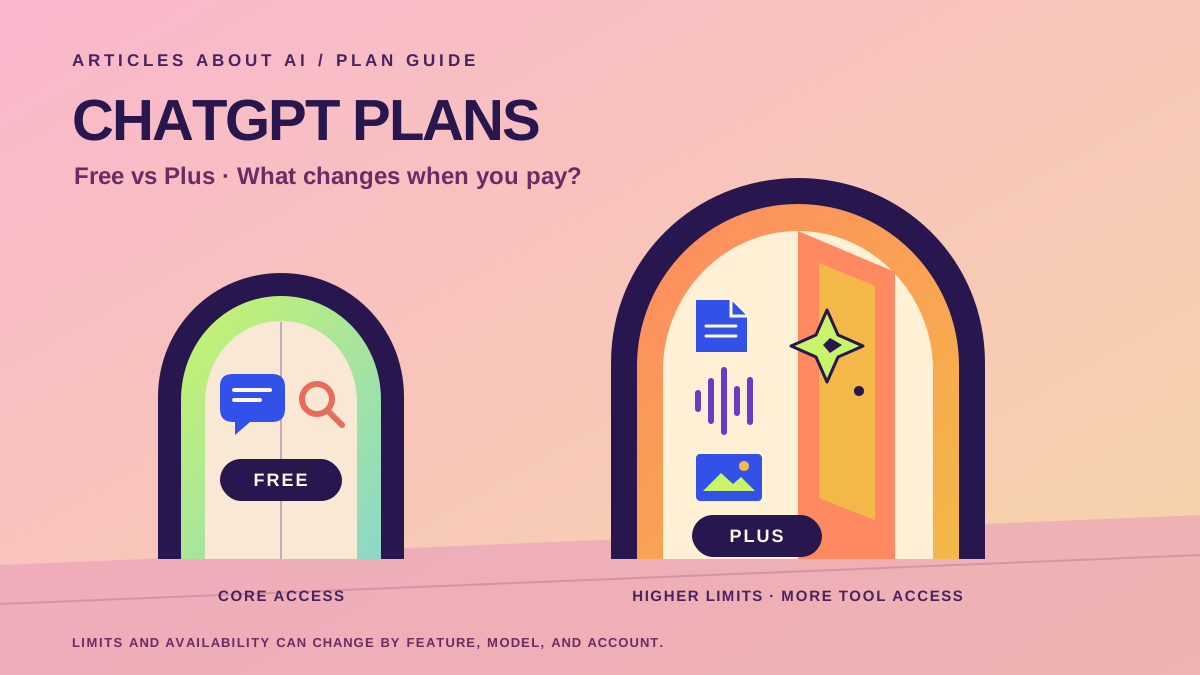
ChatGPT Free and ChatGPT Plus use the same product, but they are designed for different levels of use. The free plan gives people a way to ask questions, draft text, search the web, and try many of ChatGPT’s tools without a monthly subscription. Plus is a paid plan for people who use ChatGPT more often or need broader access to models and features.
The central difference is not that every answer from Plus is automatically better. It is that a paid subscription generally provides higher usage limits, broader access to models and tools, and fewer interruptions when demand is high. The exact models, limits, and features can change as OpenAI updates ChatGPT, so a comparison should focus on the practical differences rather than promise a fixed number of messages or a permanent list of model names.
OpenAI currently lists ChatGPT Plus at $20 per month, billed monthly. ChatGPT Free costs $0. Prices shown in an account or app store can differ because of local currency, taxes, or the payment channel. Check OpenAI’s official ChatGPT pricing page and its ChatGPT Plus help article before subscribing, because the provider’s current terms take precedence over any guide.
ChatGPT Free vs. Plus at a glance
| Feature | ChatGPT Free | ChatGPT Plus |
|---|---|---|
| Monthly price | $0 | $20/month at OpenAI’s listed price |
| Everyday chat | Available, with applicable model and service safeguards | Higher access allowances than Free |
| Model access | Access to available models with tighter limits on some options | Broader access to models and advanced reasoning options available to the account |
| Web search | Available | Available |
| File uploads and data analysis | Available with limits | Expanded limits and access |
| Image generation | Available with limits | Expanded access |
| Voice | Available, with feature-specific limits | Broader access to voice features where supported |
| Deep Research and other advanced tools | Limited access or availability may apply | Broader access, subject to current plan limits |
| Usage caps | Some model and tool limits are more restrictive | Higher limits, but not unlimited access to every feature |
| API usage | Not included | Not included; API billing is separate |
This table is a practical summary, not a guarantee that every feature appears in every account. Availability can vary by country, device, rollout, selected model, workspace settings, and current usage. OpenAI’s official pricing page is the best place to check the latest comparison.
1. What does ChatGPT Free include?
Free is a useful starting point for people who want to try ChatGPT or use it for occasional everyday tasks. You can ask questions, brainstorm ideas, rewrite a paragraph, get an explanation of a difficult concept, plan a trip, draft an email, or request help understanding a topic. Web search is available in supported experiences, so ChatGPT can also help find current information and provide links to sources.
The free plan is not limited to plain text. OpenAI makes a range of tools available to free users, including file and image uploads, data analysis, image generation, voice, and access to custom GPTs. The important qualification is that these tools have their own limits. Reaching a limit for image generation, file uploads, voice, or a particular model does not necessarily mean every other part of ChatGPT is unavailable; each feature may be governed by a separate allowance.
Free access is therefore capable enough for many people. A student who asks a few questions a day, a reader who occasionally summarizes a public article, or someone who uses ChatGPT to improve short messages may not need to pay. The free plan also gives you a way to learn how to prompt the assistant and discover whether it fits your routine before committing to a subscription.
The trade-off is capacity and consistency. If you use a feature heavily, you may reach its limit and need to wait for it to reset. Some models or tools may be available only in a limited form. OpenAI can change the specific limits and model lineup, so avoid relying on old online lists that claim every Free user always receives a particular model or a fixed number of prompts.
For the most current details, consult OpenAI’s Free Tier FAQ. It explains how free access works and notes that tools such as file uploads, image generation, voice, and data analysis can have separate usage restrictions.
2. What do you get with ChatGPT Plus?
Plus is intended for people who use ChatGPT regularly and want more room to work. OpenAI describes it as a subscription with broader model and tool access than Free. Benefits include higher model limits, faster responses in many circumstances, and expanded access to features such as voice conversations, image generation, file uploads and analysis, and Deep Research where available.
For example, imagine that you use ChatGPT to review long documents, explore a spreadsheet, generate several images, or work through complex technical questions during the same afternoon. On Free, you may encounter a limit on one of those tools before finishing. Plus generally gives you a larger allowance, making it easier to continue without having to stop as often.
Plus can also make sense when a task benefits from an advanced reasoning option. Different models and modes can have different strengths and limits. A more capable reasoning model may be useful for multi-step planning, debugging, or analyzing a complicated problem, but the model available to you depends on OpenAI’s current lineup and your account’s access. Check the model picker and the plan details rather than assuming that a model name mentioned in an older review is still available.
Another practical benefit is priority access during periods of high demand. OpenAI says Plus can reduce interruptions when traffic is high. This does not mean the service can never be slow or unavailable; network conditions, system incidents, and usage caps can still affect the experience.
The key point is that Plus buys broader access and more capacity, not a guarantee of perfect answers. It does not eliminate hallucinations, remove the need to check important facts, or make every task suitable for automation. You should still verify important medical, legal, financial, academic, and professional information independently.
3. Is ChatGPT Plus unlimited?
No. A common misunderstanding is that paying for Plus removes all usage restrictions. OpenAI’s help documentation says Plus may still include usage limits, including message caps, and those limits can vary with system conditions. Limits can differ by model and tool, and OpenAI may adjust them over time.
That distinction matters if you are considering a subscription because of one particular feature. A plan may give you more access to an advanced model but still impose a cap on how often you can use it. Image generation, file uploads, data analysis, voice, and research tools may each have their own allowances. A higher limit is not the same thing as unlimited usage.
The best way to estimate whether Plus will be enough is to observe your current pattern. If Free regularly tells you that you have reached a limit while you are in the middle of work, the higher allowance may be valuable. If you rarely reach a limit, paying for more capacity may make little difference.
Before buying, read the current Plus subscription details and pay attention to the allowance shown inside your account. Avoid making a decision based on screenshots or message counts published months earlier; those may refer to a different model, rollout, or service condition.
4. Do Free and Plus give different answer quality?
Sometimes the difference is the model you can access, but the plan name alone does not determine the quality of every response. When both plans can use the same model under comparable conditions, a simple request may produce very similar results. For example, asking for a short birthday message or a basic definition is unlikely to justify a subscription by itself.
The difference becomes more noticeable when a task requires a model or tool that is not available to you on Free, or when you need to make many requests without hitting a limit. A complex coding problem, a long research workflow, or repeated analysis of uploaded files may benefit from the broader access offered by Plus. The result still depends on the prompt, the source material, the model, and how carefully you review the answer.
A useful test is to compare plans on your own real tasks rather than on a single demonstration. Try a representative writing assignment, a research question that needs current sources, or a document-analysis task. Record whether Free can complete the task, whether a limit interrupts it, how much correction is needed, and whether Plus provides access to a feature that materially improves the workflow.
Do not treat a fluent answer as proof of accuracy. ChatGPT can misunderstand a question, omit a qualification, or confidently state something incorrect on either plan. For research, ask for sources and open them. For calculations, check the method. For uploaded files, compare the summary with the original. A subscription can increase capacity, but it cannot replace verification.
If you are still learning the product, our beginner’s guide to using ChatGPT effectively explains how to frame requests, use follow-up questions, and check the result. Our guide to writing better ChatGPT prompts covers more detailed techniques for improving output.
5. Which plan is better for file uploads and data analysis?
Both Free and Plus can provide access to file-related tools, but limits and availability differ. If you occasionally upload a short PDF or ask ChatGPT to inspect a small spreadsheet, Free may be sufficient. If you routinely analyze larger workloads, review several documents, or work with data throughout the day, Plus’s expanded allowances can be more useful.
The type of file matters as well. A spreadsheet with clean column headings is usually easier to analyze than a workbook with ambiguous labels, merged cells, and undocumented formulas. A PDF may contain selectable text, scanned pages, charts, or complex layouts, and successful upload does not guarantee that every visual element has been interpreted correctly.
For important analysis, define the question and the output format. Ask ChatGPT to identify missing values, explain its calculations, and flag uncertainty. Then check the result against the source file. This is particularly important for business reports, financial figures, research papers, and documents where one omitted condition can change the conclusion.
If document work is a major reason you are considering Plus, first test your usual tasks on Free. Notice whether you reach an upload or analysis limit, whether a required tool is unavailable, and how often you need to split the work into smaller steps. If Free completes the job reliably within its limits, a subscription may not add enough value. If limits repeatedly interrupt important work, Plus becomes a stronger candidate.
For a practical workflow, see our guide to uploading files to ChatGPT and analyzing them.
6. Is Plus better for voice, images, and research?
It may be, especially if these tools are central to how you use ChatGPT. Free users can access selected voice and image features, but those features have their own usage limits. Plus offers expanded access, and some advanced modes or workflows may depend on the current subscription and rollout.
Voice: If you use spoken conversations for language practice, hands-free questions, or discussing a topic while away from a keyboard, a higher allowance may be useful. Check which voice features are available in your app and region; feature availability and limits can change.
Image generation: Occasional image creation may fit within Free’s allowance. People who iterate on visual concepts, create multiple versions, or use image generation frequently may value the expanded access in Plus. More generations do not guarantee a better design, so clear instructions and careful review still matter.
Deep Research: Research tools can help explore a question across sources and produce a more structured report, but access and limits depend on the current plan. If you only need a quick answer with a few references, regular web search may be enough. If you frequently need a broader, multi-step investigation, the expanded research access offered by a paid plan may be worth testing.
Before paying for any one feature, verify its current availability in the official plan comparison. Do not assume that a tool is included without restrictions just because it appears in a plan’s feature list.
7. Does ChatGPT Plus include API access?
No. ChatGPT Plus is a subscription for the ChatGPT product; API usage is billed separately. If you want to integrate an OpenAI model into your own website, mobile application, automation, or software service, you should review the OpenAI API pricing page and the API documentation.
This distinction prevents a common budgeting mistake. A Plus subscription does not act as a prepaid balance for API calls, and paying for API usage does not automatically provide a ChatGPT Plus subscription. The two products serve related but different purposes.
Choose ChatGPT Plus if you primarily want to use the ChatGPT website or supported apps as a person. Investigate the API if you are building a product or program that sends requests to models. Depending on your project, you may need API costs, application hosting, data storage, monitoring, and other infrastructure expenses in addition to the model usage itself.
8. What about privacy and using your data?
A paid subscription should not be treated as a universal privacy switch. Data handling depends on the product, account type, and applicable settings. Before entering confidential material, review OpenAI’s current Data Controls FAQ and the privacy information relevant to your account.
For either plan, avoid sharing passwords, authentication codes, or information you are not authorized to disclose. If you need help analyzing a sensitive document, consider whether you can remove names, account numbers, client details, or other identifying information first. Check your settings and understand what controls apply before uploading work material.
Business and enterprise offerings may provide different administrative and data-protection commitments, so a consumer Free-versus-Plus comparison should not be used to make a procurement decision for an organization with formal compliance requirements. If your employer or institution has an approved AI policy, follow it.
9. How to decide whether Plus is worth $20 per month
The value depends on what the subscription changes in your actual routine. A plan can be worth paying for if it removes a recurring bottleneck, gives you access to a tool you genuinely need, or saves enough time to justify the cost. It is less compelling if you use ChatGPT only occasionally and rarely encounter limits.
Consider these questions:
- Do you hit Free limits regularly? If you often need to wait before finishing a task, higher allowances may matter.
- Do you need a model or tool that Free does not currently offer? Verify the exact feature in the plan comparison before subscribing.
- Do you use ChatGPT for work or study every day? More capacity may reduce interruptions in a repeated workflow.
- Do you depend on advanced voice, image, file, or research tools? Compare the limits that apply to your account rather than assuming unlimited access.
- Could you complete the same task with a free alternative or a simpler workflow? If so, the subscription may not be necessary.
- Is the monthly expense comfortable for your budget? Do not subscribe solely because a feature is marketed as advanced; choose it when the benefit is concrete.
A simple way to decide is to track one week of usage. Note each time ChatGPT helps with a task, each time a limit interrupts you, and each time you need a feature that is unavailable. If the interruptions are rare, stay with Free. If they repeatedly cost time or prevent you from completing useful work, try Plus for a month and evaluate the difference.
You can also use the free plan first to improve your workflow. Clear prompts, relevant context, well-structured files, and sensible follow-up questions can make a substantial difference without a subscription. A paid plan is most valuable when you already know what you want to do and Free’s current limits are the obstacle.
10. How to upgrade to ChatGPT Plus
Open ChatGPT and sign in to the account you intend to use. Open your profile menu and look for the upgrade or subscription option. Select Plus and review the price, billing period, and terms shown before confirming. The exact labels may vary between the website and mobile applications.
Make sure you subscribe through the correct account. If you purchase through a mobile app store, billing and subscription management may be handled there. Keep the receipt and check where the subscription is managed so you know how to cancel it later if needed.
After upgrading, confirm that the account shows Plus and check the model picker and available tools. Features can be rolled out gradually, and access can differ by region or account. If you are charged but still see Free, follow OpenAI’s official Plus troubleshooting guidance rather than purchasing a second subscription immediately.
Review your usage after the first month. If you are not using the additional capacity, cancel before the next renewal according to the billing channel’s instructions. If Plus is saving time or making a recurring task possible, you can decide whether to continue.
Frequently asked questions
Is ChatGPT Free good enough for most people?
For many occasional users, yes. Free supports everyday questions and offers access to several tools, although some models and features have stricter limits. If you rarely reach those limits, upgrading may not be necessary.
Is ChatGPT Plus worth it for students?
It depends on the student’s workload and budget. Plus may help with frequent study sessions, file analysis, research, or advanced reasoning, but students should verify sources, follow academic-integrity rules, and avoid submitting AI output as their own work when that violates course requirements. Free may be enough for occasional explanations and brainstorming.
Does Plus guarantee more accurate answers?
No. Plus offers broader access and higher limits, but it does not guarantee factual correctness. Verify important claims, check citations, and review calculations on either plan.
Can I use ChatGPT Plus on more than one device?
You can generally sign in to the same account on supported devices, subject to OpenAI’s terms and security controls. A subscription is associated with the account used to purchase it, so sign in with that account on the device where you want to use ChatGPT.
Can I cancel ChatGPT Plus?
Yes. Subscription management and cancellation depend on where you subscribed. Use the appropriate ChatGPT account settings or the app store’s subscription controls, and review the timing rules so you understand when cancellation takes effect.
Does Plus include OpenAI API credits?
No. API usage is separate and billed independently. Check the official API pricing page if you are developing software that uses OpenAI models.
Can the differences between Free and Plus change?
Yes. OpenAI updates its models, tools, usage limits, and plan details. This article describes the broad distinction and the listed Plus price as checked on October 10, 2026. Consult the official pricing and help pages for the current terms before making a purchase.
Final verdict: Free or Plus?
Choose ChatGPT Free if you use the assistant occasionally, mostly ask everyday questions, and rarely run into its usage limits. It provides a practical way to learn the product and complete many common tasks without a monthly fee.
Choose ChatGPT Plus if you use ChatGPT frequently, repeatedly hit Free limits, or need broader access to advanced models and tools for writing, coding, research, voice, image generation, or file analysis. At OpenAI’s listed price of $20 per month, the subscription is most persuasive when the additional capacity solves a real problem in your workflow.
Neither plan removes the need to think critically about an answer. The best choice is the least expensive plan that reliably supports the tasks you actually do. Start with Free, observe where it falls short, and upgrade only when the additional access is worth the recurring cost.
For current feature availability and subscription terms, use OpenAI’s official ChatGPT pricing page, Plus help article, and Free Tier FAQ.