
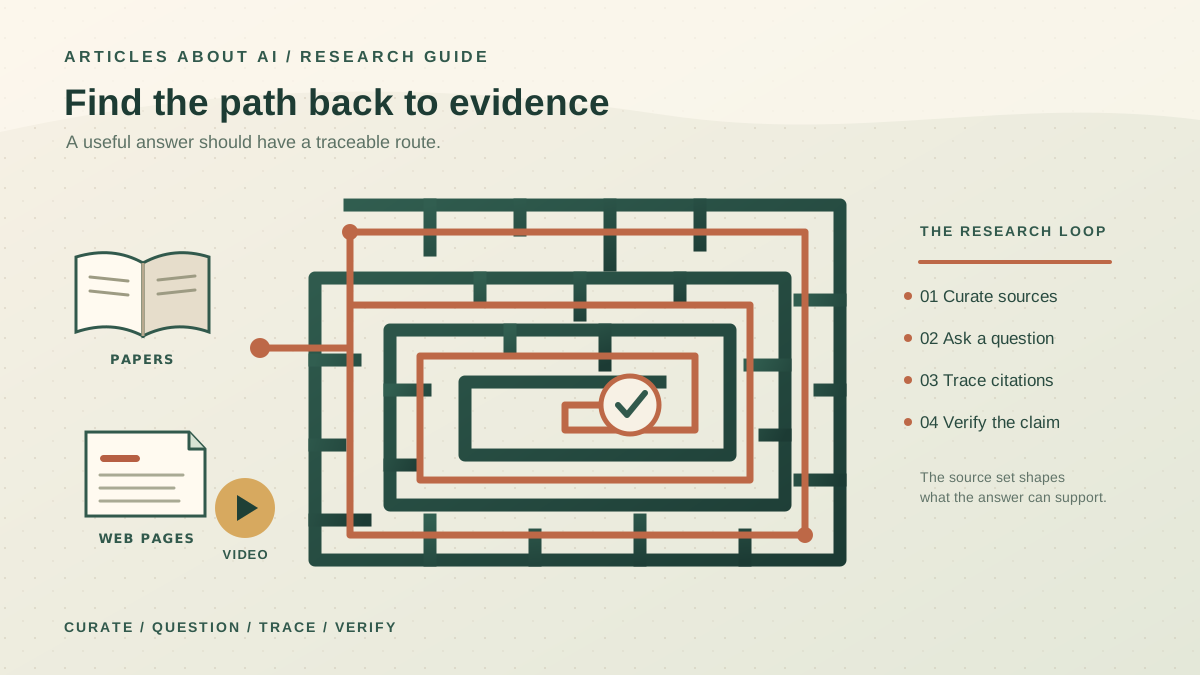
NotebookLM is most useful when you have a defined collection of material and need to turn it into something you can understand, check, and use. Instead of asking a general chatbot to answer from broad background knowledge, you can assemble documents and webpages around a project, ask questions about that collection, and follow citations back to the underlying text. The result can be a research brief, a study guide, a set of questions, or an audio overview of the material.
The key is to treat NotebookLM as a source-based research workspace, not as an automatic fact-checker. Its answers and generated reports can still contain mistakes, and a collection of weak sources will not become reliable simply because an AI summarizes them. A good workflow starts with carefully chosen sources, uses specific questions, and ends with checking the evidence.
Google’s current help center sometimes labels the product “Gemini Notebook,” while many users know it as NotebookLM. Interface labels and feature availability can change, so use the official NotebookLM help center when a control looks different from the steps below.
1. Start with a question, not a pile of documents
Before creating a notebook, write one sentence that describes what you need to learn or decide. A vague goal such as “research renewable energy” can produce an unfocused collection. A question such as “What are the main barriers to residential solar adoption, and which are supported by recent government or academic evidence?” gives the project a clear boundary.
Create a separate notebook for each substantial project. Google explains that each notebook is independent; it does not automatically combine the sources in separate notebooks. Keeping a notebook focused makes it easier to see what evidence is included and which claims the collection can support.
A useful planning note includes:
- Research question: What do you need to answer?
- Scope: Which time period, location, audience, or subject is relevant?
- Evidence standard: Do you need official statistics, peer-reviewed research, product documentation, interviews, or a mix?
- Final output: Are you preparing a short brief, a comparison, a study guide, or a decision memo?
This small step reduces a common failure: asking the model to synthesize a question that the source collection was never designed to answer.
2. Add a deliberate, trustworthy source set
Open NotebookLM, create a notebook, and use the source controls to upload documents or add sources. Depending on the current interface and account, supported inputs can include PDFs, Google Docs and Slides, spreadsheets, Word documents, text and Markdown files, webpages, public YouTube videos with captions, and other formats listed in Google’s source guide.
Do not collect sources just to make the notebook look comprehensive. Prefer a small, relevant set over dozens of pages that repeat one another. For research that may influence a decision, start with primary sources where possible: official documentation, original studies, government data, standards, or statements from the organization responsible for the information. Add independent reporting or analysis when it contributes context or a useful challenge to the primary account.
Before importing, check each source for:
- Authority: Who produced it, and are they in a position to know?
- Date: Is the information current enough for this question?
- Purpose: Is it documentation, evidence, commentary, marketing, or opinion?
- Coverage: Does it actually address the question, or merely mention the topic?
- Independence: Are several sources repeating one original claim?
If you add a webpage, NotebookLM may import its text rather than every visual element, embedded video, or linked page. For YouTube, the source guide says that the transcript is imported; a public video needs captions to be usable. Open the original when a chart, image, footnote, or missing context matters.
Also check that you have permission to upload and use the material. Do not add confidential, personal, or proprietary documents unless your organization permits that use and you understand the applicable service terms. NotebookLM’s ability to analyze a file does not grant rights to redistribute it.
3. Ask questions that can be answered from evidence
After adding sources, begin with an inventory rather than immediately requesting a polished report. Ask NotebookLM to list the main themes, identify which sources address each theme, and point out important gaps. This gives you an early view of whether the source set is adequate.
Then ask narrow questions one at a time. For example:
- “According to the three government reports, what are the most frequently cited barriers? Separate common findings from findings that appear in only one report.”
- “Compare the methods and sample sizes of these two studies. Do not infer that their results are directly comparable unless the sources support that.”
- “Which sources provide evidence for this claim, and which sources contradict or qualify it?”
- “What important question cannot be answered from the current sources?”
NotebookLM’s chat can use quotations, text, and images from sources as citations. Select a citation to inspect the supporting passage in context; do not rely on the presence of a citation alone. Google’s chat help page explains how citations and source selection work.
When you ask about several documents, mention their titles or select the relevant sources in the source panel. This can narrow the question and make the answer easier to audit. If a response blends several documents into one broad conclusion, ask for a source-by-source comparison instead.
4. Use a reusable research prompt
A structured prompt helps the model distinguish what the sources say from what you want it to infer. Adapt this template to your project:
Use only the sources selected for this question. First, state the main findings in concise bullet points. For each factual claim, identify the supporting source and cite the relevant passage. Distinguish direct evidence from interpretation. If sources disagree, explain the disagreement instead of forcing a single conclusion. Do not invent missing figures, quotations, dates, or causal explanations. End with a section titled “What the sources do not establish” and list the most important gaps.
This prompt is not a guarantee of accuracy. It is a way to make the output more inspectable. If the answer remains vague, replace a broad question with one that identifies a specific document, claim, period, or comparison.
For repeatable work, keep a short list of test questions. Use the same questions after changing the sources or prompt, and check whether the answers remain grounded and consistent. If you use other AI assistants for drafting or analysis, the principles in our guides to using ChatGPT effectively and writing better AI prompts can help you specify the task and expected output more clearly.
5. Turn the evidence into a briefing report
Once you understand the source collection, use NotebookLM’s Studio panel to create an output. Current help documentation describes report formats such as an FAQ, study guide, briefing document, or a custom report type. The exact options may vary as Google updates the product.
A useful research brief usually contains five parts:
- Executive summary: The two or three conclusions best supported by the evidence.
- Findings: The main points, with source citations close to each claim.
- Comparison: Where the sources agree, disagree, or use different methods.
- Limitations: Missing data, outdated sources, narrow samples, or unresolved uncertainty.
- Next steps: Questions that require additional research or human judgment.
You can request a specific audience and length before generating the report. For example: “Create a two-page briefing for a non-specialist decision-maker. Explain technical terms, include a comparison table, preserve citations, and separate evidence from recommendations.” Review the result before exporting or sharing it.
NotebookLM supports exporting some report content to Google Docs, and generated data tables can be exported to Sheets, according to Google’s report creation instructions. Exported copies are separate artifacts: edits to the exported document do not automatically update the original notebook content, and notebook sharing permissions do not necessarily carry over. Check the sharing settings on the destination file before distributing it.
6. Create study materials from the same sources
A research notebook can also become a study workspace. In Studio, you can generate flashcards or quizzes and, where available, audio or video overviews, mind maps, and other artifacts. Use these as alternate ways to review the same source set—not as independent confirmation that the material is correct.
For a course or certification, ask for questions that test distinctions, causes, definitions, and application rather than only memorizing names. Set the difficulty and specify the topics you want covered. Google’s instructions for flashcards and quizzes describe options for customizing and reviewing study aids.
For an audio overview, provide a clear purpose if customization is available: for example, “Explain the three most important findings and the strongest counterargument for a beginner.” Listen for unsupported details and verify them in the source material. A generated conversation is a convenient summary, not a comprehensive or neutral account of every document.
7. Verify the claims before you publish or decide
The final review is the most important part of the workflow. Pick the claims that would matter most if they were wrong: numerical findings, dates, quotations, causal claims, policy details, and statements that compare organizations or studies. Open the cited passage and confirm that it supports the wording used in the report.
Use this checklist:
- Does the citation support the exact claim, not merely a nearby topic?
- Has the model preserved qualifiers such as “may,” “in this sample,” or “as of this date”?
- Are numbers, units, dates, and names copied correctly?
- Does another source disagree or provide a necessary limitation?
- Is the conclusion stronger than the evidence allows?
- Are there missing or inaccessible sources that weaken the result?
Ask NotebookLM to identify disagreements and gaps, but make the final judgment yourself. If a citation leads to a short excerpt, read enough surrounding text to understand its context. For a high-stakes claim, consult the original document directly and seek qualified review where appropriate.
This is also where source quality matters most. Five weak blog posts repeating the same unverified statement are not five independent confirmations. A source-grounded AI can help you navigate the material, but it cannot repair a flawed evidence base.
8. Common problems and practical fixes
The answer is too general. Name the source, narrow the question, specify the comparison, and ask for evidence tied to each finding.
A source is missing or incomplete. Recheck the import, permissions, URL accessibility, and source format. Web imports may omit embedded content, and YouTube sources depend on captions. Open the original source if a missing chart, table, or footnote matters.
The report includes a claim you cannot verify. Remove it or rewrite it as an explicitly labeled hypothesis. Ask the model to identify the passage it relied on, then check that passage yourself.
Sources disagree. Do not ask the model to hide the disagreement. Compare publication dates, methods, definitions, populations, and incentives. The difference may be meaningful rather than an error to smooth away.
The interface or a feature is different. Check Google’s current help documentation and your account’s available features. Some capabilities differ by platform, account type, or usage limits.
NotebookLM versus a general AI chatbot
NotebookLM is particularly useful when the work should stay anchored to a defined collection of sources and you want to inspect citations while exploring them. A general chatbot may be more convenient for open-ended brainstorming, rewriting, or a conversation that does not depend on one source library. These are complementary workflows rather than mutually exclusive choices.
If your task is mainly to summarize or analyze an individual spreadsheet, PDF, or document, our guide to uploading files to ChatGPT and analyzing them explains a different approach. For a multi-document research project, a dedicated source notebook can make it easier to keep the evidence together and revisit the same questions later.
Final recommendation
Use NotebookLM as a disciplined path from sources to a working draft: define the question, curate the evidence, ask specific questions, generate a suitable report, and verify the claims that matter. Keep the source collection focused, preserve citations, and record what remains uncertain. The tool can reduce the time spent navigating a large reading list, but the quality of the final result still depends on the sources you choose and the care you take when checking the answer.