
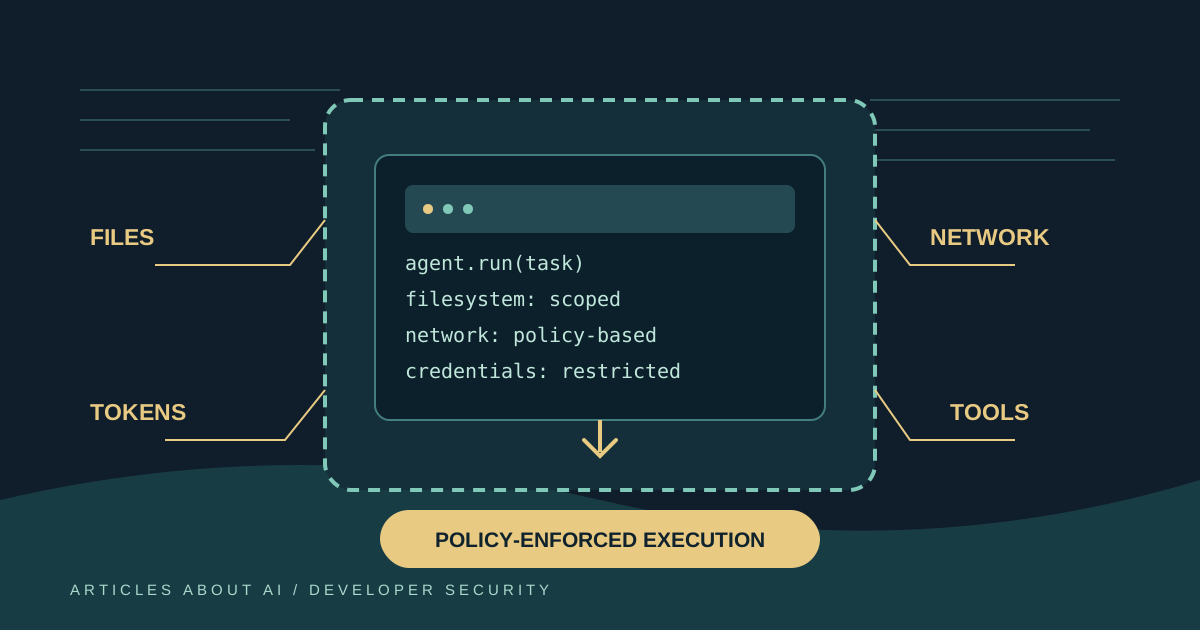
GitHub announced on October 7, 2026 that local sandboxing is generally available in GitHub Copilot CLI, the GitHub Copilot app, and Visual Studio Code sessions that use Agent Host. The feature creates an operating-system-enforced boundary around commands and tools initiated by Copilot, restricting their access to files, networks, credentials, and other machine capabilities according to a policy.
The announcement is significant because coding agents do more than suggest text: they may run shell commands, inspect repositories, call tools, and interact with local development environments. A model can be helpful and still produce a command that is destructive, overly broad, or inappropriate for the current project. Sandboxing aims to reduce the damage that such a command could cause by limiting what the process is allowed to touch.
GitHub says local sandboxing is included with Copilot at no additional cost. It is powered by Microsoft eXecution Container (MXC), which translates a common policy into native operating-system controls across Windows, macOS, and Linux. Administrators can also enforce settings so that developers cannot weaken centrally managed policies.
There are important qualifications. Local sandboxing is not automatically enabled in every workflow; the user or organization must configure it. Operating-system prerequisites differ, support varies by client and session type, and sandboxing a tool process does not guarantee that every action in an agent workflow is isolated. Developers should understand what is restricted, what remains outside the boundary, and how to respond when a tool needs additional permissions.
What changed on October 7
GitHub’s official changelog announcement says local sandboxing is now generally available in Copilot CLI, the Copilot app, and VS Code sessions using Agent Host. It identifies several core capabilities:
- Limit which files and directories agent-run commands may read or modify.
- Control access to the internet, local networks, Git credentials, and GitHub CLI credentials.
- Apply sandboxing to local tools and services, including local MCP servers and language servers where supported.
- Let enterprise administrators require sandboxing and enforce policies that developers cannot loosen.
- Apply execution policies independently of the AI model selected for the session.
That last point matters. Sandboxing governs tool execution, not the model’s identity or intelligence. Choosing a different model does not, by itself, change the operating-system boundary applied to commands. Likewise, having a Copilot subscription does not mean every local session is already protected: settings, client support, policy, and operating-system capabilities still matter.
The update follows earlier previews of local and cloud sandboxes. The June 2 announcement described the public preview of both approaches, while later releases expanded local sandboxing in the Copilot app. The October 7 announcement is the relevant source for general availability across the listed surfaces. Teams should rely on current documentation for exact settings because preview behavior and configuration names can evolve.
What a local sandbox actually does
A sandbox is a restricted execution environment. In Copilot’s local sandboxing workflow, commands initiated by the agent run under a policy that can limit filesystem access, network access, and use of credentials. The policy is enforced by operating-system mechanisms through Microsoft’s MXC technology rather than relying only on the language model to remember a written instruction.
Imagine an agent tasked with updating a test suite. It may need to read source files and write test files in the current repository. It probably does not need to read a browser profile, modify unrelated projects in the home directory, or connect to every machine on a private network. A carefully configured policy can allow the first set of actions while restricting the latter.
The boundary is only as useful as its rules and enforcement. A restrictive policy can prevent legitimate work if required directories, package registries, or local services are blocked. A permissive policy may leave more exposure than the team expects. Developers should treat sandbox configuration as a practical security control to test and review, not a switch that makes all agent activity safe by definition.
GitHub’s announcement says the same policy can cover tools and services such as local MCP and language servers where supported. Model Context Protocol (MCP) servers can give agents access to external systems and tools, so teams should assess their permissions separately. A server may authenticate to a service or hold its own credentials; local command sandboxing does not mean every remote service has been sandboxed.
Supported clients and platforms
The general-availability announcement names Copilot CLI, the GitHub Copilot app, and VS Code sessions using Agent Host. It describes native operating-system enforcement across Windows, macOS, and Linux, but specific OS prerequisites apply. Do not infer that every version of every client on every operating system supports identical controls.
GitHub’s official guide to using local sandboxing lists the current requirements and configuration steps. At the time described in the documentation, Windows requires a supported Windows 11 release and applicable updates, while Linux requires Bubblewrap (bwrap) version 0.5.0 or later and slirp4netns available on the PATH. Teams should check the live guide before standardizing a workstation image, because OS builds and dependencies are part of the enforcement path.
For Windows, the guide identifies Windows 11 version 25H2 with update KB5124010 or later, or Windows 11 version 26H1 with update KB5124006 or later, with support for the BaseContainer tier of the ProcessContainer backend. These are concrete prerequisites, not a general statement that any Windows 10 or Windows 11 machine can run the feature. On Linux, installing the required packages is necessary but does not alone establish that every distribution, container setup, or managed endpoint has been validated.
The announcement covers macOS as a supported platform, but readers should still consult the current documentation for supported versions and any machine-management constraints. If the operating system cannot enforce the requested policy, a sandboxed command may fail rather than silently run unrestricted. That is a deliberate security behavior: failure to establish the boundary should not automatically fall back to running the command with broader permissions.
How to enable local sandboxing
The precise steps depend on the client, and administrators may centrally manage what a user can change. Use the current official GitHub local sandboxing guide as the source of truth for your installed version. In broad terms, a safe rollout looks like this:
- Confirm client and OS support. Identify whether the work will occur in Copilot CLI, the Copilot app, or VS Code using Agent Host. Verify the required OS version, updates, and dependencies before enabling the policy.
- Inspect the default policy. Understand the directories the agent may read or write, the network destinations it can reach, and whether Git or GitHub CLI credentials are available inside the sandbox.
- Enable the feature for a test project. Start with a non-production repository and a low-risk task. Avoid testing new restrictions against a live deployment or a directory containing important credentials.
- Run ordinary development tasks. Ask the agent to inspect files, modify a test, and run the project’s normal checks. Note which legitimate operations fail because a dependency, directory, or service is outside the allowed boundary.
- Adjust policy deliberately. Add only the access that the workflow actually needs. Avoid granting broad access to a home directory, all local networks, or all credentials merely to make a single task work.
- Verify enforcement. Test a harmless operation that should be blocked, such as access to a denied test directory. Confirm that the tool is denied rather than relying on the agent’s statement that it followed instructions.
- Document recovery and escalation. Tell developers how to handle a blocked command, how to request a policy change, and when to stop and ask an administrator instead of bypassing the sandbox.
In Copilot CLI, the official documentation explains how to enable and disable local sandboxing for sessions and how enterprise-managed settings affect the available controls. The Copilot app has its own project-level settings; do not assume that changing the app’s configuration automatically changes CLI settings. For VS Code, follow the documentation for sandboxing agent terminal commands and confirm that the session is using Agent Host.
Enterprise controls and policy enforcement
For organizations, the main advantage is not only that an individual developer can enable a sandbox. Administrators can require sandboxing and enforce policies that developers cannot weaken. This is important when agentic coding is used in repositories that handle customer data, production infrastructure, deployment credentials, or regulated workloads.
A central policy should define a useful minimum boundary while leaving a clear path for approved exceptions. If a team routinely needs a local database or a package registry, administrators can decide how those dependencies should be exposed. They should avoid solving every compatibility issue by allowing all network access or granting unrestricted filesystem permissions.
Organizations should also distinguish user preferences from enforceable policy. A local configuration that a developer can edit is not equivalent to a policy that the organization centrally manages. GitHub’s announcement describes enterprise-managed settings that can require sandboxing and prevent developers from weakening the effective policy. Administrators should confirm the current scope of those controls in their tenant and client versions before representing them as universal across all Copilot surfaces.
For a managed rollout, document at least four things: which clients are supported, which repositories or user groups are in scope, how exceptions are approved, and which team owns policy changes. Add the relevant OS requirements to workstation onboarding. When a sandboxed command fails, the response should be to inspect the denial and adjust the minimum necessary permission—not to teach developers to disable the protection as a routine workaround.
Local sandboxing versus cloud sandboxing
GitHub offers both local and cloud sandbox concepts, but they address different execution contexts. Local sandboxing restricts agent-initiated tool execution on a developer’s own machine. Cloud sandboxes run tasks in a GitHub-hosted, ephemeral environment. A cloud session does not automatically inherit the exact filesystem or network boundary of a local workstation, and local settings do not automatically govern a remote host.
The GitHub overview of cloud and local sandboxes explains how to configure local sandboxing and manage cloud sandbox access for an organization or enterprise. Choose based on where the work needs to happen. Local execution may be necessary when the agent must work with an existing local checkout, local test services, or tools installed on the developer’s machine. A cloud environment can be useful for isolated tasks that do not need unrestricted access to local resources.
Neither model eliminates the need for review. A cloud environment can still have credentials, network access, and permissions that need careful governance. A local sandbox can still be configured too broadly or expose tools that have their own authority. Compare the actual policy, available integrations, data boundaries, and recovery process rather than assuming that the word “sandbox” guarantees equivalent isolation.
What local sandboxing does not guarantee
It does not prove that an agent’s proposed action is correct. Sandboxing restricts the impact of commands within the policy. It does not establish that a code change is secure, that tests are comprehensive, or that an instruction is appropriate.
It does not replace least-privilege credentials. If a credential is exposed to a process that is allowed to use it, the sandbox may not prevent abuse within that permission. Use narrowly scoped credentials, short-lived tokens where possible, and secret managers. Revoke credentials that may have been exposed.
It does not isolate every remote service automatically. Local MCP servers and language servers are covered where supported, but remote tools and their back-end permissions need their own assessment. Review what data a tool receives, what identity it uses, and what it can change.
It does not mean that every Copilot surface uses the same configuration. CLI, app, and VS Code workflows have different settings and session types. Cloud sessions and remote-host sessions are not the same as a local sandboxed session. Verify the actual execution environment before assuming the policy is in force.
It can interrupt legitimate work. Restricting filesystem or network access can block package installation, tests, local services, or scripts. The right response is a deliberate, narrow policy adjustment based on a known requirement, not a blanket grant of access.
It is not a substitute for secure development controls. Continue using code review, automated tests, dependency scanning, secret protection, branch rules, and production access controls. The sandbox is one layer in a defense-in-depth design.
A practical rollout checklist
Before enabling local sandboxing broadly, a team can use this checklist:
- Confirm the supported Copilot client and operating-system prerequisites for every target developer environment.
- Decide which repositories and workflows need mandatory sandboxing.
- Identify the minimum filesystem paths, network destinations, and credentials needed for common tasks.
- Test local builds, test suites, package managers, and approved MCP integrations in a non-production repository.
- Define who can approve exceptions and how those exceptions are recorded.
- Confirm how enterprise-managed settings interact with developer preferences.
- Train developers to recognize blocked commands and request a narrow permission change.
- Keep independent code review, secret scanning, and dependency-security controls enabled.
- Revisit the policy when new tools or agent integrations are introduced.
For security-sensitive projects, test the boundary against a documented set of benign allowed and denied operations. Keep the results with the team’s development-environment documentation. Repeat the tests when the client, operating system, or sandbox policy changes.
How this relates to other Copilot security updates
GitHub is expanding several AI-assisted developer capabilities, but their purposes differ. Our article on GitHub’s AI model for detecting leaked secrets covers a classifier intended to identify likely credentials in code context. Local sandboxing is complementary: one feature helps identify exposed secrets, while the other restricts what agent-run tools can access. Neither replaces the other.
Similarly, GitHub Copilot’s JetBrains model controls and MCP settings address model selection and tool configuration in the IDE. Those controls influence how a developer configures an assistant, whereas operating-system sandboxing constrains command execution. Organizations should evaluate them as separate layers in a policy rather than treating a model setting as a security boundary.
Bottom line
GitHub’s October 7, 2026 announcement makes local sandboxing generally available in Copilot CLI, the Copilot app, and supported VS Code sessions using Agent Host. The feature uses Microsoft MXC to translate sandbox policies into native OS controls, limiting filesystem, network, credential, and other access for agent-initiated tools. It is included with Copilot at no additional cost.
For individual developers, the sensible next step is to verify client and OS support, enable sandboxing for a low-risk project, and test which operations are allowed or denied. For organizations, the priority is to define a minimum policy, enforce it where appropriate, document exceptions, and ensure developers understand the effective boundary. Sandboxing can reduce the consequences of unintended agent actions, but it is not a guarantee of correct code or a replacement for least privilege, review, secret protection, and incident response.