
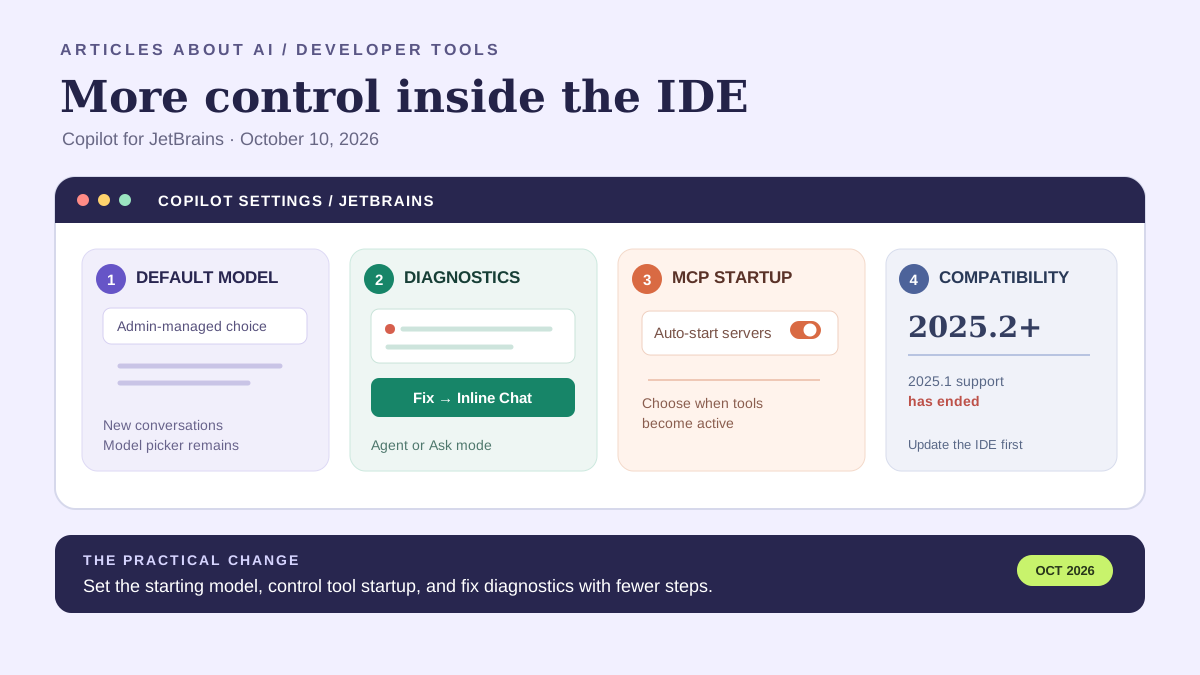
GitHub published a new Copilot for JetBrains update on October 10, 2026, introducing more administrative control over default agent models, a faster route from diagnostics to suggested fixes, and a setting that lets users disable automatic startup for configured Model Context Protocol (MCP) servers. The release also refines account switching and chat navigation, improves reliability across several IDE workflows, and ends support for JetBrains IDE 2025.1.
The update is useful because AI coding assistants are not just chat windows embedded in an editor. They connect models to project files, diagnostic output, external tools, account entitlements, and sometimes agent workflows that can make changes. A smoother interface matters, but so do the defaults that determine which model starts a conversation and when a configured tool becomes active. For teams, those controls affect consistency and governance as much as convenience.
This article explains the confirmed changes, what they mean in day-to-day development, how administrators and individual developers should approach them, and which claims the announcement does not make. The primary source is GitHub’s own release note: New controls and chat improvements in Copilot for JetBrains. Availability and behavior can depend on the installed plugin, IDE version, Copilot plan, enabled models, and organization-managed policies; users should check their own environment rather than assume every setting appears for every account.
1. Enterprise-managed default models for new conversations
The most consequential administrative change is the ability for enterprise administrators to use managed settings to select any available Copilot agent model as the default for new conversations. This gives an organization a consistent starting point for its developers without removing the explicit model picker choice described by GitHub.
A default is not the same as an exclusive model restriction. The changelog says administrators can choose the model that starts new conversations, while a developer’s explicit selection in the model picker is preserved. Organizations should therefore avoid describing this as a way to force every request to use one model. If a team needs to restrict which models are available, it should review the separate Copilot policies and plan controls that govern model access.
Why would a team care about the starting model? Different models can have different strengths, latency, context limits, costs, or eligibility rules. A managed default can reduce confusion when an organization has evaluated a preferred model for common development tasks. It can also simplify onboarding: new team members begin with the same configured choice instead of needing to discover which model their colleagues normally use.
There are limits to what can be inferred. GitHub’s announcement does not publish a universal recommended model, promise identical output quality across models, or quantify productivity gains from the default-setting feature. “Any available agent model” means availability still matters: a model may not be enabled for a particular plan, organization, or user. Administrators should verify the models actually offered in their environment and communicate whether the default is a recommendation or part of a broader policy.
For individual developers, the practical response is simple: check the model shown when a new conversation starts, learn whether an administrator has configured the default, and use the model picker when another available model is better suited to the task. For teams, document the expected default and the circumstances in which a different model is appropriate. Do not treat a model choice as a substitute for reviewing generated code.
2. Diagnostic Fix actions open inline chat
The update also makes it easier to act on diagnostics. GitHub says diagnostic intention menus now include a Fix action that opens inline chat and asks Copilot to repair the issue. The action uses agent mode when it is available and Ask mode otherwise.
This change reduces the number of steps between noticing a problem and asking for help. A developer may encounter an error, warning, or diagnostic while reading code. Instead of copying the message into a separate chat and reconstructing the relevant context manually, the developer can invoke the fix action from the diagnostic interface. That shorter path can make AI assistance easier to use for small, localized issues.
The distinction between Agent and Ask mode matters. The release note describes a mode-dependent behavior, not a guarantee that every diagnostic will trigger the same workflow. Agent mode may be available in one environment or context while Ask mode is the fallback in another. Developers should understand which mode is active before accepting changes, particularly when the suggested fix could touch multiple files or alter behavior beyond the reported diagnostic.
A diagnostic is evidence of a potential problem, not always a complete specification of the correct fix. Some warnings are intentional; some errors are symptoms of a deeper issue; and a suggested code change can silence a diagnostic while introducing a regression. Use the Fix action as a way to generate a proposal, then inspect the diff, run the relevant tests, and verify that the underlying behavior is correct.
For teams introducing this workflow, begin with low-risk examples and establish a consistent review habit. The feature shortens the path to a proposed fix; it does not eliminate code review or transfer responsibility for correctness from the developer to Copilot.
3. More control over MCP server startup
GitHub has added an MCP setting that lets users disable automatic server startup for Copilot and Claude. MCP is a protocol for connecting AI applications to external tools and context providers. Depending on how a server is configured, those tools may expose project information, documentation, local resources, or actions performed through an external service.
The new setting gives users more control over when configured MCP servers become active. That can be useful for developers who maintain several integrations but do not need all of them for every session. It can also help teams reason about which tools are available at a given time, especially where a server requires authentication or has access to resources outside the current project.
The announcement describes startup behavior. It does not say that disabling automatic startup deletes a server configuration, revokes its permissions, or makes the integration permanently unavailable. Nor does it say that every MCP server is automatically unsafe. The appropriate decision depends on what a server can access, what actions it can perform, how it authenticates, and whether the developer needs it for the current task.
A useful approach is to inventory configured servers, identify their purpose and permission scope, and decide which should start automatically. If a server is only needed for occasional documentation lookup, manual startup may be preferable. If a development workflow depends on a server, document the expected startup procedure so that disabling auto-start does not appear to be a mysterious plugin failure.
MCP configuration is also a separate concern from the model selected for a conversation. A more capable model does not automatically make an external tool safer, and a startup toggle is not a complete access-control system. Teams should continue to review server provenance, credentials, permissions, and the data that can be sent to each integration.
The rest of the release adds interface, migration, and reliability changes, detailed below.
4. Account controls and chat navigation are clearer
Signed-in Copilot accounts now have clearer labels and a simpler status display. Navigation is improved for long account lists, and a Switch Account action makes it easier to change the active account. This helps developers who use one GitHub account for an employer’s Copilot license and another to access a repository. Users should still verify which account is active and which license or organization policy applies.
GitHub also improves chat discovery and sign-in. New users receive a one-time reminder to help them find Chat. The sign-in page has a responsive layout, clearer headings, improved provider choices, a direct link to Copilot plans, and cancellable progress during browser authorization.
Conversation messages are now grouped by turn, with controls for moving between turns. User messages have copy and edit actions, and the agent placeholder gives clearer guidance about questions, edits, context, and commands. These are usability changes, not new model capabilities: they can make account recovery and long conversations less confusing, but they do not guarantee correct answers.
5. Migration and reliability improvements
GitHub says the release improves reliability in language-server startup, switching models and providers, MCP configuration, customization refreshes, file changes, and worktree workflows. It also resolves interaction and display issues involving model management, tool-call details, working sets, and JetBrains IDE settings.
These components sit between the model and the editor. If a language server fails to start or a model switch does not persist, a developer may experience the issue as poor AI performance even when the model is not responsible. IDE integrations depend on the plugin, IDE, authentication, network connections, model access, local files, and configured tools working together.
The release also fixes a migration-flow issue: after a user accepts a migration command, Go Back now opens a Copilot home session even when the local conversation continues. GitHub does not quantify the reliability gains or promise that every session will work perfectly. If a problem remains, record the IDE version, plugin version, active model, relevant settings, and steps that reproduce it.
For teams adopting autonomous coding workflows, reliability and access controls belong together. Our guide to GitHub Copilot local sandboxing explains how execution boundaries can limit what commands and tools may do on a developer’s machine. This JetBrains update focuses on model defaults, tool startup, and editor workflows; local sandboxing addresses a different layer of the environment.
6. Important compatibility change: JetBrains IDE 2025.2 or later
GitHub says it has ended support for JetBrains IDE 2025.1 and that users now need JetBrains IDE 2025.2 or later to use the Copilot plugin.
If you are running 2025.1, confirm the IDE product and build, then review upgrade options. Reinstalling Copilot will not restore support for an IDE version the release explicitly says is no longer supported. Before upgrading a work machine, check compatibility with other plugins, project SDKs, build tools, and organization-managed images.
Teams that standardize developer environments should update setup instructions and communicate the requirement before asking users to troubleshoot the plugin. The changelog does not list every JetBrains product and build number individually, so users of specialized IDEs should check the current plugin listing and compatibility information for their product.
Who should act now?
Individual developers: Check that your IDE is version 2025.2 or later, then update Copilot through the IDE’s plugin manager or the official JetBrains Marketplace listing. Try the diagnostic Fix action on a low-risk issue, verify the selected model, and review MCP startup behavior if you use configured tools.
Team leads: Test the update against a representative project. Confirm that model choices, diagnostic actions, account switching, MCP integrations, and worktree operations behave as expected. Remind developers that a suggested fix still requires code review and testing.
Enterprise administrators: Decide whether a managed default would improve consistency, confirm that the selected model is enabled for the appropriate users, and review MCP server policy. Communicate the JetBrains 2025.2 minimum to anyone who manages developer images or support documentation.
Security and platform teams: Document approved MCP servers, their authentication methods, and the access they receive. Disabling automatic startup offers more control over when tools become active, but it does not replace reviewing each integration’s permissions. For broader context on workplace agents, see our coverage of Google Cloud’s Gemini agent for enterprise workflows.
A practical update checklist
- Confirm the IDE is JetBrains 2025.2 or later.
- Update the Copilot plugin and verify its installed version.
- Confirm the signed-in account has the intended license and repository access.
- Check which agent models are enabled and whether a default has been configured.
- Test the diagnostic Fix action on a simple, reversible issue; inspect the code before accepting it.
- Review configured MCP servers and decide whether automatic startup is appropriate.
- Test language-server startup, model switching, customizations, file changes, and worktree workflows.
- Update internal documentation with the minimum IDE version and organization-specific model or MCP requirements.
If a feature is missing after updating, check whether it applies to your plan, whether an administrator controls it, whether the required model or server is enabled, and whether the IDE meets the compatibility requirement. GitHub’s changelog is the primary source, but it does not provide one universal configuration path for every managed environment.
What this update does—and does not—mean
The release makes Copilot for JetBrains more configurable and streamlines several interactions. It does not announce a new model family, promise that AI-generated fixes are correct, or say that MCP integrations become safe merely because automatic startup can be disabled. Nor does it establish that every feature is available under every plan or organization policy.
The model-default control is an administrative starting point, not a replacement for developer judgment. The MCP setting changes startup behavior, not necessarily server permissions. The diagnostic Fix action reduces steps, but it does not remove the need to review changes and run tests. For developers, the practical move is to update to a supported IDE and plugin, test the controls in a low-risk project, and make sure model and tool settings match the intended workflow.
Frequently asked questions
Does the update add a new Copilot model?
No. The October 10 changelog describes controls, interface changes, reliability improvements, and a compatibility change.
Can an administrator force every developer to use one model?
The release says administrators can set the default for new conversations while preserving the explicit model-picker choice. It does not say that all model switching can be disabled.
Does turning off automatic MCP startup remove the server?
The changelog describes a control for automatic startup. It does not say that server definitions are deleted or that MCP support is removed.
What if I still use JetBrains IDE 2025.1?
GitHub says support for JetBrains IDE 2025.1 has ended and that version 2025.2 or later is required. Check your IDE’s upgrade path and plugin compatibility before troubleshooting further.
Deployment and troubleshooting notes
After updating the plugin, verify the actual version installed in the IDE and restart the IDE if the plugin manager or the official instructions require it. If a new control is missing, first confirm the IDE meets the 2025.2 minimum, then check the Copilot account, organization policy, plan eligibility, and whether the relevant model or MCP integration is enabled. A missing option does not, by itself, prove that the update failed.
When reporting a reproducible problem, record the JetBrains product and build, operating-system version, Copilot plugin version, signed-in account type, selected model, and the exact steps that lead to the issue. Avoid including repository secrets, tokens, private source code, or sensitive diagnostic output in public bug reports. If the issue involves an organization-managed default or MCP policy, ask the administrator to confirm the effective policy rather than repeatedly changing local settings.
The bottom line
GitHub’s October 10 update is a practical workflow and administration release rather than a new model announcement. Enterprise-managed defaults make the initial model choice more consistent; diagnostic Fix actions shorten the route from an error to an AI-generated proposal; and MCP startup controls give users more say over when configured tools activate. Account, navigation, migration, and reliability refinements round out the release.
The compatibility change deserves immediate attention: JetBrains IDE 2025.1 is no longer supported, and GitHub says users need version 2025.2 or later. Once upgraded, developers should verify the controls in their own environment, test the diagnostic workflow on reversible changes, and review MCP integrations based on their permissions and purpose.
For broader context, read our guide to GitHub Copilot local sandboxing, which covers restrictions on commands and tools running on a developer’s machine, and our report on faster Codex steering in the ChatGPT desktop app. These features address different layers of an AI-assisted workflow: conversation control, editor usability, and execution boundaries should be evaluated separately.