
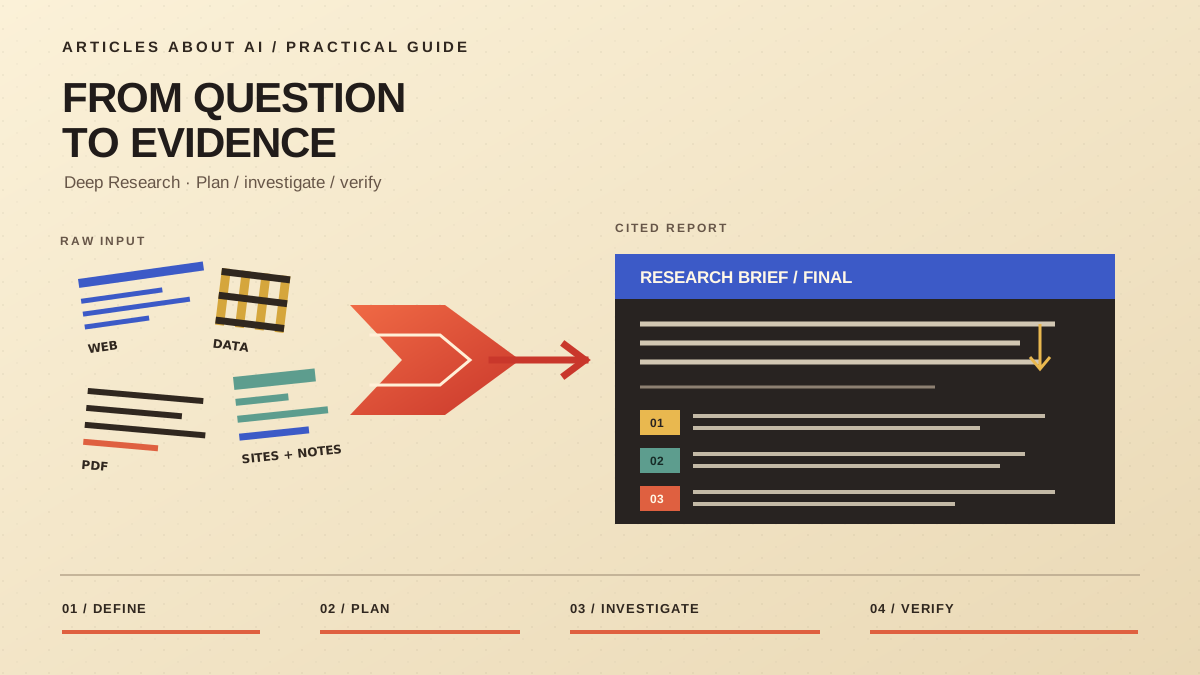
ChatGPT’s Deep Research is designed for questions that need more than a quick answer. It can investigate a multi-part question, use sources you make available, and turn findings into a structured report with citations or source links. You can define the outcome, review a plan, steer the investigation, and inspect the evidence behind the result.
It is useful for product comparisons, background briefs, literature reviews, and other tasks that require multiple sources. It does not guarantee correctness: sources can be incomplete, a claim can be misread, and a polished report can still contain unsupported conclusions. Treat it as a research assistant whose work you verify. OpenAI’s official Deep Research guide documents current controls, availability, and usage limits.
Deep Research or Search?
Standard chat is often enough for drafting or explaining a familiar concept. ChatGPT Search is better for a quick lookup of current information and a concise answer with links. Deep Research is the better fit when the question requires several research steps, competing evidence, or a report another person may need to audit. See our guide to how ChatGPT Search works for the shorter workflow.
How to start
In current ChatGPT interfaces, look for Deep research in the tools menu or sidebar. Some interfaces also support typing /Deepresearch in the composer. The entry point can vary by account and product surface, so check OpenAI’s guide if the control is missing.
Before starting, define the deliverable. A broad request about electric vehicles leaves the system to guess what matters. A comparison that names the intended buyer, ownership costs, winter range, charging access, and warranty gives the investigation a clearer target.
1. Define the question
State what the report must answer, who will use it, and how detailed it should be. Name the criteria that matter most and specify a date range or market when relevant. Ask the system to separate confirmed facts from estimates and flag missing evidence. These constraints reduce ambiguity but do not guarantee perfect compliance.
2. Choose sources
Deep Research can use the public web and uploaded files. Depending on your account, region, plan, and workspace, supported connected apps may also be available. Not every app can serve as a Deep Research source, and connected sources do not bypass existing access restrictions.
When available, source controls let you specify websites under Sites or Manage sites, restrict research to selected domains, or prioritize those sites while allowing broader discovery. Restrict sources when the report must stay within an approved set; prioritize sources when official documentation should receive extra attention but broader context is still useful.
For document-heavy work, see our guide to uploading files to ChatGPT and analyzing them. For a fixed collection of source documents, our NotebookLM research workflow covers a different approach.
3. Review and steer the plan
ChatGPT may present a research plan you can review and modify. Check whether it covers every part of the question, uses a suitable mix of sources, and will produce the format you requested. A comparison should apply the same criteria to each option; a literature review should include credible findings that challenge the leading interpretation.
If a key dimension is missing, add it before the work proceeds. While the task runs, narrow the scope if it drifts into irrelevant background or ask for an important primary source where available.
Write a useful research brief
A strong brief names the question, audience, scope, source expectations, and report format. For a software comparison, specify the team size, evaluation period, products, and decision criteria. Request an executive summary, a comparison table, links supporting important claims, disagreements between credible sources, and a short list of evidence gaps.
The key is specificity, not magic wording. Name the decision, scope, criteria, source preferences, and desired output. If you need an editable deliverable, specify the format and confirm that your interface supports it.
Verify citations before sharing
Every Deep Research report includes citations or source links, but a citation is a starting point for verification—not proof that the claim is correct.
- Open important sources. Check the original page or paper, not only the summary.
- Match claims to evidence. Confirm that the cited source supports the statement, figure, date, or comparison.
- Check freshness. Pricing, policies, and product features change. Look for update dates and prefer current primary sources.
- Inspect comparisons and numbers. Check that the same criteria were used for each option and verify units, periods, and calculations.
- Look for disagreement. Ask whether the report includes credible counterevidence, limitations, or relevant cases it left out.
- Separate fact from inference. Evidence that two events occurred does not automatically prove that one caused the other.
If a citation is weak, ask for the exact source supporting the claim or ask the system to mark it as unverified. A long bibliography is not a substitute for checking important claims individually.
Reports, limits, and privacy
A completed report can include a table of contents, source list, and activity history. OpenAI’s current documentation lists downloads in Markdown, Word, and PDF formats. Review the title, date range, assumptions, links, and unresolved questions before sharing it.
Availability depends on your plan and country or territory. Connected-source access may also depend on workspace settings and provider permissions. Usage limits vary; for plans with a fixed monthly allowance, OpenAI says the in-product counter shows remaining tasks and resets every 30 days from the date of first use. Check your own counter rather than relying on an older tutorial.
OpenAI states that Deep Research conversations follow the same data-handling and privacy settings as regular ChatGPT conversations. Review the controls that apply to your account or workspace before using confidential material. For connected apps, review permissions too: Deep Research uses supported read actions and does not use app write actions as part of the research task. The official connected apps guide explains availability and permissions.
Common problems
Deep Research is missing: Check the intended account and workspace, then consult OpenAI’s current guide. Access varies by plan, region, and workspace configuration.
The report is too broad: Narrow the question, specify a date range and criteria, and ask it to remove background that does not contribute to the decision.
Citations do not support the conclusion: Ask for a claim-by-claim evidence table listing each claim, its source, the supporting evidence, and any limitation.
A file or connected app is unavailable: Confirm that the source type is supported, the correct provider account is connected, and the necessary permissions are granted.
The practical rule
Use Deep Research when a task needs breadth, comparison, and traceable evidence—not merely a longer answer. Define the question, control sources where possible, review the plan, and verify claims before relying on the result. That turns a generated report into a useful research artifact rather than an attractive document whose evidence has never been checked.