
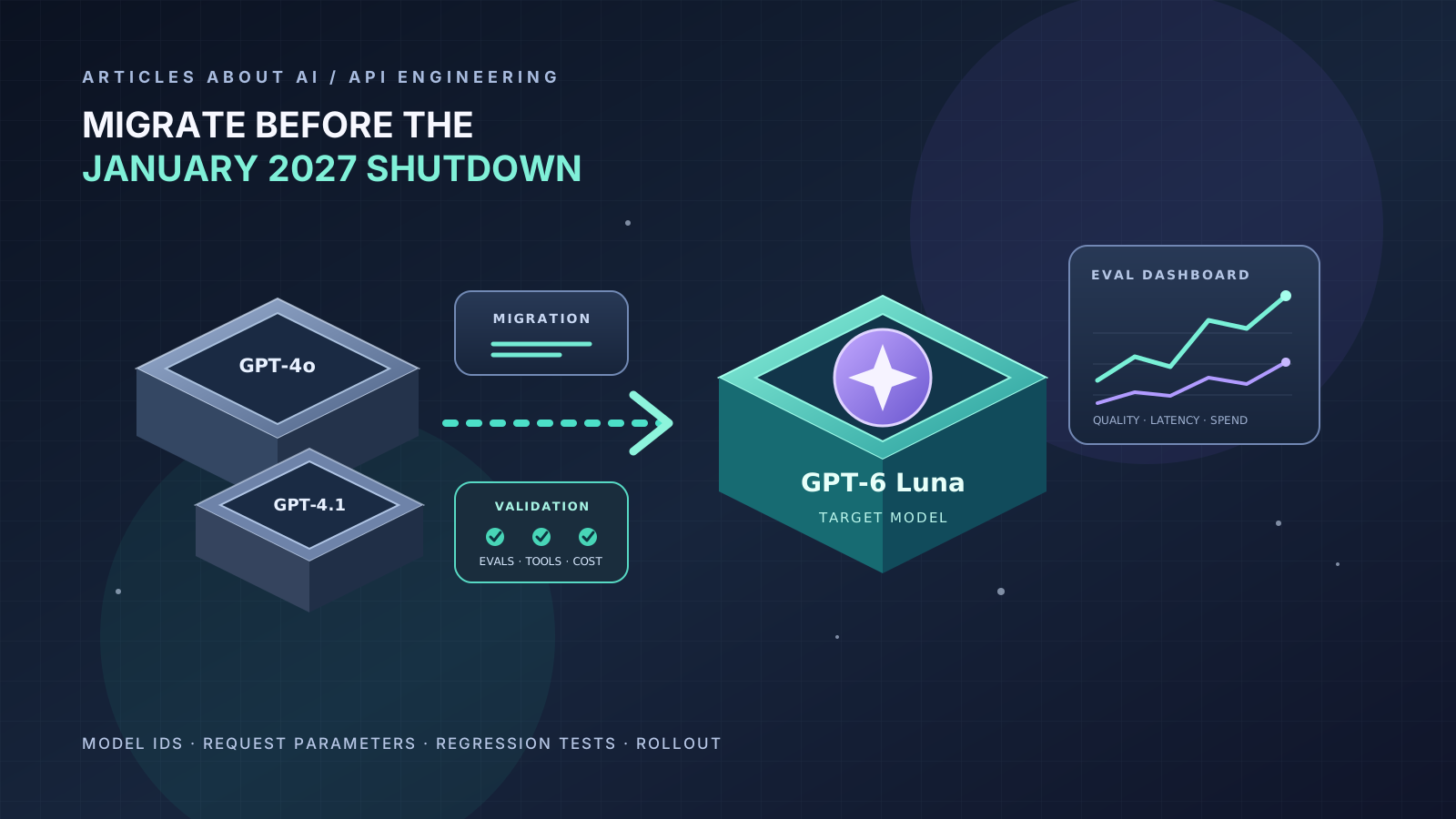
OpenAI has announced an API retirement date that developers using certain GPT-4-series model snapshots should plan around. According to the official API deprecations page, the affected snapshots are scheduled to be removed on January 14, 2027, and OpenAI recommends gpt-6-luna as their replacement. The notice covers gpt-4o-2024-08-06, gpt-4o-2024-11-20, gpt-4o-mini-2024-07-18, gpt-4.1-2025-04-14, and gpt-4.1-mini-2025-04-14. Fine-tuned versions based on those models follow the same schedule.
This is an API change, not an announcement that the ChatGPT app itself is shutting down. The practical impact is on software that sends API requests using the affected model IDs. If one of those IDs is hard-coded in an application, background job, serverless function, evaluation pipeline, or customer integration, the service may stop working when the retirement date arrives unless the integration is migrated.
The safest response is to inventory model usage now, move a test environment to the recommended replacement, compare real tasks, and roll out the change behind a controlled release process. Do not treat migration as a one-line text replacement: newer models can differ in request-parameter support, reasoning behavior, tool calling, output quality, latency, and cost.
This guide explains how to prepare and validate the migration without disrupting production.
1. Confirm Whether Your Application Is Affected
Start with the official deprecation notice, because model availability and retirement schedules can change. The source of truth is OpenAI’s API deprecations documentation. Its October 14, 2026 notice lists the exact model snapshots and January 14, 2027 shutdown date.
| Affected model ID | Recommended replacement | Scheduled API shutdown |
|---|---|---|
gpt-4o-2024-08-06 |
gpt-6-luna |
January 14, 2027 |
gpt-4o-2024-11-20 |
gpt-6-luna |
January 14, 2027 |
gpt-4o-mini-2024-07-18 |
gpt-6-luna |
January 14, 2027 |
gpt-4.1-2025-04-14 |
gpt-6-luna |
January 14, 2027 |
gpt-4.1-mini-2025-04-14 |
gpt-6-luna |
January 14, 2027 |
Fine-tuned versions of these models are included in the schedule according to the underlying base model. Check your organization’s actual model usage and the latest official notice before making a change.
Search more than the main application repository. Model IDs may be stored in environment files, deployment manifests, infrastructure-as-code, workflow definitions, scheduled tasks, data-processing jobs, evaluation scripts, and customer-specific configuration. Also inspect model aliases or routing tables maintained by an internal gateway.
For a quick local search, this command can help find references in a source tree:
grep -RInE 'gpt-4o-2024-08-06|gpt-4o-2024-11-20|gpt-4o-mini-2024-07-18|gpt-4.1-2025-04-14|gpt-4.1-mini-2025-04-14' .
Run the search from the relevant repository root and exclude generated or dependency directories if needed. On Windows, use your IDE’s global search or an equivalent PowerShell command. A text search is only a first pass: a model ID may be assembled dynamically, stored in a secret-management system, or set in a dashboard outside the repository.
Create an inventory with the affected model, service owner, environment, request volume, business criticality, and test coverage. If none of the affected IDs are used, you may not need this specific migration. If you do use one, assign an owner and schedule a test migration rather than waiting until the shutdown week.
2. Change the Model in a Test Environment First
OpenAI’s GPT-6 model guide recommends choosing a model based on the task’s reasoning needs, latency, and cost. For the snapshots in this notice, the deprecations page specifically names gpt-6-luna as the recommended replacement. Start by using that ID in a staging environment, then validate it against your own workloads.
If the application has a central configuration variable, update that variable rather than editing dozens of call sites. For example:
import os
from openai import OpenAI

client = OpenAI()
MODEL = os.getenv("OPENAI_MODEL", "gpt-6-luna")

response = client.responses.create(
    model=MODEL,
    input="Extract the invoice number, invoice date, and total from this text."
)

print(response.output_text)
This is a minimal illustration of a Responses API request, not a drop-in replacement for every legacy integration. The actual input format, response handling, and output schema must match your application. Pin the target model explicitly during testing so that an unnoticed configuration change does not invalidate the comparison.
For the migration, avoid combining several unrelated changes in one release. Do not simultaneously rewrite prompts, change the application architecture, switch SDK versions, and replace the model unless there is a clear reason. Keeping the patch small makes regressions easier to identify and rollback easier to perform.
Before deployment, verify that the API project and account you use can access the replacement model, that your usage tier and rate limits meet the workload, and that your deployment environment is reading the intended configuration. Never put an API key directly into source code or commit it to the repository.
3. Audit Request Parameters for Compatibility
A model change can expose request parameters that were tolerated by an older integration but are not supported in the same way by the new model family. OpenAI’s GPT-6 migration guidance and deployment checklist identify several areas to inspect.
Reasoning effort
GPT-6 Luna supports the reasoning.effort setting in the Responses API, with supported values including none, low, medium, high, xhigh, and max. Do not assume the best setting is the highest one. For extraction, classification, and simple transformations, a lower setting may be faster and less expensive. For debugging, planning, or complex decisions, compare higher settings using representative tasks.
If you are moving from an older model that did not expose the same reasoning control, establish a baseline first. Test the default and one or two relevant settings; then select based on measured task quality, latency, and total cost rather than intuition.
Sampling and log-probability parameters
The deployment checklist warns that when reasoning effort is not none, parameters such as temperature, top_p, and top_logprobs need to be removed, and logprobs must be removed from Chat Completions requests and from the Responses include array. Review your actual endpoint and request schema before deleting or retaining any parameter. Do not blindly strip all optional fields: some may be required for your application’s logic, while others may be unsupported for the selected configuration.
Make these changes in staging, run your tests, and log request-validation errors. A parameter that was valid for the old model or endpoint may no longer be valid for the new combination.
Output limits and structured outputs
Check any output-token limits, JSON Schema constraints, stop conditions, and response parsing assumptions. If your application expects a specific JSON shape, validate the result against the schema before using it. Structured outputs can help enforce a defined schema, but the application should still handle refusals, incomplete responses, and transport errors.
Review the official Structured Outputs guide if your integration relies on machine-readable responses. The goal is not simply to get a successful HTTP response; it is to preserve the application’s contract with downstream code.
4. Review Tool Calling and Endpoint Choice
Tool use is a common source of migration regressions because the request may succeed while the model’s interaction with application functions behaves differently.
OpenAI’s current GPT-6 guidance recommends using the Responses API for reasoning and tool-calling workflows. GPT-6 Luna supports function calling in Chat Completions only when reasoning_effort: "none" is used. If your existing integration depends on function calls with reasoning enabled, test the Responses API path instead of assuming the old Chat Completions request can be copied unchanged.
For every tool-enabled workflow, test:
- Whether the model selects the right tool for the task.
- Whether tool arguments match the expected schema.
- Whether your application handles missing, malformed, or extra arguments safely.
- Whether the tool result is passed back to the model correctly.
- Whether the model stops, continues, or calls another tool as expected.
- Whether authorization and application-side validation remain in control.
Never rely on the model alone to authorize sensitive actions. Your application should validate arguments, enforce user permissions, limit side effects, and ask for confirmation where appropriate. A successful model migration should not weaken existing safeguards.
If you are moving from Chat Completions to Responses, treat that as an explicit endpoint migration with its own tests. Compare the input format, response object, streaming events, tool-call representation, and conversation-state handling. Do not assume that a response parser written for one endpoint will work unchanged with the other.
5. Build a Representative Evaluation Set
Before switching production traffic, collect examples that represent what the application actually does. A useful evaluation set should include normal cases, edge cases, malformed input, long input, ambiguous requests, and cases where the correct result is to refuse or ask for clarification.
For each example, record the expected behavior and define how it will be scored. Some tasks can be checked exactly, such as extracting an invoice ID or returning a valid schema. Others require human review or a rubric, such as summarization quality, customer-support tone, or a complex reasoning result.
Measure at least:
- Task success: Did the application produce a result that meets the requirement?
- Correctness: Were factual details, calculations, and extracted fields right?
- Latency: How long did the complete operation take, including any tool calls?
- Token usage: Compare input, output, reasoning, and cached-token usage where applicable.
- Cost per successful task: A cheaper request is not necessarily a better result if more retries or human corrections are needed.
- Failure modes: Record validation errors, refusals, timeouts, and tool-call mistakes.
Run the old and new models against the same input set, with the same application logic wherever possible. Compare the results before rewriting prompts. If a result changes, classify the difference as an improvement, acceptable variation, or regression. Investigate important regressions rather than averaging them away.
The OpenAI deployment checklist recommends representative evaluations and comparison of task success, latency, token usage, and cost. Use that guidance to design the test, but make acceptance thresholds specific to your service.
6. Compare Cost and Latency Under Real Conditions
Do not assume that the recommended replacement will be cheaper or faster for every request. Actual cost depends on the model’s current pricing, input length, output length, reasoning tokens, caching, processing tier, and how often the application retries or calls tools. Check the official API pricing page during the migration rather than copying prices from an older article.
Benchmark both isolated model calls and end-to-end application workflows. A faster model response may not shorten a workflow if your code makes multiple sequential calls, waits on external services, or spends time validating results. Similarly, a lower per-token rate may not lower cost if the new prompt or response is much longer.
Use a consistent workload and record enough runs to distinguish a genuine improvement from ordinary variation. Include high-volume and long-context cases if they are common in production. If your service has strict latency objectives, compare the tail of the distribution as well as the average or median.
Choose the configuration that meets the quality requirement at an acceptable total cost. A slightly more expensive request may be preferable if it reduces failed tasks, retries, manual review, or customer-impacting errors.
7. Roll Out Gradually and Keep a Rollback Path
Once the replacement passes the evaluation suite, release it gradually. A safe rollout can look like this:
- Deploy the new model configuration to a development environment.
- Run automated tests and a fixed evaluation set.
- Enable it for internal users or a small percentage of low-risk traffic.
- Compare live error rates, latency, cost, and quality signals.
- Increase traffic in stages if the metrics remain within the agreed thresholds.
- Keep the old configuration available during the transition where the old model is still supported and rollback is operationally possible.
- Complete the migration well before January 14, 2027, and verify that no production path still uses an affected ID.
Do not wait until the shutdown date to begin testing. A model retirement may be predictable, but production migrations still uncover hidden call sites, undocumented dependencies, and unusual workloads.
Rollback should be an explicit procedure, not just a comment in a release plan. Know which configuration value to restore, who can authorize it, and what conditions trigger rollback. Because the retired model will eventually become unavailable, rollback is a temporary safety measure—not a substitute for completing the migration.
8. Monitor for Hidden Model References
After the initial release, monitor logs and configuration for requests that still use the affected IDs. If your architecture has a central model gateway, consider making it the authoritative location for model selection and logging the model ID actually sent with each request. That makes future retirement notices easier to manage.
OpenAI also documents a programmatic approach to monitoring shutdown dates: use the List models endpoint and check each model’s optional shutdown_date field when available. See the official deprecations page for the current guidance. Automated checks can help surface future changes, but they should supplement—not replace—official notices and release planning.
Record the migration date, old and new IDs, SDK and endpoint changes, evaluation results, and any prompt or parameter adjustments. This record will help diagnose behavior changes later and gives future maintainers a clear explanation of why the integration changed.
Migration Checklist
Use this checklist to track readiness:
- Confirm the affected model IDs against the current official deprecation notice.
- Search application code, deployment configuration, jobs, and gateways for model references.
- Assign an owner to each affected service.
- Set
gpt-6-lunain a staging environment. - Audit reasoning, sampling, log-probability, and output parameters.
- Verify tool-calling behavior and endpoint compatibility.
- Run representative quality, correctness, latency, and cost evaluations.
- Review refusals, schema validation, retries, and error handling.
- Roll out gradually with monitoring and a documented rollback plan.
- Confirm that no production workload relies on a retiring snapshot.
- Finish before January 14, 2027, and recheck the official schedule before release.
Frequently Asked Questions
Is ChatGPT shutting down GPT-4o on January 14, 2027?
The notice covered in this guide is an API deprecation for specific GPT-4o and GPT-4.1 model snapshots. It should not be described as a shutdown of the ChatGPT app. ChatGPT product availability and API model availability are separate matters, so check the relevant official notice for the product you use.
Do I only need to replace the model ID?
Not necessarily. Changing the model ID is the first step, but request parameters, reasoning settings, tool calling, response parsing, quality, and cost may also need attention. Run representative evaluations before production rollout.
Why is GPT-6 Luna the target in this guide?
OpenAI’s October 14, 2026 deprecation notice explicitly recommends gpt-6-luna for the affected GPT-4-series snapshots listed above. Model recommendations can change, so consult the live documentation before implementing the migration.
Can I wait until January 2027?
It is safer to start now. Testing early gives you time to identify hidden dependencies, adapt tool calls, compare quality, and roll back if necessary. The scheduled date is a deadline, not a recommended start date.
Where should I verify the latest model retirement details?
Use the OpenAI API deprecations page as the primary source. For migration settings, consult Using GPT-6 and the API deployment checklist. Recheck these pages before making production changes.
Conclusion
The January 14, 2027 retirement of specific GPT-4o and GPT-4.1 API snapshots is a concrete migration task for developers who still depend on those IDs. Start with an inventory, test gpt-6-luna in staging, audit request parameters and tool calling, and compare real tasks for correctness, latency, and cost. Then release gradually and monitor for hidden references.
A reliable migration is more than a successful API call. It preserves the behavior your users and downstream systems depend on while making the change early enough to handle unexpected differences. Use the official deprecation notice as the source of truth, document what you changed, and finish the transition well before the shutdown date.