
Choosing a model for every coding task can be a trade-off between speed, cost, and the reasoning a task requires. A small edit or a request to explain a function may not need the same model as a difficult debugging session, a cross-file refactor, or a security review. GitHub Copilot model routing is an approach for matching a task to an eligible model before execution begins.
A Microsoft Community Hub article published on October 19, 2026, describes a community-built decision-routing design for GitHub Copilot CLI and VS Code. Its key idea is to add a decision step that recommends an appropriate model tier while leaving Copilot responsible for the actual coding interaction. This is a technical design example, not an announcement that automatic task-based routing is now a built-in Copilot setting. Availability, extension APIs, model access, and billing can change, so check the current documentation before implementing it.
This guide explains how model routing works, when it can help, what a custom implementation needs, and how to evaluate it without sacrificing reliability or security.
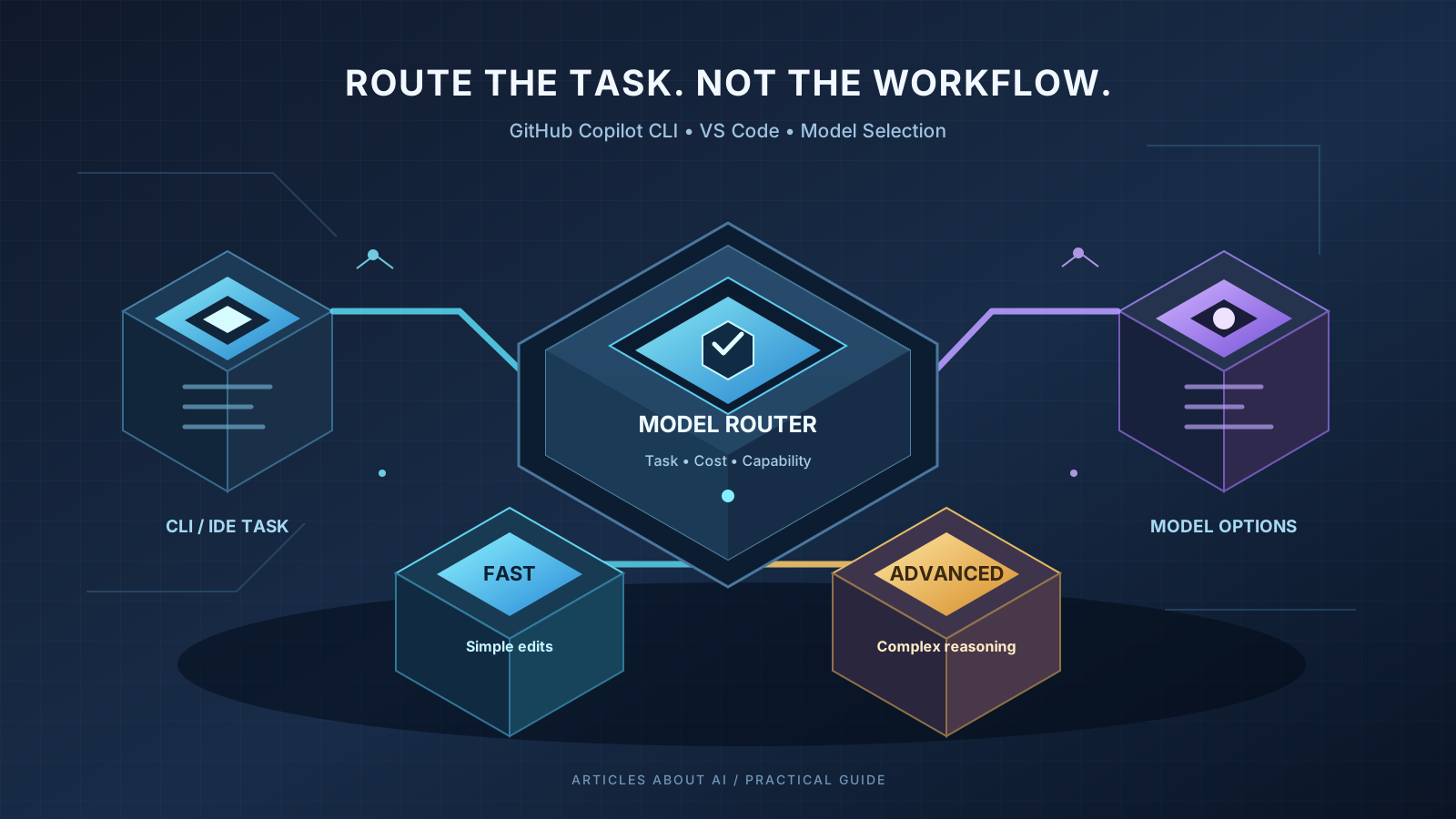
What is GitHub Copilot model routing?
Model routing is a software design pattern that selects an AI model for a task according to defined criteria. Instead of using one model for every prompt, a router evaluates the request and chooses from models that are available to the current user or organization.
A practical router usually considers:
- Task complexity: Is the request a small edit, routine debugging, or a difficult architectural problem?
- Model capability: Can the candidate handle the required reasoning, coding language, tools, and context?
- Latency: How quickly does the developer need a useful result?
- Cost: What are the likely usage charges or premium-request costs for the selected option?
- Policy and access: Is the model enabled for the user’s plan and allowed by organization settings?
- Confidence: Is the routing decision reliable enough to act on automatically?
The router should choose the least expensive eligible model that is likely to complete the task reliably—not simply the cheapest model available. For high-risk code, a more capable model or a human review may be the right choice even when it costs more.
What is new in the October 2026 routing design?
The October 19 Microsoft Community Hub post, Beyond One-Size-Fits-All: Decision Routing for GitHub Copilot in CLI & VS Code, describes a custom architecture called decision-ghc-router. It proposes adding a short decision step before a new user turn, then allowing GitHub Copilot to continue its normal execution.
The design separates two responsibilities:
- Decision layer: Classifies the task or selects among bounded model tiers using a decision model, rules, or another scoring method.
- Execution layer: Uses the selected Copilot model for the actual conversation, tool calls, code changes, and response.
The article discusses Microsoft-Decision-1 as one possible scoring component, as well as integrations for Copilot CLI and VS Code. These are implementation details of the described design. They should not be mistaken for a native Copilot feature available to every account. Before following any setup instructions from a third-party or community project, review its repository, dependencies, permissions, data handling, and current compatibility.
Read the Microsoft Community Hub routing design for the author’s architecture and implementation discussion.
When should a router choose a fast, balanced, or advanced model?
A simple tier system can make the idea easier to understand. The names below are illustrative categories, not guaranteed labels in GitHub Copilot.
| Task type | Example request | Routing approach |
|---|---|---|
| Fast | Explain a short function, format a small snippet, or make a deterministic one-line edit | Prefer a fast, lower-cost eligible model |
| Balanced | Fix a failing unit test, update a module, or make a limited multi-file change | Use a model suited to routine coding and tool use |
| Advanced | Investigate a race condition, review authentication logic, or plan a broad refactor | Prefer stronger reasoning and more careful verification |
| Human review | The change is destructive, security-sensitive, or affects production data | Apply policy gates and require human approval where appropriate |
Do not route solely by prompt length. A short request can involve a serious security issue, while a long request may be a straightforward documentation change. Useful signals include the requested operation, repository scope, expected tool use, risk, and the available model’s context limit.
How model routing works in CLI and VS Code
A custom implementation generally follows this sequence:
- Receive a new user task. Keep the existing Copilot interface and workflow where possible.
- Discover eligible models. Read the model options actually available in the active account and host. Do not assume every model is enabled for every plan.
- Apply deterministic filters. Exclude models that are unavailable, incompatible, disallowed by policy, or unable to fit the required context.
- Build a minimal routing summary. Use only the information needed to classify the task. Avoid sending source files or full conversation history to a separate decision service unless that data transfer is necessary, disclosed, and permitted.
- Select a candidate. Use a transparent ruleset or a decision model to recommend a tier from the eligible candidates.
- Apply policy and confidence thresholds. If the decision is uncertain, retain the current model or ask the developer to choose rather than silently downgrading.
- Execute the task through Copilot. Let the native host manage the actual model interaction, tools, permissions, and code changes.
- Keep the decision consistent during tool use. A custom router may pin the selected model for the current turn and its tool continuations, then evaluate a new task separately.
- Record useful metrics. Track outcomes, latency, estimated cost, retries, and manual overrides without logging sensitive prompts or code by default.
These are design steps, not a one-click configuration in Copilot. A working implementation must be adapted to the current extension APIs and the supported behavior of each host.
How to evaluate model options in GitHub Copilot
Before introducing custom routing, use the model picker and official settings available in your Copilot client. The options and controls may differ between GitHub Copilot Chat, VS Code, CLI, Visual Studio, and organization-managed accounts.
Use this practical checklist:
- Open the Copilot experience you use for coding.
- Inspect the model picker and identify the models currently available to your account.
- Review any displayed cost indicators, context limits, and capability notes.
- Select a model that fits the task and run a representative test.
- Compare correctness, tool use, latency, and the amount of manual correction needed.
- Check your plan and administrator policies if an expected model is missing.
Microsoft’s Visual Studio documentation explains how model selection, model cost, usage, and context capacity can affect a developer’s workflow. The exact interface described there applies to supported Visual Studio versions; it should not be assumed to match every VS Code or CLI release. See Manage Copilot usage and models.
For related practical advice, see our guide to replacing retiring GitHub Copilot models and our overview of GitHub Copilot local sandboxing.
Cost savings: measure the whole task, not one request
A router can reduce unnecessary use of expensive models, but choosing a lower-cost model for the first request does not automatically reduce total cost. A weaker choice may require repeated prompts, additional tool calls, or a manual correction. A stronger model may finish the task in fewer iterations.
Measure these factors over a representative set of coding tasks:
- Total model or premium-request usage across the full task.
- First-pass completion rate and number of retries.
- Time from the initial request to a verified result.
- Test pass rate and quality of the final code.
- Frequency of manual model changes.
- Rate of routing mistakes, policy overrides, and escalations.
Use the current GitHub Copilot billing information for actual plan limits and charges. If a custom decision service has its own fees, include them in the calculation. Do not present estimated token costs as the final bill.
Security and privacy checks before installing a router
A model router can become part of a developer’s trusted toolchain. Treat it like other software that can interact with source code, credentials, and development tools.
Before installing a community extension or local proxy:
- Review the source code and release history.
- Verify the package and repository owner before installing.
- Check which network endpoints receive task summaries or metadata.
- Never place GitHub tokens, API keys, or other secrets in prompts, logs, or committed configuration files.
- Confirm that a local proxy binds only to the intended local interface and uses appropriate authentication.
- Preserve Copilot’s normal permission prompts; do not grant broader shell or workspace access just to enable routing.
- Inspect every proposed file change and run your normal tests.
- Define a safe fallback for timeouts, unknown model availability, or low-confidence decisions.
A router should not silently execute a risky command just because its decision model returned a confident score. Deterministic security rules and administrator policies must take precedence over an automatic recommendation.
For agent-based workflows, also see our AI agent reliability checklist, which covers task success, tool use, safety, cost, and repeatability.
Common problems and how to troubleshoot them
The selected model is not available
The active Copilot plan, administrator policy, client, or rollout status may limit the available choices. Discover the current model catalog at runtime and provide a clear message if a candidate cannot be used. Do not hardcode a model name and assume it will remain available.
The router keeps switching models during a task
Repeated model changes can make results harder to reproduce and may add latency or cost. A custom design can pin the selected model for the current user turn and its tool continuations, then make a fresh decision when the developer starts a new task. Confirm that this behavior is compatible with the host and the extension APIs you use.
The decision is uncertain
Do not automatically choose a cheaper model when the scoring result is ambiguous. Keep the current selection, apply a conservative policy, or ask the developer to choose. Calibrate confidence thresholds on real, labeled tasks from your own codebase rather than copying an example threshold from a blog post.
The model is cheap but produces more rework
Compare total task cost and verified success, not only the price of the first response. If the fast tier repeatedly fails a particular class of task, add a deterministic rule to route that class to a more capable model or improve the evaluation data.
A third-party extension requests excessive permissions
Stop and inspect the requested access before proceeding. A routing utility should not need unrestricted access to credentials or production systems simply to classify a task. If the security model is unclear, do not install it in a work environment.
Frequently asked questions
Is automatic model routing built into every GitHub Copilot account?
No. The October 19 article describes a custom routing design. GitHub Copilot has model selection and other model-related controls, but this community project should not be described as a built-in feature available to every user.
Can model routing work with GitHub Copilot CLI and VS Code?
The community design discusses both environments. Whether a particular implementation works depends on its code, the current host APIs, authentication behavior, and model availability. Test against current official documentation before relying on it.
Does model routing always save money?
No. It may reduce unnecessary use of expensive models, but retries, additional tool calls, decision-service fees, and manual corrections can outweigh the savings. Measure end-to-end cost and task success.
Should every coding task use the strongest model?
Not necessarily. A simpler model may be sufficient for routine tasks, while security reviews, complex debugging, and broad architectural changes may warrant stronger reasoning and human review. The right choice depends on the task and the quality requirements.
What is the safest way to start?
First learn the model picker, usage indicators, and policies in your current Copilot client. If you evaluate a custom router, test it on non-production tasks, review its code and data handling, and retain manual control over model selection.
Final recommendation
GitHub Copilot model routing is a useful engineering pattern for teams that need to balance quality, latency, and AI usage costs. The October 19, 2026 community design provides a concrete example for CLI and VS Code, but it is not evidence of a new native Copilot setting. Start with the built-in model controls, define clear evaluation criteria, and consider custom routing only when measured results justify the added complexity.
The governing rule is simple: choose the least costly eligible model that can reliably complete the task, while keeping security policy, user intent, and verified code quality ahead of automatic cost optimization.