
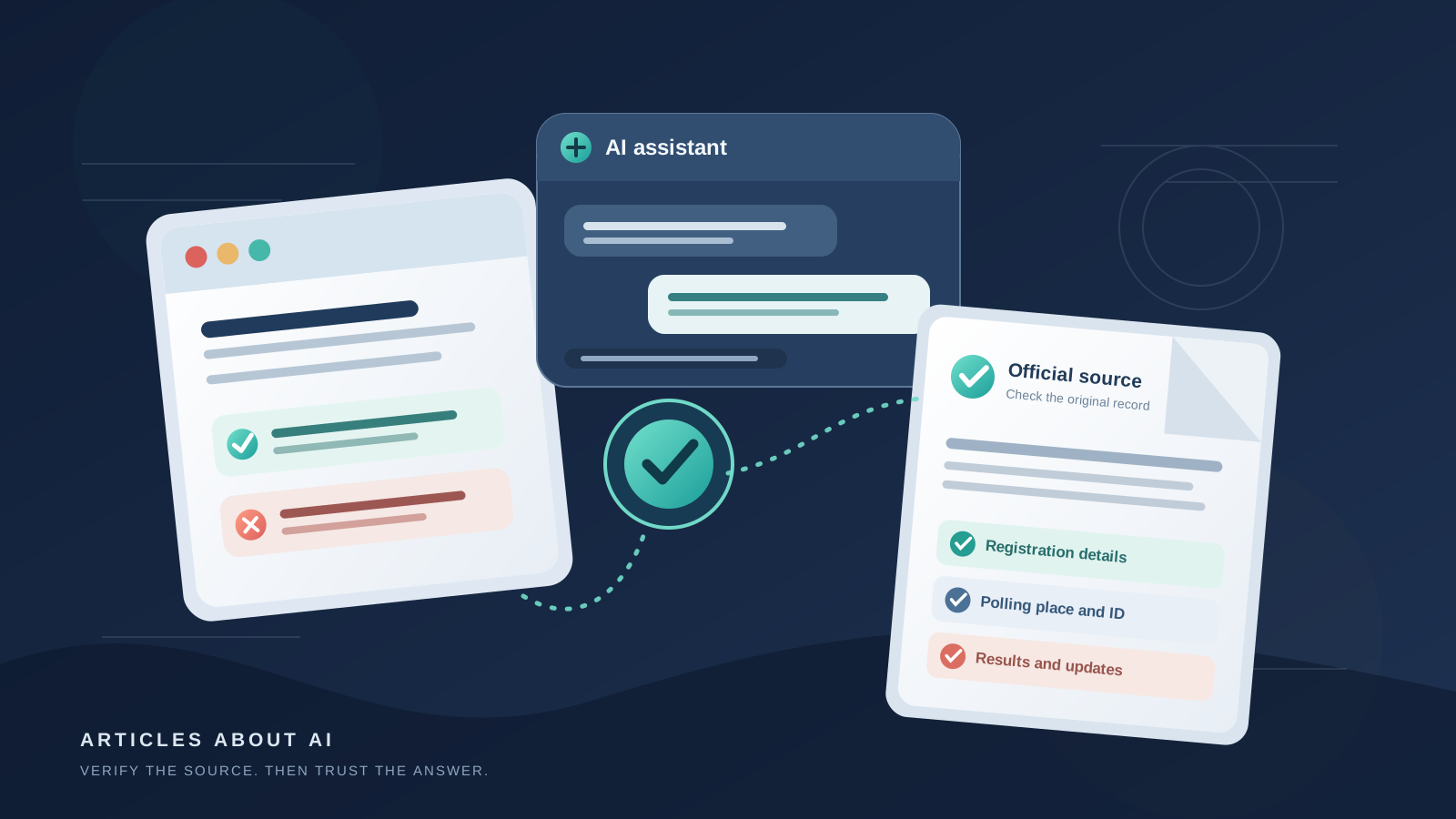
If you are using an AI assistant to research the 2026 U.S. elections, treat it as a guide to reliable sources—not as the final authority on whether, when, or where you can vote. Claude can help organize questions, explain election terminology, compare information from official websites, and point you toward the right government office. But voting rules are state-specific, details can change, and an AI answer can be incomplete or out of date.
Anthropic announced on October 14, 2026, that Claude.ai would continue directing voting questions to TurboVote and would begin incorporating official voting information from Democracy Works later in October. The company also said it plans to show updated election results on election night and in the following days. As of October 15, do not assume that the announced direct integration is already available to every user. Check the current Claude interface and verify important details on an official election website. Read Anthropic’s announcement about Claude and the 2026 U.S. midterms for the latest product status.
This guide explains how to use Claude carefully for voter registration, registration deadlines, polling-place searches, voter identification rules, early and mail voting, sample ballots, and election results. It also gives you prompts you can copy, a source-checking process, and a way to spot answers that need more verification.
What Claude can—and cannot—do for election research
Claude is useful for turning a broad question into a research checklist. For example, it can help you identify which details you need to confirm before voting: registration status, the registration deadline, the correct polling location, accepted identification, voting hours, and available early or mail-in voting options. If you provide links to official state or local election pages, Claude can help summarize the information and point out what remains unclear.
It is not a substitute for your state or local election office. A chatbot may misunderstand your location, combine rules from different states, rely on an outdated page, or state a plausible detail without adequate evidence. A confident tone does not prove that an answer is correct. This matters particularly for deadlines, identification requirements, polling-place changes, ballot return rules, and official vote counts.
Use Claude for tasks such as:
- Creating a checklist of election details you need to verify.
- Summarizing official instructions in plain English.
- Comparing two government pages and identifying differences.
- Extracting deadlines, required documents, and contact information from a source you provide.
- Explaining terms such as absentee voting, provisional ballots, canvassing, and certification.
- Preparing questions to ask your county or state election office.
Do not rely on Claude alone to confirm that you are registered, decide which identification to bring, determine where you must vote, or treat unofficial election-night numbers as certified results.
Step 1: Tell Claude which state and county you mean
Start with a precise location. U.S. election administration varies by state and often by county or municipality. A city name alone may not identify the correct election office, and the same county name can exist in several states.
Try this prompt:
I am researching the 2026 U.S. elections. I am asking about [state] and [county or city]. Help me find the official state and local election websites for voter registration, registration deadlines, polling locations, voter ID requirements, early voting, mail voting, and election results. Prefer government sources. Give me direct links, identify the office responsible for each detail, and clearly label anything you cannot verify. Do not guess if information is missing.
Check the links Claude returns before relying on them. Prefer official state election websites, state offices of the secretary of state, county election administrators, or local election offices. If a link leads to a commercial page, an old news article, a social media post, or a website that only resembles a government service, go back to the official state election website and navigate from there.
A useful starting point is the U.S. Election Assistance Commission’s state-by-state election information directory. You can also use Vote.gov to reach official state voter-registration resources. These sites help you locate the correct authority; the state or local office remains the source to confirm the rule that applies to you.
Step 2: Check voter registration and deadlines
If you need to register or confirm your registration, ask Claude to help you locate the official registration service for your state. Do not paste sensitive personal information—such as a driver’s license number, Social Security number, date of birth, or full home address—into a chatbot just to get a general explanation. Enter personal information only into the official government service that requires it, after confirming that you are on the legitimate website.
Copy and adapt this prompt:
Find the official voter-registration page for [state]. Summarize how an eligible voter can register, check registration status, update an address, and find the deadline for the November 3, 2026, general election. Cite the exact official page for each statement. Separate confirmed information from anything that needs checking, and do not infer my registration status.
Then open the official page yourself. Confirm the deadline and whether it differs for online, mail, or in-person registration. Some states allow same-day registration or provide different procedures for voters who move; others have distinct deadlines and eligibility requirements. Do not assume a rule from one state applies in another.
If Claude gives a date without a direct official source, ask it to show the exact government page and the passage supporting that date. If it cannot, verify the deadline independently. A general article about voting may be helpful background, but the current state election office page should control your decision.
Step 3: Find your official polling place
A polling location can depend on your residential address, election type, precinct, and local arrangements. A location used in a primary or a previous election may not be the same location for the November general election. Do not travel to a polling place based only on an old search result, a map pin, or an AI-generated answer.
Use this prompt:
Help me find the official polling-place lookup for [state] and [county]. Link directly to the government election office or its official lookup tool. Explain what information I will need to use the tool, but do not ask me to share my home address or personal details in this chat. Tell me how to confirm the location and opening hours for the November 3, 2026, election.
Use the official lookup tool to check the address and details. Confirm whether the page refers to early voting or Election Day, and check its update date if one is shown. If the tool asks for your address, enter it on the official site rather than into a public chat. If Claude and the official lookup disagree, follow up with the election office directly.
You can ask Claude to summarize the official instructions once you have opened them:
Summarize this official polling-place page in five bullets. Include the location, date, opening hours, any stated accessibility or language-assistance details, and the official phone number. Do not add facts that are not on the page. Link each important claim to the original source.
Only include details that the official page actually provides. If a page does not specify opening hours, accessibility arrangements, or a contact number, Claude should say that those details were not found rather than fill in the gaps.
Step 4: Verify voter ID requirements for your state
There is no single voter ID rule that applies uniformly across the United States. States differ in what identification may be requested or required, which documents are accepted, and what alternatives may be available if a voter does not have the preferred document. Rules may also differ for first-time voters or other specific circumstances.
Ask Claude:
Find the official voter identification requirements for voting in person in [state] in the November 3, 2026, general election. Link to the state election office’s current instructions. List the accepted forms of ID only when the official source names them. Explain any stated alternatives if a voter does not have an accepted ID. Do not generalize from another state.
Open the official source and read the full relevant section, including any notes about exceptions, provisional ballots, affidavits, or follow-up steps. Do not interpret an AI summary as legal advice or assume that a document accepted in one state will be accepted in another. If the official page is ambiguous or does not address your circumstances, contact the election office using contact details found on its official website.
The USA.gov Election Day guide explains that voter identification rules vary by state and points readers toward state-specific information. Use it as a directory and overview, then confirm the details with the relevant state or local election office.
Step 5: Research early voting, mail ballots, and sample ballots
If you are considering early voting or voting by mail, ask Claude to locate the current official rules for your state rather than giving you a generic explanation. Deadlines, eligibility, ballot request procedures, return methods, postmark rules, drop-box locations, and tracking services can differ by jurisdiction.
Try this prompt:
For [state] and [county], locate the official election office pages for early voting, absentee or mail-in voting, ballot request deadlines, ballot return deadlines, ballot tracking, and sample ballots for November 3, 2026. Make a table with the rule, the relevant date, the official source link, and any detail that remains unconfirmed. Do not assume that the same deadline applies to requesting and returning a ballot.
Check each deadline on the original page. Make sure the date applies to the 2026 general election, not a primary or an earlier cycle. If the official office offers a ballot-tracking tool, use that tool directly. Do not treat a chatbot’s summary as confirmation that your ballot has been received, accepted, or counted.
A sample ballot can help you understand what will appear on your ballot, but it is not necessarily the same for every voter in a state. Districts, local contests, and ballot measures may vary. Use the official election office’s sample ballot or voter lookup, and check the candidate and measure information against primary sources where possible.
Step 6: Use Claude to check election results without confusing projections with official counts
Election-night reporting can change as local jurisdictions report returns. News organizations may publish projections, and unofficial tallies may be updated before the canvass and certification process is complete. A reported lead, a media projection, an unofficial vote total, and a certified result are not interchangeable.
Anthropic said it plans to make updated election results available in Claude conversations on election night and during the days that follow. That announcement describes a planned feature, not a guarantee that every result will be immediately available or final. Check Claude’s current capabilities and verify the result through the responsible election authority.
Use this prompt when asking about a race:
Find the latest available results for [race or jurisdiction] in the November 3, 2026, U.S. elections. Prioritize the official state or county election office. State the timestamp or update time if shown, identify whether the numbers are unofficial or certified, link to the original results page, and explain what remains outstanding. If you cannot locate an official result, say so and do not substitute an unsourced number.
Then follow these checks:
- Confirm the jurisdiction. Make sure the page is for the correct state, county, district, or race.
- Open the official results page. Do not rely solely on a chatbot summary, screenshot, social post, or search snippet.
- Look for an update time. A result can be accurate at one moment and incomplete later.
- Check its status. Look for labels such as unofficial, preliminary, canvassed, or certified, and read the election office’s explanation.
- Return to the source. If Claude gives a figure but no traceable official link, do not repeat it as confirmed.
For federal election background and official voting resources, the Federal Election Commission’s election results and voting information page is a useful starting point. For current race-level totals, however, use the election authority responsible for that race. The appropriate state or local office is often the best source for the latest official count and certification status.
Step 7: Make Claude show its evidence
A link in an AI answer is not proof that the linked page supports the claim. Open the page and compare the actual wording with the summary. Check the date, jurisdiction, and whether the source is an official authority or a secondary explanation.
You can use this verification prompt:
Audit your previous answer claim by claim. For each important statement, provide the exact source URL and quote a short relevant passage from the source. Identify the publication or update date if available. Mark claims as verified by the cited source, not supported, outdated, or unclear. If a source does not establish a claim, retract or qualify that claim rather than guessing.
For time-sensitive details, prioritize current pages from state and local election officials. For general process information, nonpartisan organizations can provide useful context, but they should not replace the office that administers the election. If two sources conflict, do not ask Claude to pick whichever sounds more convincing; contact the responsible election office and request clarification.
For more ways to assess AI-generated answers and research links, see our guide to using ChatGPT effectively and our explanation of how ChatGPT Search works. The same basic discipline applies across AI assistants: follow the evidence to its source, check dates, and distinguish an explanation from an official determination.
Common mistakes to avoid
- Giving Claude an incomplete location. Include the state and, where necessary, the county or municipality. Do not assume a city name identifies the right election office.
- Treating a planned feature as already launched. Anthropic’s October 14 announcement said the Democracy Works integration would begin later in October. Verify current availability before describing it as active.
- Using an old deadline or polling address. Confirm that the page applies to the November 3, 2026, general election and check for updates.
- Assuming voter ID rules are national. Check the rules for the specific state and the circumstances described by the official source.
- Sharing sensitive information in a chatbot. Use official registration or lookup tools for personal data rather than pasting it into a conversation.
- Confusing projections with certified results. Identify who published the number, when it was updated, and whether the result is unofficial or certified.
- Trusting a link without opening it. Make sure the page is genuine, relevant to your jurisdiction, current, and actually supports the claim.
- Letting a polished answer replace a source. Ask for direct links and evidence; if the evidence is missing, treat the claim as unverified.
A practical election-information checklist
Before acting on information found with Claude, make sure you have confirmed the following on an official website:
- Your registration status and the applicable registration deadline.
- Your correct polling location and the date and hours that apply.
- The voter identification rules and any relevant alternatives for your state.
- The deadlines and instructions for early voting or mail ballots, if applicable.
- The official sample ballot or race information for your jurisdiction.
- The source, update time, and status of any election result you plan to share.
Keep links to the relevant state or local election office so you can return to the original information. If something is unclear, use the official office’s published contact details instead of relying on another AI response to resolve the uncertainty.
The bottom line
Claude can make U.S. election research more organized by helping you find official pages, summarize instructions, and identify unanswered questions. It should not be the final authority on voter registration, polling places, ID rules, ballot deadlines, or election results. Anthropic has announced plans to bring official Democracy Works voting information and updated results into Claude, but you should confirm the feature is live for your account and verify consequential details independently.
For the 2026 U.S. midterm elections, the safest workflow is simple: ask Claude for the relevant official source, open that source yourself, check that it is current and applies to your jurisdiction, and contact the responsible election office when the instructions are ambiguous. The goal is not to trust an AI answer blindly; it is to use AI to reach and understand reliable information more efficiently.