
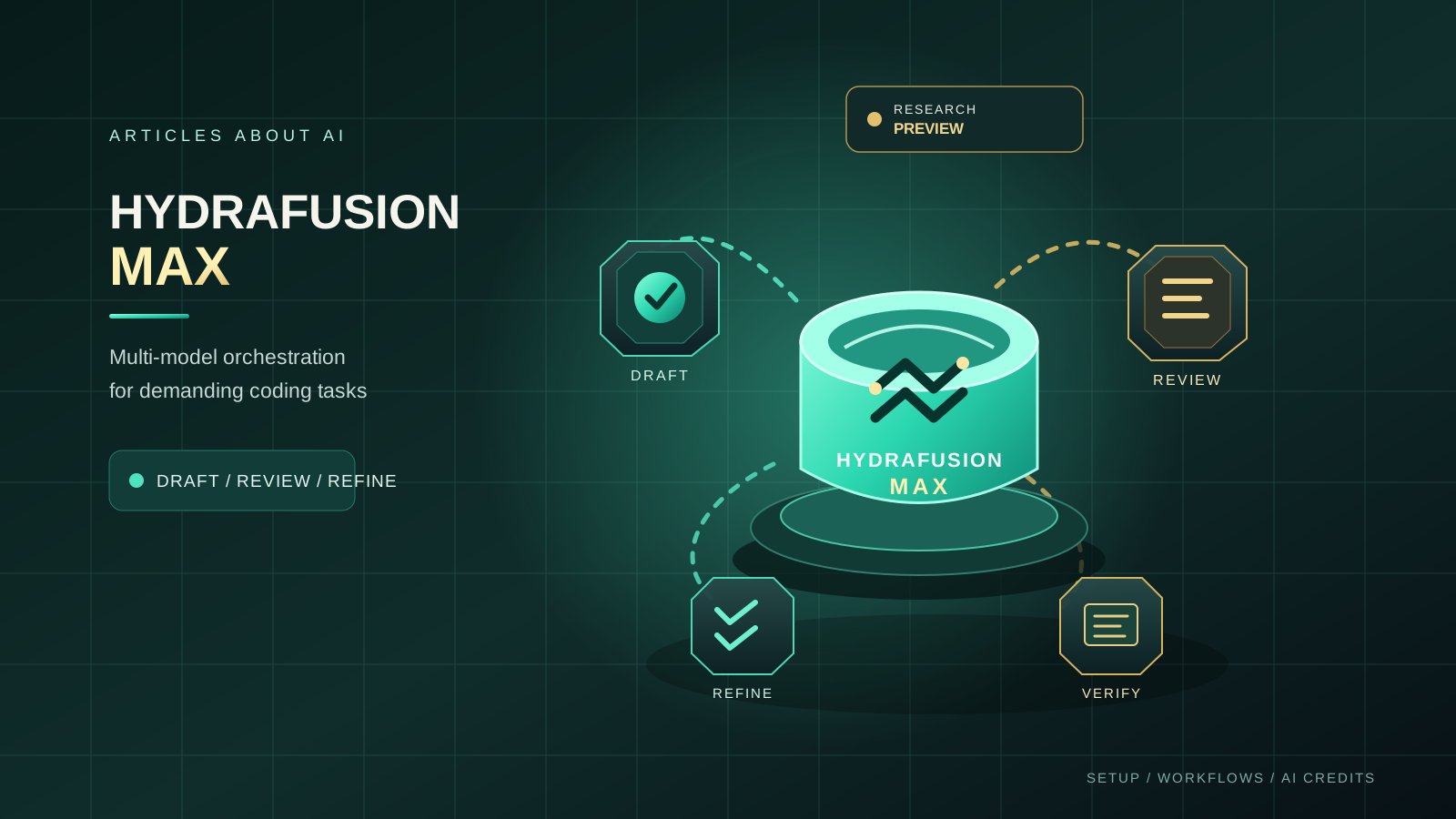
GitHub Copilot HydraFusion Max is an experimental model-orchestration option designed for coding tasks that benefit from deeper reasoning and more thorough review. Instead of relying on one model for every stage, HydraFusion coordinates multiple models and workflows to draft, inspect, and improve a response. The Max option is tuned for demanding tasks where depth and completeness matter more than choosing the lightest possible route.
GitHub announced an updated HydraFusion model pool and the new Max option on October 14, 2026. Both HydraFusion and HydraFusion Max remain in research preview. They are available in Visual Studio Code, the GitHub Copilot app, and GitHub Copilot CLI for eligible Copilot Pro, Pro+, Business, and Enterprise users when preview features are enabled and organization model policies permit access. Availability can differ by account and client, so check the official announcement and documentation before relying on the feature.
This guide explains how to check access, select HydraFusion Max, use it for a real-world coding workflow, review the changes it makes, understand AI credit costs, and troubleshoot common problems. It does not claim that Max is always more accurate or faster than other models. The best way to decide whether it helps is to compare it with your usual workflow on a bounded task in your own repository.
What Is HydraFusion Max?
HydraFusion is not a single fixed model. It is a model-orchestration approach that can select an execution workflow and coordinate models for different stages of a task. The available model pool can change as GitHub updates the experience, so do not treat any list of participating models as a permanent guarantee.
The October 14 update introduced several changes:
- An updated model pool. GitHub says HydraFusion and HydraFusion Max draw from a pool that includes Claude Opus 5.5, GPT-6 Astra, GPT-6.1 Sol, and GPT-6 Luna. The models used for a particular task can vary.
- Reasoning effort tailored to each stage. The updated workflows can use moderate effort for initial drafting and higher effort for review, reserving more computation for stages where it may be useful.
- Changes to Cascade. The workflow can include a judging step that examines the initial result and requests a repair when needed.
- Changes to Critique. The workflow relies more on tools to inspect the actual workspace and can use parallel critic models to review the work.
HydraFusion Max uses the same broad architecture and workflow techniques but is tuned for frontier capability on more demanding tasks. HydraFusion is the more balanced option for agentic work where speed, cost, and performance all matter. Max is intended for tasks that call for the deepest reasoning and most thorough analysis. That distinction is a product positioning, not proof that Max will win every task.
For a simpler question, a small code change, or a quick explanation, a conventional model may be enough. For a cross-file bug, a complex refactor, or a change that needs several rounds of review, HydraFusion Max may be worth testing.
Before You Start: Check Your Access
Before troubleshooting your editor, confirm that your account and client meet the preview requirements.
- Check your Copilot plan. GitHub’s announcement lists Copilot Pro, Pro+, Business, and Enterprise, subject to preview availability and model policies.
- Enable preview features where required. Research previews may need to be enabled in the product or by an organization administrator.
- Update your client. Use a current supported version of VS Code, the GitHub Copilot app, or Copilot CLI. An outdated client can have a different model picker or settings layout.
- Check organization policies. Business and Enterprise administrators can restrict preview features and available models. If your organization manages your license, ask the administrator to verify access.
- Review usage terms. HydraFusion can make several model calls during one task. Understand your AI credit allowance and additional-usage settings before using it for long sessions.
Start with GitHub’s HydraFusion documentation and the October 14 HydraFusion announcement. Use the documentation as the source of truth if menu names, supported clients, or access requirements change.
A missing option does not necessarily mean that you installed Copilot incorrectly. Access may depend on a staged rollout, the client, an administrator’s settings, or the preview being enabled. Do not attempt to bypass an organization policy or assume that a setting from an older guide will work in every release.
How to Select HydraFusion Max in VS Code
The exact interface can change during a research preview, but the general workflow is to open Copilot Chat, select the active model, and choose HydraFusion Max if it is available.
- Update Visual Studio Code and Copilot. Install available updates, then restart VS Code if the extensions or application were just updated.
- Open Copilot Chat. Use the Copilot Chat panel in the workspace you want to work on.
- Open the model picker. Select the current model name or the model dropdown in the chat interface.
- Look for HydraFusion Max. Select it if it appears. Do not confuse it with HydraFusion, Auto, or a similarly named individual model.
- Start with a small task. Choose a task with a clear goal and an observable result, such as diagnosing one reproducible bug or adding tests for a known function.
- Confirm the selection. Check the model picker again before sending the request, especially after opening a new conversation or changing modes.
If HydraFusion Max is absent, follow the troubleshooting section below instead of repeatedly changing unrelated settings. GitHub’s guide to changing the Copilot Chat model provides general model-picker guidance, while the HydraFusion documentation covers preview-specific behavior.
How to Use HydraFusion Max in the GitHub Copilot App
The Copilot app is another supported surface named in GitHub’s announcement. Start by updating the app and checking its settings for HydraFusion-related controls.
- Open the current version of the GitHub Copilot app.
- Open Settings and search for HydraFusion or the preview setting described in GitHub’s current documentation.
- Enable the feature if the setting is available and your account is eligible.
- Return to the model picker and select HydraFusion Max.
- Choose a task that benefits from planning, implementation, and review.
- Inspect the result and any workspace changes before accepting them.
If you use a managed Business or Enterprise account and the option is missing, ask your administrator whether preview features and the required model access are enabled. App support alone does not guarantee that every account can use the preview.
How to Use HydraFusion Max in Copilot CLI
GitHub also lists Copilot CLI as a supported HydraFusion surface. CLI commands and preview controls can change, so use the current HydraFusion documentation for the exact command or selection process in your installed version.
A safe starting workflow is:
- Update Copilot CLI using the documented installation or update method.
- Confirm that you are authenticated to the GitHub account with the eligible Copilot plan.
- Open a terminal in a non-critical working tree or a clean Git branch.
- Select HydraFusion Max using the documented CLI model-selection flow, if the option is exposed for your account.
- Give it a bounded task and ask it to explain the intended changes before broad edits.
- Review the diff and run relevant checks before committing.
Do not copy a CLI command from an old discussion without checking that it matches the current release. Preview commands and switches can be renamed or removed. Keep the repository under version control so you can inspect, revert, or isolate changes.
A Practical Workflow: Fix a Bug Across Several Files
A useful first test is a bug whose cause may span more than one file but whose expected behavior can be verified. For example, imagine a settings page that saves a preference but fails to display the saved value after a refresh.
A vague request such as “fix the settings bug” leaves too much room for interpretation. Instead, provide a concise description, reproduction steps, expected behavior, constraints, and a verification requirement.
You can adapt this prompt:
Investigate the settings persistence bug described below. First identify the likely cause and the files involved. Explain a short plan before editing. Make the smallest appropriate change, add or update a regression test, and run the relevant tests or checks that are available. Do not change unrelated behavior, dependencies, or public interfaces. At the end, summarize the files changed, the evidence supporting the fix, the checks that passed or failed, and any remaining uncertainty. Do not commit the changes.
Then follow a disciplined sequence:
1. Establish a baseline. Reproduce the bug yourself if possible and run the relevant tests before asking the agent to edit anything. Record existing failures so they are not mistakenly attributed to the new change.
2. Ask for investigation first. Let HydraFusion Max identify the likely code path and explain why the bug might occur. Check whether its explanation matches the code and reproduction steps. A confident explanation is not evidence by itself.
3. Keep the scope narrow. Approve or request only changes needed for the defined behavior. If the proposed plan expands into unrelated cleanup, ask for a smaller solution.
4. Review the workspace. Inspect every changed file, including tests, configuration, and generated artifacts. HydraFusion’s orchestration may involve intermediate drafts or review steps, but you are responsible for the final workspace state.
5. Verify the behavior. Run targeted tests first, then broader tests or static checks appropriate to the project. If a test cannot run because dependencies or services are missing, record that limitation rather than treating the result as a pass.
6. Decide whether to keep the change. Compare the final diff with the baseline. Revert changes that are unnecessary, unsafe, or not supported by the evidence. Commit only after you are satisfied with the result.
This workflow makes the result easier to evaluate. It also avoids a common mistake: assuming that a more elaborate multi-model process automatically produces a correct patch.
When to Choose HydraFusion Max Instead of HydraFusion
Use the choice as a task-level decision, not a permanent setting for every interaction.
| Task | Reasonable starting point | Why |
|---|---|---|
| Explain a short function | A regular or lightweight model | The task may not need multiple reasoning stages |
| Make a small, well-defined edit | HydraFusion or a standard coding model | A balanced workflow may be sufficient |
| Investigate a cross-file bug | Test HydraFusion Max | The task may benefit from deeper investigation and review |
| Refactor a complex module | Test HydraFusion Max on a branch | Multiple dependencies and constraints make review valuable |
| Make a production-critical change | Use a controlled engineering workflow, with or without Max | Human review, tests, and release safeguards remain essential |
| Explore an unfamiliar repository | Compare HydraFusion and Max on the same bounded task | Local evidence is more useful than a general claim of superiority |
For a fair comparison, use the same task description, repository state, constraints, and verification criteria. Record whether each option finds the root cause, changes the correct files, passes tests, introduces unrelated edits, and completes within an acceptable time and credit budget. Do not compare different tasks or treat one successful run as a benchmark.
Understanding HydraFusion Max and AI Credit Costs
HydraFusion Max should not be treated as a flat-price feature with a guaranteed cost per task. GitHub’s Copilot billing documentation explains that usage-based costs depend on the models used and the number and types of tokens consumed. One AI credit equals $0.01 USD under the current documented billing model.
HydraFusion orchestrates models and may run several stages. As a result, a single user request can involve more than one model interaction. The final cost depends on the actual work performed, the participating models, input and output tokens, cached tokens, and applicable plan allowances. A task that needs several rounds of drafting and review can consume more than a short chat question.
To manage costs:
- Check your included allowance. Review the current credits for your Copilot plan and whether your organization uses a pooled allowance.
- Inspect model pricing. GitHub publishes model rates in its Copilot models and pricing reference. Prices and available models can change.
- Track actual usage. Use the Copilot usage and billing views documented for your plan. For organizations, check the relevant administrator or billing reports.
- Limit the task scope. A focused request with relevant files and clear acceptance criteria is easier to review and may avoid unnecessary work.
- Use Max selectively. Reserve it for tasks where deeper analysis could materially help. Use a simpler option for routine edits when it meets your quality bar.
- Set budget controls. If your plan allows additional usage, review the applicable budget controls before running lengthy agent sessions.
- Avoid blind retries. If a run appears stuck, inspect the state and logs before starting several duplicate tasks.
Do not estimate the exact cost of a HydraFusion Max task by multiplying the number of visible steps by one model’s price. The orchestration can choose different models and perform additional work, so the visible workflow is not necessarily a complete billing breakdown. Consult the current documentation and usage dashboard for the authoritative accounting.
Official billing references: Models and pricing for GitHub Copilot, Usage-based billing for individuals, and Monitoring your GitHub AI Credits usage.
Troubleshooting: HydraFusion Max Is Missing or Does Not Work
HydraFusion Max does not appear in the model picker
Check the supported client, update the app or IDE, confirm that your plan is eligible, and verify preview settings. If you use a managed account, ask an administrator to check model policies and preview access. The feature remains in research preview, so availability may not be identical across accounts.
HydraFusion appears, but Max does not
Do not assume the two options have identical availability just because they share an architecture. Review the latest announcement and documentation for the Max-specific rollout requirements. Sign out and back in only if the documented troubleshooting steps recommend it; authentication changes will not override an account-level restriction.
The task takes longer than expected
Multi-stage orchestration can take longer than a single-model response because the workflow may draft, inspect, judge, or revise the result. Give the task a clear boundary, avoid asking it to process unrelated parts of the repository, and stop to inspect progress if the task is no longer useful. Do not interpret a long wait as proof that the agent is doing valuable work.
The result looks correct, but tests fail
Treat the test failure as important evidence. Check whether the failure existed before the change, whether the right test command ran, and whether the patch changed behavior outside the intended scope. Ask for a targeted diagnosis rather than an unrestricted rewrite. Keep the final review tied to reproducible behavior and the actual diff.
You are concerned about usage
Review your AI credit usage and the pricing reference. Shorten the task, reduce unnecessary context, compare with HydraFusion or another suitable model, and confirm that additional-usage settings match your budget. If a task is not urgent, you can also wait for the allowance to reset according to your plan.
The agent changes files you did not expect
Inspect the full diff immediately. Use Git to discard or isolate unrelated changes, and rerun checks after restoring the intended scope. Never commit generated changes merely because the final explanation says the task is complete.
Research Preview Limitations and Safe Use
HydraFusion Max is a research preview, not a promise of stable behavior or a production service-level agreement. GitHub may change the model pool, workflows, interface, eligibility, or billing details as it learns from the preview. Verify the current documentation before standardizing a team’s workflow around it.
Keep the usual safeguards in place:
- Work on a branch or disposable copy for unfamiliar or high-impact changes.
- Review the actual diff, not just the agent’s summary.
- Run tests and static checks relevant to the change.
- Avoid exposing secrets or sensitive data in prompts and repository context.
- Follow your organization’s security, licensing, and code-review policies.
- Require human approval for production changes, migrations, dependency updates, and security-sensitive edits.
For related reading, see our guide to using Gemini 4 Argon in GitHub Copilot and our comparison of Claude Code, Codex, and Gemini CLI. These cover different model and agent choices; they do not replace the preview-specific HydraFusion instructions.
Frequently Asked Questions
Is HydraFusion Max generally available?
No. GitHub’s October 14, 2026 announcement says HydraFusion and HydraFusion Max remain in research preview. Access depends on an eligible plan, preview settings, the supported client, and organization model policies.
Is HydraFusion Max a separate AI model?
It is better understood as a model-orchestration option rather than one fixed underlying model. GitHub says it coordinates models from an updated pool, and the models used for each task can vary.
Is HydraFusion Max always better than HydraFusion?
Not necessarily. Max is tuned for more demanding tasks and deeper reasoning, while HydraFusion aims for a balance of speed, cost, and performance. Test both on the same representative task before deciding which is appropriate for your workflow.
Does HydraFusion Max have a fixed price per task?
No fixed per-task price is stated in the announcement. Copilot usage depends on the participating models and token consumption. Review GitHub’s current pricing documentation and your usage dashboard.
Can I trust the result without reviewing it?
No. Orchestration and model review can help, but they do not replace code review, tests, security checks, or human responsibility for the final change.
Final Recommendation
Treat HydraFusion Max as a tool to evaluate, not a setting you must use for every coding task. Enable it only if your account is eligible, start with a bounded bug or refactor, compare the result with your usual workflow, and inspect the complete diff. Track AI credits as part of the evaluation, alongside correctness, test results, latency, and the amount of manual correction required.
The central question is not whether a multi-model workflow sounds more advanced. It is whether HydraFusion Max produces a demonstrably better result for the kinds of difficult tasks your codebase actually contains—and whether that improvement justifies its time and usage cost.
Official Sources
- GitHub Changelog: HydraFusion updates and new Max option (October 14, 2026)
- GitHub Docs: Using HydraFusion
- GitHub Docs: Changing the AI model for Copilot Chat
- GitHub Docs: Models and pricing for GitHub Copilot
- GitHub Docs: Usage-based billing for individuals
- GitHub Docs: Monitoring your GitHub AI Credits usage