
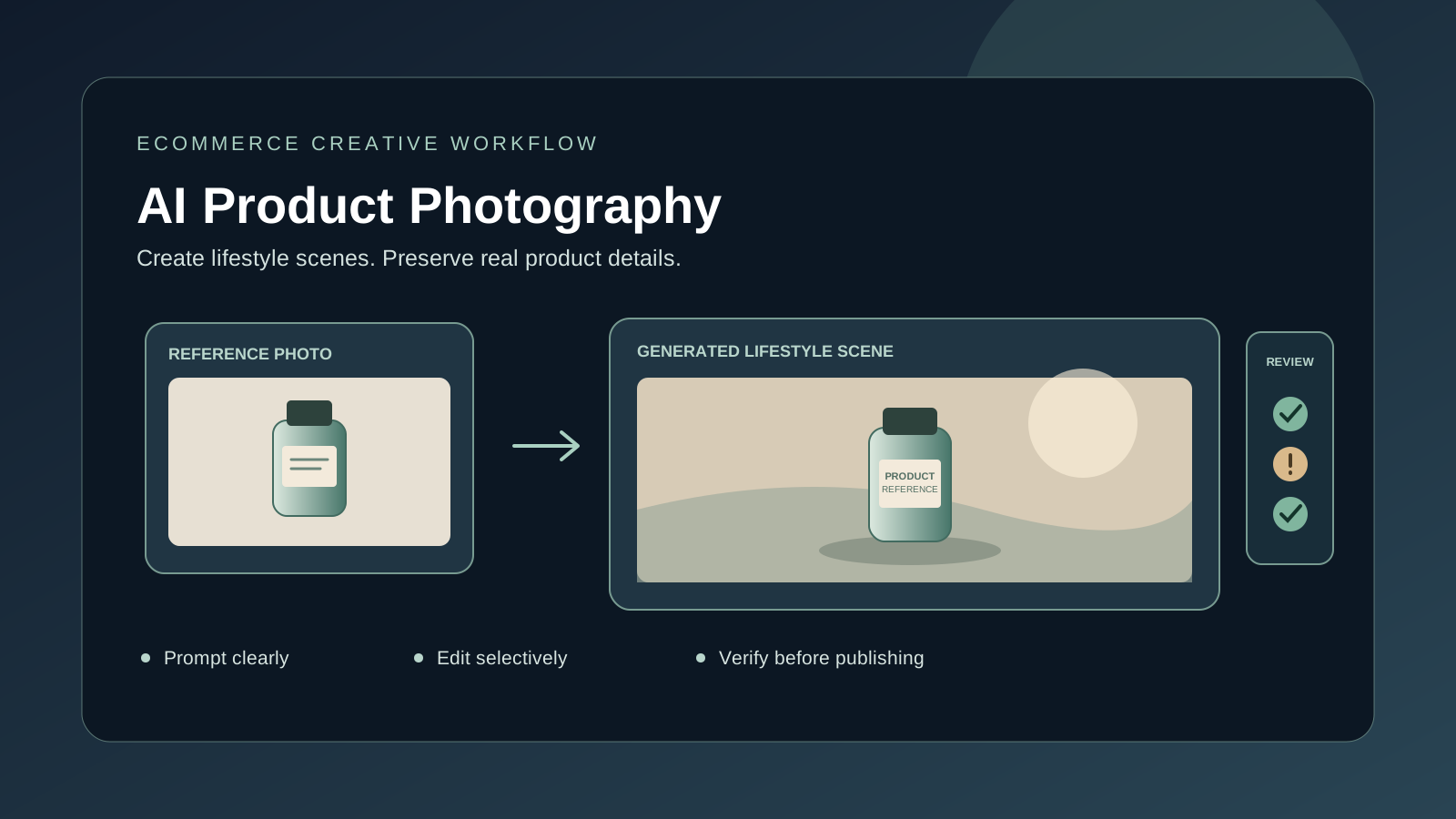
AI product photography can help ecommerce teams create lifestyle scenes, test campaign concepts, and explore alternative backgrounds without arranging a full photo shoot for every idea. It can also introduce serious problems: a model may change a product’s shape, invent a label, alter its color, or show a feature the real item does not have.
The safest workflow treats AI as a creative production assistant, not as proof that a product looks exactly like the generated image. Use it to develop scenes and visual variations, then compare every result with the real product before publishing.
This guide explains how to create AI product photos for an online store, write effective prompts, preserve product details, and build a repeatable review process.
What AI product photography is good for
AI product photography uses image-generation or image-editing tools to create or modify visuals featuring products. Depending on the workflow, it can help with:
- Lifestyle scenes: show a product in a kitchen, office, living room, or outdoor setting.
- Background replacement: change a plain background into a studio surface or lifestyle environment.
- Campaign concepts: test lighting, colors, art direction, and seasonal themes before producing final assets.
- Creative variations: explore compositions for advertisements, landing pages, and social posts.
- Concept mockups: visualize an idea before the final product or packaging is available.
AI is less dependable when the image must reproduce exact physical details, such as small text, a distinctive connector, a safety marking, or a precise material finish. If the image represents an item customers can buy, factual accuracy matters more than visual novelty.
Start with a real product reference
For an existing product, begin with a clear photograph of the actual item. A front view and one or two additional angles can help you inspect its proportions and details. Use a well-lit reference image where the product is not obscured by hands, reflections, or unrelated objects.
Before editing, identify the details that must not change:
- Product shape, dimensions, proportions, color, and material finish.
- Logo, label, packaging, and readable text.
- Buttons, ports, seams, closures, and other functional details.
- Number of items included in the package and any accessories.
- Any details that distinguish one model or variant from another.
A reference image does not guarantee perfect preservation. Some tools regenerate parts of the object instead of simply changing the background. Compare the output against the original at full size, especially around logos, edges, reflections, and small components.
If you are creating a concept for a product that does not exist yet, treat it as a concept image. Do not imply that an unbuilt feature is available in the real product.
Choose the right AI image workflow
1. Edit a real product photo
Choose an image-editing workflow when the item already exists and its appearance must remain accurate. Ask the tool to change the background, surface, lighting, or surrounding environment while preserving the product itself.
Example prompt:
Use the uploaded photograph as the product reference. Replace only the background with a bright, minimal kitchen counter in soft morning light. Keep the product’s silhouette, dimensions, color, logo, label, cap, and all visible text unchanged. Do not add accessories or extra products. Create a realistic commercial photograph with natural shadows.
After generation, inspect whether the product was altered. If critical details changed, try a more localized edit or use a conventional photo editor to composite the original product over the generated background.
2. Generate a lifestyle scene
Lifestyle images communicate how an item might fit into a customer’s routine. They are useful for creative concepts, but the product should still match the real item.
Example prompt:
Use the supplied ceramic travel mug as the product reference. Place the same mug on a wooden desk beside a closed notebook, with a softly blurred home-office background and diffused daylight from the left. Preserve the mug’s shape, handle, color, and printed mark. Show one mug only, with no extra branding or readable text. Use a clean horizontal composition.
Do not let the setting overpower the product. The item should remain easy to recognize at thumbnail size, and the scene should support rather than distract from the purchase decision.
3. Create a concept image from text
Text-to-image generation can be useful for an early creative direction, a fictional product concept, or an image that does not claim to depict exact retail inventory. It is not a reliable substitute for a verified photograph when customers need to see precise product details.
If you still need to choose a generator, compare the options in our guide to the best free AI image generators in 2026. For better control over the visual brief, see how to write better AI image prompts.
How to write an effective AI product photography prompt
A good prompt defines the product, the intended image, and the details that must remain unchanged. Use this structure:
Reference and preservation + purpose + setting + composition + lighting + style + exclusions.
Avoid contradictory instructions such as “dramatic shadows” and “shadowless lighting,” or “tight close-up” and “show the entire product with generous space around it.”
Reusable product photo prompt template
Reference: Use the uploaded photo as the source for the product.
Purpose: Create an ecommerce listing image, lifestyle image, or campaign concept.
Preserve: Keep the product’s shape, proportions, color, logo, label, materials, and included accessories accurate.
Setting: [Describe the surface and background.]
Composition: [Specify camera angle, product position, framing, and aspect ratio.]
Lighting: [Describe soft studio light, window light, or another suitable setup.]
Style: Realistic commercial product photography, believable materials, natural reflections and shadows.
Exclude: No invented features, extra products, altered labels, watermarks, or unrequested text.
The template is a starting point, not a guarantee. Some image models follow editing instructions better than others, and controls such as masks, reference settings, or image-to-image options may matter as much as the wording.
Example: a clean ecommerce listing image
Create a clean commercial product photograph using the uploaded image of the exact black wireless mouse. Place one mouse on a seamless light-gray background, viewed from a slightly elevated front three-quarter angle. Use soft studio lighting and a subtle natural shadow. Preserve the original silhouette, scroll wheel, buttons, surface texture, and color. Do not add a logo, cable, packaging, or extra objects. Keep the full product inside the frame.
Preserve product accuracy and customer trust
A visually attractive image can still mislead a customer. The main quality-control question is not simply “Does this look realistic?” It is “Does this accurately represent the item being sold?”
Check these details before publishing:
- Shape and proportions: compare the generated product with the reference.
- Color: ensure the image has not materially changed the product’s real color.
- Labels and text: check spelling, ingredient lists, model numbers, logos, and required warnings.
- Features: verify buttons, ports, handles, seams, accessories, and package contents.
- Materials: confirm that plastic, metal, glass, fabric, or wood has not been represented inaccurately.
- Scale and perspective: check that the product does not appear much larger or smaller than it is.
- Shadows and reflections: look for inconsistencies that reveal a poor composite.
- Claims: remove additions that imply an unverified function, certification, result, or included accessory.
AI systems may misspell or distort lettering. If the image is otherwise useful, generate a clean version without text and add approved copy in a design editor. Our guide to fixing misspelled text in AI-generated images explains this issue in more detail.
Create consistent images across a product catalog
A store looks more professional when product images use a consistent visual system. Define a small set of rules before generating a batch:
- Background colors and surface materials.
- Camera angle and product placement.
- Lighting direction and shadow strength.
- Crop and aspect ratio for each image slot.
- Amount of negative space around the product.
- Whether lifestyle images may include people or extra props.
- Rules for logos, labels, and text.
Save the approved prompt, reference photo, tool settings, and final image together. Reuse them as a baseline, but inspect every output: the same prompt can produce different results, and a model may handle one product category better than another.
Generate a small pilot set first. Review it on desktop and mobile, including at thumbnail size, before scaling the workflow to hundreds of products.
Image formats, accessibility, and website performance
Use the dimensions and aspect ratio required by the store, marketplace, or advertising platform rather than assuming one size fits every destination. Keep the high-quality source, export an optimized web version, and check that the product remains legible after cropping.
For website performance and accessibility:
- Use a descriptive filename rather than a generic name.
- Write concise alt text describing the visible product and context.
- Avoid placing essential product information only inside the image.
- Compress images without introducing visible artifacts.
- Check mobile crops and responsive layouts.
- Follow the destination’s current image and listing rules.
AI-generated text inside an image is not a replacement for accurate product titles, specifications, pricing, or required disclosures on the page.
Privacy, rights, and commercial use
Before uploading a reference image, confirm that you have permission to use it and that it does not expose confidential prototypes, customer information, or unreleased packaging. Review the provider’s current terms, privacy settings, and commercial-use conditions for the tool and plan you use.
Check the rules of the destination marketplace and any applicable consumer-protection requirements. Do not use AI to create a misleading depiction of a product, invent endorsements, or imply that an item has features or certifications it does not have. When a generated image materially changes the real item, use a clearly illustrative treatment rather than presenting it as an exact product photograph.
Common problems and fixes
The AI changes the product shape. Use a real reference photo and state which areas must remain unchanged. If the editor keeps redrawing the item, generate the background separately and composite the original product into it.
The label or logo becomes incorrect. Do not publish the generated lettering without checking it. Try an edit that preserves the label, or restore the label from the original photo. For critical packaging, manual compositing is often safer than generated text.
The image looks artificial. Simplify the scene and ask for plausible lighting, contact shadows, reflections, and perspective. Avoid too many props or exaggerated effects.
The background looks good but the product is misleading. Reject the image or rebuild it with the actual product photo. A polished visual is not worth inaccurate product representation.
Product images look inconsistent across the store. Standardize the prompt template, reference angles, background, lighting, crop, and review criteria. Use a small pilot set before generating an entire catalog.
Frequently asked questions
Can AI create product photos for an online store?
Yes. AI tools can create lifestyle scenes, replace backgrounds, and develop visual concepts. For existing products, compare every generated image with the real item before publishing.
Which AI tool is best for product photography?
There is no single best option for every product. Choose based on reference-image handling, editing controls, output quality, workflow, pricing, and commercial-use terms. Test the same representative product in shortlisted tools before committing.
Can AI keep a product’s logo and label unchanged?
Not reliably in every workflow. Use a clear reference image, explicitly request preservation, and inspect the result. For exact branding or required text, restore the original label or use a conventional editing workflow if needed.
Are AI product photos suitable for online marketplaces?
Requirements vary by marketplace, category, and image slot. Check the current seller and advertising policies before uploading. Do not assume that an image acceptable for a campaign concept is acceptable as a primary listing image.
Should I disclose that a product image was made with AI?
Disclosure requirements depend on the platform, jurisdiction, and context. Follow applicable rules and avoid presenting a materially altered concept image as a precise photograph of the item customers will receive.
Final checklist before publishing
- Does the image show the actual product accurately?
- Are the color, shape, label, and included accessories correct?
- Are all visible words and logos verified?
- Does the image follow the destination’s format and listing requirements?
- Does it look consistent with the rest of the catalog?
- Have you checked the image at full size and on a mobile screen?
- Do you have the rights to use the reference material and generated result?
- Have you removed unsupported product claims or invented features?
The bottom line
AI product photography is most useful when it speeds up creative exploration without replacing product verification. Use real reference photos for existing items, describe the intended scene precisely, preserve identity-critical details, and inspect every result before publishing.
Start with one representative product, create a few controlled variations, and document the prompt and settings that work. Scale only after the images meet your accuracy, brand, and marketplace requirements.
Official resources
- OpenAI Help Center: Images in ChatGPT — image generation and editing guidance.
- Adobe Firefly: Writing effective text prompts — prompt-writing advice.
- Google Gemini Apps Help: Generate and edit images — Gemini image-generation and editing help.