
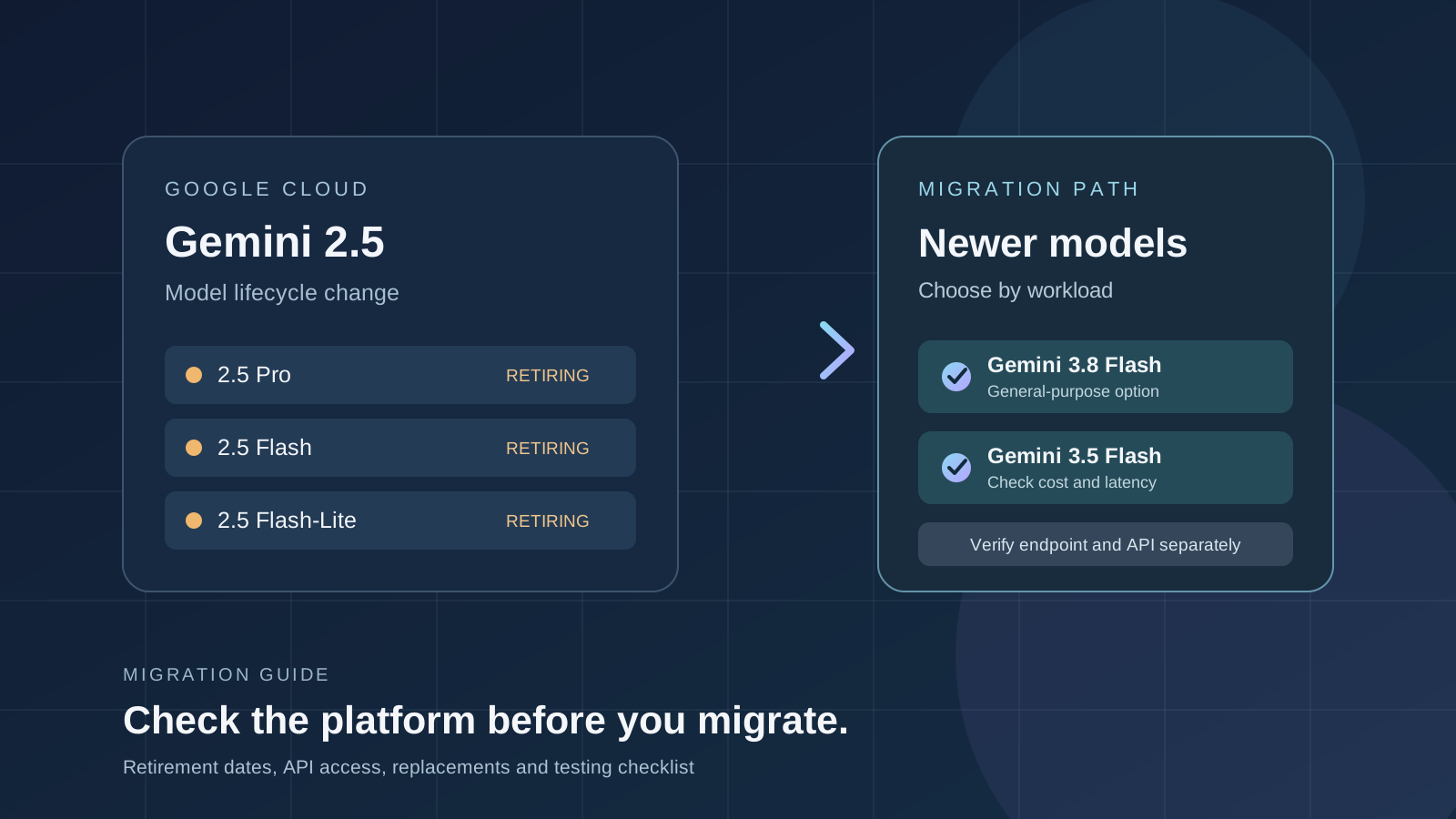
Google’s Gemini 2.5 Pro, Gemini 2.5 Flash, and Gemini 2.5 Flash-Lite have reached their listed retirement date of October 20, 2026, on the Gemini Enterprise Agent Platform. Developers maintaining production workloads should review their model IDs and deployment path, select a supported replacement, and test the new configuration before relying on it.
The most important detail is scope. A model retirement date on one Google Cloud product does not automatically mean that the same model has stopped working across every Google AI product. Google’s current Gemini API deprecations page says the stable Gemini 2.5 Pro, Flash, and Flash-Lite models have no shutdown date announced for the Gemini Developer API, although access is limited to projects that have actively used the models. This guide separates those product paths so teams do not migrate the wrong endpoint—or assume an API is still available without checking their own project.
What changed on October 20, 2026?
Google’s Gemini Enterprise Agent Platform model lifecycle documentation lists October 20, 2026, as the retirement date for these stable models:
- Gemini 2.5 Pro — a reasoning-focused model used for complex analysis and multi-step tasks.
- Gemini 2.5 Flash — a general-purpose model designed for a balance of capability and response speed.
- Gemini 2.5 Flash-Lite — a lighter model for workloads where latency, throughput, and cost are important.
The retirement applies to support on the named Agent Platform. Google lists newer models as migration options, including Gemini 3.8 Flash, Gemini 3.5 Flash, and Gemini 3.1 Flash-Lite, depending on the original model and workload. Model IDs, supported regions, launch stages, quotas, and feature availability can change, so check the live lifecycle table before editing production configuration.
Official references: Gemini 2.5 Pro model page, model versions and lifecycle, and migration guidance for the latest Gemini models.
Does this mean Gemini 2.5 is shut down everywhere?
No. Developers must distinguish between the Google Cloud Agent Platform and the Gemini Developer API.
Gemini Enterprise Agent Platform
For workloads using the Agent Platform’s model IDs, treat the listed retirement date as a migration deadline. Check the platform’s current model lifecycle page, confirm which model your application calls, and move to a supported replacement. Do not assume that a retired model will continue to accept requests just because the same model name appears in another Google product.
Gemini Developer API and Google AI Studio
Google’s Gemini API deprecations page states that stable Gemini 2.5 Pro, Gemini 2.5 Flash, and Gemini 2.5 Flash-Lite are not deprecated for shutdown through that API and will continue to be served until further notice. However, Google is limiting access to projects that have actively used the models in the past. New projects should use current models rather than build a new dependency on Gemini 2.5.
That means a developer using the Gemini Developer API should not interpret the Agent Platform retirement as proof of an immediate API shutdown. Conversely, the Developer API statement is not a guarantee that a Google Cloud Agent Platform endpoint remains available.
Firebase AI Logic and other integrations
Firebase AI Logic documents provider-specific model shutdown behavior, including a distinction between the Gemini Developer API and the Agent Platform Gemini API. If an application uses Firebase AI Logic, a managed SDK, a third-party gateway, or an internal model proxy, check the lifecycle documentation for that exact integration. A model can have different availability dates depending on the provider behind the SDK.
The safe rule is simple: identify the provider and endpoint used by the application before changing model IDs.
Which Gemini model should replace Gemini 2.5?
There is no single replacement that is best for every application. Use Google’s current Gemini model migration table as the starting point, then test candidate models with representative prompts and production-like inputs.
| Previous model | Replacement candidates listed by Google | What to validate |
|---|---|---|
| Gemini 2.5 Pro | Gemini 3.8 Flash or Gemini 3.5 Flash | Reasoning quality, long-context behavior, tool calls, structured output |
| Gemini 2.5 Flash | Gemini 3.8 Flash, Gemini 3.5 Flash-Lite, or Gemini 3.1 Flash-Lite | Latency, throughput, accuracy, cost per successful task |
| Gemini 2.5 Flash-Lite | Gemini 3.8 Flash, Gemini 3.1 Flash-Lite, or Gemma 4 | High-volume performance, response consistency, infrastructure requirements |
These are migration candidates from Google’s documentation, not a claim that the models are interchangeable in every application. Confirm the current launch stage and availability in your project and region before committing to a replacement.
For enterprise teams evaluating Google’s newer models, our guide to Gemini 4 Argon on Google Cloud explains the broader deployment, governance, and cost questions to assess. Developers who call a model directly can also review how to use the Gemini 4 Argon API, while mobile developers can see the separate Firebase AI Logic integration guide.
A practical Gemini model migration checklist
Use this checklist for a controlled migration from Gemini 2.5 on Google Cloud.
1. Inventory every model dependency
Search your application code, environment variables, deployment manifests, notebooks, scheduled jobs, and infrastructure configuration for model IDs such as gemini-2.5-pro, gemini-2.5-flash, and gemini-2.5-flash-lite. Include background workers, staging systems, test suites, and serverless functions; a model dependency may be hidden in a shared library or environment-specific configuration.
Record the provider and endpoint for each call. An application can use the Gemini Developer API in one component and a Google Cloud endpoint in another, even if both are described internally as “Gemini.”
2. Confirm the product, region, and credentials
Open the Google Cloud project and documentation that match the running workload. Verify the model identifier, endpoint, region, authentication method, permissions, quota, and billing configuration. If your organization enforces data residency or uses regional endpoints, confirm that the replacement model is supported in the required region.
Do not copy a model ID from a tutorial without checking the current official documentation. Model availability can differ by product, region, account, and launch stage.
3. Select candidates using your actual workload
Choose replacement candidates according to the work being done, not only the model name. For reasoning-heavy tasks, test whether the new model preserves the decisions and explanations your application depends on. For high-volume classification or extraction, measure throughput and the cost of completing a task accurately. For tool-using agents, test function calls, argument formats, retries, and behavior when a tool returns incomplete data.
If the model generates JSON or another strict output format, verify schema adherence and downstream parsing. If it processes images, audio, video, or long documents, confirm that the replacement supports the input modalities and context limits your workflow needs.
4. Build a representative evaluation set
Before switching production traffic, assemble real but appropriately protected examples covering common requests, edge cases, malformed inputs, and known failure modes. Remove or mask sensitive data when required by your organization’s policy.
Measure at least:
- Task quality: correctness, completeness, groundedness, and adherence to required output formats.
- Latency: median and high-percentile response time under realistic load.
- Cost: cost per request and, more usefully, cost per successful task.
- Reliability: rate limits, timeouts, retries, and transient errors.
- Compatibility: SDK behavior, API parameters, tool calls, and structured outputs.
Compare the new model against the old model’s baseline. A faster response is not an improvement if it causes more downstream failures or requires costly retries.
5. Update configuration and test in staging
Change the model identifier in a controlled branch or staging environment. Update any SDK version, request parameter, output parser, or retry policy that the current documentation requires. Run automated regression tests and compare the results with the baseline.
Keep the change reversible until the replacement passes your acceptance criteria. For production applications, use a gradual rollout where possible, monitor errors and latency, and keep a documented rollback path that does not depend on a model that has already been retired.
6. Monitor after migration
After deployment, track request failures, response quality, latency, token usage, and spend. Alert on model-not-found errors, unexpected permission failures, quota exhaustion, and changes in output structure. Document the new model ID and the date of migration so the next model lifecycle update can be handled before it becomes an outage.
Common migration mistakes to avoid
Assuming every Gemini API is affected identically. The Agent Platform, Gemini Developer API, Firebase AI Logic, and other integrations may have different model lifecycle rules. Always verify the provider and endpoint.
Replacing the model ID without evaluating outputs. Newer models may behave differently in reasoning, formatting, tool calling, and refusal behavior. A successful API response is not proof of application compatibility.
Confusing a recommended model with a guaranteed drop-in replacement. Google’s migration table provides candidates, but application-level testing is still necessary.
Ignoring regional and account restrictions. A model may be listed publicly but not enabled for the region, project, quota, or enterprise configuration you use.
Leaving dormant dependencies undiscovered. Batch jobs, scheduled workflows, and older deployment environments can continue calling a retired model long after the main application has been updated.
Official documentation and further reading
Use these primary sources to verify the latest status before changing production systems:
- Gemini Enterprise Agent Platform: model versions and lifecycle
- Migrate to the latest Gemini models
- Gemini 2.5 Pro on the Agent Platform
- Gemini API deprecations and shutdown dates
- Firebase AI Logic FAQ and model shutdown details
Final takeaway
The October 20, 2026 retirement date is a concrete reason for Google Cloud Agent Platform customers using Gemini 2.5 Pro, Flash, or Flash-Lite to review their deployments now. It is not, by itself, evidence that every Gemini 2.5 endpoint has shut down. Identify the provider, confirm the current lifecycle entry, choose a supported model, and validate quality, latency, cost, and compatibility before moving production traffic.
For developers searching for Gemini 2.5 retirement dates, Google Cloud Gemini migration, Gemini 2.5 Pro shutdown, Gemini 2.5 Flash replacement, Gemini API availability, model deprecation, AI API migration, and Gemini model lifecycle, the most reliable source is the current official documentation for the exact product and endpoint your application uses.