
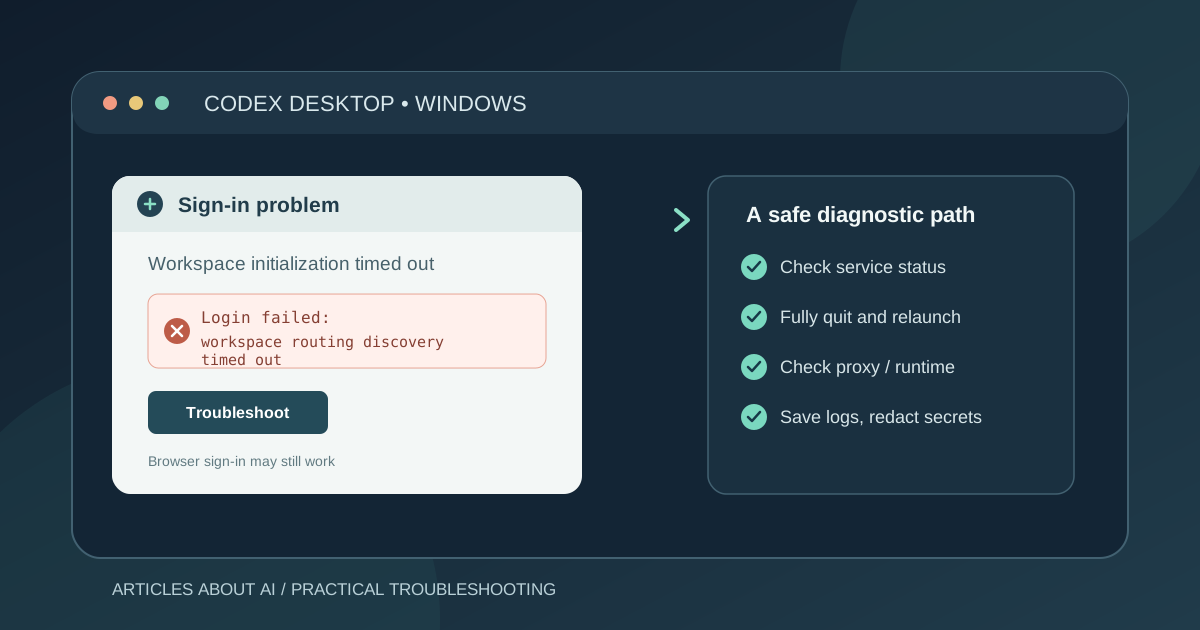
If Codex Desktop on Windows returns “Login failed: workspace routing discovery timed out” after you complete browser sign-in, the failure may be happening while the desktop app initializes your account or workspace—not necessarily because your password is wrong.
This is a real, recently reported problem. In October 2026, Windows users described Codex asking them to sign in again after an update, then failing during workspace initialization. Some reports say ChatGPT still works in a browser with the same account. That distinction is useful when troubleshooting, but it does not prove the exact cause in every case.
There is no single, officially confirmed fix for every report discussed here. The steps below prioritize reversible checks and avoid deleting local data or repeatedly resetting a working account.
What does “workspace routing discovery timed out” mean?
The error indicates that Codex did not complete a workspace-routing discovery step before its deadline. In reports in the public OpenAI Codex issue tracker, the error appears during account initialization or sign-in. Other reports describe authenticated requests returning HTTP 432, “Workspace routing is unavailable.”
These messages are not the same as an incorrect password. A successful browser login also does not guarantee that the desktop app can finish its own account and workspace setup.
The reports do not establish one universal root cause. Network routing, proxy configuration, an application/runtime issue, or a service-side problem may be relevant in individual cases. Treat these as possibilities to test—not proven explanations.
1. Check whether the problem is service-side
Before changing Windows settings, visit the OpenAI Status page and look for an incident affecting ChatGPT or Codex.
- If an incident affecting sign-in or account services is active, avoid making multiple local changes. Wait for the incident to be resolved, then try again.
- If no relevant incident is listed, continue with the local checks below. A clear status page does not rule out a partial or account-specific problem.
You can also check the recent reports linked in the Sources section. They help establish whether other users have seen the same error, but a community issue is not an official confirmation of a fix.
2. Fully close Codex Desktop, then reopen it
Closing the main window may leave the application running in the Windows system tray.
- Save any work you can still access.
- Open the system tray near the Windows clock.
- If Codex is running there, right-click its icon and choose Exit.
- Open Task Manager and check whether a Codex process remains. End a process only if you have confirmed it belongs to Codex and the app has already been asked to exit.
- Launch Codex again and try signing in once.
If the login window immediately returns after you choose Exit, note that behavior. A user reported this alongside the routing timeout in OpenAI Codex issue #53520, opened on October 13, 2026. It is a reported symptom, not proof that every affected installation has the same bug.
3. Check for a Codex Desktop update
Some reports began after users moved to the Windows desktop release identified as 26.1007.2314.0. That timing is worth recording, but it does not prove that the update caused every failure.
- Open the Microsoft Store and go to Library.
- Select Get updates and let the Store check for available updates.
- If a Codex update is offered, install it.
- Restart Codex and test sign-in again.
If the Store says the app is up to date, do not repeatedly reinstall it just to force a different result. Record the version shown in Windows app details or the Codex About dialog, if you can reach it. If you cannot reach the About dialog because sign-in is blocked, say so when reporting the problem.
4. Test whether a VPN or proxy is affecting the connection
A proxy or VPN can affect how a desktop app reaches its services. Several public reports mention proxy configurations, but the evidence does not show that proxies are the cause for everyone.
Use a controlled test:
- Record whether you use a VPN, proxy client, work network, or custom DNS.
- If it is safe and permitted on your network, try one sign-in attempt on a different trusted connection, such as a personal mobile hotspot.
- If you use a VPN or proxy, compare the result with your normal connection only if you can do so safely. Do not bypass workplace security controls or expose your device on an untrusted network.
- Return to your usual settings after the test.
If the error changes on another connection, that is useful diagnostic evidence. It still does not prove which network component is responsible. If the error remains identical across trusted networks, avoid repeatedly switching configurations without a specific reason.
5. Check for an unexpected external Codex runtime override
A Windows environment variable named CODEX_CLI_PATH can point Codex Desktop to an external runtime instead of the bundled one. One public report specifically checked for this setting and found it was not present, yet the sign-in error persisted. Therefore, this check can rule out one configuration issue, but it is not a universal fix.
Open PowerShell and run these read-only checks:
Get-ChildItem Env:CODEX_CLI_PATH
[Environment]::GetEnvironmentVariable("CODEX_CLI_PATH", "User")
[Environment]::GetEnvironmentVariable("CODEX_CLI_PATH", "Machine")
The first command checks the current PowerShell process; the next two check the user-level and machine-level values. If the commands return no value, that override is not set in those locations.
If a value is present, do not delete it automatically. First determine whether you or an administrator intentionally configured an external runtime. If you do not recognize the value, save it for diagnosis and consult the relevant administrator or support channel before changing it. Avoid posting full environment dumps publicly, because they can reveal private paths or other configuration details.
6. Try one clean sign-in attempt—without repeatedly resetting the account
If the app opens normally but remains stuck at sign-in, one controlled sign-out/sign-in attempt may be reasonable. However, some affected users report that browser authentication succeeds while the desktop app still fails at workspace discovery.
- Complete the browser authentication flow and return to Codex.
- If the exact routing-timeout error appears again, stop repeating the same login cycle.
- Do not delete Codex folders, remove credentials manually, clear unrelated browser data, or reset your ChatGPT account as a first response.
Repeated authentication attempts do not address a routing timeout if the failure occurs after browser authentication. Preserving the existing local state also makes it easier to diagnose the problem.
7. Collect the details needed for a useful bug report
If the error persists, collect a concise report rather than trying random fixes. Include:
- Windows version and whether it is Windows 10 or Windows 11.
- Codex Desktop version, if available.
- The exact error text and when it appears.
- Whether browser sign-in completes and whether ChatGPT works at chatgpt.com using the same account.
- Whether the issue began after an update or after the computer woke from sleep.
- Whether the problem changes on a different trusted network.
- Whether
CODEX_CLI_PATHis set, without sharing any sensitive path unless support specifically needs it.
Use the OpenAI Help Center or the OpenAI Codex issue tracker to seek support. Before sharing logs, inspect them and redact access tokens, cookies, email addresses, account identifiers, local usernames, private repository paths, and other sensitive data. Never publish session tokens or authentication headers.
What if none of these steps works?
If the browser works but Codex Desktop repeatedly fails with the same workspace-routing timeout, the problem may be specific to desktop account initialization or a related service path. Public reports show that this error has affected multiple Windows users, including after recent desktop updates. They do not establish that every user has the same underlying cause, and they do not confirm one workaround that always succeeds.
At that point, stop making destructive changes. Keep the exact error, app version, approximate time, network test result, and any safe diagnostic details. That evidence is more useful than reinstalling repeatedly or deleting local configuration without a supported reason.
Frequently asked questions
Does this error mean my ChatGPT password is wrong?
Not necessarily. Reports describe successful browser authentication followed by a failure in Codex Desktop during workspace routing. That points to a later step in the sign-in process, although the error alone cannot identify the root cause.
Why does ChatGPT work in my browser but not in Codex Desktop?
The browser and desktop app do not use identical application flows. A successful browser session does not prove that the desktop app can complete its own account and workspace initialization.
Is reinstalling Codex the recommended fix?
No universal, verified reinstall fix is established by the reports cited here. Start with reversible checks and preserve local state. Reinstall only if official support or a clearly applicable documented instruction recommends it.
Is this issue confirmed to affect every Windows user?
No. The cited issues are individual public reports. They establish that multiple users have described similar symptoms, not how widespread the problem is or whether every report has the same cause.
Sources
- OpenAI Codex issue #53520 — opened October 13, 2026; describes a Windows desktop login timeout after a previously working session and an unexpected login window after Exit.
- OpenAI Codex issue #53236 — Windows users report daily re-login after an update and
workspace routing discovery timed outduring startup. - OpenAI Codex issue #53261 — report of OAuth login failure and persistent workspace-routing timeouts after a Windows desktop update.
- OpenAI Codex issue #50828 — report of the exact sign-in error on Windows 11, including checks for an external runtime override.
- OpenAI Status — official service-status information.
- OpenAI Help Center — official support resource.
Related Articles
- How to Fix Codex “Stream Disconnected Before Completion” on Windows — troubleshoot a separate Codex error that interrupts an active response.
- How to Fix ChatGPT Login Problems: A Step-by-Step Guide — general ChatGPT sign-in troubleshooting.
- Claude Code vs Codex vs Gemini CLI: Which AI Coding Agent Should You Choose? — compare AI coding agents and their workflows.