
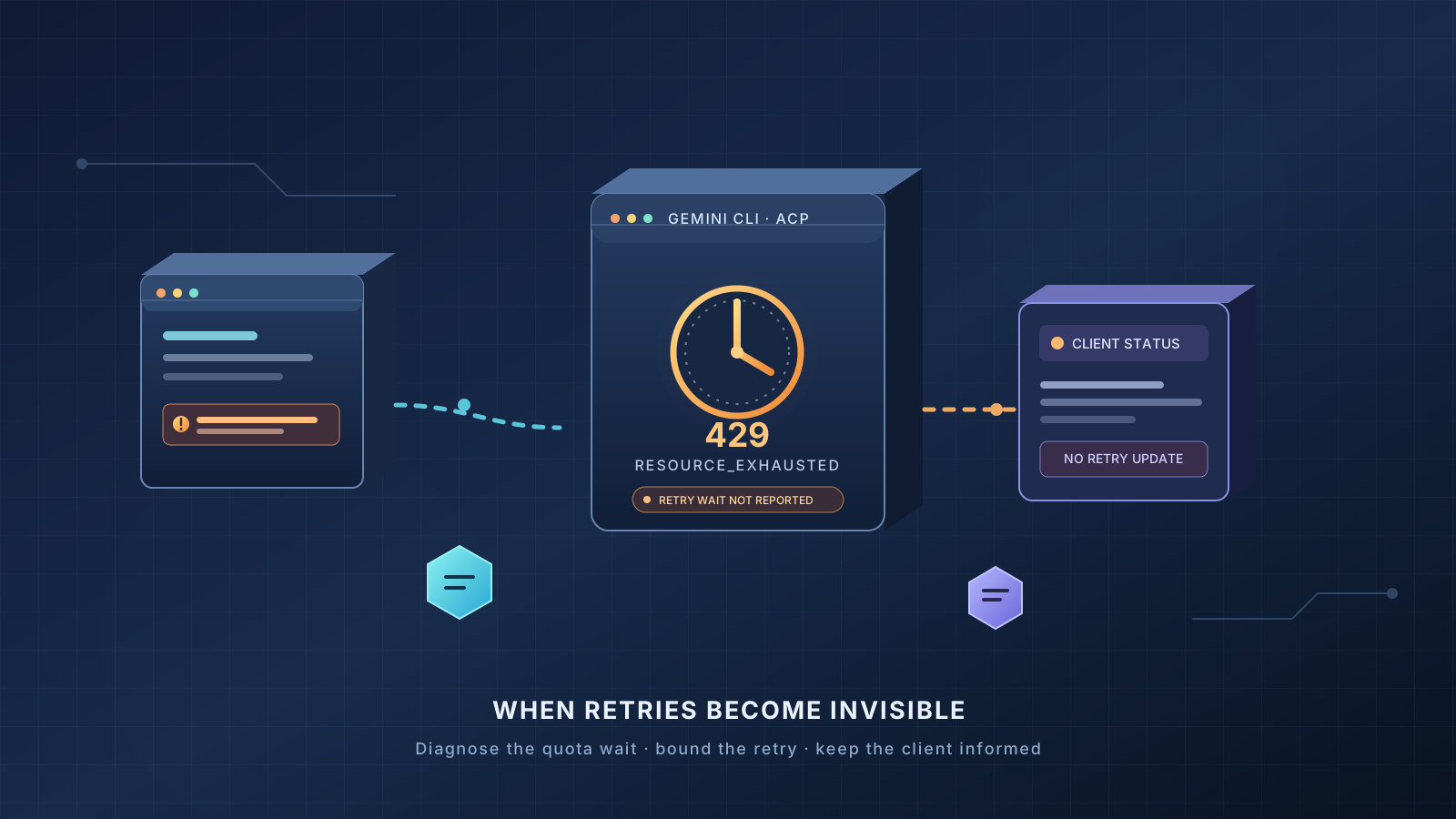
Gemini CLI can appear to freeze when it runs as an Agent Client Protocol (ACP) agent and a model request receives a quota-exhausted 429 RESOURCE_EXHAUSTED response. In a report opened on October 17, 2026, a developer reproduced a case where Gemini CLI waits for a retry delay measured in hours but sends no corresponding status update to the ACP client. The editor or other client can therefore look stuck even though the CLI is sleeping before another attempt.
The report is specific to the ACP integration path. It does not prove that every Gemini CLI 429 error, every editor integration, or every Google account has the same problem. It also does not establish that a user has a billing problem merely because the interface appears frozen.
This guide explains how to recognize the reported Gemini CLI ACP hanging issue, distinguish it from ordinary rate limiting, reduce the chance of waiting indefinitely, and collect useful diagnostic information. There is no confirmed user-side fix for the underlying bug in the report cited below. Treat the suggestions here as safe troubleshooting and temporary workarounds, not as a guarantee that a request will succeed.
What is the Gemini CLI ACP 429 issue?
ACP, or Agent Client Protocol, lets an AI coding agent communicate with an IDE or another developer tool through a standardized client-server protocol. Gemini CLI can be started in ACP mode with a command such as gemini --acp. The client sends a prompt, and Gemini CLI processes it and returns a response over the protocol.
In Gemini CLI issue #29805, the reporter describes a failure in this sequence:
- An ACP session sends a prompt to Gemini CLI.
- A model request returns HTTP 429 with a
RESOURCE_EXHAUSTEDstatus and a message saying the model’s capacity is exhausted until a stated reset time. - The CLI classifies the response as a retryable capacity error and uses the server-provided retry delay.
- That delay can be many hours.
- The ACP client receives no retry notification, no useful error, and no stop reason while the CLI waits.
The issue reporter says they reproduced the behavior with Gemini CLI 0.62.0 and a local stub server, and found the relevant code path unchanged in 0.64.0. The original report also says the problem was first noticed with Google account authentication through Code Assist after the quota for a model ran out. This is evidence of a reproducible implementation problem, but it is not proof that all users or all versions are affected.
The reported cause involves how retry events are connected to the user interface. The interactive terminal UI subscribes to retry-attempt events, while the ACP agent does not. The reporter also identifies a persistent-429 fallback that is only wired for interactive configuration. Consequently, ACP can wait silently in a path where the interactive UI may be able to display retry status or use a fallback.
How to tell whether your request is stuck
A long response time alone is not enough to identify this bug. A model may be processing a large context, a tool may still be running, the service may be busy, or your account may have reached a quota. Look for the combination of symptoms instead.
Signs that match the reported ACP problem
- You are running Gemini CLI through an ACP-compatible editor or client, rather than only using the ordinary interactive terminal UI.
- The request appears to remain active without a response or visible progress.
- Debug output indicates a 429 or
RESOURCE_EXHAUSTEDerror. - The error text says the model’s capacity is exhausted and includes a reset delay, sometimes many hours long.
- The client does not display a retry message, a failure, or a clear reason for the wait.
These signs are consistent with issue #29805, but they are not a definitive diagnosis. If the logs show a different error, follow the troubleshooting path for that error rather than assuming the ACP retry bug is responsible.
Signs of an ordinary rate limit
Gemini services can return 429 for different reasons, including request-rate limits, token-throughput limits, daily limits, spending limits, or model-capacity conditions. The exact message and error details matter. A brief rate-limit response during a burst of requests is different from a quota-exhausted response that instructs the client to wait for a long reset interval.
Google’s Gemini API rate-limit documentation explains that limits can depend on the model, project, request volume, tokens, and other account conditions. The official troubleshooting guide recommends exponential backoff for retryable errors and setting a maximum retry count. Those general API recommendations do not resolve the specific ACP reporting gap described in issue #29805.
Step 1: Confirm that Gemini CLI is running in ACP mode
First, identify how the agent was launched. ACP integrations commonly start Gemini CLI using the --acp or --experimental-acp option, depending on the integration and version. The official documentation describes the supported ACP entry point and protocol behavior in the Gemini CLI ACP mode guide.
If you launched Gemini CLI directly in its interactive terminal interface, do not assume that this ACP-specific bug explains your symptoms. The reported issue concerns how retries are communicated to an ACP client.
Record the following before changing your setup:
- The exact Gemini CLI version.
- The editor or ACP client name and version.
- Whether authentication uses a Google account through Code Assist or a Gemini API key.
- The model named in the error, if one is shown.
- The full error type and retry delay, with secrets removed.
- Whether the request is still waiting, has failed, or has already returned.
Do not publish API keys, OAuth tokens, credential files, private project identifiers, or sensitive prompt content in a public issue.
Step 2: Capture diagnostic output safely
Gemini CLI’s official ACP documentation describes a debug option and telemetry settings for investigating protocol activity. If you can reproduce the problem without exposing sensitive data, launch the CLI with debug logging:
gemini --acp --debug
Use the exact command documented for your installed version and integration. Some clients launch the process for you, so you may need to change the integration’s launch configuration rather than run a second instance manually.
If you enable telemetry, review the generated output before sharing it. Logs can reveal local paths, project details, request metadata, or fragments of the work you are doing. Redact private information first.
The goal is to determine whether the CLI received a quota or capacity error and entered a long retry delay. You do not need to collect every log line or upload a complete chat history to establish that basic fact. A short, sanitized excerpt containing the error type, retry delay, CLI version, and ACP mode is usually more useful than an unfiltered log dump.
For a general reference on retry loops and safe limits across AI agents, see our guide to controlling AI agent API usage, budgets, rate limits, and retries.
Step 3: Check the meaning of the 429 response
Before attempting recovery, inspect the exact error message. Do not treat all 429 responses as interchangeable.
If the message identifies a quota reset many hours away
A message such as “You have exhausted your capacity on this model. Your quota will reset after …” indicates that the service is asking the client to wait for a particular interval. In the reported ACP bug, the problem is that this delay can be honored silently, without informing the client.
Do not keep resubmitting the same prompt while the original operation is waiting. Repeated submissions can create additional work, consume more of your allowance, and make it harder to identify which request is still active.
If the task is not time-critical, you can wait for the indicated reset window and then retry once. If you need to continue immediately, use a safe fallback described below rather than leaving an editor operation running unattended for hours.
If the message indicates a short rate limit
Reduce request bursts and concurrency, then retry according to the service’s guidance. For application developers, bounded exponential backoff with jitter can reduce repeated synchronized requests. A retry policy should have a maximum number of attempts and a total time budget.
Do not blindly impose a short retry interval when the service explicitly supplies a longer wait. Conversely, do not assume that every multi-hour wait is a normal transient failure; verify whether the response actually identifies a quota reset and whether your client is communicating the wait correctly.
If the message is unclear
Check the current project and model limits in the official usage interface available to your account. Review the Gemini API troubleshooting guide and API error reference for the service you are using. Code Assist and Gemini API access can have different quota and account rules, so do not apply API-key advice automatically to a Google-account subscription.
Step 4: Use the interactive terminal interface as a temporary alternative
The report identifies a difference between the interactive terminal UI and ACP: the interactive UI subscribes to retry-attempt events, while the ACP agent does not. For that reason, trying the normal interactive Gemini CLI interface may be a useful diagnostic alternative when the editor integration appears stuck.
This is not a guaranteed fix for quota exhaustion. The interactive interface cannot make an exhausted quota available again, and a model-capacity error may still prevent the request from succeeding. The benefit is that the interactive UI may provide more visible retry information or follow a different error-handling path.
Before switching interfaces, save your work in the editor and make sure you understand which files or actions the agent may have changed. If the task relies on editor context, filesystem permissions, or project-specific tools, the standalone terminal session may not have the same context or capabilities.
Do not run multiple agents on the same task simply to see which one responds first. Parallel retries can consume additional quota and may create conflicting edits if both agents are allowed to change files.
Step 5: Stop a request that is no longer useful
If an ACP request is waiting for a delay measured in hours, decide whether continuing to wait makes sense for your task. Use the cancellation controls provided by your IDE or ACP client. If the client cannot cancel the operation, follow the editor’s documented method for stopping or restarting the agent process.
The ACP protocol includes a cancellation request, but the report does not prove that every client or every affected version will handle cancellation correctly during this retry path. Treat cancellation as a recovery attempt, not as a verified repair for issue #29805.
Before terminating a process, save editor changes and preserve any useful terminal output. Restart only the agent or integration that is stuck, rather than force-closing unrelated applications. If your editor has a way to reopen the agent session, check whether the original request completed or changed files before sending it again.
If you maintain an ACP client, consider implementing a client-side timeout and a clear status message for long-running operations. A timeout can return control to the user even when the agent does not send progress notifications. However, a client timeout does not necessarily terminate the underlying process or undo work already performed; process management and cancellation need their own safeguards.
Step 6: Avoid unsafe or ineffective workarounds
Some actions may appear to bypass the symptom but can create new problems.
- Do not rotate API keys or accounts to evade a quota. Use only accounts and projects you are authorized to use, and follow the service’s terms and quota rules.
- Do not delete credential files as a first response. The reported problem concerns retry handling in ACP, not proof that credentials are corrupt.
- Do not repeatedly downgrade or reinstall the CLI without evidence. The report says the relevant path was unchanged across the two versions tested, and it does not establish that reinstalling fixes the issue.
- Do not patch the installed package blindly. Editing generated code or retry logic can make updates harder and may cause other failures. If you are a developer maintaining a fork, reproduce the problem in a controlled test and review the upstream issue before changing behavior.
- Do not remove retry handling altogether. Short transient failures can be recoverable. A safer implementation distinguishes transient rate limits from quota exhaustion and caps how long one task can remain in a retry state.
- Do not assume a successful retry proves the root cause. A later request may succeed because a quota reset, a capacity condition changed, or a different request path was used.
For a separate Gemini CLI cancellation problem, see our report on the Gemini CLI Esc cancellation bug and continuing retries. That issue concerns cancellation behavior and should not be confused with the missing retry-status notification in issue #29805.
If you maintain an ACP client or agent integration
The issue is especially relevant to developers building IDE integrations, agent clients, and automation around Gemini CLI. The reporter identifies three areas worth examining: retry-event delivery, the interactive-only persistent-429 fallback, and the classification of quota-exhausted messages as retryable capacity errors.
A robust client should make the operation’s state visible. At minimum, users need to know that a retry is happening, the reason category, and how long the client expects to wait. Where the protocol and client implementation permit it, users should also be able to cancel the operation and receive a clear terminal result.
Do not treat every capacity-related message as an identical transient error. A short capacity retry may be reasonable, while a server-supplied delay of many hours may exceed the task’s useful retry budget. If the delay is beyond that budget, the client should have an explicit policy: stop and report the error, offer a fallback model when appropriate, or ask the user whether to defer the task. Any fallback must respect the user’s model selection, account permissions, and cost preferences.
When implementing retries, define the retry budget in terms of both attempts and elapsed time. Ensure that SDK-level retries, agent-level retries, and client-level retries do not multiply unexpectedly. If the underlying process continues after a client timeout, expose that state instead of implying the request has been cancelled. These are general engineering recommendations; they are not claims that the upstream Gemini CLI project has already implemented the changes.
For additional patterns, see the related guide to AI agent API budgets and bounded retry strategies and our practical guide to handling Claude API 429 rate-limit errors. The provider-specific behavior differs, but the general principle is the same: identify the error, respect legitimate rate limits, and avoid retry loops with no useful stopping condition.
Frequently asked questions
Does Gemini CLI ACP hanging always mean I have run out of quota?
No. A client that appears stuck can have several causes, including a long model response, a tool operation, a network problem, or a quota error. The issue discussed here is specifically associated with a 429 or capacity error and an invisible retry delay in ACP. Check the error details before deciding what happened.
Can I fix the problem by waiting for the quota reset?
Waiting may help if the error truly reflects a quota that resets at the stated time. It does not fix the missing status update in ACP, so the client may still look stuck if the same failure path occurs again. If you must wait, avoid leaving a critical task in an unclear state.
Is there an official patch for issue #29805?
The issue cited in this guide was open when checked for this article. The report does not establish that a fix has been merged or released. Check the upstream issue #29805 and the official Gemini CLI repository for current maintainer responses and release notes before assuming a fix is available.
Should I use an API key instead of Google-account authentication?
The report includes a reproduction using an API key and says the issue was also first noticed with Google-account authentication through Code Assist. That does not establish that changing authentication will resolve it. Check the quota and terms associated with the access method you actually use; switching credentials is not a confirmed workaround for this ACP retry bug.
What information should I include in a bug report?
Include the Gemini CLI version, operating system, ACP client and version, authentication type without secrets, the exact sanitized 429 error, the reported retry delay, and concise reproduction steps. If possible, explain whether the request was still waiting and whether the client received any progress or error notification. Remove access tokens, API keys, private prompts, and confidential project details before posting.
Official references
- Gemini CLI issue #29805: ACP retries are invisible and quota-exhausted 429 responses may be retried for hours
- Gemini CLI ACP mode documentation
- Gemini API rate limits
- Gemini API troubleshooting guide
- Gemini API error reference
Bottom line: Gemini CLI ACP can look frozen when a quota-exhausted 429 triggers a very long retry and the client receives no status update. Confirm the error, avoid repeated submissions, use the interactive interface or stop the stuck task when appropriate, and check the upstream issue for a released fix. The underlying ACP behavior remains unconfirmed as fixed in the cited report.