
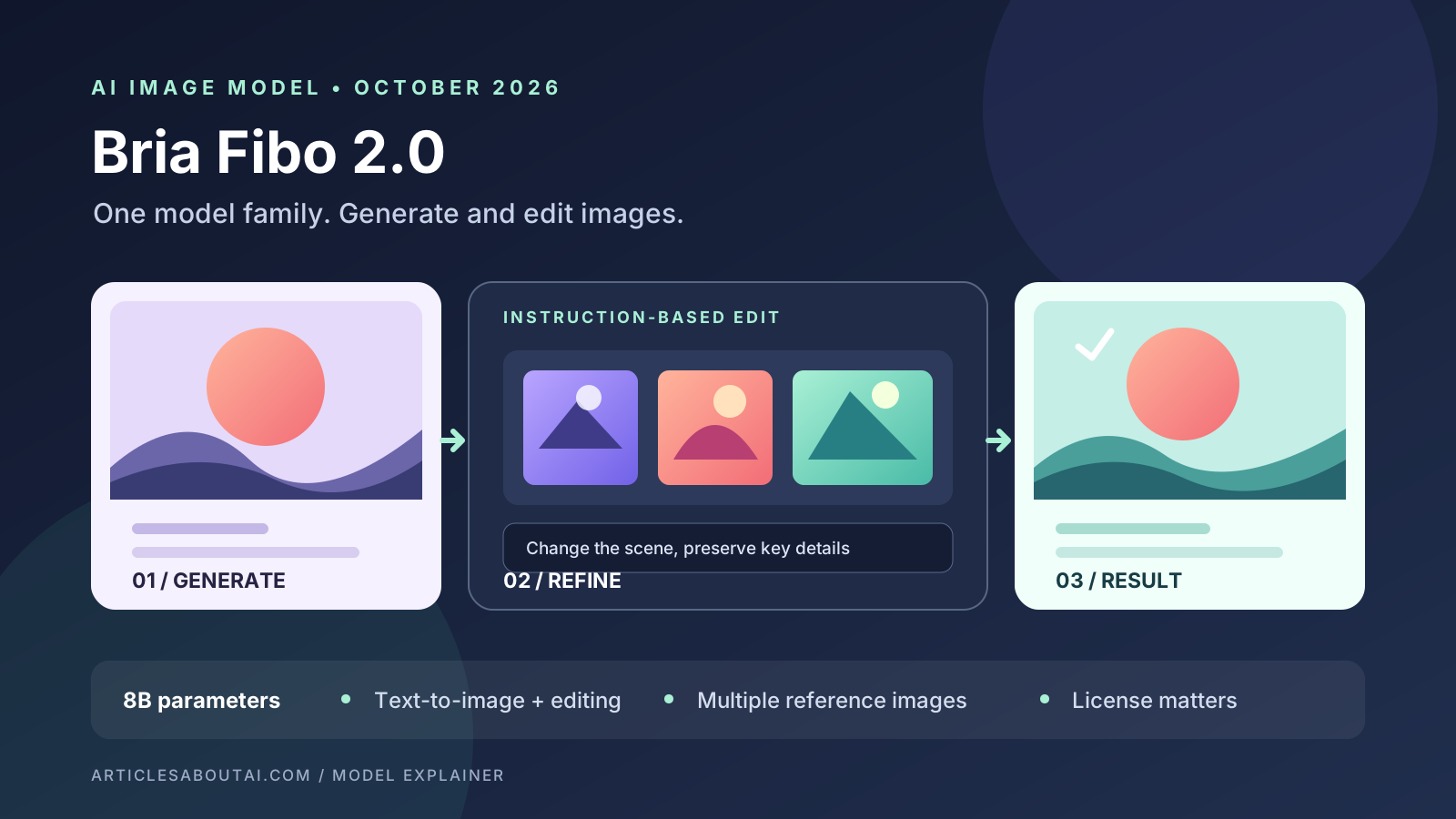
Bria’s Fibo 2.0 is a new image model designed to handle both text-to-image generation and instruction-based image editing. Released in October 2026, it brings those tasks together in one model family and is aimed at creators, developers, and teams that need more control over generated visuals. Bria says the model is trained exclusively on licensed data; that is a company claim, while the model’s published open weights carry a separate non-commercial license.
The release is notable for more than image quality claims. Fibo 2.0 supports edits guided by natural-language instructions, masked changes, and compositions using multiple reference images. Bria also offers an Edit Turbo variant designed to make editing faster. These features could be useful for product images, campaign concepts, and iterative design workflows—but the licensing terms and implementation requirements matter before adopting it.
This article summarizes Bria’s documentation and published model cards. We have not independently benchmarked Fibo 2.0, so rankings and quality comparisons below are attributed to their publishers rather than presented as our own test results.
What is Bria Fibo 2.0?
Fibo 2.0 is an approximately 8-billion-parameter image model from Bria. Unlike workflows that require one model for generating a picture and another for modifying it, the Fibo 2.0 family is designed to support both tasks. A user can create an image from a prompt, then request a change—such as recoloring an object or adjusting a background—while asking the model to preserve other parts of the composition.
Bria publishes two main variants:
- Fibo 2.0 Dev: the full model for text-to-image generation, editing, experimentation, and fine-tuning.
- Fibo 2.0 Edit Turbo: a distilled editing-focused model designed to perform edits in four steps. It is intended for image editing, not generating a new image from scratch.
The distinction matters. If a project needs both fresh image creation and detailed modifications, Dev is the more relevant checkpoint to investigate. If the workflow is mainly editing existing images and latency is important, Edit Turbo may be the better fit. Confirm current hardware, API, and deployment requirements in Bria’s documentation before choosing.
Official resources: Bria’s Fibo 2 documentation, Fibo 2.0 Dev model card, and Fibo 2.0 Edit Turbo model card.
Key features of Fibo 2.0
1. Image generation and editing in one model family
Fibo 2.0 can generate an image from a prompt and edit an existing image using an instruction. For example, a creator might generate a product scene and then ask for the background to become warmer, a jacket to change color, or the lighting to look like late afternoon.
The goal is to make refinement more direct: describe the intended change rather than rebuilding the entire prompt. That can help reduce unnecessary changes to the parts of an image that already work. It is not a guarantee that every untouched pixel or detail will remain identical, so inspect each result carefully.
If you are comparing different approaches, our guide to the best free AI image generators in 2026 provides a broader starting point.
2. Instruction-based editing and masking
Bria describes Fibo 2.0 as supporting general editing through natural-language instructions, with masking available for localized changes. A mask can help identify the area that should be changed, while the instruction explains what should replace or modify it.
This approach is useful when a request is specific: replace a product’s background, adjust an object’s color, or modify one part of a scene without intentionally redesigning everything else. Real results can still contain artifacts, altered edges, or unintended changes. Review the output at full size, especially around hair, transparent objects, fine product details, and text.
For practical background cleanup and image preparation, see our guide on how to remove image backgrounds with AI.
3. Multiple reference images
Bria’s documentation shows editing workflows that combine up to four reference images. For example, a workflow can combine a product, a setting, and a wordmark into a single composition. Reference-based editing can be more precise than describing every visual component in text alone.
The number of supported inputs does not guarantee that the model will reproduce every source accurately. Check product proportions, brand marks, labels, and other details that must remain faithful. For e-commerce or advertising, never assume an AI-generated image is a faithful representation of a product without checking it against the original.
Our guide to AI tools for e-commerce product photography explains other workflows for producing and preparing product visuals.
4. Structured prompts and visual control
Fibo 2 builds on Bria’s Visual GenAI Language (VGL) approach, which uses structured descriptions of visual attributes rather than relying only on a short, free-form sentence. The model documentation describes controls for elements such as lighting, composition, camera characteristics, and objects.
Structured prompts can make complex requests more explicit and repeatable. They can also introduce extra setup compared with simply typing a sentence into a consumer image generator. The best workflow depends on whether you need a quick creative result or repeatable control in an application or production pipeline.
For a practical introduction to prompt structure, read our guide to writing better AI image prompts. If lettering is a key part of the design, our guide to fixing misspelled text in AI-generated images covers the checks that should happen before publication.
5. A faster editing option
Fibo 2.0 Edit Turbo is designed to perform editing in four inference steps without classifier-free guidance, according to its model card. Fewer steps can reduce inference time, although actual speed and cost depend on the hardware, serving setup, image dimensions, and API provider.
Turbo is not a universal replacement for the Dev checkpoint. It is specifically positioned for editing. Teams should test both quality and latency on representative images before selecting a model for high-volume use.
How does Fibo 2.0 perform in benchmarks?
Bria’s model cards report that, in an Artificial Analysis snapshot dated October 20, 2026, Fibo 2.0 ranked first among open-weight models in image editing and second among open-weight models for text-to-image generation. The listed image-editing Elo score is 1,087, while the text-to-image score is 1,038.
These are useful signals, not proof that Fibo 2.0 is the best choice for every task. Leaderboards depend on the evaluation method, the competing models included, the number of comparisons, and the date of the snapshot. Small score differences can be uncertain, and performance on a general benchmark may not reflect a specific task such as product-label accuracy, typography, or preserving a person’s identity.
Before choosing a model, compare it with alternatives using the same prompts, reference images, output dimensions, and evaluation criteria. Review the current Artificial Analysis image-generation leaderboard and its methodology rather than relying only on a vendor’s summary.
For context on another open-weight image model, see our coverage of MOSS-Image and its layout-control approach. The models emphasize different workflows, so a direct test is more useful than assuming one ranking settles the comparison.
Is Fibo 2.0 open source, and can businesses use it commercially?
This is one of the most important details to understand before downloading the weights.
Bria publishes Fibo 2.0 weights on Hugging Face, but the model cards state that the weights are licensed under Creative Commons Attribution-NonCommercial 4.0 (CC BY-NC 4.0). That license permits qualifying non-commercial use subject to its conditions; it does not grant general commercial-use rights. The model cards say commercial use is subject to a separate agreement with Bria.
Bria also says the model was trained exclusively on licensed data. That is a statement from the provider about its training-data approach, not a substitute for reading the model license or any agreement governing a commercial deployment.
Before using Fibo 2.0 in paid advertising, client work, a revenue-generating product, or another commercial workflow:
- Read the current license on the exact checkpoint you plan to use.
- Contact Bria to confirm whether your intended use requires a commercial agreement.
- Check the terms of any hosted API or third-party deployment separately; hosted-service terms may differ from the downloadable weights.
- Keep records of the applicable terms and approval for your project.
Do not assume that “open weights” means unrestricted commercial use. If commercial licensing is central to your decision, start with Bria’s official documentation and the Fibo 2.0 Dev license details on Hugging Face.
How to try Fibo 2.0
The best starting point depends on your technical experience and intended use.
Option 1: Explore Bria’s hosted documentation and API
Bria’s documentation links to the generation and editing endpoints and includes example requests. This route is worth investigating if you are building an application or want a managed inference workflow. Check the current account requirements, pricing, rate limits, and terms before sending production images.
Start with Bria’s Fibo 2 documentation.
Option 2: Review the Hugging Face model cards
The Fibo 2.0 Dev model card and Edit Turbo model card describe the checkpoints, capabilities, example workflows, and license. Read the current setup instructions carefully; dependencies and support in image-generation libraries can change as integrations are developed.
Option 3: Test it on a small, controlled task
Start with a non-sensitive image and one clear instruction. For example, ask the model to change a background or recolor a single object while preserving the rest of the scene. Then evaluate:
- Did it make the requested change?
- Did important details outside the target area change?
- Are edges, hands, text, textures, and object geometry convincing?
- How long did the operation take, and what did it cost?
- Are the license and data-handling terms suitable for the intended use?
A small test is more informative than judging a model from promotional samples alone. Do not upload confidential client assets or personal images to a hosted service until you have reviewed its data-handling terms.
Fibo 2.0 vs. other AI image generators
Fibo 2.0 is most interesting when editing control and the ability to generate and modify images within one model family are priorities. Other tools may be more suitable depending on the user’s goal, access requirements, interface, and licensing needs.
| Need | What to evaluate |
|---|---|
| Generate a new image from text | Fibo 2.0 Dev and other text-to-image models |
| Edit a specific object or region | Masking, instruction-following, and preservation of untouched details |
| Compose a scene from references | Number of references supported and fidelity to each source |
| Use images commercially | Exact model-weight license and hosted-service agreement |
| Integrate generation into software | API stability, latency, cost, documentation, and deployment requirements |
| Create images without technical setup | Hosted tools with an accessible interface and clear usage limits |
There is no single winner for every user. A designer who needs a quick social graphic may prefer a consumer tool with a simple interface. A developer may value API access and repeatability. A business may prioritize documented commercial rights and provenance over a small benchmark advantage.
Limitations to consider
Fibo 2.0 is promising, but several caveats matter:
- Licensing: the downloadable weights are non-commercial under CC BY-NC 4.0 unless separate commercial rights are obtained.
- Benchmark scope: published rankings reflect a particular evaluation snapshot, not every real-world task.
- Editing consistency: a model can still change details that were meant to remain untouched.
- Technical setup: local deployment may require compatible hardware, dependencies, and model-specific configuration.
- Text and brand accuracy: inspect logos, labels, fine print, and other exact details manually.
- Feature availability: capabilities described as planned or coming soon should not be treated as available until Bria documents their release.
These limitations do not make the model unsuitable; they define the checks needed before relying on it in a real workflow.
Final verdict: who should pay attention to Fibo 2.0?
Bria Fibo 2.0 is worth watching if you need a model that combines image generation with instruction-based editing, supports multiple references, and offers a structured approach to visual control. The separate Dev and Edit Turbo checkpoints also give developers a choice between a fuller generation-and-editing model and a faster editing-focused option.
The most significant qualification is licensing. The published weights are not a blanket commercial-use license, so businesses should confirm the terms before adopting them. And while Bria’s published benchmark snapshot is encouraging, users should test Fibo 2.0 against their own images and requirements before deciding it outperforms alternatives.
For readers comparing tools, start with our AI image generator comparison and practical AI image prompt guide, then use the official model cards to check the latest capabilities and terms.