
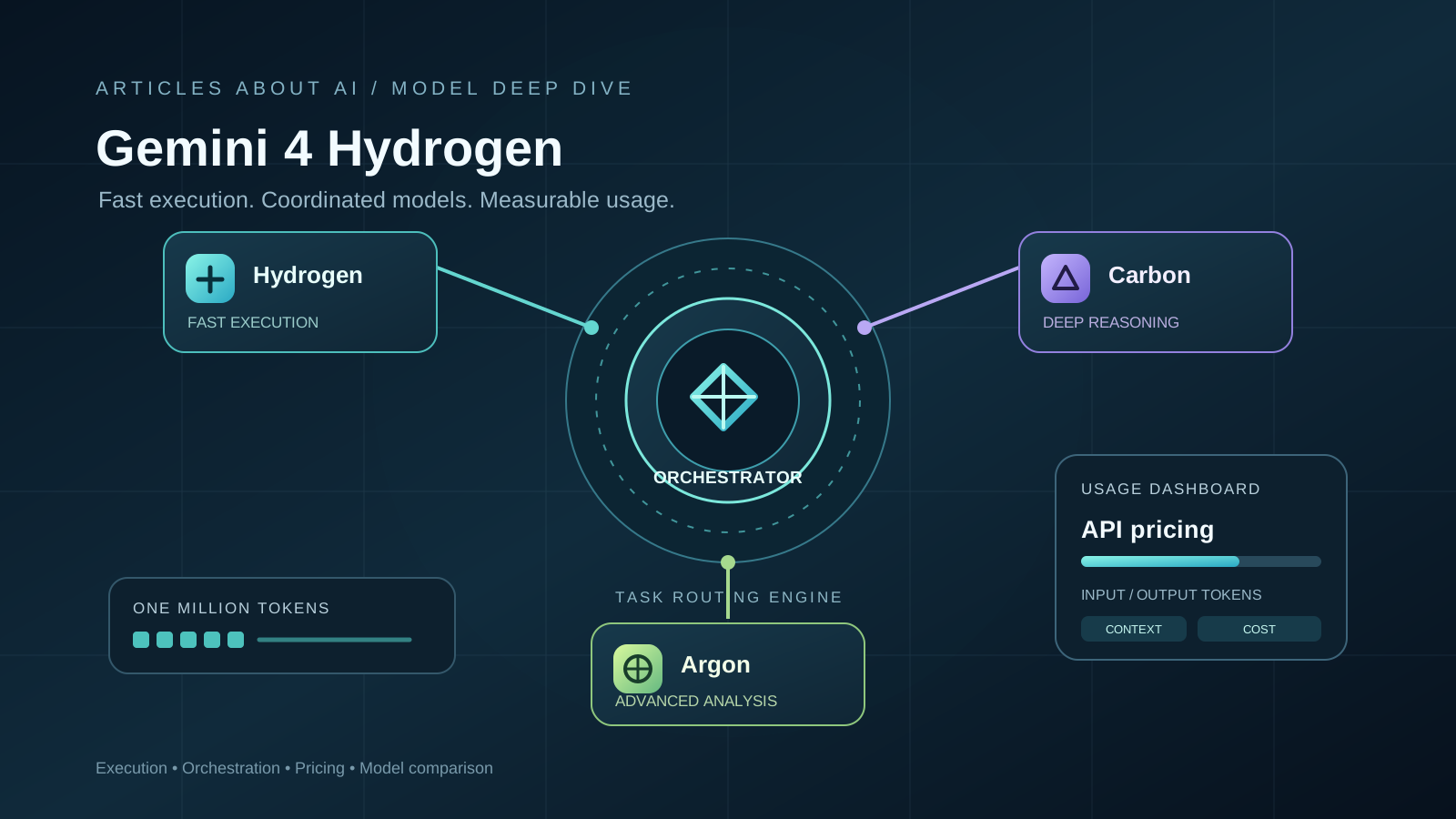
Google introduced Gemini 4 Hydrogen on November 12, 2026, positioning it as the fast execution model in its Gemini 4 family. While Gemini 4 Carbon and Gemini 4 Argon are aimed at difficult reasoning and long-running work, Hydrogen is designed for rapid coding, debugging, iterative development, and agentic workflows that need to complete many practical steps without using a frontier model for every action.
The launch also introduces Orchestrator in Google Antigravity, a workflow that can move between models during a task rather than keeping one model in charge from beginning to end. Google says this approach can preserve task success close to Carbon while reducing quota consumption and completion time in its reported benchmark. Those are Google’s own results, not an independent guarantee for every codebase or workload.
This guide explains what Hydrogen does, how its pricing works, what Orchestrator changes, and how to choose between Hydrogen, Carbon, and Argon.
What Is Gemini 4 Hydrogen?
Gemini 4 Hydrogen is a Google DeepMind model adapted from Gemini 4 Carbon. Google describes it as a fast, efficient model for everyday coding and agentic work, including repository-level edits, debugging, web development, prototyping, and multimodal knowledge tasks.
The distinction is about workload fit, not a simple ranking in which one model replaces the others:
- Hydrogen is intended for fast execution, iterative work, and tasks that benefit from a responsive model.
- Carbon is positioned for demanding frontier reasoning, complex engineering decisions, and long-horizon tasks.
- Argon is also a frontier model for difficult reasoning and complex workflows, with its own model capabilities, access conditions, and pricing.
Google says Hydrogen has a combined input-and-output context window of up to 1 million tokens. It accepts text, images, audio, and video. The model card also documents up to 64,000 synchronous output tokens by default, with longer output available through background long-decode workflows. A large context window can help with substantial repositories or long documents, but it does not remove the need to select relevant material, verify outputs, and manage latency and cost.
For background on the other models, see our coverage of Gemini 4 Carbon, Gemini 4 Argon for cybersecurity, and Gemini 4 Argon on Google Cloud.
Gemini 4 Hydrogen Pricing
Google’s November 12 launch announcement lists the following standard global Gemini API rates:
| Usage | Price per 1 million tokens |
|---|---|
| Input tokens | $1.50 |
| Output tokens, including reasoning | $7.50 |
Google describes these rates as applying across the model’s one-million-token context window. The current Google Cloud Model Garden pricing table also lists a non-global rate of $1.65 per million input tokens and $8.25 per million output tokens. The applicable price depends on the product, endpoint, and processing option, so developers should check the live pricing table for the service they actually use.
For a simple token-only illustration, a request using 200,000 input tokens and generating 20,000 output tokens would cost approximately $0.45 at the announced global rates:
- Input: 0.2 million × $1.50 = $0.30
- Output: 0.02 million × $7.50 = $0.15
- Total: $0.45
This is an arithmetic example, not a typical-workload estimate. Real agent sessions may call a model several times, generate intermediate reasoning or tool instructions, retry failed steps, or use other billable services. Measure actual token usage before estimating a production budget.
Google’s pricing page also lists a cached-input read rate for Hydrogen. Caching eligibility and billing depend on the relevant API and service configuration; do not assume every repeated prompt automatically receives a cache discount. Check the current Google Cloud Model Garden pricing and Gemini API documentation before deployment.
For a comparison with Carbon’s promotional and standard pricing, see our article on Gemini 4 Carbon’s launch, benchmarks, and pricing. Do not apply Carbon’s temporary pricing terms to Hydrogen.
What Is Orchestrator in Google Antigravity?
Orchestrator is Google’s multi-model workflow feature in Antigravity. Instead of relying on one model for every stage of a coding task, it can dynamically hand work between models as the task develops.
A typical workflow might look like this:
- Plan and inspect: A frontier model such as Carbon examines the repository, identifies dependencies, resolves ambiguity, and creates a plan.
- Execute: Hydrogen takes on faster implementation work, such as editing files, updating packages, or writing tests.
- Verify: Hydrogen can run checks and inspect the result. If the task becomes difficult or the plan needs reconsideration, work can return to a frontier model.
- Re-plan when needed: The stronger reasoning model can review the new state, adjust the approach, and hand suitable execution steps back to Hydrogen.
This is different from a static model router. A static router typically chooses a model near the start of a request and keeps that choice for the task. Google’s description of Orchestrator emphasizes switching models during the same trajectory as the work changes, including handing control back when an execution step encounters friction.
Google reports that Orchestrator achieved task success rates close to Carbon on Terminal-Bench while using 24% less quota on average and completing tasks 19% faster. The Google Antigravity announcement describes its evaluation as Terminal-Bench 4.1, while the broader Google launch post refers to Terminal-Bench 4.0. These are company-reported results and should be read with the benchmark version and evaluation setup in mind; they are not proof that every user will see the same savings.
Orchestrator is useful because coding work contains different kinds of effort. Architectural decisions and subtle debugging may justify a frontier model, while routine edits, test runs, and implementation iterations may not. Assigning each stage to an appropriate model can reduce the need to spend premium-model quota on repetitive execution.
Read Google’s Antigravity explanation of Gemini 4 Hydrogen and Orchestrator for its workflow examples and rollout details.
Gemini 4 Hydrogen vs. Carbon vs. Argon
The best choice depends on the work being done, not only on a benchmark score.
| Model | Google’s positioning | Where it may fit |
|---|---|---|
| Gemini 4 Hydrogen | Fast execution for everyday coding and agentic workflows | Iterative coding, debugging, implementation, testing, prototyping |
| Gemini 4 Carbon | Frontier reasoning for difficult, long-horizon tasks | Complex engineering decisions, difficult bugs, demanding multi-step work |
| Gemini 4 Argon | Frontier reasoning for challenging tasks and advanced workflows | Deep reasoning, complex analysis, and tasks suited to its available tools and model configuration |
Google’s Hydrogen announcement reports an Artificial Analysis Intelligence Index score of 51 at the default high thinking level, compared with 50 for Argon, and says Hydrogen reaches 54 at the xhigh setting. That result is notable, but it should not be interpreted as proof that Hydrogen is universally better than Argon. A composite index is one evaluation, and model performance can vary by task, settings, tools, and cost.
The Hydrogen model card also includes results across agentic coding, knowledge work, computer use, multimodal understanding, science, and reasoning. It cautions that evaluation results are not directly comparable with earlier model cards where the evaluation methods or query sets differ. Review the Gemini 4 Hydrogen model card for the detailed table and limitations.
Should developers choose Hydrogen or Carbon?
Choose Hydrogen when the task is mostly execution: making a defined change, iterating on a user interface, updating dependencies, writing tests, or debugging within a known scope. Consider Carbon when the problem requires more involved architectural judgment, broad investigation, or difficult reasoning across a large system.
A practical team does not need to use one model for every step. Orchestrator is designed around that idea: use stronger reasoning when it changes the outcome, then use a faster model for the work that follows. Teams should still compare both models on their own repositories, test suites, and review standards.
Is Hydrogen better than Argon?
Google’s reported Intelligence Index result places Hydrogen slightly ahead of Argon at the stated settings. That does not make the models interchangeable for every workflow. Compare the specific task, context requirements, tool support, response quality, latency, and current pricing. For a detailed look at Argon’s developer setup, see our Gemini 4 Argon API guide.
Availability: Where Can You Use Gemini 4 Hydrogen?
Google says Hydrogen is rolling out across its developer, enterprise, and consumer products, including:
- Gemini API and Google AI Studio for developers.
- Android Studio for eligible paid developer access.
- Gemini for business and supported enterprise workflows.
- Gemini app through model selection or automatic selection for free users when Hydrogen is appropriate.
- Google Search, where Google announced a global rollout.
- Google Antigravity for eligible Google AI Pro and Ultra subscribers.
Availability can differ by product, subscription, account, and rollout stage. The Antigravity Orchestrator options also have their own plan requirements: Google’s product announcement describes different Orchestrator options for Pro and Ultra subscribers. Do not assume that access to Hydrogen in one Google product automatically grants access to every Antigravity feature or API configuration.
Google also announced that Hydrogen is available in Google Search to handle more complex, multi-part questions, run simultaneous searches across related subtopics, and provide more structured visual answers, including tables and images. This is a Search product update, not the same thing as giving every Search user direct API access to the model.
See Google’s Gemini 4 Hydrogen announcement and Google Search upgrade announcement for the latest rollout information.
Safety, Reliability, and Limitations
Google says Hydrogen includes the Gemini 4 safety and security stack, with mitigations for misuse, misalignment, and agentic actions. The model card describes targeted testing in cybersecurity and biological-risk areas, along with ongoing work on jailbreak resistance and indirect prompt injection.
The model card also lists limitations that matter in practice:
- Hydrogen can still hallucinate or produce inaccurate information.
- Higher thinking settings may use more tokens and can be slower.
- Occasional latency or timeout issues may occur.
- Google lists a March 2026 knowledge cutoff for the model.
- The full Hydrogen Safety and Security Report was marked as forthcoming in the model card at publication.
For agentic coding, model safety is only one layer. Give tools the minimum permissions needed, protect credentials, isolate risky operations, run tests, review code changes, and require human approval before consequential actions. A model that can edit files or execute tools should not be treated as an autonomous maintainer without application-level controls.
Our guides to Gemini 4 Argon’s cybersecurity capabilities and safety limits and Google Cloud Gemini agent workflows cover related deployment and governance considerations.
What Gemini 4 Hydrogen Means for AI Development
Hydrogen’s significance is not simply that Google has released another model. It adds a fast execution option to a family that already includes frontier models, and pairs that option with an orchestration approach designed to distribute work across models as a task evolves.
For developers, the practical question is whether this division of labor improves the quality, speed, and cost of real projects. For teams already using Carbon or Argon, Hydrogen may be worth evaluating for implementation and verification stages that do not require the strongest reasoning model. For everyday users, its arrival across Gemini and Search brings the model’s capabilities into more familiar products.
The benchmark and pricing details make Hydrogen worth testing, but the decision should come from measured results on the tasks that matter to each team. Compare end-to-end task success, review effort, latency, and total cost—not just the model name or a single leaderboard position.
Frequently Asked Questions
How much does Gemini 4 Hydrogen cost?
Google announced global standard pricing of $1.50 per million input tokens and $7.50 per million output tokens. Google Cloud’s pricing table lists different rates for some non-global processing options. Confirm the live price for the API or cloud product you plan to use.
Does Gemini 4 Hydrogen have a one-million-token context window?
Yes. Google’s model card lists a combined input-and-output context window of up to one million tokens. Output limits and background long-decode behavior are separate considerations.
What does Orchestrator do?
Orchestrator dynamically switches between models during an Antigravity task. It is designed to use a frontier model for planning or difficult reasoning and Hydrogen for faster execution and verification when appropriate.
Is Gemini 4 Hydrogen better than Gemini 4 Carbon?
They are designed for different roles. Hydrogen emphasizes fast execution, while Carbon is positioned for harder, long-horizon reasoning. Choose based on task performance, latency, cost, and tool requirements.
Is Gemini 4 Hydrogen better than Gemini 4 Argon?
Google reports a slightly higher Artificial Analysis Intelligence Index score for Hydrogen at its default high setting than for Argon. That does not establish universal superiority. Compare model behavior on your actual workload and settings.
Can I use Gemini 4 Hydrogen in Google Search?
Google announced a global rollout of Hydrogen-powered improvements to Search on November 12, 2026. Search integration is separate from direct Gemini API access.
Sources
- Google: Introducing Gemini 4 Hydrogen — November 12, 2026.
- Google Antigravity: Gemini 4 Hydrogen and Orchestrator — November 12, 2026.
- Google DeepMind: Gemini 4 Hydrogen Model Card — November 12, 2026.
- Google Cloud: Model Garden Pricing — live pricing page, checked November 15, 2026.
- Google: Search Gets a Major Upgrade with Gemini 4 Hydrogen — November 12, 2026.