
A news report is only as strong as the evidence behind its central claims. A company may announce a major decision, a regulator may publish a notice, a court may issue an order, or a video may spread rapidly across social media. Secondary coverage can explain why an event matters, but the most useful evidence often sits closer to the event: in the filing, transcript, dataset, court document, official statement, or original recording.
Finding those records can take longer than writing the first draft. Search results may be crowded with summaries that repeat one another, old versions of a document, commentary, and pages that mention a source without linking to it. Perplexity can help journalists and researchers find primary sources for a news story by searching the web, organizing source leads, and attaching citations to its answers. The important distinction is that source discovery is not the same as verification. A citation is a route to evidence, not proof that the evidence supports the claim.
This guide explains how to use Perplexity as a research assistant for news reporting: how to frame the question, request original records, trace claims behind secondary coverage, check citations, compare independent evidence, and preserve a source trail that another editor can review.
What counts as a primary source in news research?
A primary source is material that comes directly from the person, institution, event, or process being reported. Its status depends on the question. A court judgment is a primary source for what a court decided. A party’s court filing is a primary source for what that party alleged, but not proof that the allegation is true. A company announcement is primary evidence of what the company announced; it is not independent confirmation that every claim in the announcement is accurate.
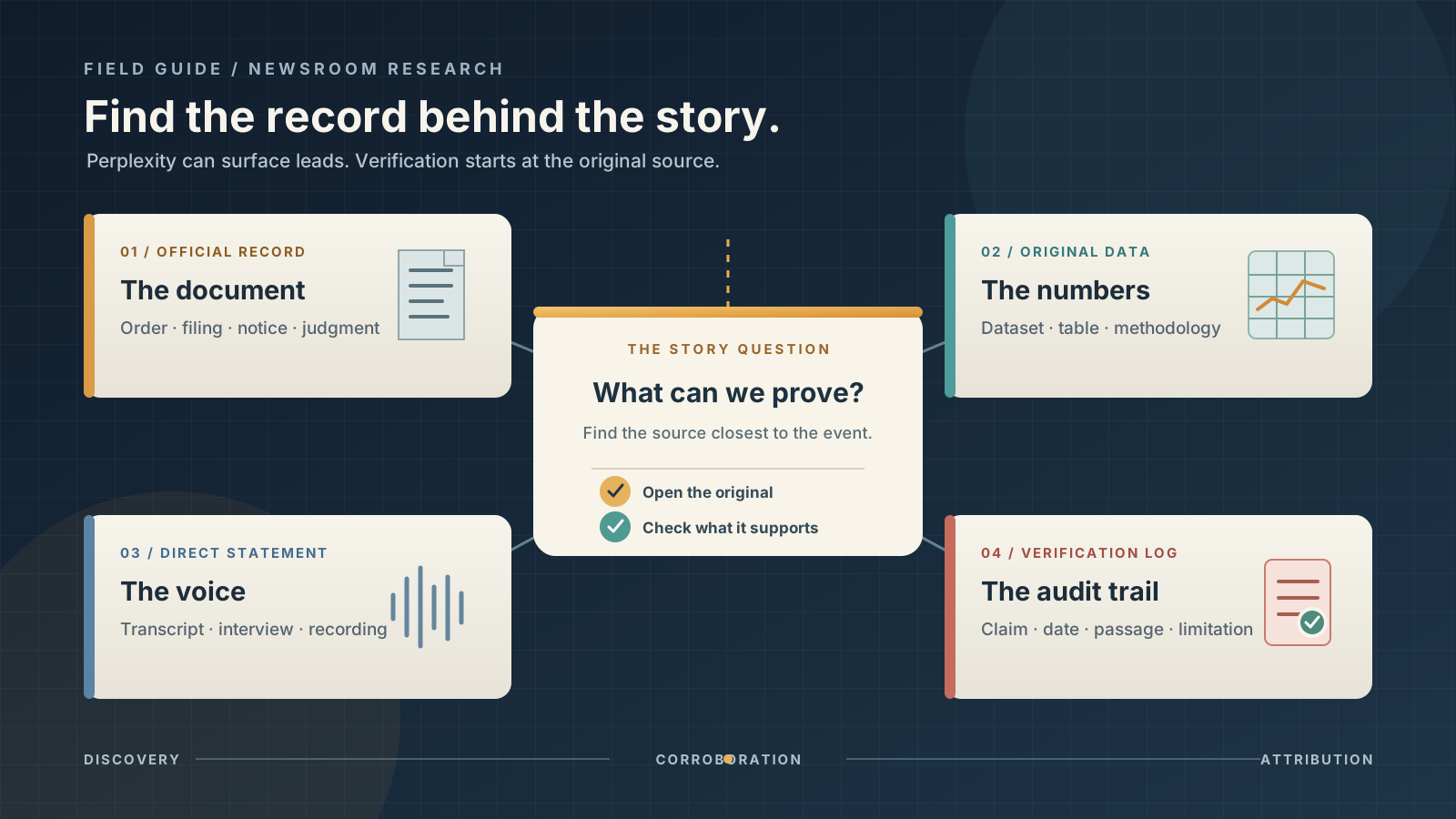
For a news story, primary sources commonly include:
- Official records: laws, regulations, court opinions, agency notices, parliamentary records, public procurement documents, and regulatory filings.
- Original data: datasets, statistical releases, technical reports, survey tables, budgets, and the methodology used to produce them.
- Direct statements: a full speech, interview recording, press conference transcript, signed letter, or statement published by the person or organization involved.
- Original media: the earliest available photo, video, audio recording, or post from the person who created or published it.
- Research outputs: the original paper, trial registration, dataset, or technical report behind a scientific or technology claim.
- First-hand testimony: an interview with a person who directly witnessed or participated in the event, subject to the limits of that person’s knowledge and perspective.
A primary source is not automatically neutral, complete, or correct. An official statement can be self-interested. A witness can be mistaken about timing or distance. A dataset can have missing observations or a narrow definition. A court filing can contain disputed assertions. The task is to establish exactly what each source can demonstrate—and what it cannot.
For a related workflow on comparing reports that disagree, see our guide to using Grok to compare conflicting reports about an event. If your story depends on a large set of records, our guide to extracting evidence from documents with Claude explains how to organize document-level findings.
What Perplexity can—and cannot—do for a journalist
Perplexity searches the web and returns conversational answers with numbered citations. Its Help Center explanation of how Perplexity works describes how it interprets a question, searches online sources, summarizes material, and links citations to source pages. This makes it useful for finding likely records, locating the organization responsible for a document, and generating follow-up questions.
For a complex investigation, Perplexity’s Research mode can conduct multiple searches, read a large number of sources, and produce a structured report. For a focused question, Search may be enough. Perplexity says Pro Search is applied automatically within Search when a user’s plan includes it; it is not necessarily a separate button. Features, limits, and controls can vary by account and platform.
The product does not replace the reporting process. It cannot make a disputed allegation true, guarantee that a cited page is the original record, or establish that two websites are independent sources. A model can summarize a document inaccurately, confuse an announcement with a final decision, or return a secondary article where the original filing would be more useful. You must open the linked source, inspect the relevant passage or data, and record your own assessment.
That distinction is consistent with professional reporting standards. The Associated Press says information taken from the internet must be vetted and attributed to its original source, and that material which could reasonably be disputed should be attributed. Its news values and reporting practices are a useful reference for attribution and source scrutiny. Reuters describes a fact-checking process that identifies claims, traces their origins, examines supporting and contradictory evidence, and links to publicly accessible sources in its Reuters Fact Check methodology.
Step 1: Turn the news angle into a source-finding brief
Do not begin with a vague prompt such as “Find sources about the latest technology regulation.” That wording gives Perplexity too much freedom to return broad explainers and commentary. Start by writing down the specific event, the claim you need to establish, the relevant jurisdiction, and the time period.
A useful brief answers five questions:
- What happened or is alleged to have happened? State the event in neutral language.
- Who or what is directly involved? Name the company, public body, court, person, product, or location.
- Which claim needs evidence? Separate a headline-sized claim into smaller factual questions.
- Where and when does the claim apply? Include the country, state, city, date range, and time zone where relevant.
- What would count as proof? Identify the record, dataset, transcript, direct statement, or first-hand material that could establish the point.
For example, “A regulator has banned a product” contains several separate questions. Did the regulator issue a final order, publish a proposed rule, announce an investigation, or merely request information? Which products and jurisdictions are covered? When does the measure take effect? Is the announcement a statement of intent or a legally operative document?
A precise source brief prevents an AI answer from collapsing those distinctions into a confident but inaccurate summary.
Prompt: Build a primary-source map
Paste a short brief into Perplexity and ask for a source map before requesting a narrative:
I am researching a news story about [event or issue].

The central question is: [specific factual question].
The people or organizations involved are: [names].
The relevant jurisdiction is: [country, state, or region].
The time period to investigate is: [date range and time zone].

Do not write the news story. Find primary sources first.

Prioritize original records, official documents, direct statements,
datasets, transcripts, court or regulatory records, and original
media from the people or institutions directly involved.

For every candidate source, provide:
- Exact document or page title
- Issuing organization, author, or original publisher
- Publication date and, where available, time and time zone
- Direct URL to the specific record, not just a homepage
- Source type: primary, secondary, or unclear
- The precise claim it can establish
- The relevant section, page, table, or passage
- Important limitations or missing context

Separate confirmed source records from possible leads.
Do not invent titles, dates, quotations, URLs, or document identifiers.
If you cannot locate an original source, say so clearly.
This prompt asks Perplexity to locate evidence rather than write the story for you. It also makes missing information visible. If the response supplies a homepage instead of a direct document, treat that as a lead and continue searching.
Step 2: Choose an appropriate search mode and source scope
Open Perplexity and start a new search. For an ordinary news question, use web search and specify the topic, location, and relevant dates. If your account displays a Choose sources control, inspect it before submitting the query. Perplexity’s Help Center article on source selection explains that controls differ for organization accounts; some do not show the older Focus mode and instead prioritize Web and internal file search.
Do not rely on old tutorials that assume every account has the same Academic, News, or Focus buttons. The interface changes, and organization settings can affect what appears. If you do not see a source selector, state the source requirements in your prompt and then check the actual results. A prompt requesting official records does not guarantee that every result will be official.
Use Search for a focused question, a quick lead, or a small set of records. Choose Research when the story requires several lines of inquiry, a long chronology, multiple jurisdictions, or a large source set. Perplexity’s documentation describes Research as a mode that conducts iterative searches and synthesizes a more extensive report. It is useful for discovery, but the resulting citations still need to be checked individually.
A good first query is narrow. Instead of asking “What is happening with the new law?”, try:
Find the original government documents concerning [law or policy]
published between [start date] and [end date] in [jurisdiction].
Prioritize the bill text, official gazette or register, agency notices,
committee records, and the final enacted text if available.
Show the direct record for each result and distinguish proposed,
approved, enacted, and effective status.
If the story concerns a company, ask for the company’s own filing or investor-relations announcement and the relevant regulator’s record separately. If it concerns litigation, ask for the docket entry, motion, order, or opinion—not merely articles that describe the case.
Step 3: Search for the record, not only for the headline
A common research failure is to search the same phrase used by news outlets. That often returns articles repeating one another. Search for the institution and the document type that would normally contain the underlying evidence.
Use several targeted searches rather than one broad request:
- Organization plus document type: “[agency] final order”, “[company] annual report”, or “[court] opinion”.
- Person plus event plus date: a speaker’s name, the event, and the date of the speech or hearing.
- Identifier plus record: a case number, docket number, bill number, filing form, report identifier, or official dataset name.
- Exact phrase plus issuing body: a distinctive phrase from an announcement or document, together with the organization that published it.
- Claim plus contrary evidence: the central claim combined with words such as “correction”, “revised”, “withdrawn”, “response”, or “rebuttal”.
Perplexity can help identify likely identifiers and the institution that maintains a record. Once you have an identifier, search the issuing body’s own website or record system. That step matters because a secondary article may quote a filing without linking to the complete document or may refer to an earlier version.
For U.S. corporate news, the SEC’s EDGAR search provides public access to company filings, including annual and quarterly reports, current reports, registration statements, and other disclosures. For legislation and congressional activity, the Congress.gov API exposes bill records, actions, summaries, hearings, and other congressional information. For U.S. Supreme Court decisions, use the Court’s own opinions page. These are examples, not universal sources: for a story in another country, find the equivalent official registry, legislature, court, regulator, or statistical agency.
Prompt: Search by issuing body and record type
For the story about [event], identify the public body or institution
that would hold the original record.

Search for the relevant:
- Official filing, notice, order, decision, or report
- Full transcript, recording, or meeting minutes
- Original dataset and its methodology
- Later amendment, correction, response, or withdrawal

Return the direct record URL and the exact record identifier.
Do not substitute a news article for the record itself.
If the record is not public or cannot be found, explain the gap.
The aim is not to collect the largest possible list. It is to find the few records that directly answer the reporting question.
Step 4: Trace every secondary report back to its underlying evidence
Secondary reporting is valuable. A specialist journalist may have interviewed sources, obtained documents, or explained a complicated filing. But when a story cites a document, the document itself is usually the better source for what that document says.
Open a relevant article and note the factual claims it makes. Then ask Perplexity to identify the underlying record for each claim. Do not assume that a citation to another article is the end of the trail.
I am checking this report: [paste URL].

List the factual claims in the report that rely on an external
document, official statement, dataset, recording, or named source.

For each claim:
1. Identify the original source the report appears to rely on.
2. Find the direct link to that source, if it is publicly available.
3. Explain whether the original source is actually cited in the report.
4. Quote only a short, relevant passage and identify its page,
   section, timestamp, or table where possible.
5. Separate what the original source says from the reporter's
   interpretation of it.
6. Mark any claim for which you cannot find the underlying evidence.

Do not treat another article repeating the same claim as independent
confirmation.
If the original document is not publicly available, record that limitation. A report based on an unnamed source may still be newsworthy, but it is not equivalent to a publicly inspectable record. The AP’s guidance on anonymous material, for example, emphasizes the need to assess whether the source has direct knowledge, whether the information is vital, and whether it can be obtained another way. The originating outlet and the nature of the source should be described accurately.
For a larger collection of PDFs, letters, or filings, you can use Perplexity to discover the records and then organize the extracted evidence separately. Our guide to using Claude to extract evidence from a collection of documents covers a document-by-document workflow.
Step 5: Classify what each source can actually prove
Before using a source in a draft, classify it. This avoids one of the most common errors in news research: treating a source that proves a statement was made as proof that the statement is true.
| Source type | What it can establish | What it cannot establish by itself |
|---|---|---|
| Company press release | What the company announced or claims | Independent confirmation of the company’s claims |
| Regulatory filing | What the filer disclosed in the filed document | That every forward-looking statement will occur |
| Court complaint or motion | What a party alleges or asks the court to do | That the allegations are established facts |
| Court order or opinion | What the court ordered or decided, within its scope | A broader conclusion beyond the ruling |
| Official dataset | The values and definitions published by the issuing body | That the data measures something it was not designed to measure |
| Full transcript or recording | What was said in the recorded context | That the speaker’s assertions are accurate |
| Original photo or video | The material captured in that file, subject to authentication | The complete context, date, location, or cause without further checks |
| First-hand interview | What a person says they saw, did, or experienced | Facts outside that person’s direct knowledge |
The issuer’s identity matters, but so does its role. A government agency may be authoritative about its own decision and still have a position in a dispute. A company is authoritative about what it announced and what it filed, but not necessarily about the effect of its product on competitors. A court document must be read according to its procedural status: a complaint, a temporary order, a final judgment, and an appellate opinion are not interchangeable.
Ask Perplexity to classify the source, but make the final classification yourself after opening the record.
Prompt: State the evidentiary limit
For each source in this list, explain exactly what it can establish
and what it cannot establish.

Classify it as:
- Direct primary evidence
- Primary evidence of a statement or allegation
- Official secondary explanation
- Independent secondary reporting
- Commentary or opinion
- Unclear

Pay particular attention to whether a filing contains allegations,
whether a press release is self-interested, whether a dataset has
a limited scope, and whether a decision is final or procedural.

Do not upgrade a source's evidentiary status simply because its
publisher is a government agency or a well-known institution.
Step 6: Open each Perplexity citation and inspect the original page
A numbered citation can make an answer look well supported, but the link and the claim beside it must be checked separately. Click the citation and confirm that it opens the page Perplexity describes. Then inspect the actual passage, table, record, or media file.
Use this checklist for each important source:
- Identity: Is this the original issuing organization, author, uploader, or record custodian?
- Specificity: Does the link open the actual document or only a homepage, search page, press summary, or archive index?
- Date: Is the displayed date the publication date, filing date, event date, effective date, or last-updated date?
- Version: Is this the latest version, a draft, a correction, an amended filing, or a superseded copy?
- Support: Does the relevant passage directly support the sentence you intend to write?
- Context: Does a nearby paragraph, footnote, table note, or definition change the meaning?
- Access: Can you read enough of the source to verify it? If a paywall, missing attachment, or broken link prevents inspection, mark that limitation.
Perplexity’s source-label documentation explains that Government, Academic, and Trusted labels apply to a domain as a whole, not to the individual page or claim. The Help Center also says that an unlabeled domain is not automatically low quality and that a label is not an endorsement of every statement on the site. Treat those labels as a clue about the type of publisher, not as a verdict on the evidence.
Do not rely on a search-result snippet as if it were the complete source. A snippet can omit qualifications, and an AI summary can paraphrase a passage too broadly. If the source is a PDF, inspect the relevant page and any footnotes. If it is a dataset, check the codebook, methodology, units, coverage dates, and revision notes.
Step 7: Look for independent corroboration and meaningful disagreement
A primary source can establish that an institution made a statement or took an action. It may not independently establish the full factual account. For consequential claims, seek a second line of evidence that is genuinely independent.
Independence is not the same as the number of links. Five websites may all repeat the same press release or wire report. Three articles may all quote one anonymous source. A regulator’s announcement and the company’s response are different perspectives, but they may address different parts of the story. A separate dataset or a directly obtained record may provide a more independent check.
Ask Perplexity to map the relationship between sources:
Review the sources already identified for [story].

Group sources that appear to rely on the same original document,
press release, wire report, interview, or unnamed source.

Identify which sources provide genuinely separate evidence.
Find credible records or first-hand material that could challenge,
qualify, or independently corroborate the main claim.

For each disagreement, explain whether it concerns:
- The underlying fact
- The definition or measurement
- The date or time
- The geographic scope
- The interpretation
- The source's level of certainty

Do not resolve a disagreement by majority vote.
Show what remains unknown.
This is especially important during breaking news. One source may describe an early estimate while another reports a revised count. A government statement may confirm that an operation occurred without confirming all details circulating online. An original video may show a scene but not establish when or where it was recorded. Preserve those distinctions instead of forcing a single definitive narrative.
For a structured comparison of conflicting coverage, use the methods in our guide to comparing reports with Grok.
Step 8: Build a dated timeline, not just a list of links
News research is often time-sensitive. The date a page was published may differ from the date of the event, the date a document was filed, or the date a decision takes effect. A story can become inaccurate if those dates are collapsed.
Ask Perplexity to create a timeline from the original records:
Build a chronology of [event] using primary sources only.

For each entry, include:
- Event or action
- Date and time, including time zone if available
- Date the record was published or filed
- Issuing body or original source
- Direct source URL
- Whether the time is confirmed, estimated, or unavailable

Separate the date of the event from the date of publication.
Include corrections, amendments, later orders, and responses.
Do not infer a missing time or silently convert time zones.
Open the documents that anchor the most important timeline entries. A timestamp copied from a social post, a date displayed by a search engine, and the date printed on an official record may refer to different things. Note the distinction in your reporting notes.
Step 9: Keep an evidence log that an editor can audit
Do not leave the research trail inside a long Perplexity conversation alone. Copy the verified information into a separate source log or reporting document. A simple spreadsheet is enough if it records the evidence and the unresolved questions.
A useful evidence log contains:
| Field | What to record |
|---|---|
| Claim ID | A short identifier for the factual statement |
| Draft wording | The sentence you may use in the story |
| Source title | Exact title of the record or page |
| Issuer or author | The organization or person responsible |
| Direct URL | Link to the original source |
| Source type | Filing, dataset, transcript, interview, video, or other |
| Relevant passage | Page, section, table, timestamp, or short quotation |
| Dates | Event date, publication date, update date, and time zone |
| Support status | Supported, partly supported, contradicted, or unverified |
| Limitations | Scope, missing data, disputed claims, access restrictions |
| Independent check | A separate source that corroborates or challenges it |
| Checked by / date | Who reviewed the source and when |
This record helps an editor see which statements are ready to publish and which still need reporting. It also makes updates easier. If a document is amended or an agency issues a correction, you can identify the claims that depend on the earlier version.
For fast-moving stories, save the original URL and note when you accessed it. If a page changes, record the new version and the difference rather than silently replacing the old note.
Step 10: Use official repositories that match the story
Perplexity is often most useful when it helps you discover the right repository. The following U.S. examples illustrate how to move from a broad search result to an original record:
- Company disclosures: SEC EDGAR provides access to public filings. Search for the company and the relevant form, then read the actual filing and exhibits.
- Legislation and congressional activity: Congress.gov and its API provide bill text, actions, summaries, hearings, and related congressional records. Distinguish an introduced bill from a bill that has passed or become law.
- Federal regulations and notices: FederalRegister.gov publishes rules, proposed rules, notices, and presidential documents. Its API documentation explains how to retrieve records and metadata.
- Supreme Court decisions: The U.S. Supreme Court opinions page provides opinions in slip and later published formats. Check the case, date, and procedural context.
- Official statistics: Use the national statistical agency or the agency responsible for the dataset. Find the methodology, definitions, geographic coverage, release date, and revision policy alongside the figures.
For stories outside the United States, identify the equivalent national or local source: an official gazette, parliament, court registry, regulator, public procurement portal, central bank, election authority, or statistical office. A U.S. database is not a universal source for an international story.
A practical prompt sequence for a news investigation
You do not need one enormous prompt. A short sequence makes it easier to evaluate the results at each stage.
First: find the original records.
Find primary sources for [specific news question] in [jurisdiction]
during [date range]. Return direct document links, issuing bodies,
publication dates, source types, and the claims each record can
establish. Do not write the article yet.
Second: trace a report to its evidence.
For this article [URL], identify the original records behind its
main factual claims. Find the exact filing, transcript, dataset,
official statement, or original media if available. Separate
the article's interpretation from what the underlying record says.
Third: test the evidence.
For each central claim, identify supporting evidence, contrary
evidence, missing context, and the strongest independent source.
Mark unsupported claims as unverified. Do not fill gaps with
plausible explanations.
Fourth: produce an editor-ready source list.
Create a source table for the claims in this investigation.
Include exact title, issuer, direct URL, publication date,
relevant passage or data field, source type, limitations,
verification status, and the claim it supports.
Do not include a source unless you can identify the specific
record it points to.
Perplexity’s own prompting guidance recommends stating the intent clearly, supplying context, and specifying the desired format. These prompts apply that advice to a reporting task where the output should be an auditable source map, not a polished article.
Can journalists use the Perplexity Search API?
For a newsroom or research team building a repeatable workflow, Perplexity also documents a Search API. Its Search API overview says the endpoint returns ranked web results as structured JSON rather than a generated answer. Results can include a title, URL, query-relevant snippet, publication date, and last-updated date. The documentation notes that a snippet can be empty and that date fields can be null.
The API documentation also describes controls for domain inclusion or exclusion, language, recency, publication-date windows, and update-date windows. Those controls can help a developer build a discovery queue or narrow a search to known institutions. They do not establish that a result is primary evidence. A system that automatically collects links should still deduplicate URLs, open the records, classify the source, and retain a human verification step.
This is an optional technical route. A reporter can complete the workflow through Perplexity’s normal interface without using an API or writing code.
Common mistakes when finding primary sources with Perplexity
Treating every citation as proof. A link can be real and still fail to support the sentence beside it. Open the source and inspect the relevant passage.
Accepting a press release as independent confirmation. It is primary evidence of what the issuer says. Look for the underlying data, decision, filing, or independent evidence before presenting the claim as established fact.
Confusing a proposal with a final decision. A draft regulation, introduced bill, complaint, motion, investigation, and final order have different legal and factual meanings. Check the document status and date.
Counting repeated coverage as corroboration. Multiple stories can trace back to one source. Identify the origin of the claim and whether the other reports add independent reporting.
Ignoring corrections and revisions. Check whether a document or dataset has been amended, corrected, replaced, or superseded. Record which version supports the story.
Using an old interface guide. Perplexity changes its search modes and source controls. Check the controls available in your own account and consult current Help Center documentation instead of assuming a tutorial still matches the product.
Letting AI fill a missing source. If Perplexity cannot locate the record, do not accept a plausible title, URL, date, or quotation as a substitute. Mark the gap and search the issuing institution directly.
A final verification checklist before publication
Before using a Perplexity-discovered source in a news story, confirm that:
- The link opens the specific original record or media item.
- The issuing body, author, uploader, or original publisher is identified.
- The source date is distinguished from the event date and effective date.
- The relevant passage, table, or recording actually supports the draft wording.
- Allegations, estimates, statements, and established findings are labelled correctly.
- The source’s scope, methodology, and limitations are understood.
- Important claims have independent corroboration where appropriate.
- Contradictory evidence and later corrections have been checked.
- The evidence log preserves direct links and the date each source was reviewed.
- Any remaining uncertainty is reflected honestly in the story.
The right role for Perplexity in news reporting
Perplexity is most useful when it helps you move from a question to the record that can answer it. It can shorten the discovery stage, surface official repositories, organize citations, and suggest where to look next. It should not decide that an allegation is true, that a source is independent, or that a document proves more than it actually says.
The strongest workflow keeps those responsibilities separate: use Perplexity to find and organize leads, open the original material, test each claim against the evidence, seek independent corroboration, and preserve a source log that an editor can inspect. That is how an AI search assistant can support a news story without becoming the authority for the story itself.
Sources and further reading
- Perplexity: How does Perplexity work?
- Perplexity: What is Research mode?
- Perplexity: Why can’t I see Focus mode on my search bar?
- Perplexity: Understanding source labels
- Perplexity Search API overview
- Associated Press: Telling the Story
- Associated Press: News Values Introduction
- Reuters Fact Check: About
- U.S. Securities and Exchange Commission: EDGAR Search
- Congress.gov API
- Federal Register API Documentation
- U.S. Supreme Court: Opinions