
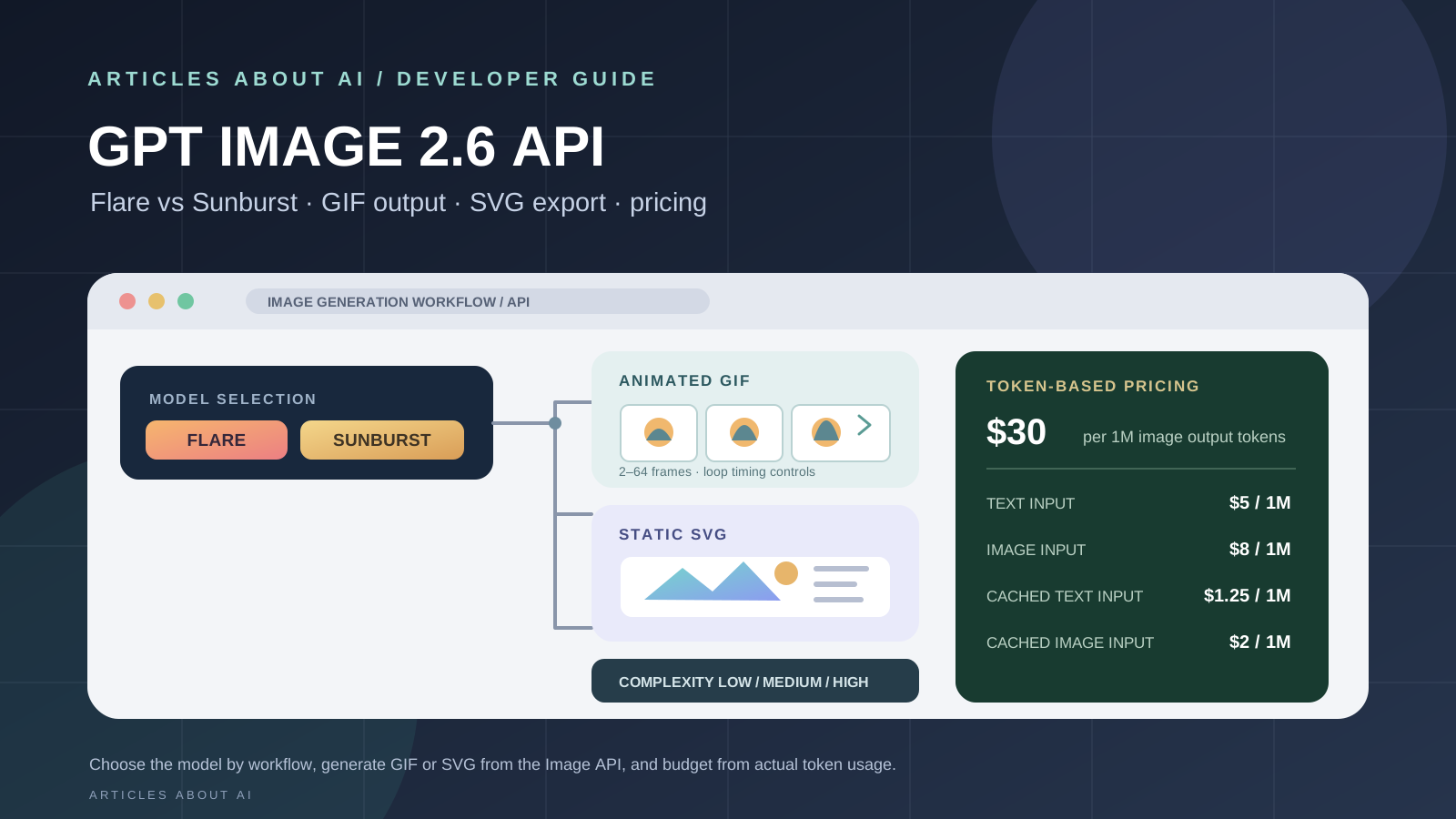
OpenAI’s GPT Image 2.6 API gives developers two image-generation models—Flare for faster iteration and Sunburst for detailed visual work—along with controls for image complexity, markup-guided edits, animated GIF output, and static SVG export. The release was announced on November 4, 2026, and the two model IDs are documented in OpenAI’s API catalog.
This guide explains what each model is designed to do, how to choose between them, how to generate GIF and SVG files with Python, and how to estimate API costs without confusing token rates with a fixed price per image.
If you are choosing an image tool rather than integrating an API, start with our broader Best AI Image Generators in 2026 comparison. This article is specifically for developers building image-generation features into software, websites, and automated creative workflows.
GPT Image 2.6 API at a glance
| Capability | GPT Image 2.6 Flare | GPT Image 2.6 Sunburst |
|---|---|---|
| Main role | Fast iteration and interactive workflows | Detailed visual work and precision editing |
| Image generation | Yes | Yes |
| Image editing | Yes | Yes |
| Complexity control | Low, medium, high | Low, medium, high |
| Markup-guided edits | Supported | Supported |
| Animated GIF output | Supported through the Image API | Supported through the Image API |
| Static SVG output | Supported through the Image API | Supported through the Image API |
| Text input price | $5 per 1M tokens | $5 per 1M tokens |
| Image input price | $8 per 1M tokens | $8 per 1M tokens |
| Image output price | $30 per 1M tokens | $30 per 1M tokens |
The prices above are token rates, not a flat charge for each generated image. The final cost depends on the number and type of tokens used by a request, including its prompt and image inputs.
Official model references: GPT Image 2.6 Flare and GPT Image 2.6 Sunburst.
1. GPT Image 2.6 Flare vs Sunburst: which model should you use?
The two variants are not simply different names for the same workflow. OpenAI positions them around different priorities.
GPT Image 2.6 Flare: faster iteration
Use Flare when your application needs frequent generations, rapid visual feedback, or interactive editing. It is positioned for everyday image creation and fast iteration. OpenAI says that, at low quality, Flare can generate an image in as little as six seconds. That is a vendor-stated result, not a guaranteed latency for every prompt, account, region, or request size.
Flare is a sensible starting point for:
- Rapid concept exploration.
- Draft product imagery.
- Poster and layout variations.
- Interactive design tools.
- Workflows where users revise prompts repeatedly.
GPT Image 2.6 Sunburst: detailed visual work
Use Sunburst when the task places more weight on detail, precision, and consistency across editing rounds. OpenAI describes it as the option for detailed visual work and says it offers stronger image consistency across edits at medium and high quality settings.
Sunburst is a better candidate to evaluate for:
- Detailed product visuals.
- Complex compositions.
- Multi-element illustrations.
- Brand assets that need repeated editing.
- Higher-fidelity creative work.
Is Sunburst more expensive than Flare?
The published token rates on the two model pages are the same. Both list text input at $5 per million tokens, cached text input at $1.25, image input at $8, cached image input at $2, and image output at $30 per million tokens.
That does not mean both models will cost the same for every image. They can consume different numbers of tokens for the same prompt, dimensions, and quality setting. Measure actual usage from API responses before setting a production budget.
OpenAI says Images 2.6 is 50% faster than the previous generation overall, and that Flare can reach a six-second generation time at low quality. Treat these as OpenAI’s published performance claims; this guide does not present them as independently benchmarked results.
2. How the complexity parameter works
GPT Image 2.6 adds a complexity request field. It controls how much planning the model does before rendering an image.
The supported values are:
low: useful for focused changes, such as changing a background or sign.medium: a middle ground for moderately detailed scenes.high: intended for dense layouts, many objects, and more complex relationships.
If you omit the field, the documented default is high. Complexity is separate from quality: quality controls rendering detail and fidelity, while complexity controls how much planning the model applies to the scene.
There is no separate fee for selecting a complexity level. However, higher complexity can increase latency and may introduce unwanted changes. For production workflows, compare the results on representative prompts instead of assuming that the highest setting is always best.
3. Generate an animated GIF with the OpenAI Images API
One of the most useful GPT Image 2.6 additions for developers is native animated GIF output. You can request a GIF directly from the image-generation endpoint:
POST /v1/images/generations
Set output_format to gif, and describe the subject, movement, and loop behavior in the prompt.
GIF parameters and limits
| Parameter | Supported values | Default |
|---|---|---|
output_format |
gif |
Not the default |
frame_count |
2–64 frames | 9 |
frame_duration_ms |
20–2,000 ms per frame, rounded to 10 ms | 200 |
size |
auto or custom dimensions |
auto |
The size applies to each finished frame. Frame count, frame dimensions, the number of requested animations, and the total pixel budget must fit the model’s limits. If a request exceeds those limits, reduce the frame count, dimensions, or number of outputs.
GIF output has important restrictions:
- It is supported on the image-generation endpoint, not the image-edit endpoint.
- GIF output does not support streaming or partial images.
- It does not support custom output compression or prompt rewriting.
- Use
frame_countandframe_duration_msonly with GIF output.
Python example: create a GIF
Install and configure the official OpenAI Python SDK, then set your API key in the environment. The example below writes the returned GIF bytes to a local file.
import base64
from openai import OpenAI

client = OpenAI()

result = client.images.generate(
    model="gpt-image-2.6-sunburst",
    prompt=(
        "Create a seamless looping animation of a small paper boat "
        "floating on gentle water. The boat rocks naturally, reflections "
        "move subtly, and the final frame returns smoothly to the first."
    ),
    output_format="gif",
    frame_count=12,
    frame_duration_ms=120,
    size="1024x1024",
    quality="medium",
)

gif_bytes = base64.b64decode(result.data[0].b64_json)

with open("paper-boat-loop.gif", "wb") as file:
    file.write(gif_bytes)
You can replace gpt-image-2.6-sunburst with gpt-image-2.6-flare when faster iteration is more important than detailed visual work. Check the returned response and usage for each request rather than assuming a fixed generation time or cost.
4. Generate a static SVG with GPT Image 2.6
GPT Image 2.6 can also return static vector artwork. SVG is useful when a design needs editable paths, shapes, and colors—for example, icons, simple illustrations, diagrams, and web graphics.
Request SVG from the same image-generation endpoint by setting:
output_format: "svg"
The SVG workflow has specific constraints:
- Set
nto1. - SVG output does not support streaming or partial images.
- It does not support
output_compressionorprompt_rewriter. - The image-edit endpoint does not support SVG output.
- An SVG returned by the API is not a supported raster input for image edits.
- The returned SVG contains static vector content; it does not support scripts, external resources, or embedded raster images.
OpenAI documents that the model creates a reference image and uses it to produce the SVG. The quality setting controls that reference image. The total cost therefore depends on the image-model usage and the authoring-model tokens used to produce the vector document.
Python example: create an SVG
import base64
from openai import OpenAI

client = OpenAI()

result = client.images.generate(
    model="gpt-image-2.6-flare",
    prompt=(
        "Create a clean, minimal vector-style illustration of a "
        "mountain landscape at sunrise. Use editable geometric shapes, "
        "a restrained palette, and no text."
    ),
    output_format="svg",
    n=1,
    quality="medium",
)

svg_bytes = base64.b64decode(result.data[0].b64_json)

with open("sunrise-landscape.svg", "wb") as file:
    file.write(svg_bytes)
Treat generated SVG as an asset that still needs review. Check the paths, colors, viewBox, visual fidelity, and rendering in the browsers and design tools your project supports. The documented output is static SVG, not an interactive web component.
5. Markup-guided editing: target a specific region
Markup-guided editing gives developers a way to indicate where a change should happen. Instead of relying only on a natural-language instruction such as “change the label,” a workflow can provide a marked-up reference that points to the intended region.
This is useful for product images, posters, interface mockups, and other assets where a local change should leave most of the composition intact.
OpenAI says markup-guided edits use the same token rates as other edits; there is no separate markup fee. The model can still alter surrounding details, so inspect the complete result rather than checking only the marked area.
For broader image-generation choices across vendors, see our 2026 AI image generator comparison.
6. GPT Image 2.6 API pricing explained
The official model pages publish the following rates for both Flare and Sunburst:
| Token type | Price per 1 million tokens |
|---|---|
| Text input | $5.00 |
| Cached text input | $1.25 |
| Image input | $8.00 |
| Cached image input | $2.00 |
| Image output | $30.00 |
These rates are not a per-image price list. A request’s total depends on its actual text and image input tokens and the image output tokens consumed. Different prompts, image dimensions, quality settings, and model behavior can produce different token usage.
For a simple output-token estimate:
image output cost = image output tokens ÷ 1,000,000 × $30
For example, 1,000 billable image-output tokens correspond to $0.03 in image-output charges, before text input, image input, cached input, or other applicable usage is considered. This is a calculation from the published token rate, not a quoted fixed price for a 1,000-token image or a guarantee that a typical image uses exactly 1,000 tokens.
Use the OpenAI API pricing page and the model’s returned usage to estimate your own workload. The GPT Image 2.6 Flare pricing page and Sunburst pricing page list the model-specific rates.
If you are eligible for the separate ChatGPT subscriber API-credit benefit, read our guide to claiming ChatGPT API credits and linking an API organization. A ChatGPT subscription and API billing are distinct; do not assume that a ChatGPT plan automatically makes API calls unlimited or free.
7. Which GPT Image 2.6 model should you choose?
Use this practical decision guide:
| Your workflow | Starting point | Why |
|---|---|---|
| Fast prompt iteration | Flare | Designed for faster iteration |
| Interactive image editor | Flare | Suited to repeated, quick turns |
| Detailed product artwork | Sunburst | Positioned for detailed visual work |
| Complex compositions | Sunburst | Better fit to evaluate for detail and precision |
| Animated GIF generation | Either | Both support GIF output through the Image API |
| Static SVG export | Either | Both support SVG output through the Image API |
| Local, targeted edits | Either | Both support complexity and markup-guided editing |
This is a use-case recommendation based on OpenAI’s model descriptions, not a claim that one model wins every benchmark. Test both variants with your own prompts, target dimensions, and acceptance criteria before committing to a production workflow.
8. Access, verification, and implementation checklist
Before deploying GPT Image 2.6 in an application:
- Confirm that your OpenAI API organization can access GPT Image models. OpenAI notes that API Organization Verification may be required.
- Choose the model ID explicitly:
gpt-image-2.6-flareorgpt-image-2.6-sunburst. - Select
qualityandcomplexityindependently; they control different aspects of generation. - Use
output_format: "gif"only when you need an animated result, and set frame controls within the documented limits. - Use
output_format: "svg"withn: 1for static vector output. - Do not send GIF or SVG requests to the image-edit endpoint; those formats are documented for image generation.
- Record response usage and calculate costs from actual token counts.
- Validate generated assets before publishing them, especially text, logos, product details, and SVG markup.
- Handle moderation, rate limits, quota errors, and transient server failures in your application.
- If your application serves end users, consider sending a stable, privacy-preserving
safety_identifierwith image requests, as recommended in the API documentation.
9. Limitations developers should know
GPT Image 2.6 adds useful output formats and editing controls, but it does not remove the usual production concerns.
- Latency varies: OpenAI notes that complex prompts can take up to two minutes.
- Text can still be imperfect: inspect small labels, exact spelling, and dense typography.
- Consistency is not absolute: recurring characters and brand elements can still drift across generations.
- Composition needs review: structured layouts may not place every element exactly where requested.
- GIF and SVG have different constraints: GIF is a generated animation; SVG is static vector content. Neither format supports every option available for PNG, JPEG, or WebP.
- Token use varies: identical list prices do not guarantee identical cost per output.
Do not describe the model as a guaranteed replacement for a professional vector editor, animation suite, or quality-assurance process.
10. Frequently asked questions
What is the difference between GPT Image 2.6 Flare and Sunburst?
Flare is designed for fast iteration and interactive image workflows. Sunburst is designed for detailed visual work and higher-quality generation, with an emphasis on consistency across edits at medium and high quality. Both support image generation, editing, complexity control, markup-guided edits, SVG output, and GIF output through the Image API.
Can GPT Image 2.6 generate animated GIFs through the API?
Yes. Send a request to POST /v1/images/generations with output_format: "gif". You can set frame_count from 2 to 64 and frame_duration_ms from 20 to 2,000 milliseconds per frame, subject to the total request limits.
Can GPT Image 2.6 create SVG files?
Yes. Set output_format: "svg" on the image-generation endpoint and set n to 1. The returned SVG is static vector content and does not include scripts, external resources, or embedded raster images.
Can the image-edit endpoint return GIF or SVG?
No. OpenAI documents GIF and SVG output for POST /v1/images/generations. The image-edit endpoint does not support either output format.
Does Flare cost less than Sunburst?
The published token rates are the same for both variants. Actual request costs can still differ because the models may use different token counts for the same task.
Is there an extra fee for the complexity parameter?
No separate fee is listed for changing complexity. However, higher complexity can affect latency and token consumption, so monitor actual request usage.
Are GPT Image 2.6 API calls included with a ChatGPT subscription?
Not automatically. ChatGPT subscriptions and API billing are separate. Eligible subscribers may have access to a separate API-credit benefit, subject to its current eligibility and activation rules.
Official sources and further reading
- OpenAI: Introducing Images 2.6
- OpenAI API: Image generation guide
- GPT Image 2.6 Flare model and pricing
- GPT Image 2.6 Sunburst model and pricing
- OpenAI API pricing
- Best AI Image Generators in 2026: Full Comparison
- How to Claim ChatGPT API Credits in 2026
Editorial note: This guide is based on OpenAI’s announcement and developer documentation checked on November 5, 2026. Model performance statements attributed to OpenAI are vendor claims, not independent benchmark results. API capabilities, access requirements, and prices can change; check the linked official documentation before deploying or budgeting a production integration.