
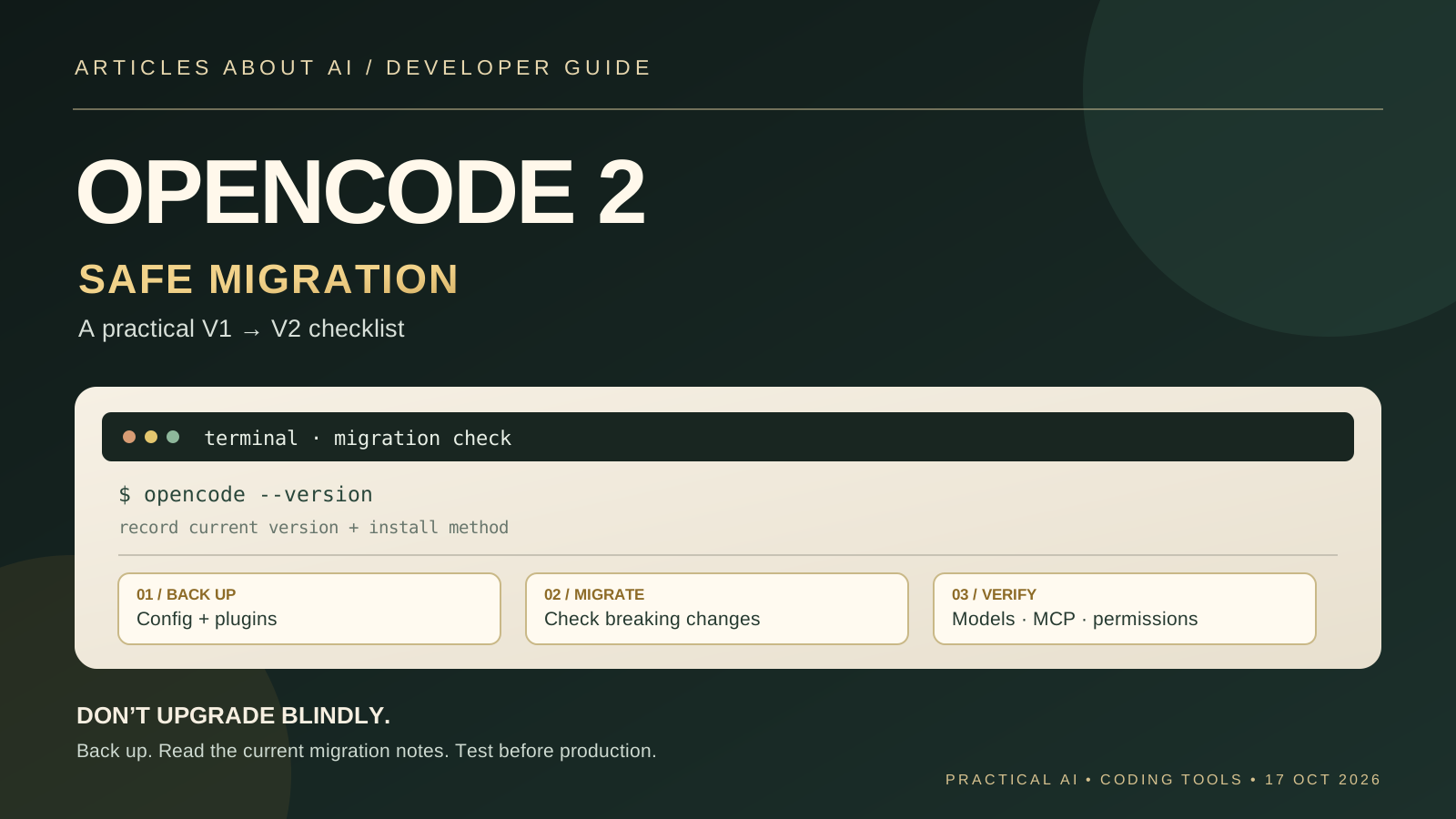
OpenCode 2 introduces meaningful changes to the configuration and integration surfaces that developers use to build terminal-based AI coding workflows. That makes the move from OpenCode 1.x more than a routine version bump. If you rely on custom plugins, a server API client, MCP servers, permissions, or a carefully tuned terminal setup, you should treat the upgrade as a small migration project rather than simply installing the newest binary and hoping everything behaves as before.
There is an important status note before you begin: OpenCode 2 is documented as a beta, and its server and plugin APIs may continue to change. The official migration guide says V1 and V2 use the same opencode command and should not be assumed to coexist side by side under the default installation. The OpenCode changelog also identifies the major upgrade as an explicit action, available through /update or opencode upgrade --major in the documented V1 release line. Confirm the current instructions for your installation method before running an upgrade command.
This guide walks through a cautious process: record your current setup, preserve a rollback path, understand the breaking changes, install V2 using the current official instructions, test the workflows that matter, and only then decide whether to make it your everyday environment.
What changes when you move from OpenCode 1.x to OpenCode 2?
The migration guide identifies three intentional breaking-change areas:
- Plugins: V1 plugin implementations do not run in V2. Renaming a configuration key or moving a file is not enough; the implementation must be ported to the V2 plugin API.
- Server API and clients: integrations that call the V1 server API need to move to the V2 API and compatible client contracts.
- Terminal client configuration: layered
tui.jsonortui.jsoncsettings move to a globalcli.jsonfile, with supported settings migrated on first startup when the file is absent.
Other supported V1 configuration and file-based definitions are intended to remain compatible. The official guide says V2 can read existing configuration locations and normalize supported V1 fields in memory, so you do not have to convert every configuration file before trying V2. That is a compatibility intention, not a guarantee that every third-party plugin or undocumented field will work unchanged.
Read the current official references before making changes: OpenCode’s V1 migration guide, the OpenCode changelog, and the V2 documentation.
Step 1: Record the current installation and version
Before updating anything, identify how OpenCode was installed and what version is running. Package-manager behavior can differ, and the current migration instructions specifically warn that the default V1 and V2 installations may replace the same opencode command.
Run:
opencode --version
If that command is not recognized, locate the executable using the normal command for your shell, or open the terminal where you usually launch OpenCode. Record the version output, operating system, installation method, and whether OpenCode is managed by npm, pnpm, yarn, Bun, Homebrew, Scoop, Chocolatey, or the official install script.
Do not uninstall anything yet. First confirm which package owns the executable and how that package is updated. If you use a company-managed workstation, check whether an administrator controls the installation or configuration. A global package managed by one tool may not be safely replaced by another tool without leaving conflicting binaries behind.
Also make a short inventory of the parts of your workflow that must keep working: your default model and provider, custom agents, project instructions, skills, commands, plugins, MCP servers, permission rules, terminal preferences, and any script or application that calls the OpenCode server API. You do not need to document every default; focus on settings or integrations you would notice if they disappeared.
Step 2: Back up configuration and preserve a rollback path
Before a major upgrade, copy the configuration files and project-level definitions you rely on. OpenCode’s documented configuration locations include global and project files such as:
~/.config/opencode/opencode.jsonoropencode.jsoncopencode.jsonoropencode.jsoncin a project.opencode/opencode.jsonor.opencode/opencode.jsoncin a project- Files and folders under
.opencode/, including agents, commands, skills, and plugin code
The exact global location can vary by operating system and managed environment, so use the current configuration documentation to confirm where your installation reads settings. Copy the relevant files to a separate backup folder or commit them to a private version-control branch. Do not put API keys, access tokens, or other secrets into a public repository just to make a backup.
Keep the backup separate from the live configuration. V1 and V2 use overlapping configuration locations, and the migration guide warns against pointing V1 at files after you have converted them to V2-only syntax. If you need to return to V1, you should be able to restore the original files without trying to reverse a series of edits by hand.
If your setup is important to your work, also save a small verification task: a prompt that uses your usual model, a command or agent you depend on, an MCP server if you use one, and a harmless test in a disposable repository. This gives you a repeatable before-and-after comparison.
Step 3: Understand the official upgrade path before installing
The OpenCode changelog for V1.19.2, dated October 16, 2026, says the V1 update check stays on the 1.x line and does not offer V2 as a routine update. It describes upgrading to V2 as a separate, explicit choice through the 2.0 offer in /update or the command:
opencode upgrade --major
The V2 migration guide also warns that V1 and V2 use the same opencode command and are no longer installed side by side by default. It says a package-managed V1 installation may need to be removed before installing V2, and that the V2 curl installer replaces the V1 binary. Because package-manager instructions can change, use the current V2 terminal startup guide and the migration page as the authority for the exact steps on your operating system.
A safe rule is to avoid mixing installation methods during the migration. For example, do not install V2 with a curl script while an old package-manager installation still owns the command unless the current official instructions explicitly support that arrangement. Do not assume that a second executable named opencode2 exists; older documentation and newer migration instructions have differed on how the two versions are installed. Follow the instructions for the distribution channel you actually intend to use.
If you are not ready to accept beta changes, remain on your current supported V1 installation and postpone the major upgrade. You can still apply normal V1 updates according to the changelog. A major version number alone is not a reason to move a working development environment before you have time to test it.
Step 4: Start V2 with your existing configuration first
The official migration guide says that supported V1 configuration remains readable and does not need to be converted before you try V2. This is useful: you can separate the question “does my workflow work?” from the separate task of adopting a more explicit V2 configuration format.
After installing according to the current instructions, launch OpenCode in a disposable project or a non-critical repository. Check that it starts, that the expected provider and model are available, and that authentication succeeds. Do not begin by running an autonomous task across your production repository. Start with read-only inspection, then a small change you can review.
Use this first session to compare the configuration you recorded in Step 1 with the effective behavior. Check the selected model and reasoning variant, custom agents, commands, project instructions, MCP servers, and permissions. A configuration file being accepted is not the same as every configured capability being active: the V2 guide lists several legacy fields that are intentionally ignored and generate warnings.
If the tool reports a warning about an unsupported field, do not delete it blindly. Find the corresponding entry in the migration guide, establish whether the field still has supported behavior, and change it only if the documented V2 equivalent is clear.
Step 5: Review permissions carefully
Permissions deserve special attention because a migration can change behavior even when the application starts successfully. V1 groups permission rules by tool, while V2 uses an ordered permissions array. The action names also change: for example, bash becomes shell, task becomes subagent, and write and patch become edit.
The official guide also highlights a security-relevant difference: V1 asks before accessing paths outside the project, while V2 allows external_directory by default. To preserve the previous ask-first behavior, the documented V2 rule is:
{
  "action": "external_directory",
  "resource": "*",
  "effect": "ask"
}
This is an example of why you should review permission behavior rather than assume the new version inherits every old default. Read the full V2 permissions guide and translate only the rules you actually need. In particular, check shell commands, file edits, access outside the project, web search, and any actions that can change remote systems or publish code.
Do not make permissions more permissive simply to get past an error. If a command is denied, first determine which operation it needs and whether that operation is appropriate for the task. Use a disposable repository and least-privilege access while validating the new behavior.
Step 6: Check MCP servers, agents, commands, and skills
If you use Model Context Protocol (MCP) servers, verify each one after the upgrade. V2 changes the MCP configuration shape: servers are grouped under mcp.servers, enabled becomes the inverse disabled setting, and timeout configuration is split by purpose. Remote OAuth-related fields also use snake case in V2. Compare your configuration with the official MCP server migration notes before changing it.
For custom agents, V2 uses the plural agents map. Fields such as prompt and disable become system and disabled, while a model variant is joined to the model reference with #. Some file-based definitions remain supported, so do not move or rename every directory without checking whether the current layout already works.
Commands change from the singular command map to commands, and subtask becomes subagent. Skills can continue to use supported existing files, but V2’s preferred layout is .opencode/skills/<skill-id>/SKILL.md. If a skill directory includes scripts or reference files, move the complete directory rather than only its main Markdown file.
After checking each category, run a simple task that uses the relevant feature. A server appearing in configuration does not prove that it can authenticate or respond; an agent appearing in a list does not prove that its selected model is available. Test each integration independently and note any error messages so you can identify the component that failed.
Step 7: Treat plugins as a separate migration
Plugins are the clearest intentional incompatibility. OpenCode’s migration guide explicitly says that V1 plugin implementations do not run in V2. The configuration key changes from plugin to plugins, and package/options tuples use an object format, but these syntax changes do not port the plugin’s implementation.
Before upgrading, list every plugin and determine whether you maintain it, whether its author has published a V2-compatible version, and whether it is essential to your workflow. If a plugin is business-critical and has no compatible implementation, that is a valid reason to delay migration.
For a plugin you maintain, use the official plugin migration guide. It describes changes to the plugin entry point and setup context, including how hooks, tools, events, and context methods are registered. Do not assume that a V1 plugin can be made compatible simply by changing a filename or configuration property.
Test each migrated plugin in isolation before enabling the entire collection. This makes it easier to distinguish a V2 core problem from a plugin compatibility issue. If a plugin is not required for the first test, leave it out until the core workflow is stable.
Step 8: Update integrations that use the server API
If a script, dashboard, IDE integration, or internal application calls the V1 server API, treat that integration as a separate workstream. OpenCode 2 introduces revised server API and client contracts. The official guide directs developers to the V2 API reference and the @opencode/client package.
Search your own projects for calls to the old client, endpoint paths, request types, and response fields. Make a list before editing anything. Then update one integration at a time, using the V2 API documentation as the source of truth rather than copying an old V1 example and hoping it remains compatible.
Test the integration against a non-production OpenCode instance where possible. Verify connection setup, session creation, message handling, error responses, and any behavior that depends on streaming or process lifecycle. If the integration controls a real workflow, keep the V1 version available until the V2 version has passed the checks your team uses for release.
Step 9: Verify the terminal client and everyday workflow
V2 replaces layered tui.json and tui.jsonc configuration with a global cli.json file. When that file is absent, the first V2 terminal-client startup migrates supported global settings and persisted preferences, while leaving V1 files unchanged. Project-local terminal-client configuration is not migrated because the V2 client configuration is global.
After the first launch, review the terminal behavior you care about: key bindings, display preferences, session history, and any workflow that depended on a project-local TUI file. Do not edit the generated configuration blindly; compare it with the current CLI settings documentation first.
Then run your saved verification task. Check the model, provider credentials, agents, permissions, MCP servers, and plugins. Open a test file, ask for a small change, inspect the diff, and run the project’s normal tests or type checks. If your workflow depends on language-server features, note that the migration guide says V2 currently preserves LSP configuration but does not run language servers, expose LSP tools, or produce LSP diagnostics. Replace workflows that rely on those capabilities with project lint, type-check, or compiler commands until the official support changes.
Step 10: Troubleshoot methodically and decide when to switch
If something fails, change one thing at a time. Capture the exact error, the OpenCode version, the installation method, and the feature involved. Then compare the failure with the official migration guide and troubleshooting documentation. Avoid deleting your configuration or reinstalling repeatedly before you know whether the problem is a missing credential, an incompatible plugin, an unsupported field, an API contract change, or a permission rule.
A practical validation checklist is:
- OpenCode starts and reports the expected version.
- Your chosen provider authenticates and the intended model can be selected.
- Agents, commands, and skills appear and perform a harmless test task.
- MCP servers connect and respond as expected.
- Permission prompts and external-directory access match your intended policy.
- Plugins are confirmed compatible with V2 or intentionally left disabled.
- Server API clients have been updated and tested if you use them.
- The terminal client’s important settings remain usable.
- Your code changes pass the normal test suite and can be reviewed in version control.
Do not declare the migration successful just because the first session launches. The goal is to confirm the parts of OpenCode that your work actually depends on. Keep the V1 backup and a documented rollback plan until you have completed a few representative tasks and are comfortable with the new behavior.
Should you upgrade to OpenCode 2 now?
OpenCode 2 may be worth testing if you need its current features and can spend time validating a beta. It is a less attractive immediate move if your daily workflow depends on a custom V1 plugin, a server integration that has not been ported, or a tightly controlled development environment where permission changes need formal review.
A sensible decision rule is to test V2 in a disposable project, inventory the differences, migrate essential integrations, and then move a normal project only after the tests pass. If the test reveals a blocker, stay on the V1 line and revisit the migration after the relevant compatibility issue is resolved. The official changelog makes the major upgrade an explicit choice; use that separation deliberately rather than treating V2 as an automatic routine update.
For broader context, see our guide to Claude Code, Codex, and Gemini CLI for a workflow-based comparison of AI coding agents, and our practical article on fixing Claude Code plugin installation errors for an example of diagnosing a developer-tool integration failure. If your main concern is safe agent execution, our guide to GitHub Copilot local sandboxing explains why filesystem, network, and credential boundaries deserve their own review.
Official resources
- OpenCode changelog
- Migrate from V1
- OpenCode V2 documentation
- V2 permissions documentation
- Migrate V1 plugins
Bottom line: back up first, confirm the installation instructions for your package manager, treat plugins and server API clients as separate migrations, review permission defaults, and test your real workflow before relying on OpenCode 2 for daily development.