
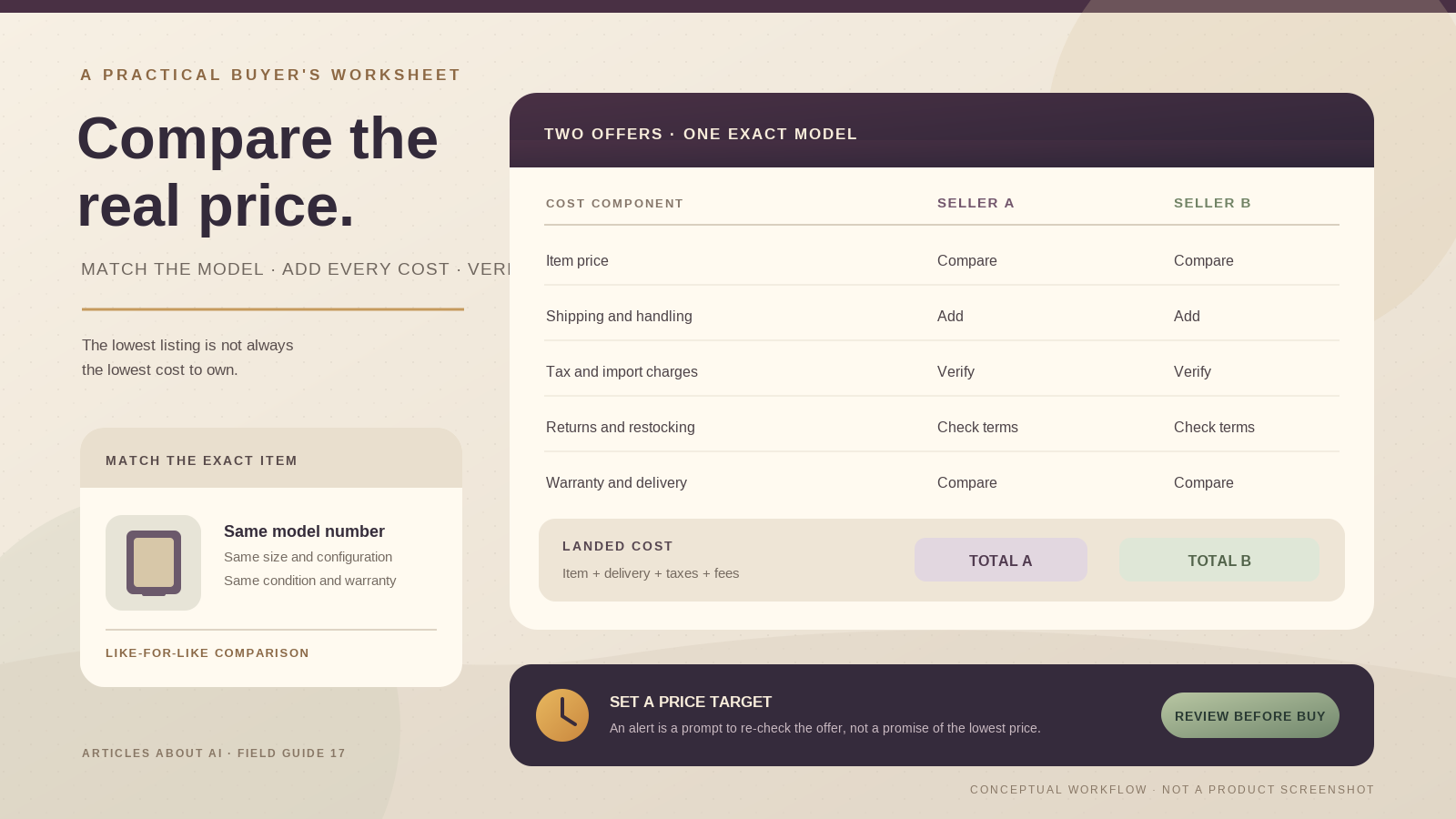
A product can look cheaper on one website and still cost more by the time it reaches your door. Shipping, taxes, import charges, payment fees, return postage, warranty coverage, and the exact model or size can change which offer is genuinely better. A useful comparison therefore has to answer a more demanding question than “Where is the lowest price?” It has to establish whether the offers are equivalent and what each one will cost in practice.
Instinct can help with parts of that research as a personal AI shopping assistant. In a September 28, 2026 announcement, founder Noah Shinn said Instinct could search Shopify’s merchant network for products and retrieve current information about prices, sizes, and availability, then compare products across brands. He also described price-drop and back-in-stock notifications. Shopify’s October 28 Fall ’26 announcement independently lists Instinct among the personal AI agents that support Shop Pay checkout.
This guide explains how to use Instinct AI to compare prices before buying, how to structure a fair comparison, and what to verify before you authorize a purchase. The important distinction is that the announced product-discovery comparison is tied to Shopify’s merchant network; the later expansion of Shop Pay checkout beyond Shopify stores does not mean Instinct has a universal product-search integration with every retailer.
What Instinct AI can compare
Instinct’s shopping announcement describes a workflow that combines product discovery, current offer information, checkout, and post-purchase updates. According to Shinn’s September 28 announcement, the assistant can search Shopify’s merchant network and compare products across brands using information such as price, size, and availability. The announcement also mentions price-drop alerts, back-in-stock notifications, delivery updates, return-window reminders, and discounts or promotional codes associated with a Shop account.
That is a meaningful starting point for price research, but it should be read precisely:
- Product discovery: the announced search covers Shopify’s merchant network. It is not evidence that every online store or marketplace is indexed.
- Offer comparison: the founder described up-to-date prices, sizes, and availability. A listing can still change before checkout, so confirm the selected variant with the seller.
- Price alerts: the announcement describes price-drop and restock notifications. It does not promise a complete historical price chart, a guaranteed lowest-price prediction, or automatic price matching.
- Checkout: Shop Pay is available within the announced personal-agent experience. The payment step and the product-search coverage are separate capabilities.
- Order follow-up: delivery updates and return-window reminders can help organize a purchase, but the merchant remains the authority on shipment, refunds, and returns.
For the broader product-discovery workflow, read How to Use Instinct AI for Online Shopping and Product Research. This article focuses on the narrower decision: how to compare offers fairly before committing money.
1. Define the exact product before comparing prices
Price comparison is unreliable when the listings are not for the same item. Two products may share a marketing name while differing in model number, storage, capacity, dimensions, generation, included accessories, condition, or warranty region.
Start by giving Instinct a precise buying brief. Include:
- Manufacturer and exact model or part number, if known.
- Required size, colour, capacity, storage, configuration, or pack quantity.
- Whether the item must be new, or whether refurbished and open-box products are acceptable.
- Required accessories and what must be included in the box.
- Delivery country or region, because availability, tax, shipping, and warranty terms can vary.
- Your target budget and the maximum total you are willing to pay.
- Any non-negotiable requirements, such as a local warranty or a particular delivery deadline.
A useful opening prompt is:
I want to compare offers for [manufacturer and exact model]. The required configuration is [size, colour, capacity, model number, and included accessories]. Only compare new products unless I approve another condition. My delivery destination is [country or region], and my maximum total budget is [amount and currency]. Find comparable offers, identify missing details, and do not purchase anything.
This gives the assistant a consistent specification to use. It also makes it easier to spot a listing that appears cheaper only because it is a smaller capacity, a previous generation, a different pack size, or a refurbished unit.
The Federal Trade Commission’s online-shopping guidance recommends recording the manufacturer or model number and details such as size, colour, and shipping fees when comparison shopping. That advice is particularly important when an AI assistant is collecting offers from several sellers.
2. Ask for comparable offers, not just a list of links
Once the product is defined, ask Instinct to search for the exact item and return the evidence behind each result. A list of prices is not enough. You need to know which seller is offering which configuration, whether it is in stock, and when the information was checked.
Try this prompt:
Search the Shopify merchant network for the exact product and configuration in my brief. Compare the listed price, seller, size or variant, stock status, delivery estimate, and product condition. Include the product page for each offer and the time the information was checked, if available. Do not treat a different model or an unverified listing as an equivalent offer. If you cannot confirm a detail, mark it as unknown rather than guessing.
The phrase “if available” matters. The public announcement describes current price, size, and availability information, but it does not publish a field-by-field guarantee for every merchant listing. Ask for source pages and verify the details yourself.
Also distinguish the product-search network from the checkout network. On October 28, Shopify said Shop Pay checkout was being added to personal AI agents including Instinct, and that Instinct could offer Shop Pay for some brands that are not on Shopify. That is a payment capability; it does not establish that every non-Shopify store is included in Instinct’s product-discovery search.
3. Compare the total cost, not the headline price
The lowest displayed item price is not necessarily the cheapest purchase. A fair comparison should calculate the expected delivered cost using the same assumptions for each seller.
Use this framework:
| Cost or condition | What to verify |
|---|---|
| Item price | Exact model, variant, quantity, and condition |
| Shipping and handling | Delivery fee, handling fee, and any minimum-order threshold |
| Taxes | Whether tax is included or added at checkout |
| Import charges | Duties, customs fees, or brokerage charges for cross-border orders |
| Currency conversion | Exchange rate and any card or payment-provider conversion fee |
| Discounts | Whether a coupon is valid, automatic, account-specific, or conditional |
| Membership | Whether the lower price requires a paid subscription or recurring plan |
| Returns | Return postage, restocking fee, deadline, and refund method |
| Warranty | Manufacturer coverage, seller warranty, and regional eligibility |
A simple comparison formula is:
Estimated total = item price + shipping + taxes + import or handling charges + other unavoidable fees − confirmed discounts.
Do not add uncertain savings as if they were guaranteed. If a coupon has not been accepted at checkout, label it as unconfirmed. If customs charges cannot be calculated from the available information, mark them as unknown and explain that the final total may be higher.
The FTC makes the same point in its comparison-shopping guidance: consumers should account for shipping, handling, delivery, taxes, and other fees, read the full terms of a deal, and check return costs and restocking fees. Its advice is useful even when an AI assistant assembles the comparison.
Ask Instinct to produce a table with the same cost fields for every seller:
For each comparable offer, calculate the estimated delivered total using the same destination and quantity. Separate confirmed charges from estimates and unknown fees. Show the item price, shipping, tax, import or handling costs, confirmed discounts, return costs, and the final estimated total. Do not rank an offer as cheapest if important charges are unknown.
The result should make uncertainty visible. A seller with a lower sticker price but unknown delivery or return charges should not automatically rank first.
4. Check the seller and the terms behind the offer
Price is only one part of value. A bargain from an unfamiliar seller may carry a higher risk of counterfeit goods, poor customer support, delayed delivery, or a difficult refund process.
For each serious candidate, ask Instinct to identify:
- The merchant’s legal or trading name and the actual website domain.
- Whether the offer is sold directly by the retailer or by a third-party marketplace seller.
- The published shipping and delivery terms.
- The return window, return-shipping responsibility, and any restocking fee.
- The warranty provider and whether the warranty applies in your destination region.
- The seller’s contact information and available support route.
- Any conditions attached to the advertised discount.
Do not treat a marketplace name as proof that the marketplace itself is the seller. A product page can belong to an independent merchant operating inside a larger platform. Check who is responsible for fulfilment, returns, and warranty service.
The FTC advises shoppers to read reviews critically, search for seller complaints, and check the complete sale terms. It also warns that unusually low prices can be a sign of a fraudulent listing. A comparison agent can help collect information, but it cannot turn an untrustworthy seller into a safe one.
Use this prompt:
Check the seller behind each offer, not only the marketplace name. Find the published shipping, return, refund, and warranty terms. Flag an unfamiliar seller, unusually low price, unclear contact details, or a condition that differs from the other offers. Do not infer that a seller is trustworthy from a star rating alone.
5. Use price-drop alerts without assuming the lowest price is guaranteed
Shinn’s September 28 announcement described price-drop and back-in-stock notifications for products shoppers are interested in. These alerts can be useful when an item is not urgent or when a specific size or configuration is temporarily unavailable.
A practical approach is to set a target price and a review condition rather than instructing the assistant to buy automatically:
Track the exact [model and variant] from the sellers in this comparison, if price alerts are available for it. Notify me if the verified item price falls below [target] or the required variant comes back in stock. Include the seller, the current listing, the delivery cost if available, and the date checked. Do not purchase automatically.
A price alert is a reason to review an offer, not proof that it is the best available price. The seller may change shipping costs, remove a promotion, alter the product variant, or run out of stock before you act. A lower price may also come with a shorter return period or a different warranty.
The public announcement does not promise that Instinct provides a complete historical price graph or predicts the lowest future price. If price history matters, compare the alert with a reputable price-tracking source or the retailer’s own records.
6. Understand Shop Pay and Link balance before authorizing a purchase
Instinct’s shopping workflow includes more than one payment-related announcement. They should not be confused.
Shop Pay
On October 28, 2026, Shopify said Shop Pay checkout was available inside personal AI agents including Instinct. Shopify stated that the buyer remains in control and that the card is not shared with the agent. Shinn’s announcement on the same date said Instinct could use Shop Pay at online stores beyond Shopify as well as within the existing Shopify shopping partnership.
This does not mean that every store supports the same flow or that the assistant can bypass a merchant’s checkout requirements. When a Shop Pay approval screen appears, check the seller, exact item, variant, quantity, delivery address, delivery method, and final total before approving.
Link balance
A separate Link balance feature was announced on October 26. Shinn described adding money to a balance and setting a limit for each purchase, allowing Instinct to spend within those limits without needing access to the user’s credit card or asking for approval every time. The announcement said the rollout was beginning with Instinct users across the United States, with New York coming soon at that time.
That is a dated rollout statement, not a guarantee of current access in every account or country. Check whether the option is actually available in your Instinct account. A funded balance and a per-purchase cap are also different from Shop Pay’s purchase-by-purchase approval flow.
For price research, the safest default is to compare first and authorize later. If you choose a more autonomous spending setup, keep the balance and per-purchase limit deliberately small, review transactions, and do not assume that a spending cap verifies the product or seller.
7. Protect your information while comparing offers
A shopping request can reveal preferences, sizes, budget, location, delivery address, and purchase history. Instinct’s Privacy Policy, revised November 17, 2026, describes the information it may collect directly, through connected services, and through third-party websites. It also says the service may use information to personalize the experience and improve its models, subject to the stated opt-out choices.
Share only the information needed for the comparison. You can specify a delivery region before providing a full address, and you should not send a payment-card number in an ordinary chat message. Use the payment provider’s own checkout interface.
Instinct’s Terms of Service, also revised November 17, 2026, say that purchases through third-party services remain the user’s transactions and are subject to the seller’s pricing, fees, shipping, cancellation, and refund policies. The terms require meaningful human oversight and warn that outputs and actions can contain errors. Review the exact order before it becomes a financial commitment.
The terms currently state that Instinct is available without charge, while reserving the right to introduce fees with notice. That refers to use of the assistant, not the products you buy. Merchants, delivery providers, payment services, and mobile carriers may still charge their own fees. The terms also do not guarantee that every feature is available on every device or in every geographic location.
A practical price-comparison prompt
For a complete first pass, combine the most important requirements into one instruction:
Compare offers for [exact product, model number, and variant]. Search the Shopify merchant network where available. Use the same condition, configuration, quantity, and delivery destination for every offer. Show the seller and source page, item price, stock status, shipping, taxes, import or handling charges, confirmed discounts, delivery estimate, return policy, and warranty. Separate verified facts from estimates and unknowns. Rank the offers by estimated total cost only when the key charges are comparable. Flag suspiciously low prices or unclear seller details. Do not add anything to a cart, submit an order, or make a payment until I review the comparison and approve the exact purchase.
If you already have a shortlist, add the product links and ask Instinct to check whether each page refers to the same model. If it cannot verify an important field, keep that offer out of the final ranking until you confirm it.
Frequently asked questions
Can Instinct AI compare prices across different brands?
The September 28 Shopify partnership announcement described product discovery and comparison across brands in Shopify’s merchant network, using information such as current prices, sizes, and availability. It does not establish universal product-search coverage across every online retailer.
Can Instinct AI find the cheapest seller?
It can help assemble and compare offers, but no public product statement guarantees that it will find every seller or always identify the lowest possible price. The result depends on the listings and information available at the time of research.
Does Instinct AI track price drops?
The founder’s September 28 announcement described price-drop and back-in-stock notifications. That is not the same as a guaranteed price-history chart or a prediction of future prices. Confirm whether the alert feature is available for the product and account you are using.
Can Instinct AI use Shop Pay outside Shopify?
Shopify’s October 28, 2026 Fall ’26 announcement says Instinct supports Shop Pay for brands that are not on Shopify. This expands a checkout option; it does not prove that Instinct searches every non-Shopify retailer or that every store supports the same flow.
What is the difference between Shop Pay and Link balance?
Shop Pay is a checkout flow in which Shopify says the buyer remains in control and the card is not shared with the agent. Link balance was separately announced as a funded balance with a per-purchase spending limit. Its availability and setup may vary, and a limit does not remove the need to monitor spending.
Is Instinct AI free to use for price comparisons?
Instinct’s Terms of Service, revised November 17, 2026, state that the service is currently available without charge, but allow fees to be introduced with notice. Product purchases and third-party services remain separate costs.
Should I let Instinct buy as soon as it finds a lower price?
Not by default. First verify the exact product, seller, total cost, shipping, return policy, warranty, and payment flow. A lower displayed price is not enough to establish that the purchase is the better deal.
Sources and further reading
- Instinct — Official website
- Noah Shinn — Instinct and Shopify product discovery announcement, September 28, 2026
- Shopify — Exponential: Fall ’26 Edition, October 28, 2026
- Noah Shinn — Shop Pay expansion announcement, October 28, 2026
- Noah Shinn — Link balance announcement, October 26, 2026
- Instinct — Terms of Service, revised November 17, 2026
- Instinct — Privacy Policy, revised November 17, 2026
- Federal Trade Commission — Online Shopping
- Federal Trade Commission — How to avoid holiday shopping scams in your search results, November 19, 2026