
An AI personal assistant can become more useful as it learns the context of your work and connects to the services you already use. That convenience also creates a privacy question: how much personal information should you make available, for which task, and for how long?
Protecting your information when using Instinct is not a matter of finding one privacy switch and assuming the problem is solved. It requires a set of habits: share less, connect accounts selectively, understand the model-training controls, keep consequential actions under review, and use the separate disconnection and deletion processes when you no longer need an integration.
This guide turns Instinct’s published privacy commitments into a practical privacy plan. It reflects the company’s Privacy Policy and Terms of Service as they stood on November 26, 2026. Those documents were last revised on November 17, 2026, so check them again before making decisions about sensitive information.
The short answer: use Instinct with a privacy boundary
Instinct’s Privacy Policy says the information it receives depends on what you share, how you use the service, and which third-party accounts or features you enable. Its terms describe the assistant as able to access connected services, interact with other websites, and take actions based on your instructions.
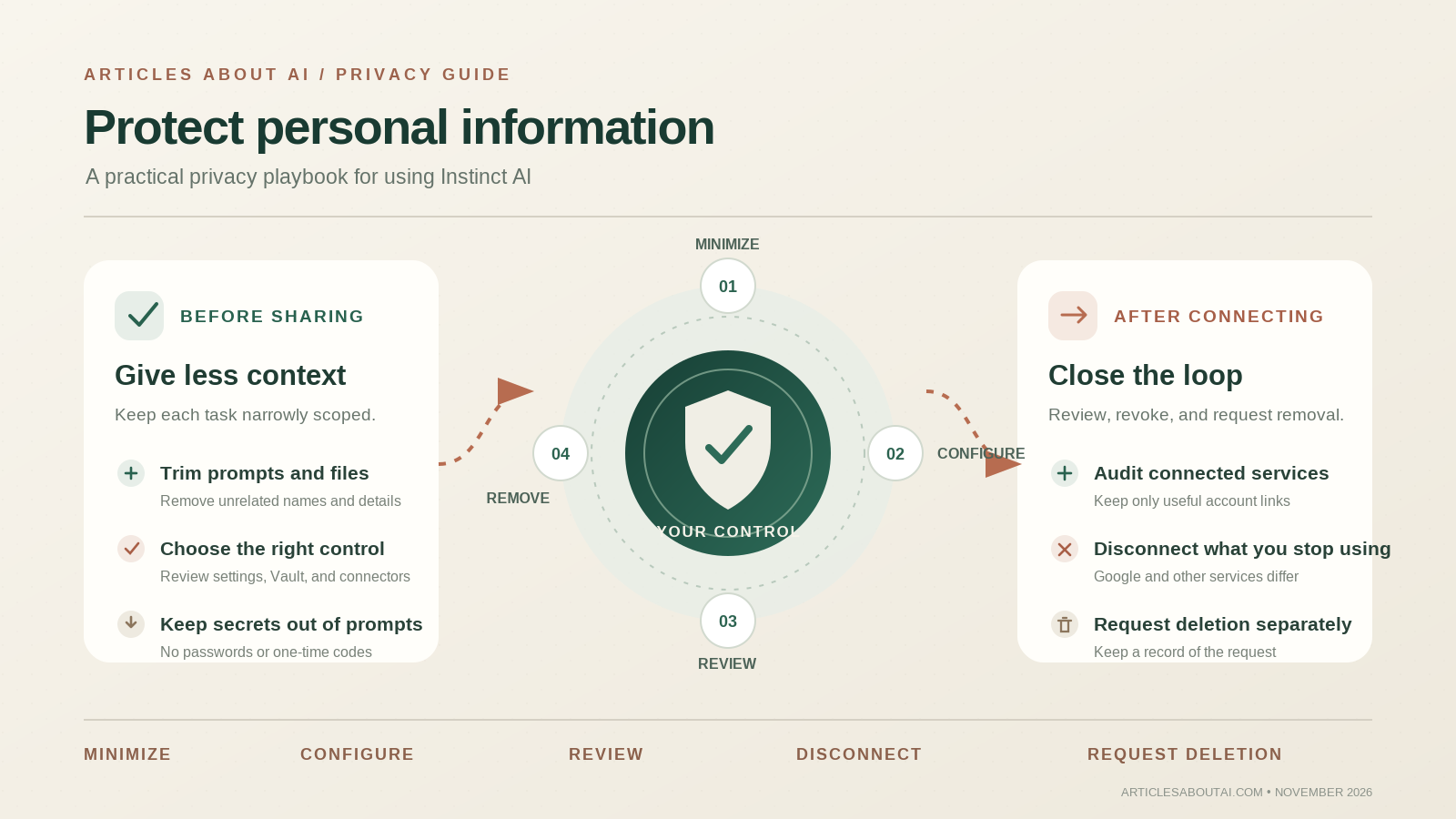
A sensible privacy boundary has four parts:
- Minimize the information: give Instinct only the details needed for the task.
- Limit the connection: link only the accounts that provide a clear benefit, and review the access requested.
- Control secondary use: understand the model-training opt-out and the separate treatment of Google Workspace data and Vault materials.
- Close the loop: disconnect services you no longer need and make a separate deletion request where the policy says previously collected data may remain.
These steps do not make any cloud service risk-free. They reduce unnecessary exposure and make the choices you are making more deliberate.
For a broader assessment of the product’s risks and published safeguards, read Is Instinct AI Safe to Use? Security and Privacy Explained. For a category-by-category explanation of the information the service may receive, see What Information Does Instinct AI Need to Access?.
1. Decide what the assistant actually needs to know
Before sending a prompt, identify the task and the minimum context required to complete it. This is the simplest and often the most effective privacy measure.
For example, if you want help drafting a reply to a delivery company, the assistant may need the relevant message and the order reference. It probably does not need your entire inbox, unrelated attachments, family correspondence, or a full account history.
Use the same test for documents:
- Share the relevant page or paragraph rather than an entire folder.
- Remove account numbers, identity numbers, home addresses, and unrelated names where they are not needed.
- Replace a person’s name with a role such as “my colleague” if the identity is irrelevant.
- Summarize sensitive background instead of uploading a complete medical, legal, or financial record.
- Avoid including passwords, recovery codes, one-time passcodes, private keys, or full payment-card details in a prompt.
This is data minimization: reduce the amount of personal information exposed to the service and to any downstream systems needed for the task.
It also helps to separate tasks by sensitivity. Asking for a public restaurant shortlist is different from asking an assistant to process a medical letter or negotiate a financial matter. Do not use the same level of access for both.
2. Review model-training preferences before sharing personal material
Instinct’s current Privacy Policy says that certain information collected through use of the service may be used to develop and improve its products, including evaluating, fine-tuning, and training AI models. It provides an opt-out through Instinct settings.
If you do not want eligible information used for model training, review that setting before you begin sharing material you consider sensitive. The policy describes the opt-out as applying on a go-forward basis. It does not undo training that may already have taken place, and it does not prevent every other form of service improvement.
There is also a stated exception: information flagged for safety review may still be used for model training to help detect harmful content, enforce policies, or support safety research. The policy says models previously trained or improved on information before an opt-out may continue to exist.
That means the control should be understood accurately:
- It is an opt-out for future model-training use of eligible information.
- It is not a deletion request.
- It does not reverse previous training.
- It does not stop all analytics, product development, or other processing described in the policy.
- It does not remove the policy’s safety-review exception.
A practical routine is to open the settings page, locate the model-training preference, read the current wording, make the choice you want, and keep a note of when you changed it. Do not assume a setting has been applied until the account interface confirms the current state.
3. Understand the difference between ordinary chats, Vault, and Google Workspace
The policy describes different treatment for different categories of information. These distinctions matter more than a general statement that a service “does not train on your data.”
Ordinary prompts and uploaded materials
The terms say Instinct may use Materials to provide, maintain, and improve the service, including training AI models, subject to the opt-out and other stated restrictions. If you use ordinary conversations or uploads for sensitive work, check your training preference first and share only what the task requires.
Vault materials
Instinct’s Privacy Policy and Terms say information added to its Vault is used to provide the service and is not used to train AI models.
That is a specific policy commitment about training. It should not be interpreted as proof that Vault is an encrypted password manager, a zero-access vault, or a guarantee that no service provider can process its contents. The public policy does not provide enough technical detail to make those broader claims. Read the current Vault description and terms before placing credentials or highly sensitive records there.
Google Workspace data
Instinct says information received directly through Google Workspace APIs is not used to evaluate, fine-tune, train, or improve AI models, and is not used for advertising. The policy also says raw or derived Workspace or Photos API user data is not disclosed to third-party AI services for model training or secondary purposes. Third-party providers may process Workspace information on Instinct’s behalf to provide the service and for certain permitted purposes such as security and legal compliance.
These protections are specific to information received directly through the relevant APIs. They should not automatically be extended to a screenshot, copied email, document, or other material that you independently upload or paste into an ordinary conversation.
Google’s Workspace User Data and Developer Policy also sets requirements for limited use, transparency, and secure handling of data obtained through Workspace scopes.
4. Connect accounts only when the benefit is clear
A connected account can make an assistant substantially more useful. It can also expose information that is not present in a single prompt.
Before linking Gmail, Calendar, Drive, or another service, ask:
- Does this task genuinely require a connection, or can I provide one relevant message or file?
- Which information will the assistant be able to access?
- Does the authorization screen describe read access, the ability to make changes, or both?
- Can I use a separate account with less sensitive information?
- Will I remember to disconnect the service when the task is finished?
Do not infer the exact permissions from a product description or from another user’s screenshot. Instinct’s public policy describes categories of Google Workspace information, but it does not publish a complete, feature-by-feature permission matrix for every account and task. The consent screen shown to you is the important place to inspect the actual authorization being requested.
For Google integrations, the principle of least privilege is also reflected in Google’s developer guidance: an application should request only the permissions necessary for the feature being provided, explain its data use, and handle the data securely. See Google’s guidance on requesting minimum relevant permissions.
If you connect an account for a one-time task, consider whether you can disconnect it immediately afterward. If you use it regularly, review the connection periodically rather than treating the original approval as permanent consent to every future use.
5. Treat browser activity as a separate privacy surface
Reviewing connected apps is important, but it is not the whole privacy picture. Instinct’s Privacy Policy says its browser functionality may interact with third-party websites, applications, and services that you have not separately connected.
A task may therefore involve information being exchanged with a merchant, booking platform, or other service. The relevant privacy policy is not always only Instinct’s: the destination website may collect information under its own terms and privacy notice.
Use these safeguards:
- Ask the assistant to search or prepare information before asking it to submit a form.
- Check the destination domain before entering personal details.
- Do not ask it to store or repeat passwords, recovery codes, or one-time authentication codes in conversation.
- Review the information that will be sent to a merchant, booking provider, or recipient.
- Keep payment and identity details out of the prompt unless the transaction genuinely requires them.
- Confirm the final booking, purchase, or message directly with the third-party service.
The aim is to keep a useful task from turning into unnecessary disclosure to another company.
6. Set a clear boundary for messages, purchases, and other actions
Privacy is not only about who can read information. It is also about where that information may be sent.
If Instinct is preparing an email, tell it who the intended recipient is and what information may be included. Ask it to show you the final text before sending. For a booking or purchase, review the name, date, location, price, cancellation terms, delivery address, and payment method before authorizing the action.
The Terms of Service require meaningful human oversight and say users remain responsible for actions taken on their behalf. They also acknowledge that actions may be incorrect or difficult to reverse.
Use explicit instructions such as:
- “Use only the details in this message. Do not search my other accounts.”
- “Draft the reply, but do not send it.”
- “Do not share my phone number or home address unless I approve the final form.”
- “Show me the information that will be sent to the merchant before submitting.”
- “Do not make a purchase, accept terms, or create a recurring payment without my confirmation.”
These instructions are useful boundaries, not a substitute for reviewing the actual action. Check the result after the assistant has completed a task.
7. Be careful with group chats and other people’s information
An AI assistant may receive personal information about people other than the account holder. Instinct’s Privacy Policy says users may be responsible for information about others that they make available to the service.
Its Terms also describe the possibility of adding Instinct to group chats or other communications. If you do so, the terms say you authorize it to access and process the content made available in that chat, and you are responsible for obtaining any permissions needed from participants. You can remove Instinct from the group chat to stop its continued participation.
Before adding an assistant to a family, workplace, or community conversation:
- Tell participants that an AI assistant may be present.
- Consider whether the conversation contains medical, financial, employment, or identity information.
- Obtain the permissions required for the context and applicable law.
- Avoid forwarding private messages from someone else merely because they may help answer a question.
- Remove the assistant when the task or discussion no longer requires it.
A group conversation can contain information about several people, not just the person who connected the assistant.
8. Limit location, voice, and device information
Instinct’s Privacy Policy describes approximate location information, precise geolocation if you choose to share it, and audio or voice data when voice features are enabled. It also lists usage, network, and device information such as IP address, device type, operating system, browser details, time zone, and interaction data.
You can reduce unnecessary exposure by matching the information to the task:
- Give a city or neighborhood when an exact location is not necessary.
- Avoid sharing live or precise location for general research.
- Enable voice features only when you intend to use them.
- Do not speak passwords, card numbers, or one-time codes into a voice interaction.
- Review microphone and location permissions in the device’s operating system.
- Check cookie and browser privacy settings, understanding that blocking some cookies may affect service functionality.
The FTC’s online privacy guidance recommends reviewing app, browser, and device privacy settings and considering whether an application needs access to location or other information.
9. Know how to disconnect, request deletion, and delete an account
These are separate actions. Do not assume that turning off training, disconnecting an account, and deleting an Instinct account all do the same thing.
Instinct directs users to Workspace settings to disconnect connected services. Its current policy distinguishes Google Workspace from other connected services:
| Action | What the current policy says |
|---|---|
| Disconnect Google Workspace | Instinct says it will no longer retain or use data collected from that account, except where required by law or regulation |
| Disconnect another connected service | Instinct stops receiving new information, but may retain information already collected, including material in conversation history |
| Request deletion of data from other services | Contact [email protected] |
| Delete the Instinct account | Personal information associated with the account may take up to 90 days to delete |
| Information retained longer | Some records may remain for legal obligations, fraud and abuse prevention, security, disputes, or financial records |
If you want to remove previously collected information from a non-Google service, make a separate deletion request. Include the account identifier and the connected service concerned, but do not email passwords, full payment-card details, or authentication codes.
A useful request can be concise:
Please confirm which personal information associated with my account and the connected service [name] is retained. I request deletion of information that is no longer required for the service, subject to applicable legal retention requirements. Please confirm the scope of the request and when it has been completed.
Send privacy requests to the address in the policy, [email protected]. Keep the request and any response. The policy says some information may be retained longer for specified legal, security, dispute, or financial-record purposes, so do not assume every record can be erased immediately.
For a fuller explanation of the difference between revoking access and removing stored information, see What Information Does Instinct AI Need to Access?.
10. Secure the accounts that remain connected
Privacy controls cannot compensate for a compromised email or cloud account. Protect the accounts that you choose to connect:
- Use a long, unique password for each account.
- Store passwords in a reputable password manager rather than in chat history or notes shared with an assistant.
- Turn on multifactor authentication, preferably using a security key or authenticator method where available.
- Review account recovery email addresses and phone numbers.
- Check recent sign-ins and connected applications in the provider’s own security dashboard.
- Keep your phone, browser, operating system, and security software updated.
- Treat unexpected messages asking for a login code or urgent authorization as possible phishing attempts.
The FTC’s account-security guidance recommends strong passwords, password managers, two-factor authentication, and prompt software updates. CISA’s Secure Our World guidance similarly emphasizes strong passwords, multifactor authentication, software updates, and recognizing phishing.
If you suspect an account has been accessed without permission, secure the account directly with its provider first. Change the password, revoke unfamiliar sessions or app access, review recovery methods, and then contact Instinct if the assistant or a connected integration may be involved.
11. Make privacy reviews a recurring habit
A one-time setup review is not enough for an assistant that may gain new features or connect to additional services. Use a short monthly review:
- Check which services remain connected.
- Remove integrations you no longer use.
- Review the model-training preference.
- Check device microphone and location permissions.
- Review recent actions and messages sent on your behalf.
- Confirm that group-chat participation is still appropriate.
- Re-read the current privacy policy when Instinct announces a material change.
- Keep copies of important deletion requests and responses.
If you use Instinct for email, calendar, or subscriptions, the practical guides to managing emails and follow-ups, organizing calendars and appointments, and managing subscriptions and recurring tasks can help you identify which integrations are actually useful.
What Instinct’s privacy documents do—and do not—establish
A privacy policy is an important statement of how a company says it collects, uses, and shares information. It is not, by itself, an independent technical audit.
The public documents reviewed for this guide explain categories of information, purposes of processing, third-party disclosures, retention, model-training preferences, and certain user rights. They do not provide enough detail to independently assess every technical control, encryption implementation, penetration-test result, or security certification.
The policy also says information from users outside the United States may be transferred to, remotely accessed, stored, or processed in the United States or other countries outside their country of residence. If your work is subject to a confidentiality agreement, professional secrecy obligation, or organizational data-handling rule, check those requirements before connecting the relevant information.
Instinct’s Terms of Service, last revised November 17, 2026, state that the service is currently available without charge but reserve the right to introduce fees with notice. The terms also say that availability is not guaranteed on every device or in every geographic location. Price and access can change; neither should be confused with a privacy guarantee.
Frequently asked questions
How do I turn off Instinct AI model training?
Open Instinct settings and review the model-training opt-out. The current policy says the opt-out applies going forward, does not reverse previous training, and has an exception for information flagged for safety review.
Does the Vault keep my information private?
Instinct says Vault materials are used to provide the service and are not used to train AI models. That statement is a specific training restriction, not proof of a particular encryption design or a guarantee that the material is never processed by service providers.
Does disconnecting Gmail delete my data?
The policy says that after you disconnect Google Workspace, Instinct will no longer retain or use data collected from that account, except as required by law or regulation. The policy treats other connected services differently, and previously collected information from those services may remain until a deletion request is made.
How do I ask Instinct to delete my information?
The current policy directs privacy requests to [email protected]. It says account deletion may take up to 90 days and that some information may be retained longer for legal, security, fraud-prevention, dispute, or financial-record purposes.
Is Instinct AI currently free?
As of November 26, 2026, its Terms of Service say the service is currently available without charge. The same terms reserve the right to introduce fees after notice. Mobile-provider charges and third-party purchases are separate.
The bottom line
The most effective way to protect personal information when using Instinct is to treat access as a decision made for each task—not as an all-or-nothing choice. Share the smallest useful amount of information, connect only the accounts that provide a clear benefit, review the model-training setting, and require human approval before information is sent or an action creates a commitment.
When you stop using an integration, disconnect it. If you also want previously collected information deleted, follow the separate request process described in the current policy. And keep the accounts behind your integrations protected with unique passwords, multifactor authentication, and regular security reviews.
A personal AI agent can be useful without being given every piece of personal information you own.
Sources
- Instinct — Privacy Policy, revised November 17, 2026
- Instinct — Terms of Service, revised November 17, 2026
- Instinct — Workspace settings
- Instinct — Model-training settings
- Google for Developers — Google Workspace User Data and Developer Policy
- Federal Trade Commission — Your Guide to Protecting Your Privacy Online
- Federal Trade Commission — Protect Your Personal Information From Hackers and Scammers
- Cybersecurity and Infrastructure Security Agency — Secure Our World