
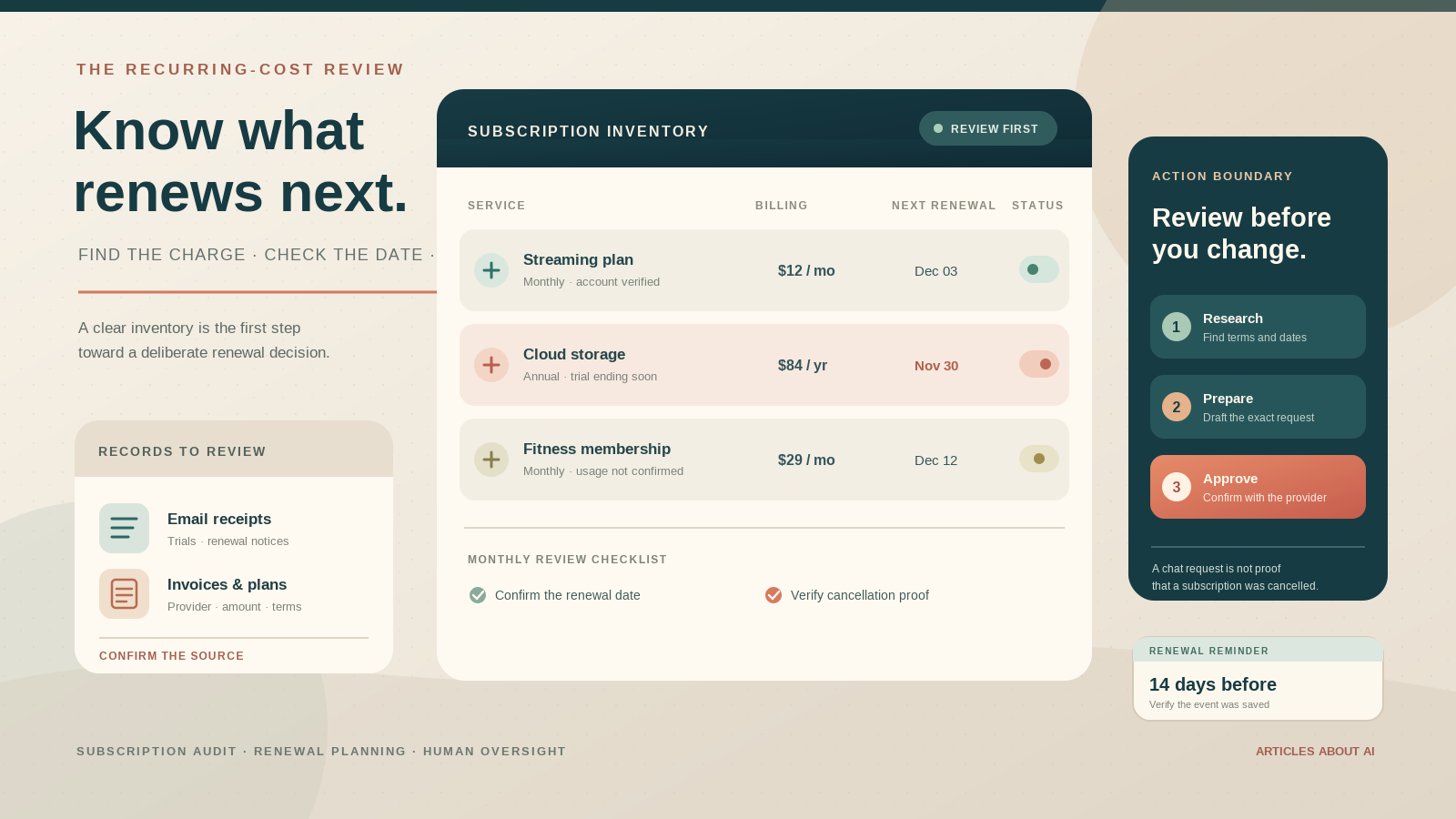
A subscription rarely becomes expensive because of one dramatic purchase. The cost usually accumulates quietly: a streaming plan that renewed after a free trial, a cloud-storage tier that is no longer needed, a software licence paid annually, or a membership that was useful for only a few months. The difficult part is not simply remembering the names of these services. It is finding the renewal terms, identifying which account pays, deciding what to keep, and confirming that a cancellation actually took effect.
Instinct can help organize parts of that work as a personal AI assistant. Its Privacy Policy explicitly lists managing subscriptions among the everyday tasks the service is designed to support. The same policy says the assistant can process information users provide or make available, including messages, emails, documents, and information from connected services. That establishes a useful basis for subscription research, but it does not prove that Instinct has a universal dashboard for every merchant, direct access to every bank account, or guaranteed one-click cancellation for every service.
This guide explains how to use Instinct AI to review subscriptions and plan recurring tasks without confusing an identified renewal with a completed cancellation. It also distinguishes what the company documents from workflows that depend on account permissions, a merchant’s website, and the features available to your account.
What subscription tasks can Instinct AI help with?
Instinct’s Privacy Policy, last revised November 17, 2026, names “managing subscriptions” as an example of an everyday task. It says the assistant collects information that users provide or make available through their use of the service, including text and documents, and that this may include messages, emails, or other private communications depending on the access the user permits.
The policy also explains that Instinct can connect to third-party services and that its browser functionality may interact with other websites and applications on a user’s behalf. If Google Workspace is connected, the policy specifically describes access to products such as the user’s email inbox and calendar, along with related message and event information.
Those statements support several practical uses:
| Subscription task | What the public documentation supports | What still needs verification |
|---|---|---|
| Build a subscription list | Instinct can process information and documents you provide; its policy expressly mentions subscription management | Whether the available records are complete and whether each charge is actually a subscription |
| Find renewal details | Connected email and other permitted information may provide receipts, notices, and account correspondence | The merchant’s current renewal date, price, tax, and notice period |
| Compare plans | The assistant can research third-party websites and services where accessible | Whether plan details are current, comparable, and available in your country |
| Prepare a cancellation request | Instinct can interact with third-party services and take user-directed actions | Whether the provider supports online cancellation, requires identity checks, or needs a human step |
| Complete a cancellation | The Terms allow actions on third-party services when directed by the user | Whether the specific provider accepts the action and confirms termination |
| Organize recurring reminders | A connected Google Calendar can provide calendar information and support actions on the user’s behalf | Whether recurring-event creation is enabled for the account and whether the reminder was actually saved |
The distinction is important. The company’s policy identifies subscription management as a supported task category, but public documentation does not describe a universal subscription-control panel or guarantee that every provider can be cancelled through Instinct. Treat each merchant as a separate case.
For related workflows, see How to Use Instinct AI to Manage Emails and Follow-Ups and How to Use Instinct AI to Organize Your Calendar and Appointments.
1. Build an accurate subscription inventory first
Do not begin by asking an assistant to cancel everything you no longer recognize. First establish what is being billed, who is charging you, how often the charge occurs, and which account controls the subscription.
Useful records may include:
- Email receipts and renewal notices.
- Free-trial confirmation messages and trial-ending reminders.
- Merchant account pages showing the current plan.
- App-store subscription pages.
- Payment-card or bank statements that you review yourself.
- Annual invoices for software, memberships, domains, storage, or other services.
- Cancellation confirmations from previous requests.
If you connect Google Workspace, Instinct’s policy says it can receive access to your email inbox and calendar, subject to the permissions involved. That may help locate receipts and renewal notices. It does not mean the assistant automatically sees every payment card, bank account, Apple or Google app-store subscription, or merchant account. Do not assume a missing item is not active simply because it does not appear in the connected inbox.
A cautious first prompt is:
Help me create an inventory of subscriptions from the receipts, renewal notices, and documents I have made available to you. For each possible subscription, list the provider, plan name, amount, currency, billing frequency, last charge date, next renewal date, trial end date if stated, and the source message or document. Separate confirmed details from estimates and unknowns. Do not sign in to a new account, change a plan, cancel anything, or make a payment.
Ask Instinct to preserve the source for each entry. A charge description on a statement may be a payment processor or parent company rather than the service name. A receipt may also show a one-time purchase that looks similar to a recurring charge. The inventory should label uncertain matches rather than silently treating them as confirmed subscriptions.
2. Separate subscriptions from other recurring charges
Not every repeated payment is a subscription that can be cancelled in the same way. A monthly software plan, a gym membership, an insurance premium, a utility bill, a loan instalment, and a device payment can all recur, but their contracts and consequences differ.
Ask Instinct to classify each item into a category such as:
- Digital subscription: streaming, software, cloud storage, news, or online services.
- Membership: gym, professional association, club, or paid community.
- Household service: internet, mobile plan, security monitoring, or another recurring service.
- Contractual payment: insurance, financing, loan repayment, or an instalment agreement.
- Unclear recurring charge: a repeated transaction whose provider or purpose has not yet been confirmed.
Use a prompt like this:
Group the items in my subscription inventory by type. Mark each one as confirmed subscription, membership, recurring bill, contractual payment, one-time purchase, or unclear. Do not recommend cancellation for a loan, insurance policy, utility, or other contractual payment without explaining the possible consequences and asking me to review the contract.
This classification prevents a dangerous shortcut: treating every recurring debit as an unwanted subscription. Some payments are obligations under a separate agreement. Stopping a payment method does not necessarily end the underlying contract.
3. Prioritize renewals, free trials, and annual charges
The most useful subscription review is usually organized around dates rather than provider names. A free trial that ends tomorrow deserves attention before an annual plan that renews in six months.
For each confirmed service, record:
| Field | Why it matters |
|---|---|
| Current price | Establishes the amount currently charged |
| Billing interval | Distinguishes monthly, quarterly, and annual costs |
| Next renewal date | Shows when the next charge is expected |
| Trial end date | Identifies when a free or discounted period converts |
| Cancellation deadline | Reveals whether advance notice is required |
| Price-change notice | Shows whether the provider has announced a new rate |
| Renewal method | Identifies whether billing is handled by the merchant or an app store |
| Cancellation consequence | May include loss of access, stored data, benefits, or a discounted rate |
A useful prompt is:
Sort my confirmed subscriptions by the next renewal or trial-ending date. Highlight anything renewing within 30 days, any annual charge, and any service with a stated cancellation notice period. Include the source and date for each detail. If a renewal date is not documented, mark it as unknown instead of estimating it.
Do not rely on a reminder alone when the provider requires cancellation several days before renewal. Check the merchant’s actual terms and local time zone. A date in a receipt, a date in a calendar, and the merchant’s billing cut-off may not mean the same thing.
4. Decide what to keep, downgrade, pause, or cancel
A subscription audit should not automatically turn into a cancellation list. Some services may be essential, shared with family members, linked to stored files, or cheaper on an annual plan. Others may be worth downgrading rather than ending.
For each service, consider:
- Whether you used it during the last billing period.
- Whether another service already provides the same feature.
- Whether the current plan is larger than you need.
- Whether a lower-cost plan removes an important feature.
- Whether an annual discount requires a longer commitment.
- Whether cancellation deletes stored data or ends access immediately.
- Whether a pause option exists and what happens when it resumes.
- Whether another household member depends on the account.
You can ask:
Review the subscription inventory and create four groups: keep, consider downgrading, consider pausing, and consider cancelling. Explain the evidence for each suggestion, including recent usage only where I have provided reliable usage information. Do not infer that I do not use a service merely because you cannot find recent email about it. Do not make any account changes.
This keeps the decision with you. An assistant may find a plan’s advertised price, but only the provider’s current account page and terms can confirm the price and options that apply to your particular account.
For a broader comparison of recurring costs and purchase value, see How to Use Instinct AI to Compare Prices Before Buying.
5. Prepare a cancellation without losing control
Once you have identified a subscription to end, ask Instinct to research the provider’s cancellation process before taking action. Some services allow cancellation in an account dashboard. Others require an email, a phone call, an app-store setting, a written notice, or a conversation with customer support.
Use a staged request:
For [exact provider and plan], find the official cancellation instructions and the current terms. Tell me whether cancellation ends access immediately or at the end of the paid period, whether a notice period or fee applies, and whether stored data or benefits may be lost. Prepare the steps, but do not submit the cancellation until I approve the exact action.
Before authorizing a cancellation, verify the provider, account email, plan, renewal date, and intended end date. If the provider offers a retention discount or a replacement plan, ask Instinct to report the offer rather than accept it automatically.
After you approve the exact action, ask for the provider’s confirmation page or confirmation email. A message saying that a request was sent is not the same as proof that the subscription has ended.
The U.S. Federal Trade Commission advises consumers to contact the company that runs the subscription, follow its cancellation instructions, keep a copy of the request, and monitor payment statements for charges after cancellation. See the FTC’s guidance on stopping unwanted subscriptions. The exact consumer rights and procedures vary by country, so use the rules that apply to your location.
6. Understand the difference between cancelling a subscription and stopping a payment
This is one of the most important safeguards in recurring-payment management.
Cancelling the service tells the merchant that you want to end the subscription or contract under its cancellation process. Stopping an automatic payment tells a bank or payment provider not to process a particular recurring debit. Those actions are related, but they are not interchangeable.
The U.S. Consumer Financial Protection Bureau explains that consumers can revoke authorization for automatic debits and may ask their bank or credit union to stop payments. It also makes clear that stopping an automatic payment does not cancel the underlying contract or remove an amount that is still owed. Read the CFPB’s guide to stopping automatic payments.
For that reason, do not ask Instinct to block a merchant charge as a substitute for cancelling the service. If a provider continues billing after a valid cancellation, keep the confirmation and contact the merchant and your payment provider using the applicable dispute process. The assistant can help organize correspondence, but the bank or card issuer remains the authority for its own payment controls.
7. Turn important renewal dates into recurring reminders
Subscription management also involves remembering what to review next month or next year. Examples include:
- Reviewing streaming and software plans once a month.
- Checking annual renewals 30 days before they are due.
- Reviewing a free trial several days before its end date.
- Checking a domain or hosting renewal before the expiry date.
- Reviewing a household service after a price-change notice.
- Checking whether a cancelled subscription produced another charge.
Instinct’s Privacy Policy says that a linked Google Workspace account can provide access to calendar information and that the assistant can take actions through connected services. However, the public documentation does not promise a universal, always-on renewal-monitoring service or guarantee recurring reminder creation for every account.
You can ask it to prepare a reminder in a connected calendar where that action is available:
Prepare a calendar reminder for [service] on [date], 14 days before its renewal. Include the current plan, expected amount, billing interval, cancellation deadline, and link to the provider’s account page. If recurring calendar events are supported, prepare a monthly subscription review on the first day of each month. Show me the event details and confirm whether each event was actually saved. Do not change the subscription.
Afterward, open the calendar and verify the event, date, time zone, recurrence rule, and notification settings. If Instinct cannot create the event, use the calendar directly. A request in chat is not evidence that a reminder exists.
For more on the connected-calendar workflow, read How to Use Instinct AI to Organize Your Calendar and Appointments.
8. Protect account and payment information
Subscription records can expose more than a list of services. Receipts and account pages may contain names, email addresses, billing addresses, partial card details, order identifiers, and information about other household members.
Instinct’s Privacy Policy explains that it may process messages, emails, documents, and connected-service information according to the access you choose to provide. It also says users can disconnect connected services through Instinct Workspace settings. The policy describes an opt-out for certain model training through Instinct settings, while noting that Vault materials are handled separately.
Use these precautions:
- Share only the receipts or account details needed for the task.
- Do not send full card numbers, security codes, passwords, or one-time authentication codes in a prompt.
- Prefer the provider’s official website or app for authentication.
- Check the domain before opening a cancellation or billing link.
- Do not give broad permission to cancel every service without reviewing the list.
- Keep cancellation confirmations and relevant billing records.
- Disconnect an integration when you no longer need it, and review the provider’s data-retention terms.
For additional context, see How to Use Instinct AI to Manage Emails and Follow-Ups and How to Use Instinct AI to Handle Personal Errands.
What Instinct AI costs and what access is required
Instinct’s Terms of Service, last revised November 17, 2026, state that the service is currently available without charge. The same section reserves the company’s right to introduce fees for access or features in the future, with notice before those fees become payable. This is the price of using Instinct itself; it does not cover the subscriptions you ask it to review, and it does not make third-party services free.
The Terms also say that access is not guaranteed on every device or in every geographic location. You need an Instinct account, and the ability to review or act on a particular subscription depends on the information you provide, connected-service permissions, the merchant’s process, and the features enabled for your account.
The official Instinct homepage describes a text- or call-based assistant that can use a phone and computer. It is therefore better to check your own account and current terms than to assume that every workflow described in a general guide is available in every country.
A practical monthly subscription-review prompt
Once you have assembled the records, this prompt can help turn them into a repeatable review:
Review the subscription inventory and records I have made available. Create a monthly report with the provider, plan, amount, currency, billing interval, next renewal date, trial deadline, cancellation notice period, and source for each item. Separate confirmed facts from unknowns. Flag new charges, price increases, duplicate-looking services, and renewals within 30 days. Recommend which items I should review, but do not downgrade, pause, cancel, renew, contact a provider, or change a payment method without my explicit approval. At the end, list any calendar reminders that need to be created and ask me to verify them.
The report should be treated as a working checklist, not as a complete financial statement. Compare it with the original merchant accounts and payment records before making decisions.
Frequently asked questions
Can Instinct AI find all my subscriptions automatically?
Not necessarily. Its Privacy Policy identifies subscription management as a task category and describes access to information you provide or make available, including connected email and other services. It does not promise access to every bank, card, app-store, or merchant account. A complete inventory may require records from several sources.
Can Instinct AI cancel a subscription for me?
The Terms allow Instinct to take user-directed actions on third-party services, but the company does not publicly guarantee cancellation for every provider. Some merchants require a particular account, an app-store cancellation, identity verification, or direct contact. Ask the assistant to research and prepare the process, approve the exact action, and verify the merchant’s confirmation.
Can it stop recurring card or bank payments?
Do not assume that it can directly control your bank or card account. Cancelling a service and revoking payment authorization are different processes. Contact the merchant and your financial institution through their official channels when payment controls or disputes are required.
Can Instinct remind me before an annual renewal?
You can ask it to prepare a reminder using a connected calendar where the required action is available. Public documentation does not guarantee a universal renewal-monitoring feature or recurring reminder support for every account. Verify that the event was saved and that notifications are enabled.
Is Instinct free to use?
As of the Terms revised November 17, 2026, Instinct says it is currently available without charge, while reserving the right to introduce fees with notice. Third-party subscriptions, purchases, and payment-provider charges remain separate.
The practical value of subscription management
The strongest use of an AI assistant in subscription management is not indiscriminate cancellation. It is turning scattered receipts, renewal notices, account pages, and calendar dates into a reviewable record. Instinct’s published policy identifies subscription management as a task category and its Terms allow user-directed actions on third-party services, but the result still depends on the evidence available, the merchant’s rules, and the permissions enabled for the account.
Use the assistant to find, organize, compare, and prepare. Keep the final decision over cancellations and payment changes, obtain confirmation from the provider, and check the next statement. That is how an AI workflow can reduce forgotten renewals without creating a new problem in the process.
Sources
- Instinct Privacy Policy, last revised November 17, 2026.
- Instinct Terms of Service, last revised November 17, 2026.
- Instinct official homepage.
- Federal Trade Commission: How to stop subscriptions you never ordered.
- Consumer Financial Protection Bureau: How do I stop automatic payments from my bank account?.