
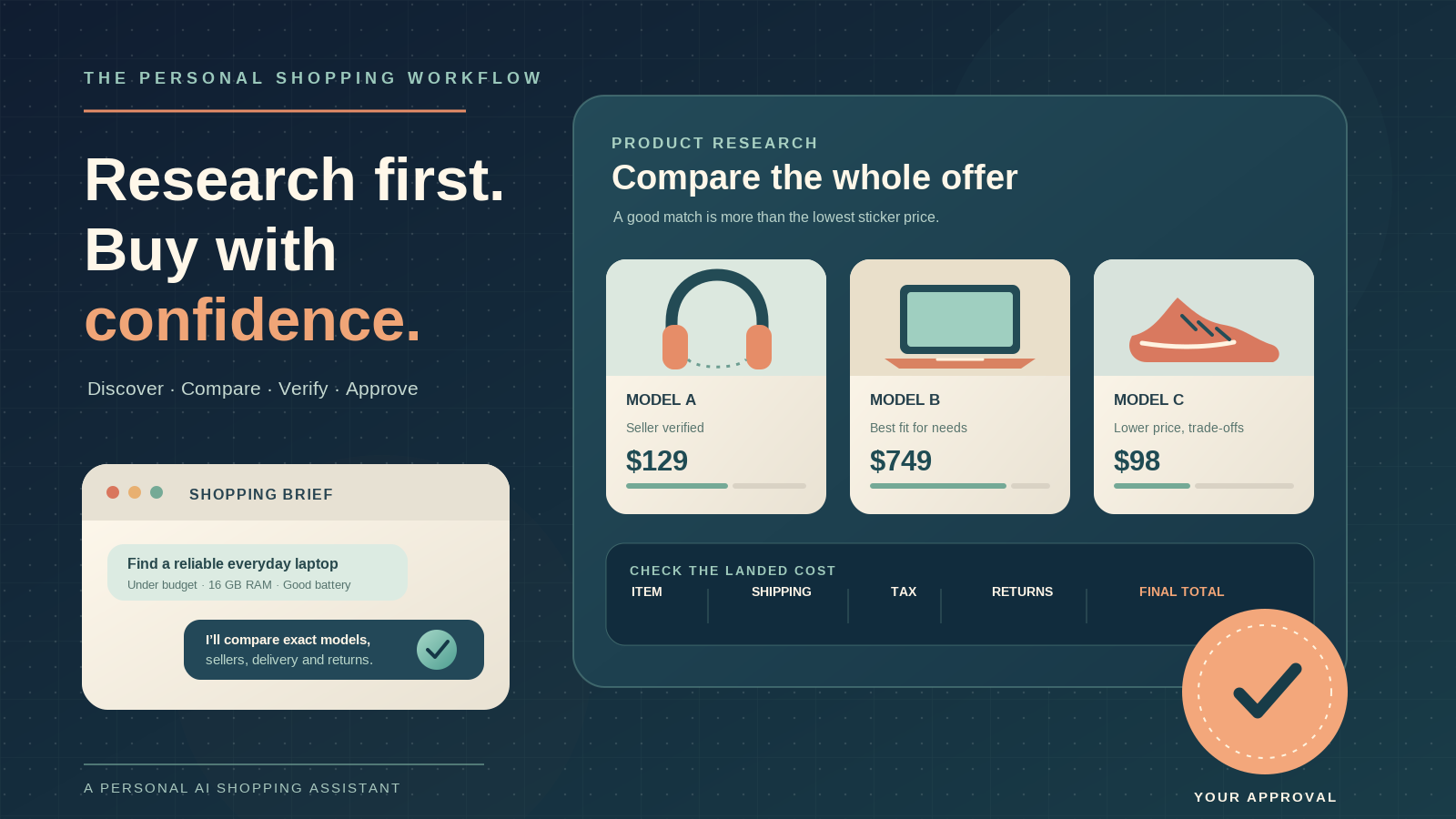
Online shopping often takes longer than the purchase itself. A shopper has to translate a need into product specifications, find credible sellers, compare models and variants, check stock and delivery, understand return rules, and decide whether the final price is worth paying. An AI assistant can help coordinate those steps—but only if it distinguishes a useful recommendation from a verified offer and a prepared checkout from a completed order.
Instinct is a personal AI assistant that can research products and help carry out purchases through third-party services. Its September 28, 2026 partnership announcement with Shopify described product discovery across Shopify merchants, comparisons using current prices and availability, and checkout through Shop Pay. On October 28, founder Noah Shinn announced that Shop Pay could also be used through Instinct at online stores beyond Shopify. Shopify’s own Fall ‘26 announcement lists Instinct among the personal AI agents that support Shop Pay checkout.
This guide explains how to use Instinct AI for online shopping and product research, how the announced payment options differ, and what to verify before an agent spends money on your behalf. It is based on public product information and terms available on November 24, 2026; feature access can vary by account and location.
What can Instinct AI do for online shopping?
Instinct’s shopping workflow is intended to cover more than a search-results summary. In his September 28 announcement, Shinn said Instinct could search Shopify’s merchant network and retrieve live information about product prices, sizes, and availability. He described product discovery and comparison across brands, checkout with Shop Pay, price-drop and back-in-stock notifications, delivery updates, return-window reminders, and discounts or promotional codes associated with a Shop account.
The same announcement described personalization using information such as a shopper’s sizes, preferred brands, and previous purchases, including items kept or returned. That is a founder’s description of the product experience, not a promise that every account has a complete purchase-history profile or that every merchant supplies every attribute.
The practical capabilities fall into four stages:
| Stage | How an assistant can help | What still needs checking |
|---|---|---|
| Product discovery | Translate a need into search criteria and surface products across participating merchants | Whether the catalog covers the category, region, and sellers you care about |
| Product research | Compare specifications, sizes, prices, availability, and stated features | Whether the product details are current, complete, and from the correct variant |
| Purchase | Prepare an order and use a supported checkout flow such as Shop Pay | Seller, exact item, total cost, delivery address, return terms, and final authorization |
| Order follow-up | Help organize delivery updates, price alerts, restock notices, and return-window reminders where available | The merchant’s actual order status, tracking record, and return deadline |
These are useful workflows, not a guarantee that Instinct can buy every product from every website. Merchant participation, checkout compatibility, account permissions, and geographic availability all matter.
For a broader overview of the assistant’s capabilities, see Instinct AI Features Explained. If you are new to its messaging-based interface, our Instinct AI App Guide explains how to give it instructions and review its replies.
How the Shopify partnership changes product research
Shopify is an important part of Instinct’s current shopping story. In the September 28 announcement, Shinn said the assistant could search Shopify’s merchant network and show current prices, sizes, and availability. The announced experience was designed to keep discovery, checkout, and order updates in one conversation.
Shopify’s October 28, 2026 Fall ‘26 Edition independently names Instinct as one of the personal AI agents with Shop Pay checkout. Shopify says the buyer remains in control and that the card is not shared with the agent. The same announcement says Instinct and some other agents can offer Shop Pay for brands that are not on Shopify.
That distinction matters. A Shopify merchant integration gives an agent a structured way to discover products and prepare a purchase. The wider Shop Pay announcement extends the payment option beyond Shopify-hosted storefronts. It does not mean that Instinct has a universal, guaranteed integration with every retailer, that every store accepts the same checkout path, or that all products are available in every country.
Shopify’s broader commerce infrastructure also helps explain why this matters. In its November 13 article, Shopify described Catalog as structured product data that agents can search, including information such as price and inventory. That is useful context for agentic commerce, but it should not be confused with a guarantee that every listing is accurate at the moment you buy. The merchant’s checkout remains the place to confirm the actual order.
Read the Shopify Fall ‘26 merchant announcement and Shopify’s explanation of its agentic commerce network for the platform-level details.
Understand the different ways Instinct can pay
Two payment announcements are especially relevant, and they should not be treated as the same feature.
1. Shop Pay checkout
On October 28, Shinn said Instinct could use Shop Pay at online stores beyond Shopify as well as within the existing Shopify partnership. He said the user approves each purchase in Shop Pay and that card details remain within Shop Pay rather than being exposed to the agent.
Shopify’s own October 28 announcement confirms Shop Pay checkout inside personal AI agents including Instinct. It also says the buyer remains in control and the card is not shared with the agent. The exact steps may depend on the store, the checkout flow, and whether additional authentication is required.
For a purchase through this route, treat the Shop Pay approval screen as the decisive review point. Check the merchant, product, quantity, shipping address, delivery method, and final amount before approving.
2. Link balance and spending limits
A separate feature, Link balance, was announced by Shinn on October 26. The announcement described adding money to a balance and setting a limit for each purchase. Within those limits, Instinct could make purchases without direct access to the user’s credit card or a separate approval for every individual transaction.
The announcement said Link balance was beginning to roll out to Instinct users across the United States, with New York coming soon at that time. That is a dated rollout statement, not a current global availability guarantee. Check the options shown in your own account before planning to use it.
A funded balance with a per-purchase cap is different from Shop Pay’s approval flow. With Shop Pay, the founder said the buyer approves each purchase. With Link balance, the user sets a budget and per-purchase limit in advance, allowing the agent to spend within those limits. If you enable a more autonomous workflow, monitor the balance, transaction history, and limits rather than assuming that a budget removes the need for oversight.
You can read the founder’s October 26 Link balance announcement and October 28 Shop Pay announcement. The announcements describe the product rollout; they do not replace the terms of the payment provider or the merchant.
Step 1: Write a shopping brief before searching
A request such as “Find me a good laptop” is too broad. A useful shopping brief tells Instinct what the product must do, which trade-offs matter, and what is outside your budget.
Include:
- Use case: Explain what you will use the item for. For a laptop, that might be office work, software development, video editing, or travel.
- Must-have specifications: State the features that are non-negotiable, such as memory, storage, screen size, compatibility, material, or dimensions.
- Budget: Give a maximum amount and currency. Say whether that limit includes delivery, tax, and accessories.
- Preferred sellers: Name merchants you trust, or ask for a wider search that includes reputable alternatives.
- Location and delivery: Provide the delivery country or postal area only when needed to check shipping and availability.
- Timing: Say when you need the item and whether a longer delivery time is acceptable for a lower price.
- Return and warranty needs: Explain whether you need a generous return period, local warranty, or manufacturer support.
- Permission boundary: Say whether the task is research only or whether you may later authorize a purchase.
A good opening prompt is:
I need a [product type] for [main use]. My maximum budget is [amount and currency], including delivery where possible. The essential requirements are [list]. I prefer [brands or sellers], but include reputable alternatives. First research and compare suitable options. Do not add anything to a cart, contact a seller, or purchase anything. Show me the source for each important specification and mark anything you cannot verify.
This makes the first stage a research task. It also prevents the assistant from treating a broad interest as permission to buy.
Step 2: Ask for a shortlist, not a single confident recommendation
A useful product shortlist should make the trade-offs visible. Ask Instinct to compare at least a few plausible alternatives and explain why each one meets—or fails to meet—your requirements.
For each product, request:
- Exact product name and model number
- Seller or merchant name
- Product condition, if relevant
- The exact size, color, storage, configuration, or other variant
- Important specifications and compatibility
- Current listed price and currency
- Stock or availability information, with the time checked if shown
- Shipping cost and estimated delivery window
- Warranty and return policy
- Product-page link and any independent review or manufacturer source
Try this prompt:
Compare three to five [product type] options that meet these requirements: [list]. Show the exact model and variant, seller, current price, stock status, shipping cost, delivery estimate, warranty, and return terms. Explain the main advantage and compromise of each option. Do not rank an item first merely because it is cheapest. Link to the merchant and to manufacturer specifications where possible. Do not purchase.
The exact model matters. Two products can share a marketing name while differing in storage, processor, screen, materials, regional compatibility, or included accessories. A comparison that mixes variants can make a cheaper but unsuitable item look like the best deal.
Step 3: Verify specifications and seller quality
AI summaries are useful for narrowing a search, but they are not a substitute for checking the original product information.
For technical products, prefer the manufacturer’s specification page, compatibility documentation, warranty terms, and support information. For clothing or footwear, verify the exact size chart, material, fit notes, and return conditions. For household goods, check dimensions, power requirements, replacement parts, and safety certifications where relevant.
Seller quality deserves its own check. Look for:
- The merchant’s legal or business identity
- Whether the listing is sold by the retailer or a marketplace third party
- Recent, credible customer feedback
- A clear returns address and process
- A warranty that applies in your country
- Secure checkout and recognizable payment options
- Consistent product details across the listing and manufacturer page
A low price can be a warning rather than an opportunity if the seller is unknown, the item is refurbished without clear disclosure, or the listing uses copied photographs and vague specifications. Ask Instinct to identify the seller, not just the marketplace where the product appears.
Step 4: Compare the total cost, not only the displayed price
The lowest item price does not always produce the lowest delivered cost. Before choosing, ask for a total-cost comparison that includes every charge the assistant can verify.
| Cost component | Why it matters |
|---|---|
| Item price | The advertised price may apply only to one variant or a temporary promotion |
| Tax | Tax can depend on the delivery destination and merchant |
| Shipping | A low-priced item can become expensive when delivery is added |
| Import duties | Cross-border purchases may create additional charges |
| Currency conversion | The payment provider or card issuer may apply an exchange rate or fee |
| Membership discount | A lower price may require a paid membership or account |
| Accessories | A product may not include the charger, case, adapter, or other required item |
| Return cost | Return shipping or restocking fees can change the real value of a purchase |
Use a prompt such as:
Compare the delivered cost of these options for shipping to [country or postal area]. Separate item price, shipping, known taxes, known duties, currency, and any membership requirement. If a cost cannot be confirmed before checkout, label it unknown rather than estimating it as a fact. Show the total you can verify and the remaining uncertainties.
For international shopping, do not assume that a merchant’s displayed price includes import duties or local taxes. If the checkout does not show a landed-cost total, treat the final amount as uncertain until the payment screen or carrier provides it.
Step 5: Check size, stock, and delivery before choosing
Product variants are a common source of expensive mistakes. The right model in the wrong size, color, storage capacity, voltage, or regional configuration is still the wrong purchase.
Ask Instinct to repeat the exact variant in its recommendation. For clothing, confirm the size chart and the merchant’s measurement method. For electronics, verify regional model numbers, network bands, plugs, keyboard layout, warranty region, and compatibility with accessories you already own. For replacement parts, compare the manufacturer’s part number rather than relying on a photograph.
Stock information can also change quickly. The founder’s Shopify announcement described live price, size, and availability information, but a listing can change between discovery and checkout. Recheck the selected variant on the merchant’s final order screen before paying.
A useful prompt is:
Before I choose, verify that the exact [model, size, color, or configuration] is available from [seller]. Confirm the delivery destination, estimated arrival date, warranty region, and return window. If any detail is missing or has changed, stop and tell me.
Step 6: Review the final order before authorizing it
Once you have chosen an item, give Instinct a separate instruction to prepare that exact purchase. Avoid a broad instruction such as “Buy the best one” when the options have different prices, sellers, or return policies.
Use a review-first instruction:
Prepare an order for [exact product and variant] from [merchant], quantity [number], delivered to [saved address or destination]. Before any purchase is submitted, show me the seller, item, variant, quantity, item price, shipping, taxes and fees shown, delivery estimate, return policy, and final total. Do not substitute another product or seller. Stop for my approval before using Shop Pay or another payment method.
When the Shop Pay approval screen appears, check the merchant and order details there as well. Do not approve simply because the assistant’s previous message looked correct. The checkout screen is the final opportunity to catch a wrong address, variant, quantity, or charge.
For a Link balance workflow, check the amount available and the per-purchase limit you set. A spending cap can reduce exposure, but it does not prove that the product is suitable or that the merchant is trustworthy.
Step 7: Track the order and protect the return window
A purchase is not finished when the payment is accepted. Save the merchant’s confirmation, order number, item details, delivery address, tracking link, and return deadline.
Shinn’s September 28 announcement described delivery updates and reminders about return windows as part of the Shopify shopping experience. If those functions are available to your account, ask Instinct to organize them. Still verify the status through the merchant’s own order page or carrier tracking.
A follow-up prompt could be:
Organize the order details for [merchant and order number]. Track the delivery using the merchant’s official link, remind me before the return deadline, and tell me if the order status changes. Do not request a refund, change the delivery address, or place another order without asking me first.
If an item is delayed, damaged, incorrect, or never arrives, the merchant’s support and refund process remains important. Instinct can help draft a message or organize the evidence, but the merchant’s policy determines the available remedy.
How much does Instinct cost, and where is shopping available?
Instinct’s Terms of Service, last revised November 17, 2026, say the service is currently available without charge. The same terms reserve the right to introduce fees for access or particular features after notice. A free assistant does not make the products it purchases free: the user is the buyer, and the third-party merchant’s prices, shipping, cancellation, and refund rules apply.
The terms also say Instinct does not guarantee that every feature will be available on every device, service plan, or in every geographic location. The Shop Pay and Link balance announcements describe specific rollouts, not universal access. Link balance was announced as rolling out to U.S. users in October, with New York coming soon at the time. Check your own account and the official Instinct website for current access.
For a fuller breakdown of service fees, invitations, and purchase costs, read Is Instinct AI Free? Pricing, Availability, and Access Explained.
Privacy, recommendations, and shopping safety
Shopping can reveal more than a product preference. A request may expose your size, budget, location, delivery address, purchase history, household needs, or information about someone receiving a gift. Instinct’s Privacy Policy, revised November 17, 2026, describes the account, communication, payment, and third-party information the service may process. It also says Instinct can interact with third-party platforms and exchange relevant information to carry out user-directed tasks.
Shop Pay’s role should be understood precisely. Shopify says the buyer remains in control of the Shop Pay purchase and that the card is not shared with the AI agent. That is a payment-security statement about the Shop Pay flow; it does not mean that no order, account, shipping, or transaction information is processed by the merchant, Shop, or other service providers.
There is also a separate question about recommendations. In an October 5, 2026 report, Business Insider described several early Instinct users who said they received shopping suggestions they had not requested, apparently based on details from earlier conversations. The report said it could not establish that the suggestions were paid placements or that Instinct earned money from those specific recommendations. The issue is worth treating as a transparency question, not as proof of undisclosed advertising.
To keep control of the experience:
- Ask for shopping research only unless you explicitly want recommendations.
- Tell Instinct not to infer that every conversation is a request to buy something.
- Set a budget and state which sellers or brands are acceptable.
- Do not paste full card numbers, passwords, or one-time codes into a prompt.
- Review the merchant, product variant, total, delivery address, and terms before approving.
- Use a per-purchase limit where a supported budget feature is available.
- Check the order directly with the merchant after checkout.
- Review connected-service permissions and disconnect access you no longer need.
Instinct’s Terms of Service require meaningful human oversight of actions and say users remain responsible for transactions carried out through third-party services. They also warn that actions can contain errors and may not always be reversible. That makes a review-first purchase workflow the sensible default for expensive, regulated, personalized, or difficult-to-return items.
Practical prompts for everyday shopping
The following examples are starting points. Replace the bracketed details and keep research separate from purchase authorization.
Compare a technical product
Compare [product type] for [use case] under [budget]. Include exact model numbers, specifications, seller, warranty, return terms, and total delivered cost. Prioritize compatibility and reliability over the lowest advertised price. Do not buy.
Find a gift
Find gift ideas for [recipient] who likes [interests]. The budget is [amount and currency], and the item needs to arrive by [date]. Avoid [excluded categories]. Show the seller, delivery estimate, return terms, and why each option fits. Do not order anything.
Check a restock
Check whether [exact product and variant] is available from [preferred seller]. If it is out of stock, look for the merchant’s official restock alert or an alternative seller. Do not buy a substitute.
Review a discount
Check whether this product’s current price is lower than the price shown by the same seller previously, if reliable price history is available. Separate verified price history from estimates, and show whether a discount requires a membership or promotional code.
Prepare a purchase
Prepare, but do not submit, an order for [exact product, variant, and quantity] from [seller]. Show all costs, delivery details, and return terms. Wait for my explicit approval at the final checkout step.
Frequently asked questions
Can Instinct AI compare products from different brands?
The September 28 Shopify partnership announcement described product discovery and comparison across brands in Shopify’s merchant network, including current prices, sizes, and availability. The range of products and merchants available to a particular user can vary.
Can Instinct AI buy products for me?
Instinct’s Terms of Service explicitly contemplate purchases through third-party services. The Shopify partnership supports Shop Pay checkout in the announced agent experience. The user remains the buyer, and the merchant’s terms govern the transaction.
Can Instinct use Shop Pay outside Shopify?
On October 28, Instinct’s founder announced that Shop Pay could be used through Instinct at online stores beyond Shopify. Shopify’s Fall ‘26 merchant announcement also says Instinct offers Shop Pay for brands that are not on Shopify. The exact checkout path depends on the merchant and the feature available to your account.
Does Instinct need my credit-card number?
Shopify says the card is not shared with the agent in the Shop Pay checkout flow. Instinct’s privacy policy separately explains that payment information may be collected through a third-party payment processor. Do not send card details in an ordinary chat message; use the official payment flow presented by the provider.
What is Link balance?
Link balance was announced as a way to add funds and set a limit for each purchase. The October 26 announcement said it was rolling out to U.S. users, with New York coming soon at that time. It is distinct from Shop Pay checkout and may not be available in every region or account.
Is Instinct AI free for shopping?
Instinct’s current Terms of Service say the service is available without charge, but product purchases are separate. The merchant sets the item price, shipping, taxes, cancellation terms, and refund policy. The terms also allow Instinct to introduce service fees in the future after notice.
Can I trust an AI shopping recommendation?
Treat a recommendation as a shortlist, not a verdict. Check the exact product, seller, independent specifications, total price, delivery, and return policy. For a purchase, review the final checkout details yourself before authorizing payment.
Sources and further reading
- Instinct official website — current description of the personal assistant and its everyday task examples.
- Instinct Terms of Service — revised November 17, 2026; third-party purchases, user responsibility, oversight, fees, and geographic availability.
- Instinct Privacy Policy — revised November 17, 2026; account, payment, prompt, and third-party information.
- Noah Shinn’s September 28, 2026 Shopify partnership announcement — product discovery, current prices and availability, Shop Pay, and order updates.
- Shopify: Exponential — Fall ‘26 Edition — October 28, 2026; Shop Pay inside personal AI agents including Instinct.
- Noah Shinn’s October 28, 2026 Shop Pay announcement — expansion beyond Shopify stores and purchase approval.
- Noah Shinn’s October 26, 2026 Link balance announcement — funding and per-purchase limits.
- Shopify: More places to shop, one place to sell — November 13, 2026; product catalog, structured product data, and agentic commerce.
- Business Insider: Instinct users say its new shopping feature is pushing products they never asked for — October 5, 2026; reporting on unsolicited product recommendations and transparency concerns.
For the wider context, continue with How to Use Instinct AI to Manage Everyday Tasks or How Instinct AI Works: Understanding Personal AI Agents.