
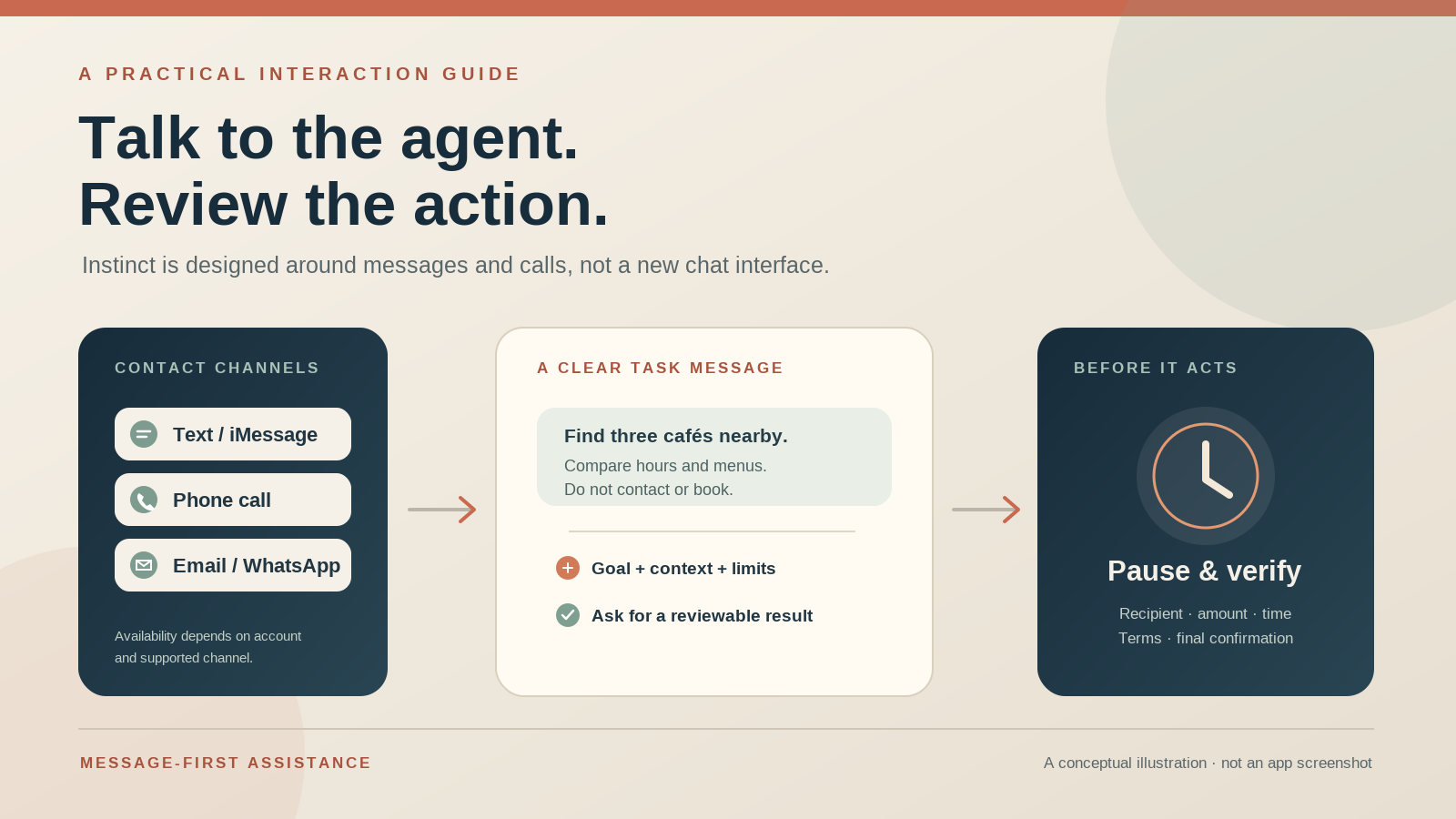
Instinct is designed to be used more like a contact you message or call than a conventional chatbot app. Its official homepage says there are “no new interfaces”: users can text or call the assistant, which is intended to use a phone and computer to carry out tasks. The service’s Terms of Service also say users may interact with Instinct directly through a third-party messaging platform without downloading a separate app.
That design changes what an “Instinct AI app guide” needs to explain. The important skills are not learning a complex chat dashboard or memorizing special commands. They are choosing an available communication channel, giving the assistant a well-scoped instruction, responding when it needs clarification, and checking what it actually did.
This guide explains the interaction model using the product’s public documentation available on November 24, 2026. Channel availability and account features can change, so the options shown in your own Instinct account should take precedence over any general walkthrough.
Is Instinct AI a separate app?
Not in the usual app-first sense described by many AI assistants. Instinct’s official homepage presents the product as a personal assistant that you can text or call. It says the interface is simple and that there are no new interfaces to learn.
The distinction is between the conversation channel and the account-management pages:
- Conversation: You contact Instinct through a messaging service or by calling it, using the channel made available to your account.
- Account access: Instinct provides a web sign-in area at app.instinct.com.
- Connected services and controls: The account workspace and settings pages are used for managing connected services and certain preferences.
The Terms of Service explicitly state that users may message Instinct through a third-party messaging service or platform without needing to download a separate app. You remain responsible for having an account with that messaging provider where one is required.
This does not mean that Instinct has no web interface at all. Its account portal is part of the service. It means the main assistant experience is designed around communication channels that people already use, rather than requiring every task to begin inside a dedicated chatbot screen.
Which channels can you use to contact Instinct?
The official homepage confirms text and phone interaction. Instinct’s status page currently lists iMessage/SMS, WhatsApp, Email, web browsing and tasks, and the website among its service areas. The precise options available to an individual user may depend on account access, rollout status, device, region, and the state of the service.
| Channel | How it fits the interaction model | What to check |
|---|---|---|
| Text messaging | Send a task in ordinary language and continue in the same conversation | Whether SMS or iMessage is enabled for your account and number |
| Use an existing messaging app as a contact channel where offered | Whether WhatsApp appears as an available option in your account | |
| Phone call | Speak to the assistant rather than typing a request | Whether calling is enabled and what calling costs your carrier may apply |
| A listed service area for communication and task workflows | Which email features are enabled for your account and whether a reply is expected | |
| Web browsing and tasks | Instinct works with websites and online services to pursue a request | Whether the task requires a connected account, sign-in, or your approval |
Do not assume that every channel is available to every account just because it appears in a product description or status listing. The company’s terms say it does not guarantee that Instinct or every feature will work on a particular device, service plan, or geographic location. Check the channel choices presented to you before planning an important task around one of them.
How to start a conversation
If you already have access, begin at the official Instinct website and use its Text Instinct or Log in entry point. Follow the account and channel setup instructions that Instinct currently presents. The public sign-in page is an account entry point, not a complete public manual, and onboarding details may change.
Once your communication channel is ready, treat the first exchange as a small test rather than immediately connecting every account or delegating a consequential task.
A sensible first interaction has four parts:
- State the outcome. Tell Instinct what you want completed, not just the broad topic you are interested in.
- Add the important constraints. Include dates, location, budget, timing, preferences, and anything the assistant must not do.
- Ask for a plan or a shortlist first. For a task involving money, messages, bookings, or personal information, review the proposed details before allowing the next step.
- Verify the result. Check the confirmation, message, booking reference, or other evidence in the original service.
For example, a low-risk research request might be:
Find three cafés near the address I provide. Compare their opening hours and menus, and send me the links. Do not contact or book anything.
This prompt defines the task, the expected output, and a clear boundary: research only. It is a useful way to learn how the assistant responds before asking it to interact with another person or service.
For a broader first-time setup walkthrough, see How to Get Started with Instinct AI: Access, Setup, and First Tasks.
How to write a good message to your AI assistant
You do not need a special programming language to communicate with Instinct. Natural language is the intended interface. However, a message that leaves out key details can lead to unnecessary questions or an incorrect action.
A reliable task message usually contains five elements:
- Goal: The result you want.
- Context: The information needed to understand the request.
- Constraints: Budget, time, location, preferences, and exclusions.
- Permission boundary: Whether the assistant may research, draft, contact someone, or complete a transaction.
- Reporting requirement: What evidence or summary you want when the task is finished.
Compare these two instructions:
Too vague: “Find me a train.”
Better scoped: “Find train options from the station I use in Boston to New York Penn Station for Friday after 5 p.m. Show departure times, total prices, and change conditions. Do not purchase a ticket until I approve one.”
The second message reduces ambiguity. It also separates research from purchase authorization. That separation matters because Instinct’s terms state that actions on third-party services can create commitments that are binding on the user, and that users remain responsible for maintaining meaningful oversight.
Use follow-up messages to refine the task
A conversation can be iterative. If the assistant returns options, you can narrow them:
- “Only include options arriving before 9 p.m.”
- “Exclude non-refundable fares.”
- “Show the total cost, including fees.”
- “Do not send the message yet; prepare a draft for review.”
For a task that has changed, state the change explicitly. Avoid replying with a vague “do that” if several options are still under discussion. Refer to the specific option or restate the relevant details so that the assistant does not act on the wrong interpretation.
How to ask Instinct to use websites and connected services
Instinct’s Terms of Service describe interactions with third-party websites, applications, and services. Some services can be connected to your account; the terms also contemplate interactions with third-party platforms that you have not separately connected, depending on the task and access available.
That does not mean every website or account will work in every situation. A task may require a sign-in, a supported site, additional information, or an approval step. A website can also change its layout, block automation, require a verification challenge, or make an action impossible to complete.
Use a staged instruction when a task involves an account:
- Ask Instinct to identify the information or access it needs.
- Review the service and permission being requested.
- Connect only what is necessary for the task.
- Start with a read-only or low-impact request.
- Review the result in the original service before delegating further actions.
Instinct’s account workspace is available at app.instinct.com/workspace, which its terms identify as the place to disconnect a connected service. The exact controls visible to you may depend on the account and the integration.
For examples of the product’s broader capabilities, see Instinct AI Features Explained: What Can the AI Agent Actually Do?.
How to use voice calls
The official homepage says you can call Instinct as well as text it. Voice can be useful when explaining a task is easier than typing, when you are away from a keyboard, or when you want to describe context conversationally.
A good call still needs a clear outcome. State the task, give the key details, and make the action boundary explicit. For example:
I need help arranging a repair appointment. First find providers that serve my area and compare their availability. Do not confirm a booking or share my contact details until I approve the provider and time.
If the assistant repeats a date, name, address, amount, or other critical detail, correct it before proceeding. Do not assume that a natural-sounding voice response proves that a booking, payment, or message was completed.
The Privacy Policy says Instinct may collect audio and voice data as part of the services when users enable those features. Review the current Privacy Policy before sharing sensitive information by voice, particularly if other people may be audible in the conversation.
Your mobile carrier may also charge for calls, texts, picture messages, or data. Instinct’s terms place responsibility for those mobile-service costs on the user.
Can you add Instinct to a group conversation?
Instinct’s Terms of Service say users may be able to add or invite it to group chats or other communications. This can be useful when a task involves coordinating with friends, family, or colleagues, but it changes the privacy expectations for everyone in the conversation.
Before adding the assistant:
- Make sure you have the necessary permission to invite it.
- Tell participants that an AI assistant will be able to access and process content made available in the group.
- Do not include people in a group workflow if you lack authority to share their messages or personal information.
- Remove Instinct from the group if you no longer want it to participate.
The terms say Instinct may notify participants that it is an AI personal assistant and that its participation is governed by the service terms and privacy policy. They also say you can remove it from the group chat to stop its continued participation.
A group conversation is not a private one-to-one exchange. Think about the information already present in the thread before inviting an assistant into it.
How to review an action before it becomes final
The most important interaction skill is knowing when to stop and check. Instinct can take actions on third-party services, but its own terms say it may make mistakes, that some actions may not be reversible, and that users must maintain meaningful human oversight.
Use stronger review for actions with real consequences:
| Task type | Safer interaction pattern |
|---|---|
| General research | Ask for sources and compare the result yourself |
| Drafting a message | Request a draft and review it before sending |
| Sending an email or message | Confirm recipient, wording, attachments, and timing |
| Making a reservation | Check date, time, party size, venue, cancellation rules, and any deposit |
| Buying a product or ticket | Review merchant, item, quantity, total price, delivery, and refund terms |
| Changing an account | Review the exact setting or subscription before authorizing the change |
A useful final instruction is: “Before you take an action that sends a message, spends money, changes an account, or commits me to a booking, show me the exact details and wait for my approval.”
This is a practical safeguard, not a guarantee that every action will always trigger a confirmation screen. Instinct’s terms expressly say that safeguards or confirmation requirements may exist for certain actions but are not guaranteed to prevent mistakes. You should configure available restrictions and review the result independently.
For a deeper explanation of the agent’s execution model, read How Instinct AI Works: Understanding Personal AI Agents. For current access and service fees, see Is Instinct AI Free? Pricing, Availability, and Access Explained.
Common interaction problems and what to do
Instinct does not reply
Check whether the channel is available, whether your account is active, and whether the message was sent to the correct contact. Check the official status page for a service incident. If the problem persists, use the support contact published in Instinct’s terms rather than relying on unofficial numbers or third-party accounts.
The assistant misunderstands the request
Restate the intended outcome in one sentence, then list the details that were missed. If several tasks were bundled into one message, split them into separate steps and ask the assistant to confirm its understanding before acting.
A website or connected service cannot be accessed
The site may require authentication, may not support the requested action, or may be temporarily unavailable. Do not send passwords or verification codes into an ordinary chat unless the official workflow explicitly requires a secure method. Use the account’s documented connection flow and review its permissions.
The assistant says a task is complete, but you cannot find the result
Check the original service: the merchant’s order history, the booking provider’s confirmation, the email’s Sent folder, or the account setting itself. A conversational completion message is not a substitute for an independent record.
You want to stop a connected service from being used
Use the workspace controls to disconnect it. The Privacy Policy explains that the consequences of disconnecting differ by service. For Google Workspace, the policy says Instinct will no longer retain or use data collected through that account after disconnection, except where retention is required by law. For other connected services, previously collected data may remain until a separate deletion request is made.
Frequently asked questions
Does Instinct AI have its own mobile app?
The official homepage emphasizes messaging and calls rather than a new interface, and the Terms of Service say users can interact through a third-party messaging platform without downloading a separate app. Instinct also has a web sign-in and account workspace. Check the official site for the current access experience.
Can I use Instinct AI through WhatsApp?
Instinct’s official status page currently lists WhatsApp among its service areas. Whether it is available to your account should be checked in the current onboarding or account interface.
Can I call Instinct instead of texting it?
The official homepage says users can text or call the assistant. Calling availability and any carrier charges should be checked before relying on it.
Do I need to learn special prompts?
No special syntax is documented as a requirement. Use ordinary language, but include the desired outcome, relevant context, constraints, and whether the assistant may take action or should only research.
Can Instinct send messages or make purchases for me?
Its terms describe actions on third-party services, including communications and purchases. They also make clear that you remain responsible for those actions and must maintain meaningful human oversight. Review the exact details before authorizing a consequential action.
Is it safe to put every personal account into Instinct?
No assistant should be given more access than a task requires. Review the privacy policy, connected-service permissions, and available settings first. Start with limited access and low-risk tasks, then expand only when there is a clear reason.
Bottom line: use the channel, but keep control of the task
Instinct’s interaction model is intentionally lightweight: contact the assistant through an available messaging or calling channel, explain the outcome you want, and continue the conversation as the task develops. Its account portal provides a separate place to manage access and connected services.
The simplicity of the interface should not make the underlying actions feel casual. A text can lead to an email being sent, a reservation being made, or a purchase being placed on a third-party service. Give precise instructions, limit permissions, ask for a review before consequential actions, and verify the final result where it happened.
Sources and further reading
- Instinct — Official Website
- Instinct — Official Status
- Instinct — Terms of Service, revised November 17, 2026
- Instinct — Privacy Policy, revised November 17, 2026
- Instinct — Sign-in
- Instinct — Connected Services Workspace
- How to Use Instinct AI: A Complete Beginner’s Guide
- How to Get Started with Instinct AI: Access, Setup, and First Tasks
- Who Created Instinct AI? The Company, Team, and Technology Behind It