
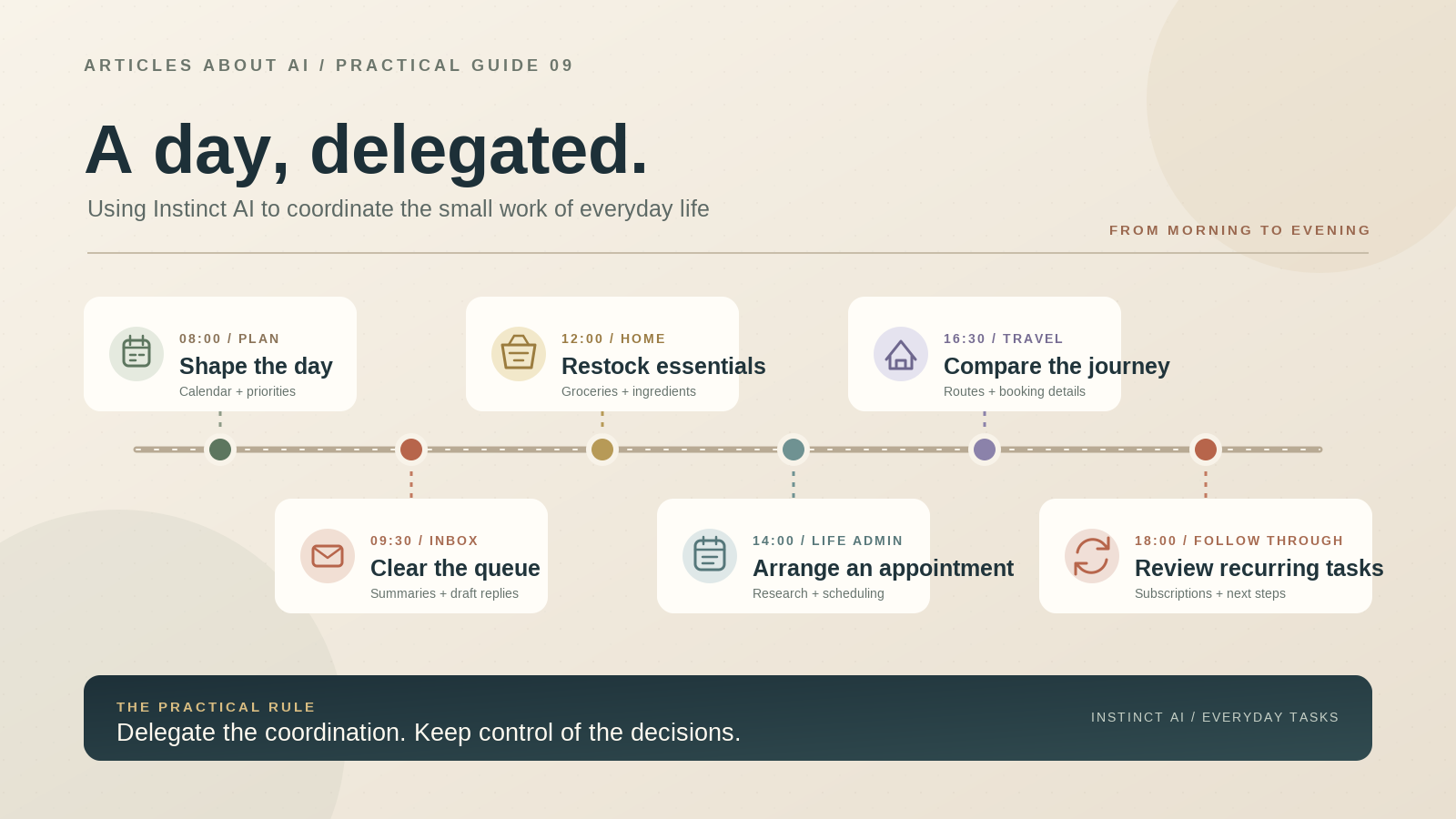
A useful personal assistant does not simply answer questions. It helps move the small, scattered jobs of daily life toward completion: checking a schedule, finding an appointment, comparing travel options, arranging groceries, or dealing with an email that needs a reply. Instinct is designed for this kind of delegation. You describe what needs to happen, and the assistant can use connected services and third-party websites to work toward the result.
That does not mean every task is automatic, every integration is available to every account, or every action should be left unattended. The practical way to use Instinct AI for everyday tasks is to give it a clear outcome, useful context, realistic limits, and a defined point at which you want to review the work.
This guide focuses on repeatable workflows rather than a catalogue of speculative features. It separates examples explicitly described by Instinct from suggested prompts you can adapt to your own account.
What everyday work can Instinct help with?
Instinct’s official homepage describes a message- or call-based personal assistant that can use a phone and computer. Its examples include ordering ingredients for a recipe, ordering groceries, booking a train, sending flowers, and finding a court for a recreational activity. The company’s Privacy Policy, revised November 17, 2026, also names scheduling appointments, researching and booking travel, managing subscriptions, booking restaurant reservations, and writing emails as examples of tasks or interactions the service may support.
These examples establish the product’s intended scope, not a guarantee that every task is available in every country or on every account. Some workflows depend on the third-party service, the information you provide, connected-account permissions, and whether a website or business can complete the requested action.
1. Plan the day around your actual commitments
A daily plan is more useful when it accounts for existing appointments, travel time, deadlines, and the tasks you have postponed. If you connect Google Workspace, Instinct’s Privacy Policy says it may receive access to your calendar and email inbox, including event details and related message or file information. You can also provide the relevant schedule yourself instead of connecting an account.
Try a prompt such as:
Review my calendar for tomorrow and help me build a realistic day plan. Identify fixed appointments, travel gaps, and open periods. Fit in these three tasks: [list]. Do not move, cancel, or create calendar events. Show me the proposed schedule and any conflicts first.
The important instruction is the boundary: ask for a plan before asking the assistant to change your calendar. If you later want it to schedule an appointment, specify the date range, location, duration, and times you cannot attend.
2. Triage email and prepare follow-ups
When you have chosen to connect an inbox, an assistant may be able to use the messages and context made available through that connection. Instinct’s policy describes access to a connected Google Workspace inbox and says its browser functionality can interact with third-party services to do things such as write an email.
Start with a review task, not an instruction to send a large batch of replies:
Review the messages from the last three days that appear to need a response. Group them by urgency, summarize what each sender needs, and draft a concise reply for each. Do not send anything. Flag messages where you need more information from me.
After checking the drafts, you can give a separate instruction for a specific reply. Verify recipients, dates, attachments, quoted amounts, and any commitments before allowing a message to be sent. An email that sounds polished can still contain an incorrect detail.
3. Organize groceries and meal ingredients
Instinct’s homepage explicitly uses groceries and recipe ingredients as examples. This makes shopping preparation a natural everyday workflow: describe what you need, the number of people, dietary requirements, preferred brands, and a budget.
For example:
Help me plan ingredients for four simple dinners for two people. Use this shopping list as the starting point: [list]. Keep the total under [budget], avoid [ingredients], and separate essentials from optional items. Show quantities, estimated totals, delivery fees, and substitutions. Do not place an order until I approve the final basket.
The final check matters. Confirm quantities, substitutions, delivery address, delivery window, fees, and the total charged. If the assistant cannot access a particular store or its checkout process, ask it to prepare a list you can use yourself rather than assuming the purchase has been completed.
4. Find and schedule appointments
The Privacy Policy specifically mentions scheduling appointments. Instinct’s browser functionality may also interact with websites and third-party services, while the policy gives restaurant reservations as an example.
A useful request includes the type of appointment, acceptable locations, available dates, time windows, duration, and any accessibility or other practical requirements:
Find appointment options for [service] within [area]. I am available on [dates] between [times]. Compare the location, available time, stated price, cancellation policy, and any booking fee. Show me the best options and wait for my choice before confirming one.
For a restaurant, add party size, date, time range, cuisine, budget, and dietary needs. For a service appointment, ask the assistant to distinguish a confirmed booking from an enquiry or a suggested time. A business replying that it has received a request is not the same as confirming the appointment.
5. Research and arrange travel
Instinct’s official materials describe booking a train and researching and booking travel. Travel is a good example of why a task needs constraints: the cheapest ticket may have an inconvenient departure, no refund, or a long transfer.
Try:
Find travel options from [origin] to [destination] for [date]. I prefer [departure window] and need to arrive by [time]. Compare the full price, journey duration, changes, baggage rules, and cancellation conditions. Do not buy a ticket until I approve one exact option.
Before purchase, check the passenger name, travel date, stations or airports, baggage allowance, fare restrictions, and final amount. Ask for the booking reference after the transaction, then verify it with the transport provider.
6. Review subscriptions and recurring expenses
Instinct’s Privacy Policy names managing subscriptions as an everyday task. Depending on the information and account access you provide, you could ask it to help organize recurring charges, identify renewal dates, or prepare the steps needed to change a subscription.
For example:
Help me review the subscriptions listed in the information I provide. Create a table with the service, amount, billing frequency, next renewal date, and how I use it. Flag anything I should review. Do not cancel, change, or renew any subscription.
Do not assume that a subscription can be cancelled simply because the assistant can find its website. Some services require identity checks, an in-app cancellation, a phone call, or a specific account owner. Check the provider’s cancellation terms and obtain confirmation before treating a subscription as closed.
7. Coordinate small errands, gifts, and leisure plans
The official homepage also gives examples such as sending flowers and finding a court. These are small tasks that often involve several pieces of coordination: finding a provider, checking availability, comparing options, and communicating a preference.
A practical prompt might be:
Find three options for [errand or activity] near [location] on [date]. Compare distance, opening hours, availability, and total cost where published. If contacting a business is necessary, prepare the message and show it to me before sending. Do not make a payment or commitment without my approval.
For a gift, include the recipient’s location, delivery date, budget, preferred style, and the exact wording for any card. For a leisure activity, include the number of people, preferred time, equipment needs, and whether indoor or outdoor options are acceptable.
A simple method for delegating almost any task
The quality of the result often depends on the quality of the brief. Use this five-part structure:
- Outcome: State what should be true when the task is finished.
- Context: Provide the relevant dates, people, locations, account details, or background.
- Constraints: Set the budget, time window, preferences, exclusions, and non-negotiable requirements.
- Permission boundary: Say what the assistant may research or prepare and which actions require your approval.
- Report: Ask for the result, unresolved questions, costs, confirmations, and next steps in a format you can check.
A reusable version is:
Help me complete [goal]. The relevant context is [details]. Work within these limits: [constraints]. First research and prepare the best options. Do not [send, book, buy, cancel, or change] anything until I approve the exact action. Report what you checked, what remains uncertain, the total cost, and the next step.
This format is more dependable than a vague instruction such as “take care of my day.” It also makes it easier to spot when the assistant has misunderstood a requirement.
What to check before letting an AI agent act
Instinct’s Terms of Service, also revised November 17, 2026, say that the assistant can take actions on third-party services based on user instructions. They also warn that outputs may be wrong, actions can contain errors, and some actions may not be reversible. The terms place responsibility for reviewing outputs and actions on the user and say that safeguards or confirmation requirements may be used but are not guaranteed to prevent mistakes.
Use a few practical checks:
- Check the target: Confirm the correct person, business, account, address, and date.
- Check the money: Review the total, taxes, delivery charges, recurring fees, and refund terms.
- Check the commitment: Read the final message, booking details, or cancellation request before it is sent.
- Check the result: Look for a provider confirmation, reference number, receipt, or updated account status.
- Limit access: Connect only the services needed for the task and review permissions periodically.
Do not delegate medical, legal, investment, tax, or other high-risk decisions to an AI agent without meaningful professional and human review. Instinct’s terms specifically say the service is not intended for high-risk activities and is not a substitute for qualified professional advice.
Availability and practical limitations
The official materials describe a broad set of everyday workflows, but they do not promise that every task will work with every merchant, website, messaging service, device, or location. The Terms of Service say access may not be available in every geographic location and that compatibility with third-party services is not guaranteed. Your own account permissions and the third party’s rules also matter.
A sensible first task is therefore small and reversible: ask for a shortlist, a draft, a schedule proposal, or a comparison. Once you know what information the assistant can access and how reliably it reports progress, you can decide whether to authorize a more consequential action.
For a wider overview, read our guides to what Instinct AI is, Instinct AI’s features, how Instinct AI works, and how to interact with the assistant.
Frequently asked questions
Can Instinct AI manage my daily schedule?
Instinct’s Privacy Policy says that scheduling appointments is among the everyday tasks the service is designed to help with. If you connect Google Workspace, the policy says Instinct may access your calendar and related event details. The exact actions available depend on your account, permissions, and the task.
Can Instinct AI help with groceries and shopping?
The official homepage gives ordering groceries and ingredients for a recipe as examples. Provide a list, quantities, budget, delivery requirements, and exclusions, then review the final basket and total before authorizing a purchase.
Can Instinct AI manage email?
Instinct’s Privacy Policy describes access to a connected Google Workspace inbox and says browser functionality can interact with third-party services to write an email. Review drafts, recipients, attachments, and factual details before sending.
Can Instinct AI book appointments or travel?
The Privacy Policy names scheduling appointments and researching and booking travel. It also describes restaurant reservations as an example of an action through third-party websites. Availability depends on the service, location, account access, and provider confirmation.
Should I let Instinct complete tasks without checking them?
No. The Terms of Service warn that outputs and actions can be inaccurate or incomplete and that some actions may not be reversible. Review financial, booking, communication, and account-changing actions, and verify the final result with the relevant provider.
The useful role of a personal AI assistant
The strongest everyday use of Instinct is not handing over every decision. It is reducing the coordination work around decisions you still own: gathering options, organizing context, preparing a message, comparing schedules, or moving a clearly specified task forward. Start with a narrow request, state what the assistant may do, and verify the result. That is how an AI assistant can save effort without taking you out of control.
Sources and further reading
- Instinct — official product overview
- Instinct — Privacy Policy (last revised November 17, 2026)
- Instinct — Terms of Service (last revised November 17, 2026)
- Instinct — account workspace settings