
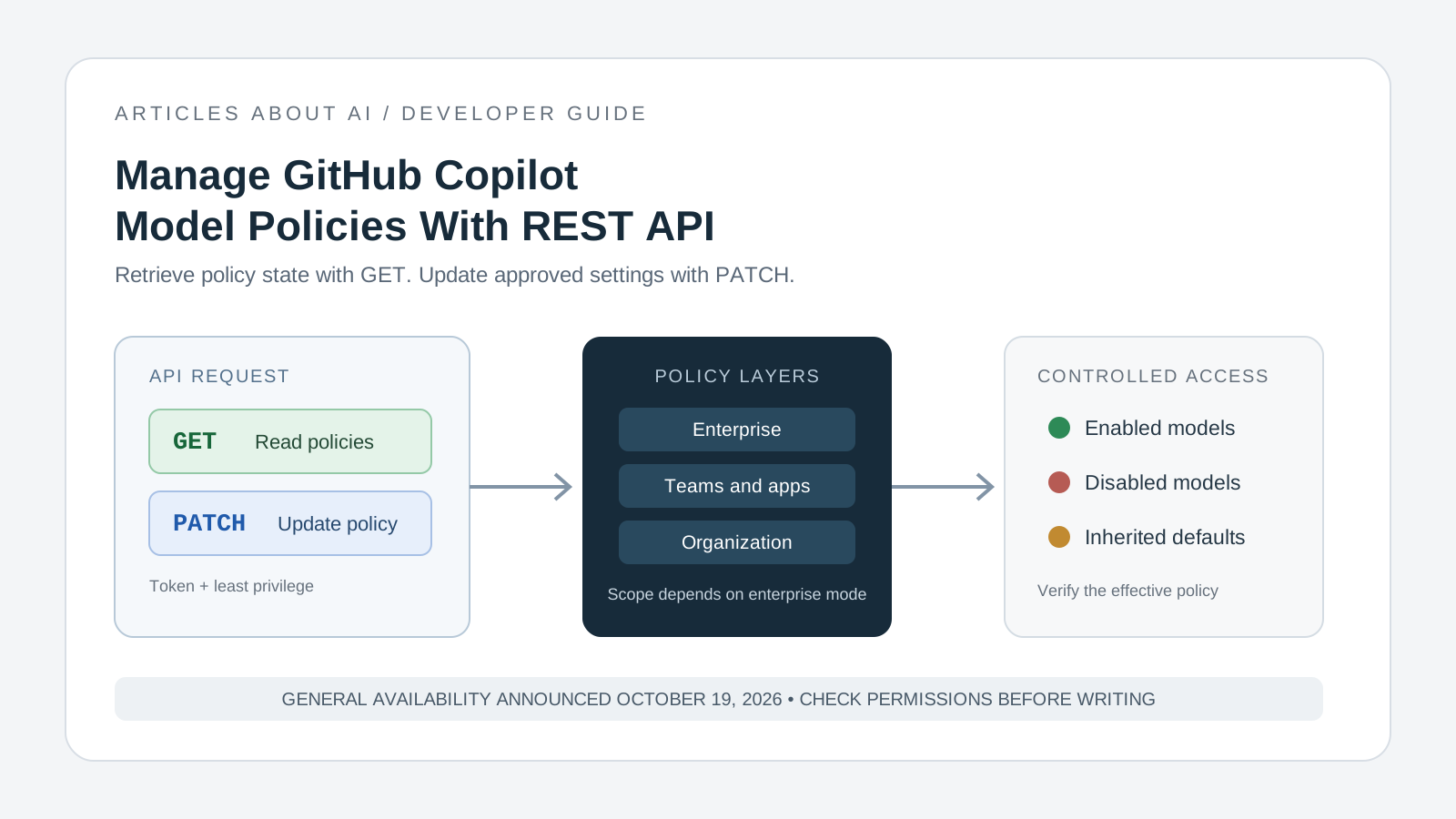
GitHub now provides REST API endpoints for retrieving and updating GitHub Copilot model policies at the enterprise, enterprise-team, enterprise-app, and organization levels. Announced on October 19, 2026, the endpoints are generally available and give administrators a way to manage model availability through scripts and administrative workflows instead of relying exclusively on manual settings changes.
This guide explains how to select the correct endpoint, read the effective policy, make a controlled update, and verify the result. The examples focus on organization-level policy management. Enterprise and enterprise-team endpoints have different scopes and governance rules, so confirm the official documentation before automating them.
If you are updating a coding workflow because GitHub retired selected Copilot models on October 19, start with our GitHub Copilot model deprecation and replacement guide. This article covers the separate task of administering model policies through the REST API.
What the Copilot model policy API does
GitHub’s October 19 changelog says that GET and PATCH endpoints are generally available for four policy scopes:
| Scope | Endpoint |
|---|---|
| Enterprise | /enterprises/{enterprise}/copilot/model-policies |
| Enterprise team | /enterprises/{enterprise}/teams/{team_slug}/copilot/model-policies |
| Enterprise apps | /enterprises/{enterprise}/copilot/apps/model-policies |
| Organization | /orgs/{org}/copilot/model-policies |
Use GET to inspect policies and PATCH to update supported settings. Enterprise policy can delegate model control to organizations in organization mode, or to teams and apps when enterprise teams mode is used. That means the correct endpoint depends on how the enterprise has configured policy ownership; do not assume that an organization-level update is available in every enterprise setup.
The API manages model availability policies. It does not guarantee that every user can use a model: plan eligibility, enterprise configuration, model availability, and the effective policy can all affect what appears in Copilot clients.
Official references: GitHub Changelog announcement and Copilot model policy REST API documentation.
Step 1: Choose the right policy scope
Before writing a script, confirm who should control model availability.
- Enterprise policy: use this when settings should be governed across the enterprise.
- Organization policy: use this when the organization is independent or belongs to an enterprise that does not use enterprise teams for model policy.
- Enterprise-team policy: use the team endpoint when the enterprise has delegated policy control to teams.
- Enterprise-app policy: use the app endpoint for the enterprise-app scope documented by GitHub.
For the organization endpoint, GitHub states that organization owners can use the API. An organization must either be independent or belong to an enterprise that is not using enterprise teams for model policy. If your organization is managed through enterprise teams mode, use the appropriate enterprise/team policy workflow instead of trying to force an organization-level change.
Step 2: Prepare a token with the required permissions
Use a token authorized for the target organization and the intended administrative task. For the documented organization GET and PATCH endpoints, GitHub lists organization Administration permissions (write) for fine-grained personal access tokens and supported GitHub App user or installation access tokens. OAuth app tokens and classic personal access tokens require the documented admin:org or repo scope. Organization SAML authorization and OAuth app access restrictions may also apply.
Follow least privilege:
- Use a dedicated administrative token or GitHub App where practical.
- Grant only the permissions required for the endpoint and target resource.
- Store the token in your approved secret manager or CI secret store.
- Never paste a real token into an article, source repository, shell history shared with others, or public issue.
- Test against a non-critical organization or controlled environment before adding policy changes to automation.
Permissions differ across endpoint scopes. Check the exact endpoint documentation for enterprise, team, or app policy before reusing an organization token or assuming the same role is sufficient.
Step 3: Retrieve the current organization policy
First read the current policy. This shows the effective policy for models available to the organization, including policies that are explicitly configured and those determined by default availability.
Set the organization name and token in your local shell, then call the GET endpoint:
export GITHUB_TOKEN="YOUR_TOKEN"
export GITHUB_ORG="YOUR_ORGANIZATION"

curl --fail-with-body --silent --show-error \
  -H "Accept: application/vnd.github+json" \
  -H "Authorization: Bearer $GITHUB_TOKEN" \
  -H "X-GitHub-Api-Version: 2026-03-10" \
  "https://api.github.com/orgs/$GITHUB_ORG/copilot/model-policies"
Replace the placeholders with your actual values. Keep the token private. GitHub’s current documentation includes the API version header shown above; verify the supported version in the docs when maintaining a long-lived integration.
Review the returned default_availability and models fields. Each model entry includes a public model_name identifier and a policy state. Use the exact model_name returned by the API when preparing a change; do not rely on a display label or a model identifier copied from an old tutorial.
The response can reflect inherited defaults. A model without an explicit policy may follow the enterprise default if configured, otherwise the organization’s default, subject to GitHub’s eligibility rules. Read the documentation on default model availability before interpreting an inherited or disabled state.
Step 4: Update a policy with PATCH
The organization endpoint accepts a PATCH request to update explicit model policies and, when editable, the organization’s default availability. GitHub documents enabled and disabled as policy states for the relevant fields.
The following is a template, not a recommendation to enable or disable any particular model. Replace MODEL_NAME_FROM_GET_RESPONSE with the exact identifier returned by your GET request, and choose a state approved by your organization.
curl --fail-with-body --silent --show-error \
  -X PATCH \
  -H "Accept: application/vnd.github+json" \
  -H "Authorization: Bearer $GITHUB_TOKEN" \
  -H "X-GitHub-Api-Version: 2026-03-10" \
  "https://api.github.com/orgs/$GITHUB_ORG/copilot/model-policies" \
  -d '{
    "models": [
      {
        "model_name": "MODEL_NAME_FROM_GET_RESPONSE",
        "policy_state": "disabled"
      }
    ]
  }'
This example disables one model at the organization level only if the endpoint permits that change and the model is not locked by an inherited enterprise policy. Change disabled to enabled only when that is the intended, approved outcome. Do not include a model name unless you have confirmed that it is present in the current GET response.
GitHub states that the policies in a request are updated atomically: if a requested change cannot be applied, none of the changes in that request are saved. The response contains effective policies for all models available to the organization, not only the entries changed in the request. Default availability cannot be updated when its editable field is false, and models with inherited enterprise policy are locked.
For exact request fields and current response schemas, use the official API reference.
Step 5: Verify the effective policy
Do not treat a successful PATCH response as the end of the process. Verify the response and then run GET again to confirm the effective policy after the update.
A practical validation checklist:
- Confirm the API returned a success status, normally
200for the documented organization endpoints. - Inspect the response for the model you intended to change.
- Issue a new GET request and confirm the effective state.
- If the state is inherited or locked, inspect the enterprise policy and policy mode.
- Check the model’s availability in the relevant Copilot client with an authorized test account.
- Record the change, who approved it, the endpoint scope, and the verification result.
GitHub documents common error statuses including 401 for missing or invalid authentication, 403 for insufficient permission, 404 for an unavailable resource or endpoint scope, and 422 for validation failures. An error should trigger investigation—not a retry loop that repeatedly sends the same update without changing the cause.
Automate policy changes safely
The API is useful for approved policy baselines, periodic audits, and administrative workflows that need to check whether model availability matches an organization’s intended configuration. A reliable automation should read the current state, compare it with a reviewed target, make only necessary changes, and verify the effective result afterward.
Avoid broad scripts that automatically enable every newly released model without review. GitHub’s default-availability policy can affect eligible new models, but not all models are covered by that policy. Preview models, open-weight models, models outside applicable data-retention agreements, and models incompatible with certain compliance restrictions can be treated differently. Review the current default availability rules and your organization’s compliance requirements before setting a default.
If your goal is to help developers move to supported model options after a retirement, combine policy checks with task-level validation. Our guide to replacing retired GitHub Copilot models explains the model transition, while the GitHub Copilot HydraFusion Max guide covers a separate coding workflow option. Do not confuse a model being available in a policy with every user having access to it or receiving identical results.
Frequently asked questions
Is the GitHub Copilot model policy API generally available?
Yes. GitHub’s changelog dated October 19, 2026 says the GET and PATCH endpoints are generally available for enterprise, enterprise-team, enterprise-app, and organization policy scopes.
Can every organization update its own model policies?
No. The documented organization endpoints apply to independent organizations or organizations in enterprises that do not use enterprise teams for model policy. In enterprise teams mode, follow the appropriate enterprise/team policy model.
Why is a model policy locked?
The model may inherit an enterprise policy, or default availability may be controlled by a higher-level policy. Check the effective policy and enterprise mode before attempting to change the organization setting.
Does enabling a model guarantee that every Copilot user can select it?
No. Policy state is only one part of availability. Plan eligibility, supported clients, model rollout, and other administrative restrictions can affect what a user sees. Verify with the relevant account and client.
Sources
- GitHub Changelog: Copilot model policy API for enterprise, orgs, and teams — October 19, 2026
- GitHub Docs: REST API endpoints for Copilot model policy management
- GitHub Docs: About default availability of Copilot features and models
The key operational principle is to read first, update only an approved target, and verify the effective policy afterward. The API makes model policy administration easier to automate, but it does not remove the need for least-privilege credentials, a clear ownership model, or validation in the Copilot client.