
DeepSeek-V4.1-Flash-1017 is a recent weight update to DeepSeek’s V4.1-Flash model. Developers who want to serve it on their own hardware now have a new community-tested path: a recipe for running a quantized version across two NVIDIA DGX Spark systems using TensorFold, alongside a comparison with a vLLM-based setup.
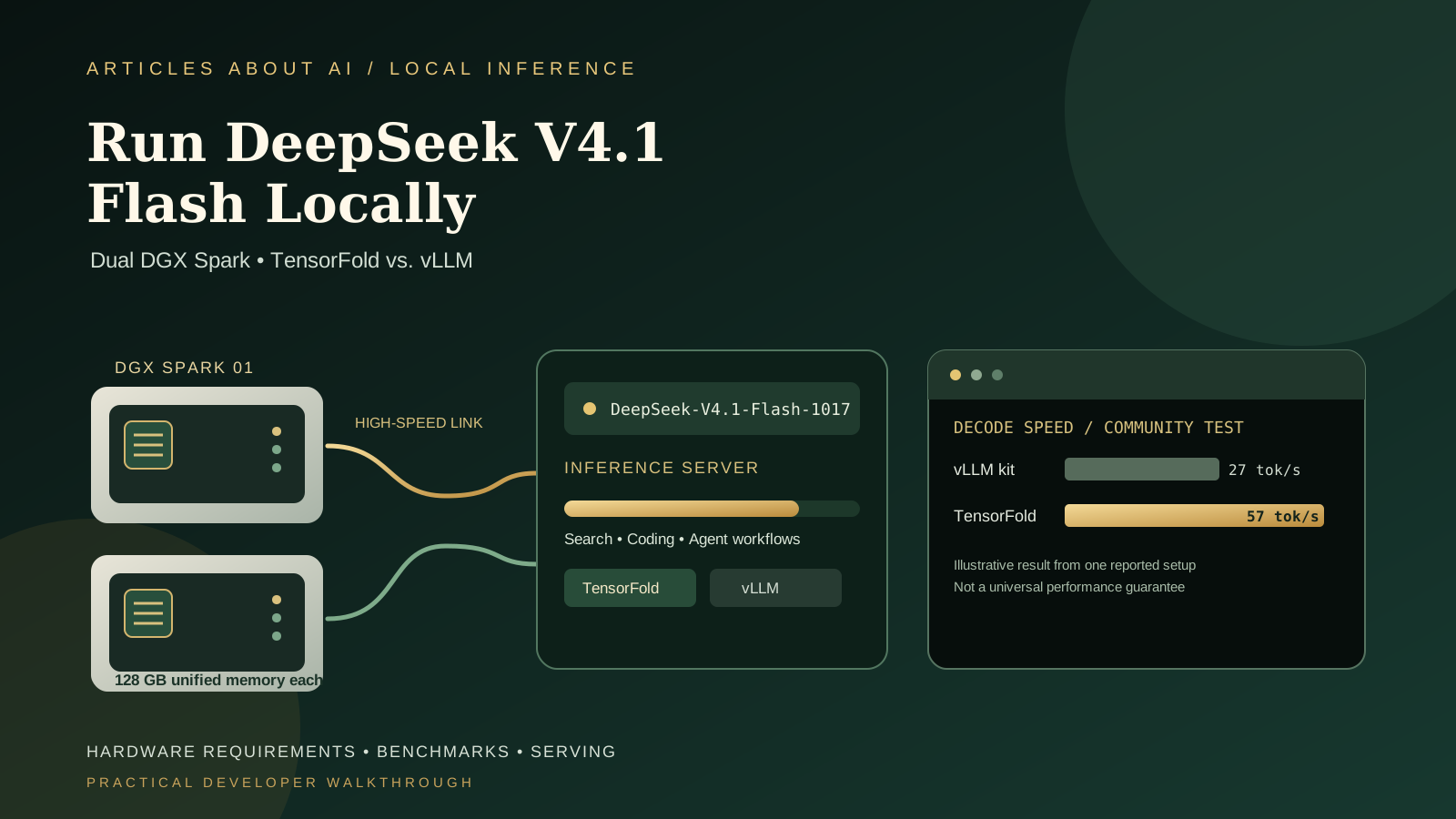
The reported results are promising, but they need careful interpretation. One community author measured roughly 57 generated tokens per second for prose and 92 tokens per second for code on a particular pair of DGX Spark machines using an EXL3 2.9-bits-per-weight quantization. Those figures are not official DeepSeek benchmarks, and they are not a guarantee for other hardware, quantizations, prompts, or software versions.
This guide explains the requirements, how to approach the published recipe, how to compare TensorFold and vLLM fairly, and what to verify before exposing a local model to applications. It is intended for developers and technically experienced users who already have access to the hardware. It is not a low-cost way to run DeepSeek on an ordinary laptop.
What changed in DeepSeek V4.1-Flash-1017?
DeepSeek published the V4.1-Flash-1017 checkpoint on October 17, 2026. The model repository and current vLLM recipe identify it as a new weight update, while retaining the same overall architecture and tokenizer configuration as the September launch checkpoint. The official model repository is the starting point for checking the model identifier and current files.
The practical distinction is important: a new checkpoint does not necessarily require a completely different serving command, but it does mean you should verify that the weights, tokenizer, model configuration, and serving engine match. The vLLM recipe page currently marks the 1017 checkpoint as the recommended FP8 variant and notes that its own verified hardware measurements were taken on the earlier 0909 checkpoint, not rerun on 1017. Do not present those older measurements as a direct benchmark of the new weights.
The local setup covered here uses a different route: a community-produced EXL3 2.9bpw quantized version of the 1017 model and a TensorFold engine fork adapted for two DGX Spark systems. Quantization reduces the memory footprint compared with the full-precision or FP8 release, but it also changes the model representation. Results from a quantized checkpoint should not be treated as identical to results from the original official weights.
Who should use this setup?
This workflow is for developers who need to serve a large model on their own hardware for experimentation, coding assistance, agent workloads, or controlled internal applications. It may be relevant when you want more control over where prompts are processed, need a local OpenAI-compatible endpoint, or want to evaluate inference performance without sending every prompt to a hosted API.
It is not a beginner desktop installation. The reported recipe requires two NVIDIA DGX Spark systems, suitable high-speed interconnect hardware and cabling, Linux/DGX software, enough local storage for model files and caches, and familiarity with containers, Python environments, GPU inference, and networking. NVIDIA lists 128 GB of unified system memory for a DGX Spark, but that does not mean the full unquantized DeepSeek checkpoint fits in one machine. The community recipe distributes a quantized model across the pair.
Before buying hardware, compare the total cost of two systems, networking, storage, power, and maintenance with the cost of using a hosted model API. Local serving can improve control and predictability for some workloads, but it is not automatically cheaper or faster in every scenario.
If you are still comparing local and hosted AI workflows, our guides to controlling AI agent API budgets and rate limits and evaluating AI agent reliability cover the operational trade-offs beyond raw generation speed.
Understand the two inference options
TensorFold community recipe
The recipe published by the community uses a TensorFold fork and an EXL3 2.9bpw quantized checkpoint, distributed across two DGX Spark systems. Its author reports optimizations for multi-node inference, longer context handling, and agent-facing capabilities such as structured output and tool calling. The exact setup depends on a specific set of model files, scripts, engine revisions, container images, and host configuration.
Read the full TensorFold dual-DGX-Spark repository before running anything. It includes setup scripts, benchmark results, test records, and version details. Do not copy only one launch command from a forum post and assume the rest of the environment will match.
vLLM
vLLM is a widely used inference and serving engine with an OpenAI-compatible API option. The community comparison uses a vLLM kit as its baseline, while the official DeepSeek V4.1-Flash vLLM recipe documents checkpoint variants and model-specific settings.
A standard vLLM setup can be a better fit if you prefer a more conventional serving stack or need to integrate with existing vLLM operations. The TensorFold route may be attractive when its specific optimizations provide benefits on your hardware. Neither engine is universally faster across every prompt length, concurrency level, output type, or quantization.
Before you install anything
Complete these checks before running scripts from a community repository.
- Confirm the exact hardware. Verify that both DGX Spark systems are supported by the recipe, have working drivers, and can communicate over the intended high-speed link.
- Check available storage. Quantized model shards, temporary downloads, caches, container images, logs, and benchmark outputs can consume substantial disk space.
- Record software versions. Capture the operating system, NVIDIA driver, CUDA/container stack, engine revision, Python version, and model-file revision.
- Inspect the model source. Confirm that the EXL3 checkpoint is the intended 1017 variant, not an older model or a similarly named file.
- Review licenses. Check the license for the original model and the specific quantized weights and code you plan to use. Do not assume every derivative inherits identical terms.
- Protect the network. Keep a test endpoint bound to a private interface or protected network until authentication, firewall rules, and access controls are configured.
The community repository records exact revisions and test information. Use those details to reproduce the published environment instead of mixing the latest versions of unrelated dependencies. A version change can alter memory use, kernels, communication behavior, tool calling, or benchmark results.
Step 1: Review and pin the community recipe
Open the TensorFold setup repository and read its README and setup documentation from top to bottom. Identify the expected model checkpoint, quantization, container image, engine revision, network configuration, and startup scripts. Check the repository’s known limitations and open issues before running it.
For reproducibility, pin a known commit rather than tracking a moving branch indefinitely. Keep a record of the commit SHA and the hashes or published provenance of the model files. The repository provides verification scripts and saved run results; review what each script does before granting it access to your system. Do not run an unfamiliar shell script as root simply because it appears in a benchmark recipe.
Download model files only from the intended source. A similarly named quantized checkpoint can use different settings or provenance. The recipe’s author lists the EXL3 2.9bpw weights and the corresponding Engram files used in the test. Make sure the model and auxiliary files match the revision documented by the recipe.
Step 2: Prepare the two systems and network
The reported setup uses two DGX Spark systems with tensor parallelism across the high-speed link. Both machines must have compatible software environments, access to the required files, and a network configuration matching the recipe. A cable being connected does not prove that the intended transport or GPU communication path is active; use the repository’s validation and post-check procedures.
Before loading a model, check basic health: available memory, free storage, driver status, network connectivity, and whether the container runtime works on both machines. Save the results. If a setup fails, this baseline helps separate hardware and network problems from model-loading or engine problems.
Avoid exposing the inference port to the public internet while testing. Start on a trusted local network, use firewall rules, and add authentication before other machines or users can submit requests. Prompts may contain source code, internal documents, or other sensitive material, so local inference still needs access controls and logging discipline.
Step 3: Download and verify the quantized checkpoint
The official DeepSeek repository contains the published model checkpoint, while the community setup points to its specific EXL3 quantized weights and associated files. These are not interchangeable artifacts. The quantized package is chosen to make the model practical on the two-system configuration; it should be treated as a separate model build with its own provenance.
Use the exact download and verification steps from the recipe. Confirm that all expected shards are present, that downloads completed successfully, and that checksums or other provenance checks pass where provided. Do not start a long initialization process with missing or partially downloaded files.
Record the quantization label alongside every benchmark. The 2.9bpw label refers to bits per weight in the quantized representation; it is not a promise that total runtime memory equals the simple weight count multiplied by 2.9 bits. Runtime memory also depends on model metadata, caches, context length, temporary buffers, and the engine.
Step 4: Start the inference server using the documented scripts
Follow the repository’s current setup instructions for building or selecting the TensorFold environment, configuring both hosts, and launching the model. The README includes scripts for starting, stopping, checking status, and verifying the deployment. Use the matching scripts and configuration for the pinned revision instead of combining commands from different revisions.
Watch the logs on both systems during initialization. Confirm that each process sees the expected device, that the distributed workers connect, that model shards load, and that the server reaches a ready state. A process that remains alive is not necessarily a functioning inference server; it must return valid responses to test requests.
If the setup fails, stop and collect the relevant logs before changing multiple variables. Check the exact model path, file permissions, network configuration, container image, engine revision, and available memory. Change one factor at a time so the next result is interpretable.
For a standard vLLM comparison, use the official vLLM model recipe and the community repository’s documented baseline. Do not assume that the same launch flags work across TensorFold and vLLM. Model-specific tokenizer handling, quantization support, context limits, and tool-call formats can differ.
Step 5: Test the local endpoint before connecting an agent
Once the server reports ready, send a short, harmless test prompt from a trusted machine. Verify the HTTP status, response body, selected model identifier, and that the returned text is complete. Then test a small code-generation prompt and a structured-output request if those features are part of your intended workload.
The community recipe includes agent-related changes and tests, but those capabilities depend on the exact engine and prompt format. Confirm that tool calls, JSON schema constraints, and other required features work in your pinned revision. A server that generates plain text successfully may still fail on structured output or tool calling.
If your application expects an OpenAI-compatible API, verify the exact endpoints and request format exposed by the server. Do not copy a client configuration from another engine without checking whether the local server supports the same fields. Keep the first tests small and avoid using private repository contents or production credentials until the service has passed basic validation.
For related API development, see our Gemini API setup guide for a separate example of credentials, request handling, and safeguards. The model and API differ, but the same principle applies: verify the actual response before relying on it.
Step 6: Understand the reported TensorFold vs. vLLM results
The October 18 community report compares the TensorFold recipe and a vLLM kit on one pair of DGX Spark systems. The author reports the following single-request decode results:
| Test reported by the author | vLLM kit | TensorFold recipe |
|---|---|---|
| Prose decode | 27.0 tokens/s | 56.8 tokens/s |
| Code decode | 39.9 tokens/s | 92.2 tokens/s |
| 64K needle test elapsed time | 80.4 seconds | 35.9 seconds |
The author describes these results as roughly 2.1× faster for prose decode, 2.3× faster for code decode, and 2.2× faster for the reported 64K needle test. These are community measurements from one configuration, not an independent lab result or a guarantee of typical performance.
The benchmark README contains additional data for prefill, concurrency, longer prompts, cache behavior, and version details. Read the methodology before comparing headline numbers. Decode throughput measures generated tokens per second; prefill measures prompt processing. Time to first token, total latency, and aggregate throughput are different metrics.
The comparison is also tied to a particular quantized checkpoint, engine build, and machine pair. If you use a different quantization, driver, software revision, prompt, context length, or concurrency setting, your results can differ substantially. Report your configuration with any result you publish.
Step 7: Reproduce the benchmark fairly
To check whether the performance difference applies to your workload, run a repeatable test suite rather than relying on one prompt.
- Use the same hardware pair and equivalent network settings for both engines.
- Record the exact checkpoint and quantization, including revision or checksum.
- Use identical prompts and generation limits.
- Separate cold runs from runs that benefit from prefix or prompt caching.
- Measure prefill, time to first token, decode speed, end-to-end latency, and aggregate throughput separately.
- Test at multiple concurrency levels, including one request at a time and realistic parallel requests.
- Repeat each test several times and report medians and variation.
- Check output correctness and formatting as well as speed.
- Monitor memory, temperatures, power, and errors during the test.
Do not compare a warm-cache result from one engine with a cold-cache result from another. Likewise, a benchmark with a short prompt cannot establish performance on a 64K or 1M-token context. For agent applications, measure tool-call reliability and structured-output validity as well as tokens per second.
A faster decode number may not make an entire workflow faster if prompt ingestion, tool execution, network communication, or retrieval dominates the time. Use measurements from the tasks you actually need to run.
Step 8: Connect an AI agent safely
After the endpoint is stable, you can connect a compatible client or an internal agent that uses the local model for code review, research, or controlled automation. Begin with read-only tasks and a small set of tools. Require explicit confirmation before the agent edits files, executes commands, sends messages, or performs other consequential actions.
Treat retrieved web pages, repository files, and tool outputs as untrusted input. A prompt-injection string inside a document must not override the agent’s application-level rules. Keep secrets out of prompts and logs, limit tool permissions, and validate generated commands before execution. Local hosting changes where inference runs; it does not eliminate model mistakes, prompt injection, or application security risks.
Set operational limits even when the model runs on hardware you own. Bound request duration, concurrency, context size, and retries. Monitor memory pressure and service health, and provide a way to stop runaway jobs. Our guide to AI agent API budgets and rate limits explains how to prevent repeated calls from consuming unexpected resources.
Common problems and troubleshooting
The model does not load
Check that all shards and auxiliary files are present, the selected quantization matches the engine, and the model path is correct on every worker that needs it. Review the exact engine revision and container image from the recipe. Avoid mixing files from the official FP8 checkpoint and a community EXL3 package unless the recipe explicitly requires both.
The two machines do not communicate
Confirm the network interface, cable, address configuration, and host reachability. Then run the recipe’s own communication and health checks. Do not assume that a normal ping proves the GPU collective or high-speed transport is operating as expected.
The server starts but returns invalid output
Check the tokenizer and chat-template handling, request format, and engine revision. The official vLLM recipe notes model-specific tokenizer behavior. Tool calls and constrained output may require additional changes included in the community TensorFold branch, so test those functions separately from plain text generation.
Performance is below the published numbers
Verify that you are using the same model files, quantization, context length, prompt, cache state, concurrency, and engine revision. Check for memory pressure, thermal throttling, background tasks, and network fallbacks. Compare repeated runs rather than one sample, and report your own measurements with their configuration.
A long prompt is slow
Long-context requests require prompt ingestion and memory for the context cache. Separate prefill time from decode time, and test with and without prefix-cache hits. A maximum context length advertised by a setup does not mean every request at that length will be fast or fit under every concurrency level.
Frequently asked questions
Can I run this exact setup on a normal laptop?
No. The recipe described here is for two NVIDIA DGX Spark systems connected and configured for distributed inference. Other hardware may support different DeepSeek variants or quantizations, but the commands and reported performance cannot be transferred directly.
Is TensorFold always faster than vLLM?
No. The published comparison is specific to one community setup, quantization, engine revision, and test workload. Another version or workload may produce a different result. Benchmark the same tasks on your own configuration before choosing an engine.
Are the reported speed figures official DeepSeek results?
No. The figures in this guide come from a community repository and a report posted on the NVIDIA Developer Forums. They should be labeled as community-reported measurements. DeepSeek’s model release and the community benchmark are separate sources.
Does the quantized checkpoint have the same behavior as the official model?
Not necessarily. Quantization changes the numerical representation and can affect quality, speed, and memory requirements. Evaluate the exact quantized model on your tasks before using it for important work.
Is local inference automatically private?
It can reduce the need to send prompts to a hosted inference provider, but privacy still depends on your network, server configuration, logs, access controls, and other tools connected to the model. Protect the endpoint and review where prompts and outputs are stored.
Sources and further reading
- Official DeepSeek V4.1-Flash-1017 model repository
- Official vLLM DeepSeek V4.1-Flash recipe
- TensorFold dual-DGX-Spark community repository and benchmarks
- NVIDIA Developer Forum: community benchmark report
- Hugging Face quantized model card
For more AI infrastructure guidance, continue with our articles on controlling AI agent API usage, evaluating AI agent reliability, and using Gemini 4 Argon through an API.
Conclusion
Running DeepSeek V4.1-Flash-1017 locally across two DGX Spark systems is a specialized infrastructure project, not a one-command desktop install. The community TensorFold recipe reports meaningful speed improvements over its vLLM baseline for selected tests, but those results depend on the precise quantized checkpoint, hardware, software versions, and benchmark methodology.
If you already own the hardware, pin the recipe, verify every model file, test the server before connecting an agent, and benchmark your own workload. If you do not have the hardware, use the official model documentation and compare the cost and complexity of local infrastructure with an appropriate hosted API before investing.