
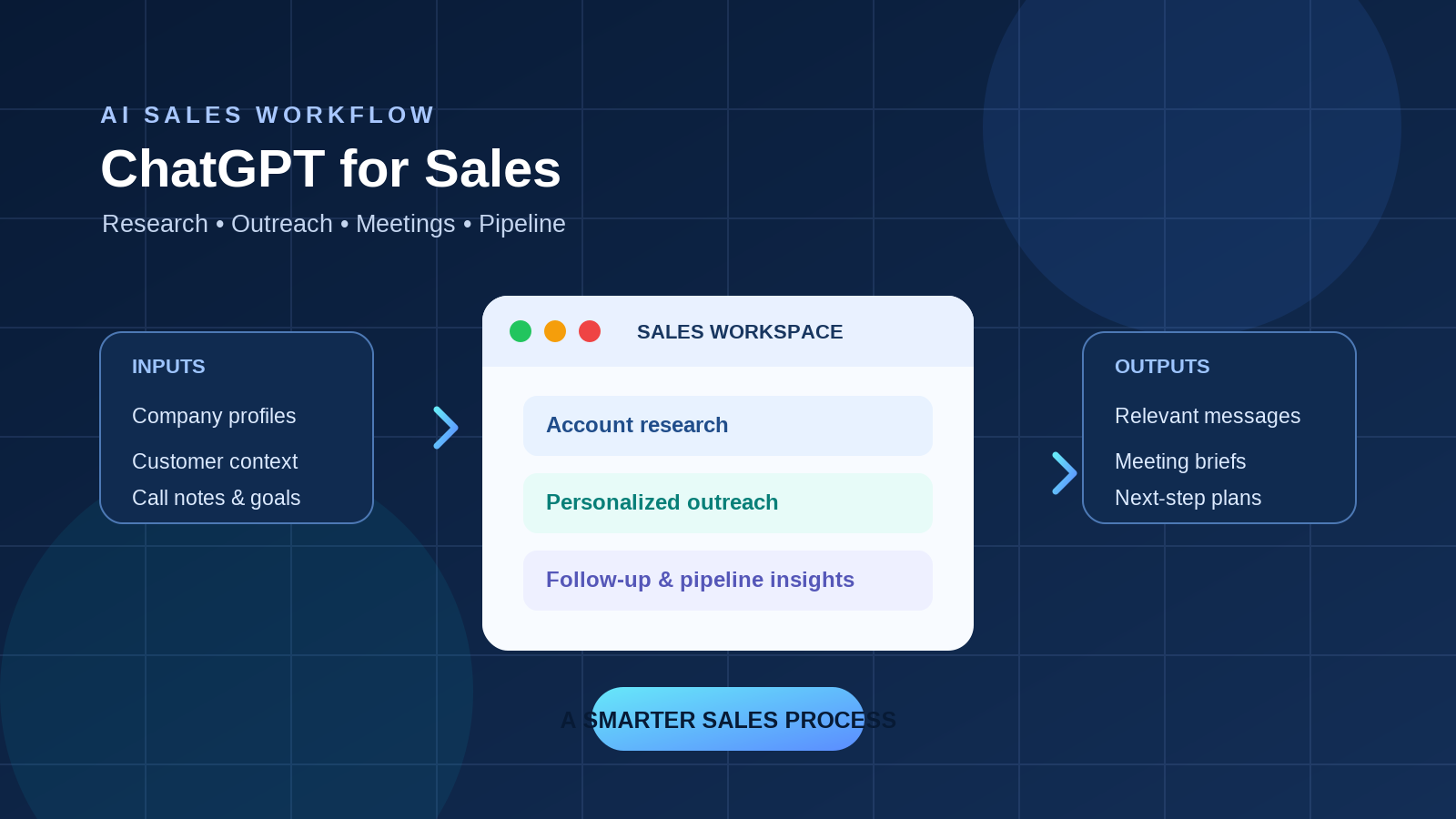
Sales teams rarely work from a single source of information. A prospect’s company background may be in a research tool, previous conversations in meeting notes, deal stages in a CRM, product material in an internal knowledge base, and follow-up commitments in email or chat. Pulling those details together takes time—and gaps in the information can lead to generic outreach, poorly prepared meetings, or opportunities that lose momentum.
ChatGPT for Sales is designed to bring more of that work into ChatGPT. OpenAI introduced the Sales experience on November 17, 2026, with a dedicated Sales plugin and more than 30 new and expanded partner plugins. The experience is intended to help sales professionals research accounts, prepare for customer conversations, tailor proposals, capture next steps, and understand what is happening across a sales pipeline.
This guide explains what ChatGPT for Sales actually includes, how to install it, how to connect a CRM and other sales tools, and how to build practical workflows for prospecting, outreach, meeting preparation, follow-ups, and pipeline review. It also covers limitations, privacy considerations, and prompts you can adapt to your own sales process.
What Is ChatGPT for Sales?
ChatGPT for Sales is a sales-focused plugin experience within ChatGPT. The first-party Sales plugin provides dedicated skills and workflows for common sales activities, while partner plugins connect ChatGPT to external tools that a sales team may already use.
The distinction matters: the Sales plugin is not itself a CRM, a prospect database, or a replacement for a sales engagement platform. It helps coordinate work using available context from connected applications and information supplied in the conversation. The partner integrations are what make customer records, meeting information, prospect signals, documents, and other business context available when their connections and permissions are configured.
OpenAI describes the Sales experience as covering the sales process from identifying the right accounts to following through on customer commitments. Its examples include account research, meeting briefs, tailored presentations, follow-up messages, CRM updates, and pipeline risk reviews.
What can the Sales plugin help with?
Depending on the connected tools, their permissions, and the skills available in your workspace, ChatGPT for Sales can help with tasks such as:
- Account research: Combine CRM history and prospect research to prepare an account overview.
- Lead and account prioritization: Compare potential buyers against your team’s target criteria and identify missing information.
- Meeting preparation: Summarize previous interactions, open opportunities, customer priorities, and questions to resolve.
- Personalized outreach: Draft messages using relevant company context and a specific reason to contact the prospect.
- Call follow-up: Turn meeting notes or transcripts into a customer-facing email and an internal action list.
- Proposal preparation: Organize buyer needs and supporting product information into a tailored presentation or business case.
- Pipeline analysis: Identify stalled opportunities, risks, blockers, and next actions from available deal information.
- Quote and agreement preparation: Work with supported document and contract tools when the relevant integrations are available.
These capabilities do not mean every action is automatic. Access to each connected service, its subscription, and the exact actions it permits still matter. Review any suggested email, CRM change, quote, or customer commitment before it is sent or saved.
ChatGPT for Sales: Supported CRM and Partner Integrations
OpenAI’s launch announcement names more than 30 new and enhanced partner plugins across the sales workflow. The tools span several categories rather than focusing on one CRM provider.
| Sales task | Examples named by OpenAI |
|---|---|
| CRM and account management | Salesforce, HubSpot, Close CRM, monday CRM, Attio |
| Prospect research and account signals | Apollo, Clay, Common Room, ZoomInfo |
| Sales engagement | Outreach, Salesloft |
| Meetings and conversation intelligence | Gong, Otter.ai, Granola, Meetings plugin in ChatGPT |
| Internal knowledge and sales enablement | Confluence, Guru, Seismic |
| Presentations and sales content | Gamma, Figma, Canva, ChatGPT Slides |
| Pipeline analysis and reporting | Data plugin in ChatGPT, Hex, Backstory |
| Quotes, contracts, and agreements | DocuSign, Ironclad, PandaDoc, ServiceNow CPQ |
This is a set of examples from the announcement, not a guarantee that every tool is available to every account. Partner availability and supported actions can vary by plan, region, workspace settings, and the provider’s own requirements.
A useful starting point is to connect just one system—usually the CRM your team already treats as its source of truth. Add meeting notes or prospecting tools only when they answer a clear question that the CRM cannot answer by itself.
How to Set Up ChatGPT for Sales
The setup has two sides: enabling the Sales plugin in ChatGPT and authorizing the external applications you want it to use. Installing the plugin does not automatically connect every CRM account.
Step 1: Open the Sales plugin listing
Sign in to the ChatGPT account or workspace you intend to use for sales work. Open the Sales plugin listing and select Install plugin if it is not already installed.
You can open the official listing here:
Install the ChatGPT Sales plugin
Check the listing for the supported ChatGPT clients and the tools included in the plugin. The available interface can differ between web, desktop, and mobile.
Step 2: Choose the partner tools you need
In the Sales plugin listing, look at the Works with section. Choose the partner integrations that fit your actual sales workflow.
For a straightforward first setup, choose one CRM, such as HubSpot or Salesforce, rather than enabling a large group of integrations immediately. This makes it easier to test what information ChatGPT can access and what actions are allowed.
Step 3: Connect your business account
When an integration requires authorization:
- Select the relevant partner application.
- Choose Connect when prompted.
- Sign in to the business account you intend to use.
- Review the requested access and permissions.
- Complete any approval required by your application administrator.
Some connections may be managed by a workspace administrator or may not require an individual sign-in. You may also need an active subscription or appropriate permissions with the external provider. Installing Sales does not include paid subscriptions to CRM or prospecting services.
Step 4: Start a conversation using Sales
After installation, open a ChatGPT conversation and invoke the Sales plugin. You can address it with @Sales and select the Sales experience when it appears.
For example:
@Sales, help me prepare for a meeting with [Company Name]. Use the connected CRM information to summarize the account history, open opportunities, recent interactions, and agreed next steps. Link to the source records and list three questions I should ask. Clearly identify anything that is missing or uncertain.
This is a useful first test because it checks whether the connection can retrieve relevant account context without asking ChatGPT to change a customer record or contact anyone.
Step 5: Check the sources before using the result
Open the CRM records and confirm that the summary reflects the actual data. Check account names, deal stages, dates, owners, customer commitments, and the links to source records.
A connected application can provide context, but a successful connection does not prove that every requested action is supported. Ask for missing information to be identified rather than filled in with guesses.
How to Use ChatGPT for Sales: Six Practical Workflows
The most useful way to adopt an AI sales assistant is to connect it to specific stages of the sales process. The following workflows show where ChatGPT can help and what a well-scoped prompt should request.
1. Research prospects and prioritize target accounts
Prospecting is more effective when the team has a clear reason to approach a company. Instead of asking ChatGPT to produce a generic list of leads, give it your ideal customer profile and the criteria used to qualify an account.
Useful criteria may include:
- Industry and business model.
- Company size or operating scale.
- Geographic market.
- Relevant products, services, or technology.
- Evidence of a business need your product can address.
- Recent company developments that may create a buying opportunity.
- Existing relationship history in your CRM.
Example prompt:
@Sales, review the companies in my connected CRM and prioritize the accounts that best match this ideal customer profile: [describe the profile]. For each account, show the evidence supporting its fit, the likely business need, the relevant decision-makers if available, missing information, and one specific reason to make contact. Do not invent contact details or buying intent. Rank the accounts using the criteria I provided.
The result should be a prioritized research brief, not an unquestioned lead score. Verify company information and any signals that could have changed since they were recorded.
2. Prepare personalized sales outreach
Personalization should explain why a particular prospect is relevant—not simply insert a company name into a generic cold email.
Use verified details from the prospect’s public information and the context available in your CRM. Then ask ChatGPT to create a message that connects a real business issue to a specific benefit of your product.
Example prompt:
@Sales, draft a concise first-contact email to [prospect name], [job title] at [company]. Use only the verified company context below and the product information I supplied. Explain one relevant business problem we may be able to help with, state why I am contacting this person, and suggest a low-pressure next step. Do not invent a previous relationship, customer result, statistic, or claim about the prospect.
Ask for two or three variations with different openings, then choose the one that best fits the recipient and your company’s communication style.
Before sending, verify names, job titles, company facts, claims, links, and any personalization that could appear intrusive or inaccurate. AI-generated outreach is still your responsibility.
3. Prepare for sales meetings
A meeting brief should help a representative understand the customer before the call, not overwhelm them with every CRM field.
Ask ChatGPT to organize the available information into a short document containing:
- Company overview and account context.
- Key contacts and their roles.
- Previous conversations and unresolved questions.
- Active opportunities and current deal stages.
- Customer priorities and stated requirements.
- Potential objections or blockers.
- Three to five useful discovery questions.
- A clear meeting objective.
Example prompt:
@Sales, prepare a one-page meeting brief for my upcoming meeting with [Company]. Use the CRM, previous meeting notes, and connected account information available to you. Include the account overview, important stakeholders, open deals, customer priorities, unresolved questions, possible objections, and five discovery questions. Link to the original records and label any information that is missing or outdated.
This workflow is especially useful for account executives handling several opportunities at once. It can reduce the time spent switching between records, while leaving the representative responsible for understanding the customer and deciding how to conduct the meeting.
4. Turn sales calls into follow-up actions
A customer call often ends with multiple commitments: a document to send, a technical question to answer, a second meeting to schedule, or an internal task assigned to a colleague.
ChatGPT can help convert notes or a supported transcript into a structured record of what was agreed.
Example prompt:
@Sales, analyze these meeting notes and prepare two outputs. First, write a concise customer-facing follow-up email that confirms the discussion and the agreed next steps. Second, create an internal action list with the task, owner, deadline, and supporting sentence from the notes. Separate confirmed commitments from suggestions. Do not create deadlines or promises that were not agreed during the call.
The customer-facing message should be checked against the original notes before sending. In particular, confirm product capabilities, delivery dates, pricing, responsibilities, and any statements that could be interpreted as contractual commitments.
5. Analyze the sales pipeline and identify deals at risk
Sales managers need to know which opportunities require attention and why. A pipeline review should look beyond the total value of open deals.
Depending on the connected records, ChatGPT can help examine:
- Opportunities with no recent activity.
- Deals that have remained in one stage for an unusually long time.
- Missing decision-makers or unclear buying processes.
- Customer objections that have not been addressed.
- Commitments without a named owner or deadline.
- Forecast notes that conflict with the latest interactions.
- Opportunities whose next action is not defined.
Example prompt:
@Sales, review my open opportunities for this month. Identify the deals most at risk and explain the evidence for each risk. Consider recent activity, stage changes, customer commitments, unresolved objections, and missing next steps. Rank the opportunities by urgency, include links to the source records, and recommend one action for each. Do not change the CRM or contact customers.
The goal is to make the review more evidence-based. A quiet opportunity is not automatically lost, and a large deal is not automatically healthy. The representative should validate the reason behind each warning.
6. Build account plans and customer presentations
For strategic accounts, ChatGPT can help organize customer goals, stakeholders, open opportunities, business risks, proof points, and proposed actions into an account plan.
It can also help prepare a presentation using tools such as Gamma, Canva, or other supported integrations named in OpenAI’s announcement.
Example prompt:
@Sales, create a strategic account plan for [Company]. Use the available CRM records and the documents I provide. Include customer objectives, stakeholders, current opportunities, known challenges, our relevant capabilities, competitive considerations supported by evidence, risks, and recommended next actions. Separate verified facts from assumptions. Then create a presentation outline for an internal account review.
A strong account plan should make the reasoning visible. Every important customer claim should be traceable to a source, and unsupported assumptions should be marked for validation.
Practical ChatGPT Sales Prompts You Can Reuse
The prompts below are designed as starting points. Replace the bracketed details with your own information and adjust the instructions to match your sales process.
Prospect research prompt
@Sales, research [Company] as a potential customer for [Product or Service]. Summarize its business, relevant public developments, possible needs that match our offering, likely stakeholders, and questions to validate. Use connected sources where available, cite the source records, and distinguish evidence from inference.
Lead qualification prompt
@Sales, assess [Lead or Account] against our qualification criteria: [criteria]. Show which requirements are met, which are not met, and which cannot be verified. Do not assign a positive score when evidence is missing. Recommend the next question our representative should ask.
Cold email prompt
@Sales, write a personalized cold email to [Name], [Role], at [Company]. The business context is [verified context]. Our offering helps with [specific problem]. Keep the email concise, relevant, and professional. Do not invent familiarity, results, statistics, or urgency.
Meeting preparation prompt
@Sales, prepare a meeting brief for [Company] using the available account history and previous call notes. Include the objective, stakeholder context, open opportunities, customer questions, unresolved issues, and five discovery questions. Link to the source records.
Call summary prompt
@Sales, convert these notes into a structured call summary. Include customer goals, pain points, objections, decisions, agreed commitments, owners, and deadlines. Mark missing information and do not create commitments that are not present in the notes.
Pipeline review prompt
@Sales, analyze my current pipeline and identify opportunities that need attention. Explain each risk using specific CRM evidence, note stale or missing information, and recommend the next action. Do not update records or send messages.
Follow-up prompt
@Sales, draft a follow-up email based on the meeting notes below. Restate only the confirmed discussion points and agreed next steps. Keep the tone professional and helpful. Provide a separate internal list of tasks, owners, and deadlines for review.
Weekly sales report prompt
@Sales, prepare a weekly sales summary from the connected pipeline data. Include new opportunities, stage changes, closed-won and closed-lost deals, stalled opportunities, forecast changes, and the most important next actions. Compare with the previous period only where the data is available. Link to source records and flag gaps.
ChatGPT for Sales vs. Using Regular ChatGPT for Sales Tasks
Sales professionals could already use regular ChatGPT to draft emails, summarize notes, brainstorm discovery questions, and analyze uploaded spreadsheets. The new Sales experience adds a more structured route for sales work by combining dedicated sales skills with connected partner applications.
| Capability | Regular ChatGPT | ChatGPT for Sales |
|---|---|---|
| Draft sales emails | Yes, from supplied context | Yes, with sales-focused workflows |
| Create discovery questions | Yes | Yes |
| Summarize pasted call notes | Yes | Yes |
| Research public company information | Depends on available tools | Can combine web research with connected sales context |
| Retrieve CRM context | Requires an available connection or supplied data | Designed to work with supported CRM partner plugins |
| Prepare account and meeting briefs | Can do this with provided information | Includes dedicated Sales workflows |
| Review pipeline information | Can analyze supplied data | Can use available connected sales records |
| Update external records | Depends on connected tools and permissions | Depends on the partner app’s supported actions and permissions |
The practical difference is context and workflow integration. Regular ChatGPT can be useful when you provide the relevant information yourself. ChatGPT for Sales is more valuable when the team has configured the right applications and wants repeatable workflows that use the existing sales context.
Neither approach removes the need for a clean CRM, reliable customer records, or human review.
Availability, Plans, and Workspace Requirements
OpenAI’s current Sales setup guide describes the Sales plugin as available across ChatGPT plans, including Free. However, this does not mean that all partner integrations, enterprise controls, or external services are included in every plan.
Three separate requirements should be checked:
- Sales plugin availability: Confirm that the Sales listing appears in the ChatGPT account and client you use.
- Partner integration availability: Check whether the CRM or other application you need is supported for your plan, region, and workspace.
- Provider authorization: Confirm that your external account has the required subscription, permissions, and administrator approval.
For ChatGPT Business and Enterprise, workspace administrators can manage Sales and partner plugin availability through the Admin Console under Plugins. They can make a plugin available for members to install or install it for the workspace by default. Administrators must also review access to each required external app and the actions members are allowed to use.
A default workspace installation does not finish each seller’s individual account authorization. Users may still need to connect their own accounts and approve the requested permissions.
Check the official Getting started with ChatGPT for Sales guide for the current instructions and availability details.
Common ChatGPT for Sales Setup Problems
The Sales plugin does not appear
Check that you are signed into the intended ChatGPT account or workspace. Open the plugin directory and search for Sales. If you are using a managed workspace, ask the administrator to confirm that the plugin is available to your role.
The CRM connection fails
Confirm that you are signing in to the correct business account. Check whether the provider requires a paid subscription, an administrator approval, or additional permissions. If the integration uses a workspace-managed connection, follow your administrator’s instructions rather than repeatedly trying to connect a personal account.
ChatGPT can read records but cannot update them
Read access and write access are not necessarily the same. The external app may not support the requested action, or your account may not have permission to perform it. Check the app’s supported actions and permissions before assuming that the connection is broken.
The account brief contains incorrect details
Open the source CRM records and compare them with the brief. Check whether the information is outdated, incomplete, duplicated, or associated with a different account. Ask ChatGPT to identify the source of each important statement and label unsupported information as unknown.
A partner plugin is missing
Partner availability can vary by plan, region, workspace configuration, and the provider’s requirements. Check the partner listing and current OpenAI troubleshooting guidance. A plugin being mentioned in the launch announcement does not guarantee that it is enabled for every account.
For more troubleshooting guidance, see OpenAI’s Troubleshooting plugins and apps in ChatGPT.
Security, Privacy, and Responsible Use in Sales
Sales data can contain personal information, confidential customer details, commercial terms, negotiation history, and internal forecasts. Connecting a CRM or meeting platform to ChatGPT should therefore be treated as a business access decision, not merely a convenience setting.
Before enabling an integration:
- Confirm that your organization allows the relevant customer data to be used with the connected service.
- Review the permissions requested by the integration and grant only the access required for the workflow.
- Follow workspace policies for customer records, call transcripts, personal information, and confidential documents.
- Check which users can install or authorize applications in your workspace.
- Review proposed messages, record changes, quotes, and agreements before they are sent or saved.
- Avoid placing passwords, API keys, payment details, or unnecessary sensitive information in prompts.
A useful rule is to separate preparation from execution. Let ChatGPT prepare a follow-up draft or suggest a CRM update, but require a human to review it before the action affects a customer or the organization’s system of record.
OpenAI’s plugin and app troubleshooting guidance explains that app availability and actions depend on the relevant account, workspace, provider permissions, and supported features. Your company’s own security and data-handling policies should determine which connections are appropriate.
Is ChatGPT for Sales Worth Using?
ChatGPT for Sales is most useful for teams that already have a reasonably consistent sales process and customer information stored in tools that can be connected. In that environment, it can reduce repetitive information gathering, help representatives prepare more consistently, and make follow-up actions easier to organize.
It is less likely to solve the underlying problem when CRM records are unreliable, account ownership is unclear, sales stages are inconsistently defined, or the team has no agreed process for reviewing opportunities. AI can organize the information it can access, but it cannot make missing customer data reliable simply by producing a polished summary.
A sensible rollout is to begin with one workflow—such as preparing a meeting brief from a CRM—measure whether it saves time and improves preparation, then add outreach, call follow-up, or pipeline review after the team has checked the first workflow.
Frequently Asked Questions
Is ChatGPT for Sales a separate ChatGPT subscription?
OpenAI describes ChatGPT for Sales as a plugin experience within existing ChatGPT plans, rather than a separate standalone ChatGPT subscription. The Sales plugin is listed as available across plans, including Free. Partner services may require separate subscriptions or permissions.
Is ChatGPT for Sales available on the free plan?
OpenAI’s current getting-started guide says the Sales plugin is available on all ChatGPT plans globally, including Free. However, the availability of partner plugins and their features can depend on the plan, region, and workspace settings.
Can ChatGPT for Sales connect to Salesforce and HubSpot?
OpenAI names Salesforce and HubSpot among the CRM integrations for managing accounts and advancing deals. You still need to install the relevant partner plugin, connect an authorized business account, and confirm that the actions you need are supported.
Can ChatGPT for Sales write cold emails?
Yes. ChatGPT can help draft personalized outreach using verified prospect information and your product context. Review the message for accuracy, relevance, compliance, and tone before sending it.
Can ChatGPT for Sales update a CRM automatically?
Some connected applications support actions that can write or update records, but the exact capability depends on the integration and its permissions. Review any proposed changes and ensure that your workspace allows the action before approving it.
Can ChatGPT for Sales summarize customer meetings?
It can help turn available meeting notes or supported transcript data into summaries, customer follow-ups, and internal action lists. The quality depends on the source material and the connected meeting tools. Verify commitments and deadlines against the original conversation.
Does installing Sales automatically connect my CRM?
No. Installing the Sales plugin does not automatically connect every partner account. You must select the integrations you need and complete the required authorization, subscription, and permission steps.
Is ChatGPT for Sales suitable for small businesses?
It can be useful for small businesses that want help with account research, outreach, meeting preparation, and follow-ups. The value depends on whether their existing tools are supported and whether the required partner connections are available at a reasonable cost.
The Bottom Line
ChatGPT for Sales turns ChatGPT into a more focused workspace for sales activities by combining dedicated sales workflows with connections to CRM, prospecting, meeting, presentation, and contract tools. Its strongest potential is not in producing more generic sales content, but in helping representatives bring customer context together and turn it into better-prepared conversations and clearer next steps.
Start with one CRM connection and one repeatable workflow. Verify the source records, review every customer-facing message, and measure whether the process actually saves time or improves deal execution before expanding it across the team.
Official Sources and Further Reading
- OpenAI: Introducing ChatGPT for Sales — November 17, 2026
- OpenAI Help Center: Getting started with ChatGPT for Sales
- OpenAI: Sales plugin listing
- OpenAI Help Center: Troubleshooting plugins and apps in ChatGPT
- OpenAI Academy: ChatGPT for sales teams — Webinar Resource Guide