
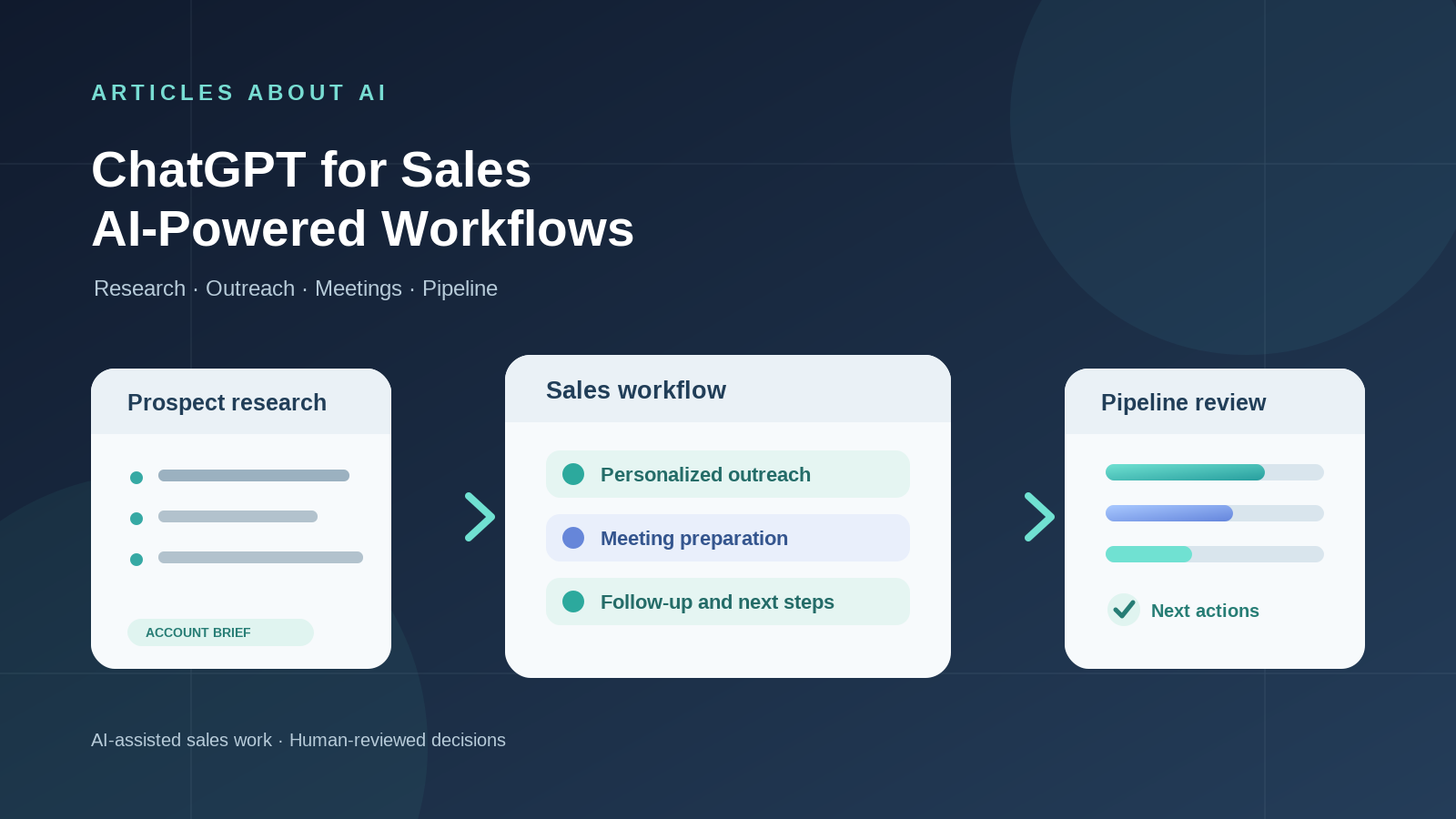
Sales teams spend a substantial amount of time researching prospects, preparing for meetings, writing follow-up messages, updating customer records, and reviewing opportunities. ChatGPT can help reduce this administrative work and turn scattered information into structured sales actions—provided the team supplies relevant context and reviews the results.
This guide explains how to use ChatGPT for sales throughout the customer lifecycle. It covers setup, prospecting, lead qualification, personalized outreach, meeting preparation, call summaries, proposals, CRM analysis, pipeline reviews, practical prompts, and safeguards for customer data.
What can ChatGPT do for sales?
ChatGPT can help sales professionals work with information, draft communication, analyze data, and organize next steps. Its usefulness depends on the information you provide and the tools or apps connected to your account.
Common sales workflows include:
- Prospecting and account research: Summarize a target company, its industry, likely priorities, and publicly available information.
- Lead qualification: Organize prospect details against your ideal customer profile and flag missing qualification information.
- Personalized outreach: Draft cold emails, LinkedIn messages, call openers, and follow-up sequences using relevant context.
- Meeting preparation: Create account briefs, agendas, discovery questions, and stakeholder summaries.
- Call and meeting follow-up: Turn notes or transcripts into recap emails, decisions, action items, and next steps.
- Proposal development: Help structure proposals, value propositions, business cases, and ROI explanations.
- Sales enablement: Create pitch outlines, product explanations, objection-handling practice, and role-play scenarios.
- Pipeline analysis: Analyze CRM exports or spreadsheets for stage conversion, stalled deals, missing fields, and trends.
- Account planning: Organize account goals, stakeholders, risks, opportunities, and a mutual action plan.
This guide focuses on practical workflows you can run with regular ChatGPT using prompts, context you provide, and files you upload. For the dedicated Sales plugin, CRM connections, and partner integrations, see our ChatGPT for Sales setup guide. ChatGPT is best treated as a sales copilot: it accelerates preparation and organization, while salespeople remain responsible for customer relationships, commercial decisions, accuracy, and commitments.
1. Prepare a reusable ChatGPT workspace for sales
Start by deciding what you want ChatGPT to help with. A solo sales representative may need outreach drafts and meeting preparation. A manager may focus on pipeline analysis, coaching, and forecasting. An account executive handling enterprise accounts may need research, stakeholder mapping, and account plans.
Define your sales context
Provide a reusable overview of your company and offer. Include:
- Product or service description
- Target customer and ideal customer profile (ICP)
- Industries, company sizes, and regions you serve
- Main customer problems your product solves
- Differentiators supported by evidence
- Pricing or packaging information you are permitted to share
- Sales stages and qualification criteria
- Preferred tone and communication style
- Claims, promises, or topics salespeople must not make
You can keep this context in a dedicated ChatGPT Project or provide it in the conversation. Projects are useful for ongoing work that needs shared instructions, files, and conversations. See our guide to How to Use ChatGPT Projects.
Use approved context, files, and workspace features
For prompt-based sales work, you can start without a dedicated sales integration. Provide the product information, ideal customer profile, qualification criteria, approved messaging, and relevant customer notes directly in the conversation. For recurring work, a ChatGPT Project can keep instructions and reference files together.
If your account supports apps or other connections, use only the integrations approved by your organization and review their permissions. They are optional for the workflows in this guide. The dedicated Sales plugin and its connected CRM or partner tools are covered separately in our ChatGPT for Sales setup guide.
2. Use ChatGPT for prospect and account research
Before contacting a prospect, research why the company might be a good fit. Use public sources and approved internal information. Avoid treating an AI-generated assumption as a verified buying signal.
Research a target account
Provide the company name, website, industry, and your product’s relevance. If web search is available, ask ChatGPT to identify sources and distinguish verified facts from hypotheses.
Prompt: Account research
Research [Company] for a sales conversation about [Product or Service].
Summarize:
- What the company does and its main customer segments
- Relevant products, services, or business priorities
- Publicly documented recent developments that could be relevant to our offer
- Potential problems our solution may help address
- Likely stakeholders or departments to investigate
- Three relevant discovery questions
- A specific, evidence-based reason to contact the company
Cite sources for factual claims. Separate verified information from hypotheses. Do not invent needs, budget, buying intent, or internal initiatives.
Use the research to prepare a thoughtful conversation, not to make unsupported claims about a prospect.
Build an account brief
For a high-value account, ask ChatGPT to organize information into a concise brief:
| Section | What to include |
|---|---|
| Company overview | Business model, industry, size, and relevant markets |
| Strategic context | Publicly documented priorities and developments |
| Potential fit | Problems your product may solve |
| Stakeholders | Known contacts and roles; potential roles to investigate |
| Current relationship | Existing conversations, commitments, and history you provide |
| Risks | Unknowns, competing priorities, or potential objections |
| Next action | A practical, evidence-supported step |
3. Qualify leads with a consistent framework
ChatGPT can help apply a qualification framework such as BANT—Budget, Authority, Need, and Timeline—or your organization’s own criteria. It should not manufacture answers where information is missing.
Upload or paste the prospect information, then use:
Prompt: Lead qualification
Evaluate this prospect using our qualification criteria: [Insert criteria]
Prospect information: [Insert approved notes]
Create a table with each criterion, supporting evidence, status (confirmed, unclear, or missing), and a follow-up question. Give an overall qualification assessment, but do not infer budget, authority, need, or timeline without evidence. Recommend the next discovery step.
The output can help sales representatives prepare questions and identify gaps. The salesperson should validate the assessment during discovery.
4. Write personalized sales outreach
ChatGPT can create first drafts of cold emails, warm introductions, LinkedIn messages, voicemail scripts, and follow-up sequences. Personalization is strongest when it uses a real, relevant fact rather than generic praise.
Draft a cold email
Prompt: Cold outreach
Write a concise cold email to [Name or role] at [Company].
Our product: [Description] Target customer problem: [Problem] Relevant, verified account context: [Context] Value proposition: [Value] Desired next step: [CTA]
Keep the email under 120 words. Use a natural, professional tone. Avoid exaggerated claims, generic compliments, fake familiarity, and unsupported statements. Provide three subject lines and one alternative version with a different angle.
Review the message for accuracy and relevance. A shorter email with a specific reason for contacting the prospect is often easier to evaluate than a long pitch.
Create a multi-touch sequence
Prompt: Outreach sequence
Create a five-touch outreach sequence for [target audience] about [offer].
Include:
- Initial email
- Follow-up with a useful insight
- Short message suitable for LinkedIn
- Follow-up addressing a likely objection
- Final polite close-the-loop message
Space the touches over [time period]. Give each message a distinct purpose. Keep the tone helpful and professional. Do not invent account-specific facts. Include a clear but low-pressure call to action.
Do not send a sequence automatically without checking the recipient, timing, legal requirements, opt-out rules, and company policy.
5. Prepare for sales meetings and discovery calls
Meeting preparation is one of the most useful ways to apply ChatGPT. Give it account context, previous notes, the meeting objective, and the information you want to learn.
Prompt: Meeting preparation
Prepare me for a sales meeting with [Company] and [Contact/Role].
Meeting objective: [Objective] Product or service: [Offer] Previous interaction: [Notes] Available account information: [Context]
Create:
- A one-page account briefing
- A concise meeting agenda
- Five discovery questions
- Three possible customer priorities, clearly labeled as hypotheses
- Potential objections and evidence-based responses
- Information I must confirm
- A recommended meeting outcome and next step
Do not invent customer facts or commitments.
If connected tools provide CRM history, emails, calendar events, or meeting notes, confirm that the retrieved information is relevant and current. Open the original records when a detail could affect the conversation.
6. Turn sales call notes into follow-up actions
After a call, paste notes or an approved transcript and ask ChatGPT to separate customer statements, decisions, commitments, open questions, and suggested actions.
Prompt: Sales call recap
Turn these sales meeting notes into a customer-ready recap and an internal sales summary.
Customer-ready recap:
- Thank the customer
- Summarize the topics discussed
- Capture decisions and agreed next steps
- List owners and dates only when explicitly stated
- Ask for clarification on unresolved questions
Internal summary:
- Customer priorities
- Pain points and success criteria
- Stakeholders mentioned
- Objections or risks
- Buying signals, with evidence
- Next actions and missing information
Do not turn tentative ideas into commitments. Flag any unclear owner, date, or decision.
For more on this workflow, see How to Use ChatGPT to Turn Meeting Notes into Action Items.
7. Handle objections and practice sales conversations
Use ChatGPT as a role-play partner to practice discovery, demos, negotiation, and objection handling. Tell it what kind of customer it should simulate and how difficult the scenario should be.
Prompt: Objection-handling practice
Role-play as a skeptical [buyer role] at a [company type]. I am selling [product].
Raise realistic objections about [price, implementation, security, switching costs, ROI, or competing solutions]. Ask one question at a time and do not make the objections easy.
After the role-play, evaluate my responses on clarity, listening, relevance, evidence, and next-step handling. Give specific suggestions and a stronger example response for the weakest answer.
This can help new representatives rehearse, but the suggested answers should be checked against approved product, pricing, security, and competitor information.
8. Draft proposals and business cases
ChatGPT can help structure a proposal from verified customer requirements and approved product information. It can outline the problem, proposed solution, implementation approach, value, risks, timeline, and next steps.
Prompt: Proposal outline
Create a proposal outline for [Customer] based on the requirements below.
Customer requirements: [Requirements] Our solution: [Verified product details] Scope: [Scope] Pricing: [Approved pricing] Timeline: [Confirmed or proposed timeline]
Structure the proposal with an executive summary, customer challenges, proposed solution, scope, implementation plan, success measures, assumptions, risks, pricing, and next steps.
Clearly label any proposed assumption. Do not invent performance guarantees, customer results, product capabilities, pricing, or contractual terms.
Have the appropriate commercial, technical, legal, or finance reviewer approve the proposal before it is sent.
9. Analyze sales data and CRM exports
If you can upload a CSV or spreadsheet, ChatGPT may help analyze sales performance, depending on the tools and capabilities available to your account. Start by asking it to inspect the data before calculating metrics.
Useful analyses include:
- Conversion rates between sales stages
- Average deal size by segment
- Sales cycle length
- Win and loss trends
- Pipeline value by stage or owner
- Stalled opportunities
- Missing CRM fields
- Activity and outcome patterns
- Revenue by product, region, or customer type
Prompt: Sales pipeline analysis
Analyze the attached sales pipeline export.
First, describe the columns, date range, number of records, missing values, and any data-quality issues.
Then calculate:
- Total pipeline value by stage
- Number and value of opportunities by stage
- Stage-to-stage conversion rates where the data supports them
- Average and median deal size
- Opportunities with no recent activity, using the activity dates provided
- Deals with missing next steps, owners, or expected close dates
Explain the calculations and assumptions. Do not treat missing values as zero unless the data definition supports that. Identify limitations and suggest three actions based on the findings.
Verify important calculations against the source data. A correlation between sales activity and revenue does not prove that one caused the other.
10. Prioritize opportunities and review pipeline risk
ChatGPT can help organize opportunities into a review list. Provide your criteria and source information, and ask it to explain why each deal is prioritized.
Prompt: Deal prioritization
Review these open opportunities and prioritize them for attention this week.
Consider:
- Customer engagement and recent activity
- Explicit next steps and deadlines
- Deal stage and expected close date
- Missing decision-maker or qualification information
- Identified risks and blockers
- Evidence of customer commitment
Rank the opportunities. For each, provide the evidence, what needs to be validated, the recommended next action, and why it should be prioritized. Do not invent urgency or buying signals. Mark stale or missing data.
Use the output as a review aid, not as an automatic forecast. Sales managers should validate the evidence and account for information that is not captured in the CRM.
11. Create reusable sales prompts and playbooks
Once a prompt works well, standardize it. A shared prompt library can help a sales team maintain consistency while still allowing representatives to personalize their work.
Examples of reusable templates:
- Account research brief
- Lead qualification checklist
- Cold email generator
- Discovery-call preparation
- Meeting recap and action extraction
- Objection-handling role-play
- Proposal outline
- Deal-risk review
- Weekly pipeline summary
- Renewal or expansion account plan
Keep the templates focused. Include the approved messaging, qualification criteria, and required output format, but do not put confidential customer data into a reusable template.
12. Measure whether ChatGPT improves your sales process
Adoption alone is not a business outcome. Measure the workflow before and after introducing AI, using comparable periods and clear definitions.
Potential metrics include:
| Metric | What it can indicate |
|---|---|
| Time spent on account research | Whether preparation is becoming more efficient |
| Time to draft outreach | Whether first-draft work is faster |
| Follow-up completion rate | Whether next steps are captured more consistently |
| CRM completeness | Whether required fields are better maintained |
| Meeting preparation time | Whether representatives spend less time assembling context |
| Sales cycle duration | Whether deals move through stages faster |
| Conversion rate | Whether qualified opportunities convert more often |
| Win rate | Whether outcomes improve for comparable opportunities |
| Proposal turnaround time | Whether customers receive proposals sooner |
Do not attribute improvements to ChatGPT alone unless your measurement design supports that conclusion. Changes in market conditions, lead quality, product, pricing, staffing, or sales strategy may also influence results.
13. Privacy, accuracy, and sales compliance
Sales data often includes personal information, customer records, confidential pricing, negotiation details, and business-sensitive information. Before using ChatGPT:
- Follow your organization’s AI and data-handling policy.
- Use approved accounts and integrations.
- Share only the information needed for the task.
- Remove unnecessary personal or sensitive data.
- Review connected app permissions, especially when an integration can write or send information.
- Verify generated facts, product claims, pricing, legal terms, and customer commitments.
- Review every customer-facing email, proposal, and CRM change before approval.
- Do not use AI to create deceptive personalization or fabricate customer needs, testimonials, or buying signals.
- Follow applicable privacy, marketing, and opt-out requirements.
AI-generated output should not be treated as a source of truth for CRM records or customer commitments.
A practical daily ChatGPT sales workflow
A representative can use ChatGPT as part of a simple routine:
Morning
- Review today’s meetings and priority accounts.
- Prepare account briefs and discovery questions.
- Identify opportunities requiring follow-up.
- Draft messages for review.
After each meeting
- Summarize the notes.
- Extract agreed actions and owners.
- Draft a customer recap.
- Update the approved CRM workflow after checking the source details.
End of day
- Review open tasks and overdue follow-ups.
- Identify stalled deals and missing information.
- Prepare tomorrow’s priorities.
This workflow is most effective when the CRM and other approved systems remain the authoritative records, while ChatGPT helps synthesize information and prepare work.
Common mistakes to avoid
- Using generic prompts: Give ChatGPT the customer context, goal, audience, and desired output.
- Trusting invented facts: Ask for evidence and verify account-specific claims.
- Over-personalizing outreach: Use relevant public information, not intrusive or speculative details.
- Sending AI drafts without review: Check accuracy, tone, compliance, and recipient context.
- Treating AI scores as objective: Qualification and prioritization depend on the criteria and data quality.
- Connecting too many tools: Start with the minimum integrations needed and review permissions.
- Measuring activity instead of outcomes: Track efficiency and sales performance using clearly defined metrics.
Frequently asked questions
Can ChatGPT automatically send sales emails?
Depending on the connected apps, account, permissions, and available actions, ChatGPT may be able to assist with email workflows. Drafts should be reviewed before sending, and automated sending should follow your organization’s approval and compliance requirements.
Can ChatGPT replace a CRM?
No. ChatGPT can help analyze CRM information, prepare summaries, and support workflows, but a CRM remains the system of record for customer relationships, opportunities, and sales activity.
Is ChatGPT useful for B2B sales?
Yes. B2B sales often involve account research, multiple stakeholders, discovery, proposals, follow-up, and long sales cycles—tasks where summarization, drafting, analysis, and planning can be useful. The value depends on the quality of context and the team’s workflow.
Can ChatGPT help sales managers?
Sales managers can use it to review pipeline exports, prepare coaching sessions, summarize deal risks, create role-play exercises, and organize team updates. Important conclusions should be checked against the underlying data.
What is the best way to start?
Choose one repetitive task—such as meeting preparation, call follow-up, or account research. Create a prompt, test it on a few examples, verify the results, and measure whether it saves time or improves consistency before expanding the workflow.
Conclusion
Regular ChatGPT can support sales workflows from prospect research through pipeline review without requiring a dedicated Sales plugin. This guide focuses on prompt-based methods, user-provided context, and file analysis. For the dedicated Sales experience and connected partner integrations, see ChatGPT for Sales: Complete Setup Guide, Workflows, and Prompts.
ChatGPT can support sales workflows from prospect research through pipeline review. It can help sales teams prepare more quickly, write more relevant messages, extract clear next steps, analyze data, and organize account strategy.
The strongest implementation is not one that automates every sales activity. It is one that combines accurate customer context, repeatable prompts, approved integrations, clear review steps, and measurable outcomes. Start with a focused workflow, verify the results, and expand only when the process demonstrates value.