
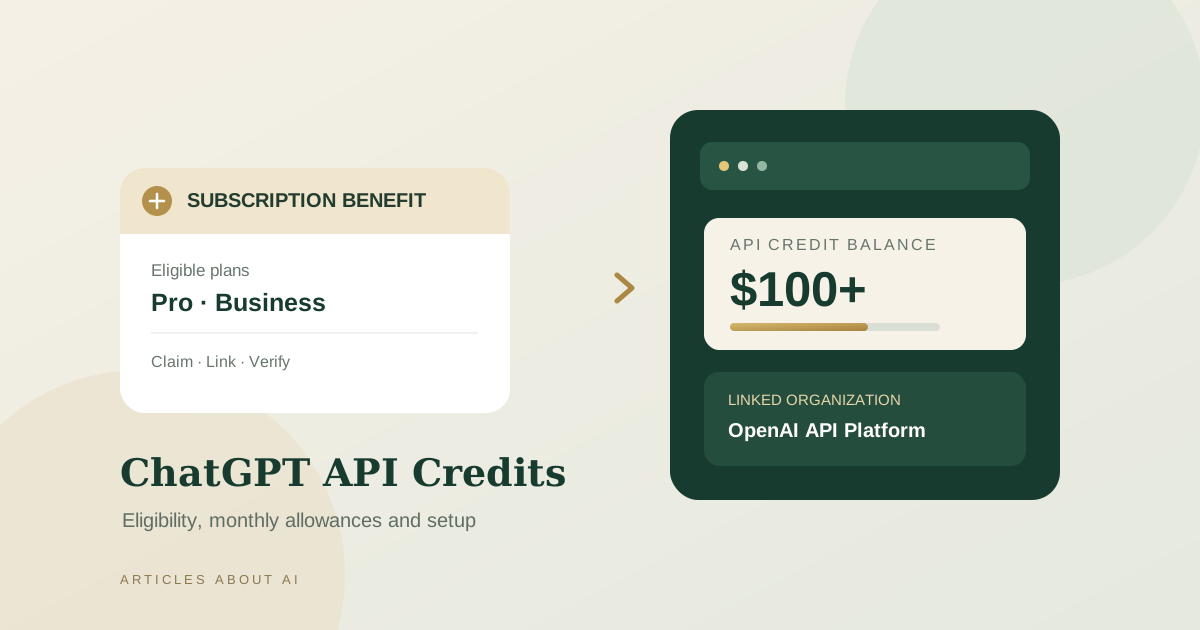
OpenAI now offers API credits as a benefit for eligible ChatGPT Pro and ChatGPT Business subscriptions. The benefit can help qualifying subscribers build applications and AI agents with the OpenAI API without immediately paying for API usage out of pocket. But it is not available to every ChatGPT user, and it does not turn a ChatGPT subscription into unlimited API access.
The most important distinction is eligibility: the current official guidance lists Pro plans and eligible paid Business seats, while ChatGPT Free and Plus do not qualify for this API-credit benefit. The credits must also be activated and linked to an API organization owned by the eligible subscriber or workspace owner. This guide explains the current allowance, the claim process, expiration rules, and the billing limits to check before you build around the offer.
For the definitive current terms, read OpenAI’s official API credits for ChatGPT subscribers guide and its Help Center explanation of the benefit. Those pages take precedence if the offer or eligible plans change.
Payment incident notice — updated November 8, 2026: OpenAI’s status page still lists elevated payment declines affecting some U.S. business Mastercard cards as Monitoring. The latest status update shown is November 7, 2026, at 02:29 AM (the status page does not specify a timezone for this timestamp). OpenAI says the issue can prevent API prepaid-credit purchases and automatic recharges; if the prepaid balance reaches zero, API requests may fail. OpenAI’s temporary recommendation is to add a card from a different issuer before the next payment, and retry a failed credit purchase with that card. The incident page currently lists no affected service components, so this should not be interpreted as a general API outage. Check OpenAI’s live incident status before changing your billing setup; the status may change after this article is updated.
What are ChatGPT API credits?
ChatGPT API credits are promotional usage credits applied to an eligible OpenAI API organization. They can pay for supported API usage, including model requests and certain built-in tools, when you use the API platform to build software, services, or agents.
They are separate from the messages, tools, and usage allowances inside the ChatGPT app. They are also separate from purchased API credits and from any usage credits available for supported ChatGPT or Codex features. In practice, a ChatGPT subscription may include benefits for using ChatGPT itself, while API credits fund eligible calls made through the developer platform.
That separation matters for anyone building a chatbot, customer-support assistant, research workflow, image-generation service, voice interface, or agent that calls OpenAI models from their own code. You should estimate API usage and monitor its balance independently from your ChatGPT subscription.
Who is eligible for the API credit benefit?
OpenAI’s published eligibility guidance currently identifies these subscription types:
- ChatGPT Pro $100 tier: $100 in API credits for a full billing period.
- ChatGPT Pro $200 tier: $200 in API credits for a full billing period.
- ChatGPT Pro $500 tier: $500 in API credits for a full billing period.
- ChatGPT Business Standard seats: $20 per paid Standard seat, pooled across the workspace.
- ChatGPT Business Premium seats: $100 per paid Premium seat, pooled across the workspace.
The Business benefit is capped at $500 per monthly billing period across the workspace. For a workspace billed annually upfront, OpenAI’s guidance describes a full-year grant capped at $6,000 per annual billing cycle. The amount shown during activation may be lower than the full-period allowance if the first grant is prorated.
To qualify, the paid subscription must generally have been active for at least seven days. You must be the owner of the eligible ChatGPT subscription or Business workspace and the owner of the API organization that will receive the credits. OpenAI also requires the same email address for the ChatGPT account and the API account used to link the organization. Free trials and complimentary subscriptions are not eligible.
ChatGPT Plus and Free are not eligible for this specific API-credit benefit. Do not confuse it with separate ChatGPT usage credits or with the ability to use a ChatGPT plan in participating partner apps. For a broader subscription comparison, see our guide to ChatGPT Free vs. Plus.
How much can you claim?
The full-period allowance depends on your plan and, for Business, the number and type of paid seats.
| Eligible subscription | Full-period API credit allowance |
|---|---|
| ChatGPT Pro $100 tier | $100 |
| ChatGPT Pro $200 tier | $200 |
| ChatGPT Pro $500 tier | $500 |
| Business Standard seat | $20 per paid seat |
| Business Premium seat | $100 per paid seat |
| Business monthly workspace | $500 maximum total |
| Business billed annually upfront | Up to $6,000 per annual billing cycle |
For example, five paid Standard seats contribute $100, while three paid Premium seats contribute $300. Together, those seats would contribute $400 before the workspace cap. If a workspace’s seat contributions exceed $500 in a monthly billing period, the monthly total remains capped at $500.
These figures are allowances, not cash refunds and not a promise that every account will receive the full amount immediately. The first grant is prorated for the time remaining in the current paid billing cycle. The amount displayed in your account during the claim flow is the one to review before confirming.
How to claim ChatGPT API credits
You can start from ChatGPT billing settings or from the OpenAI API Platform. The two paths connect the same subscription benefit to the API organization you select.
Option 1: Claim through ChatGPT
- Sign in to ChatGPT using the account that owns the eligible Pro subscription, or select the eligible Business workspace.
- For Pro, open Settings → Billing. For Business, open the workspace’s billing settings in ChatGPT or the Admin Console.
- Look for the API credits benefit and start the claim process.
- Review the API organization that will receive the credits. If you own more than one eligible organization, choose the correct one carefully.
- Review the amount and terms shown on screen, then confirm activation.
- Open the API Platform billing settings and verify that the credit grant appears for the linked organization.
Option 2: Claim through the API Platform
- Open the OpenAI API Platform and sign in with the email address associated with your eligible ChatGPT subscription.
- Select the API organization you own that should receive the credits.
- Open its billing settings and find the API credit benefit.
- Select the eligible ChatGPT subscription or Business workspace you own.
- Confirm the link after reviewing the displayed allowance.
- Return to the organization’s billing page and check the credit grant.
If the benefit does not appear, first check the subscription type, the seven-day eligibility period, account email, and organization ownership. A paid ChatGPT subscription alone does not prove that a credit grant has been issued. You must complete the activation flow and confirm the grant in the receiving API organization.
What can the credits pay for?
OpenAI’s developer documentation lists supported API Platform usage that includes:
- Responses API requests for text, code, and image understanding.
- Agents API usage, including eligible OpenAI-hosted sandbox charges.
- Decisions API usage.
- GPT-Live and Realtime API usage for real-time voice experiences.
- Images API generation and editing.
- Supported built-in tools and associated usage or storage charges, such as web search, file search, and Code Interpreter.
Check the current official documentation for the exact coverage of a specific API or tool before budgeting for a production service. The credit grant applies to the linked API organization, so make sure your project API key belongs to that organization. A key created under a different organization will not automatically use the grant.
One notable exclusion is Codex usage through API keys: OpenAI says this benefit does not cover that usage. The API credit grant also does not increase the usage limits for ChatGPT or signed-in Codex. Those products have their own allowances and billing rules.
When do API credits renew or expire?
For an eligible subscription, the benefit is designed to grant credits automatically when the subscription renews while the offer remains available and the account remains eligible. You do not need to repeat the claim process every billing cycle after activation.
There are important limits:
- Monthly grants expire at the end of the subscription billing cycle.
- Unused monthly credits do not roll over to the next cycle.
- The first grant may be prorated.
- Upgrading an eligible Pro plan can result in an additional prorated grant for the rest of the billing cycle.
- Business seat additions or changes may affect the allowance, subject to the workspace cap and billing rules.
- If you cancel or move to an ineligible plan, new grants stop when eligibility ends; credits already issued may remain usable until their expiration date.
- If you downgrade to Plus, Go, or Free, OpenAI says the API organization link is removed at the end of the billing cycle.
Because the benefit may change or be withdrawn, treat it as a current subscription benefit rather than a permanent entitlement. Recheck the official terms before relying on it for a long-running application.
How to monitor your credit balance and avoid surprise charges
After activation, open the API Platform billing overview for the organization you linked. Review the credit-grant details and API usage reports separately: usage reports show activity and costs, while the credit-grant record shows the benefit applied to the organization. A reported API cost is not necessarily the amount charged to your payment method after credits are applied.
Keep these controls in mind:
- Use the right organization. Confirm that your project and API key belong to the organization receiving the grant.
- Set project and organization spend limits. A credit balance does not remove model, request-rate, token-rate, or configured spend limits.
- Track usage by project. Monitor requests and costs so a development test or agent loop does not consume the allowance unexpectedly.
- Review auto-recharge settings. If you add paid API credits, check whether automatic recharges are enabled and set a monthly recharge limit if you use that feature.
- Plan for expiration. Unused promotional credits do not roll over, so do not assume the balance will accumulate.
- Handle exhausted balances deliberately. If the grant runs out and no purchased credits remain, API requests can fail with HTTP 429 and the error code
credit_balance_exhausted.
For more practical cost controls, read our guide to controlling AI agent API usage, budgets, and rate limits. OpenAI also provides official guidance on prepaid API billing and troubleshooting API usage and spend limits.
ChatGPT API credits vs. ordinary API credits
The word “credits” can refer to different balances, so it is worth distinguishing them:
- Subscription API credits: promotional credits granted to eligible Pro or Business subscribers and linked to an API organization.
- Purchased API credits: prepaid funds bought through API billing. OpenAI’s prepaid billing guidance says purchased credits expire after one year, subject to its terms.
- ChatGPT or Codex usage credits: credits for supported features inside those products; they are not the same as API credits.
- ChatGPT subscription access: model and tool allowances for using ChatGPT itself, not a general API balance.
OpenAI keeps ChatGPT billing and API billing separate, even when a subscription benefit links the two through a credit grant. See the official billing overview for the distinction.
Frequently asked questions
Do ChatGPT Plus subscribers receive these API credits?
No. The current published benefit applies to eligible ChatGPT Pro subscriptions and eligible paid Business workspaces. Plus and Free are not included in this specific offer.
Do I need to add an API payment method to use the grant?
OpenAI says an active promotional API credit grant can be used without adding an API payment method. You may need to set up paid billing separately if you want to continue API usage after the available credits run out.
Can I use the credits with any API organization?
No. The credits apply to the API organization linked during activation. Check the selected organization and use project API keys associated with it.
Do unused credits carry over?
No. Monthly subscription grants expire at the end of the billing cycle and do not roll over. Business workspaces billed annually upfront have a different annual grant schedule, but the grant still expires at the end of the applicable annual cycle.
Do the credits increase ChatGPT message limits or Codex limits?
No. They pay for eligible API Platform usage in the linked organization. They do not increase ChatGPT or signed-in Codex usage limits, and API-key Codex usage is excluded from this benefit.
What happens when the balance reaches zero?
If there are no promotional or purchased API credits left, requests can fail with a billing error. Review the error code and billing overview; add prepaid credits or configure a deliberate recharge policy if you need API calls to continue.
The bottom line
The ChatGPT API credit benefit can reduce API costs for eligible Pro subscribers and Business workspaces, but it is not a universal free-API offer. Check your plan, account age, email match, and organization ownership; activate the benefit; and verify the credit grant before making API usage assumptions. Keep in mind that the credits expire, the Business allowance is capped, and ChatGPT app limits remain separate from API billing.
For developers and teams, the best approach is to treat the grant as a budget offset—not as a replacement for usage monitoring, spending limits, or a fallback plan. OpenAI’s official subscriber API-credit guide is the source of truth for eligibility and current terms.