
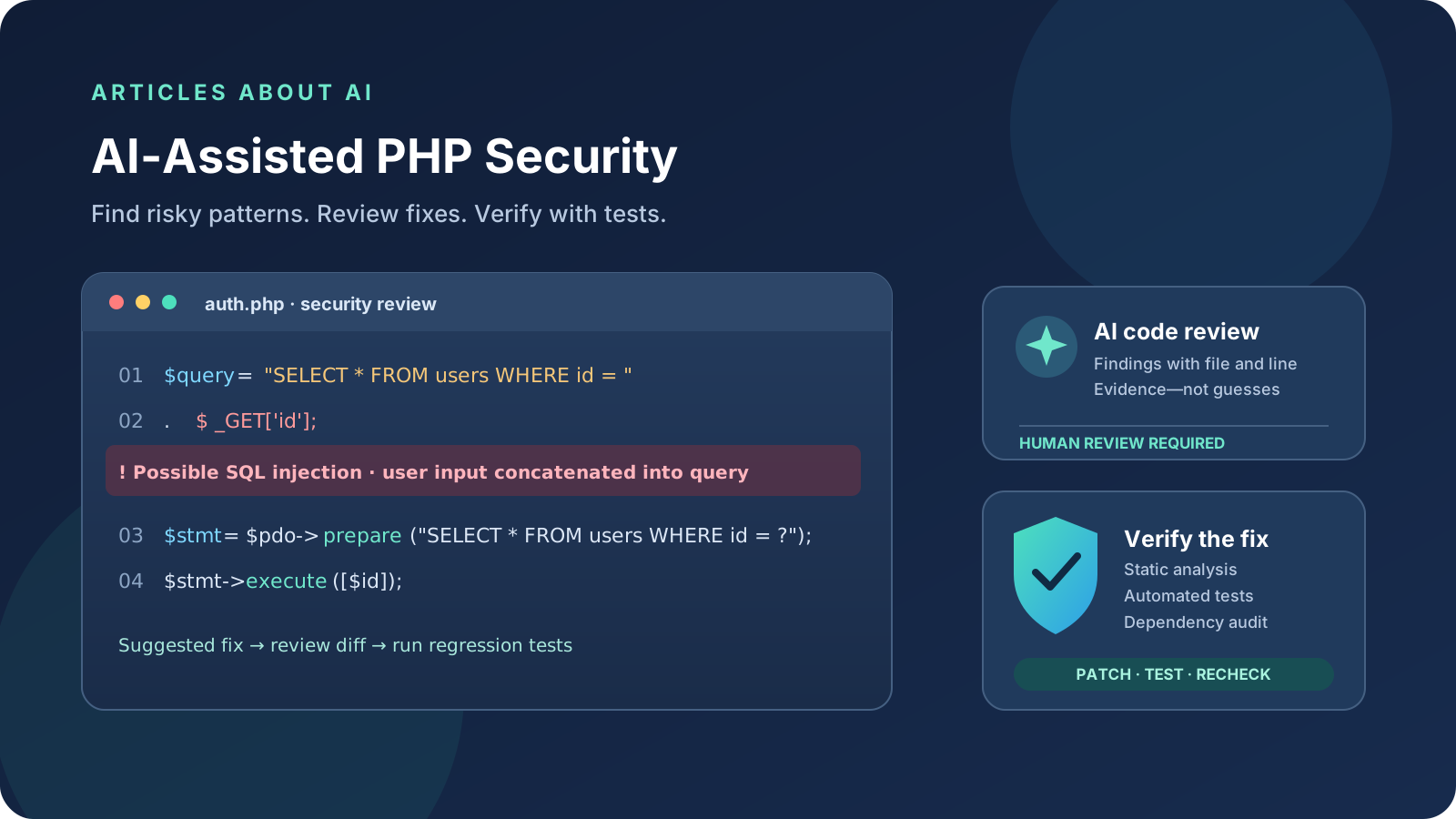
AI coding assistants can help developers find suspicious patterns in PHP applications, explain why a pattern may be unsafe, suggest a safer implementation, and draft regression tests. They are useful for AI-assisted PHP security reviews, but they are not a replacement for a security scanner, a qualified reviewer, or tests running against the actual application.
This guide explains a practical workflow for finding and fixing common PHP security vulnerabilities with AI, including SQL injection, cross-site scripting (XSS), unsafe file uploads, access-control mistakes, and vulnerable dependencies. It focuses on defensive code review for applications you own or are authorized to assess.
Quick answer: the safest AI-assisted workflow
- Establish a baseline. Identify the PHP version, framework, dependencies, entry points, and current test coverage.
- Run established tools first. Use PHPStan or another static analyzer, Composer’s dependency audit, and security rules appropriate to your stack.
- Ask AI to review specific evidence. Supply a small, relevant code excerpt, the expected behavior, and tool findings—without secrets or production data.
- Request a minimal patch. Ask for the root cause, a safe change, and regression tests. Do not accept an unexplained rewrite.
- Verify independently. Run tests, static analysis, dependency checks, and a human review of the diff.
- Deploy through normal change control. Back up appropriately, use staging where possible, and monitor after release.
The key principle is to treat AI findings as hypotheses to verify, not as confirmed vulnerabilities or proof that an application is secure.
1. Prepare a safe PHP security review
Before asking an AI assistant to inspect code, make the scope clear. Start with a local checkout or a staging copy, not a live production environment. Remove API keys, passwords, access tokens, customer information, session identifiers, and other sensitive data from prompts and logs.
Collect the following context:
- PHP version and framework version.
- Relevant route, controller, service, and database code.
- Authentication and authorization expectations.
- Composer dependency files, especially
composer.jsonandcomposer.lock. - Reproduction steps, error messages, and existing tests.
- Results from static analysis or dependency scanning.
Ask the assistant to identify the exact file and line for each finding, explain the data flow that could make it dangerous, state what evidence is missing, and suggest the smallest safe fix. If the assistant cannot see the whole repository, tell it not to assume that unseen validation or authorization checks do—or do not—exist.
For broader guidance on evaluating AI coding tools, see our comparison of Claude vs ChatGPT for coding.
2. Detect and fix SQL injection in PHP
SQL injection can occur when an application builds a query by concatenating untrusted input into SQL. Ask an AI assistant to trace request data from sources such as $_GET, $_POST, request objects, and imported files into database queries. Then verify the finding manually.
Risky pattern
$id = $_GET['id'] ?? '';
$sql = "SELECT id, email FROM users WHERE id = " . $id;
$result = $pdo->query($sql);
The query incorporates request input directly. Do not try to solve this by asking AI to invent a blacklist of suspicious characters.
Safer pattern with a prepared statement
$id = filter_input(INPUT_GET, 'id', FILTER_VALIDATE_INT);

if ($id === false || $id === null) {
    http_response_code(400);
    exit('Invalid user ID');
}

$stmt = $pdo->prepare(
    'SELECT id, email FROM users WHERE id = :id'
);
$stmt->execute(['id' => $id]);
$user = $stmt->fetch();
Prepared statements keep data separate from SQL syntax. Input validation is still useful for enforcing the application’s expected type and business rules, but it is not a substitute for parameterized queries. For dynamic column names or sort directions, use a strict allowlist because SQL identifiers generally cannot be bound as ordinary value parameters.
Read OWASP’s SQL Injection Prevention Cheat Sheet for additional patterns and limitations.
Ask AI to verify: whether every untrusted value is parameterized, whether dynamic SQL identifiers are allowlisted, and whether tests cover invalid and unexpected input. The model should point to the query construction and its data source rather than merely label a line “unsafe.”
3. Find cross-site scripting (XSS) risks
Cross-site scripting can happen when untrusted data is inserted into a page in a way that the browser interprets as HTML or executable script. Search for user-controlled values rendered in templates, HTML attributes, JavaScript, or DOM manipulation.
For plain text in an HTML page, PHP’s htmlspecialchars is often appropriate when used with explicit encoding and correct context:
echo htmlspecialchars(
    $displayName,
    ENT_QUOTES | ENT_SUBSTITUTE,
    'UTF-8'
);
This is not a universal encoder for every context. JavaScript strings, URLs, CSS, and intentionally permitted rich HTML require different handling. Prefer framework template escaping and established sanitization libraries where applicable; avoid building custom escaping rules.
Ask AI to trace a value from the request or database to its final output location. Have it distinguish between a value that is already safely encoded by a framework and one that reaches a dangerous sink without protection. Then review the actual template and test the relevant output context.
OWASP’s Cross Site Scripting Prevention Cheat Sheet explains why context-aware output encoding matters and why a generic “sanitize everything” function is not enough.
4. Review file uploads and file handling
File upload functionality can introduce risks when an application trusts a filename or a client-supplied content type, stores executable files under a public web root, or allows a user to overwrite another user’s files.
Ask AI to review the complete upload path, including validation, storage, naming, permissions, and download handling. A safer design typically includes:
- Allowlisting the file types the application actually needs.
- Checking content and file signatures where appropriate, not relying only on the extension or browser-provided MIME type.
- Enforcing size limits and handling upload errors.
- Generating server-side filenames rather than trusting the submitted filename.
- Storing uploads outside the executable web root when possible.
- Preventing path traversal and enforcing per-user authorization on downloads.
- Applying malware scanning or additional review where the risk and file types warrant it.
The correct controls depend on the application. An AI assistant should explain which code path each recommendation addresses and avoid claiming that a filename check alone makes uploads safe.
5. Check authentication and authorization separately
A user may be signed in and still be unauthorized to access a particular record or action. Ask AI to inspect whether every sensitive operation checks the current user’s permissions on the specific resource—not just whether a session exists.
Review these areas carefully:
- Access to records by numeric or predictable IDs.
- Admin routes and privileged actions.
- Password reset and account recovery.
- Session creation, expiration, and invalidation.
- Ownership checks for files, invoices, profiles, and other private data.
- Server-side validation of roles and permissions.
For example, changing a route from /invoices/100 to /invoices/101 must not reveal another customer’s invoice. Hiding a button in the interface is not authorization. The server must enforce access rules on every relevant request.
Ask AI to produce a table of sensitive endpoints, the required permission, the code that enforces it, and a test for an unauthorized user. Verify the table against the actual routes and middleware. If the assistant cannot establish whether a check is applied, record the item as unresolved rather than treating it as safe.
6. Use established tools alongside AI
AI code review becomes more useful when it can explain concrete findings from tools with reproducible output. The exact commands depend on the project and the tools already installed.
Run PHP static analysis
If PHPStan is configured in the project, run its existing analysis command, for example:
vendor/bin/phpstan analyse
Use the project’s configuration and documented setup. PHPStan can identify many type and code-quality problems that may expose bugs, but static analysis alone does not prove that an application has no security vulnerabilities. See the PHPStan documentation.
Audit Composer dependencies
Run:
composer audit
Composer’s audit command checks installed or locked dependencies against known security advisories and other configured policies. Review the affected package, installed version, advisory, and available fixed versions before changing dependencies. Avoid blindly updating every package in production; test updates in a controlled environment.
See the official Composer CLI documentation.
Add security-focused scanning
A tool such as Semgrep can provide additional rules-based scanning when an appropriate ruleset is selected and configured for the project. Review the tool’s findings and false positives rather than assuming every alert is exploitable. Consult the official Semgrep documentation.
Do not paste private source code into an external service unless your organization’s policies allow it. Check each tool’s data handling, permissions, and execution model first.
7. A reusable AI prompt for PHP vulnerability review
You can adapt this prompt for a coding assistant that is permitted to inspect the relevant project files:
Review the supplied PHP code for defensive security issues. Focus on SQL injection, cross-site scripting, unsafe file handling, authentication and authorization flaws, secrets exposure, and unsafe dependency usage.
For each possible finding, provide the file and line, the untrusted input or security boundary involved, the conditions required for the issue to occur, the potential impact, and the evidence supporting your conclusion. Separate confirmed issues from hypotheses and false-positive possibilities.
Propose the smallest maintainable fix consistent with the existing framework and PHP version. Do not remove security checks, weaken validation, or rewrite unrelated code. Add regression tests that demonstrate the unsafe behavior is prevented. Do not run exploit attempts against live systems, expose secrets, or make production changes.
After suggesting the patch, list the tests and static-analysis commands that should be run. Do not claim that a vulnerability is fixed unless the relevant checks have actually been executed and their results reviewed.
This prompt helps make an AI review specific and auditable. It cannot guarantee that the model will find every flaw, correctly understand every code path, or produce a correct patch.
8. Verify every proposed fix before deployment
A convincing explanation is not evidence that a vulnerability has been removed. For each accepted change:
- Inspect the full diff and confirm that unrelated code has not changed.
- Run the relevant unit and integration tests.
- Add a regression test for the original failure mode.
- Re-run static analysis and dependency auditing.
- Test normal behavior as well as invalid input and permission-denied cases.
- Have a developer review security-sensitive changes.
- Deploy through the normal release process and monitor relevant logs.
If a critical runtime vulnerability is involved, application-level code review is not a substitute for upgrading the affected runtime. Our PHP2Shell checker and patching guide covers the specific PHP2Shell disclosure, version checking, and the need to verify the active server runtime. Follow the official PHP and hosting-provider advisories for the version and package actually deployed.
Common mistakes when using AI for PHP security
- Accepting a finding without evidence: Ask for the code path, affected input, and conditions that make it exploitable.
- Trusting a “fixed” label: Run tests and inspect the diff; the model cannot certify the running application.
- Using regex or blacklists as a universal defense: Choose controls appropriate to the vulnerability, such as prepared statements for SQL queries and context-aware output encoding for HTML.
- Ignoring dependencies: Application code can be correct while a vulnerable library remains installed.
- Giving an agent broad production access: Use least privilege, isolate testing, and require approval for consequential actions.
- Exposing secrets in prompts: Redact credentials and private customer data before using external AI services.
- Treating a clean scan as proof of security: Scanners have coverage limits and can miss business-logic and authorization flaws.
Frequently asked questions
Can AI automatically find every PHP security vulnerability?
No. AI can help identify suspicious code and explain potential fixes, but it can miss vulnerabilities, produce false positives, or misunderstand the application’s behavior. Combine it with static analysis, dependency audits, tests, and human review.
What is the best AI tool for PHP security review?
There is no universal best tool. Choose one that can work safely with your codebase and provide reviewable findings. Evaluate it on a small set of known issues and measure useful findings, missed defects, false positives, and the quality of its proposed fixes.
Does PHPStan detect all security vulnerabilities?
No. PHPStan is a static analysis tool focused on PHP code correctness and types. It can reveal problems that matter to reliability, but it should be combined with security-specific review, dependency auditing, tests, and other appropriate scanners.
Is composer audit enough to secure a PHP application?
No. It checks dependency advisories and configured policies; it does not fully analyze your application logic, authorization rules, SQL construction, or output encoding.
Should AI be allowed to fix vulnerabilities directly in production?
Avoid giving an AI agent unrestricted production access. Review and test changes in a controlled environment, use backups and change management, and require explicit approval before deployment or other consequential actions.
Sources and further reading
- OWASP SQL Injection Prevention Cheat Sheet
- OWASP Cross Site Scripting Prevention Cheat Sheet
- PHPStan documentation
- Composer CLI and audit documentation
- Semgrep documentation
- Official PHP2Shell security checker and patching guide
Security disclaimer: This guide provides general defensive development guidance, not a guarantee that any application is secure. Validate recommendations against the application’s framework, threat model, and official security documentation before deployment.