
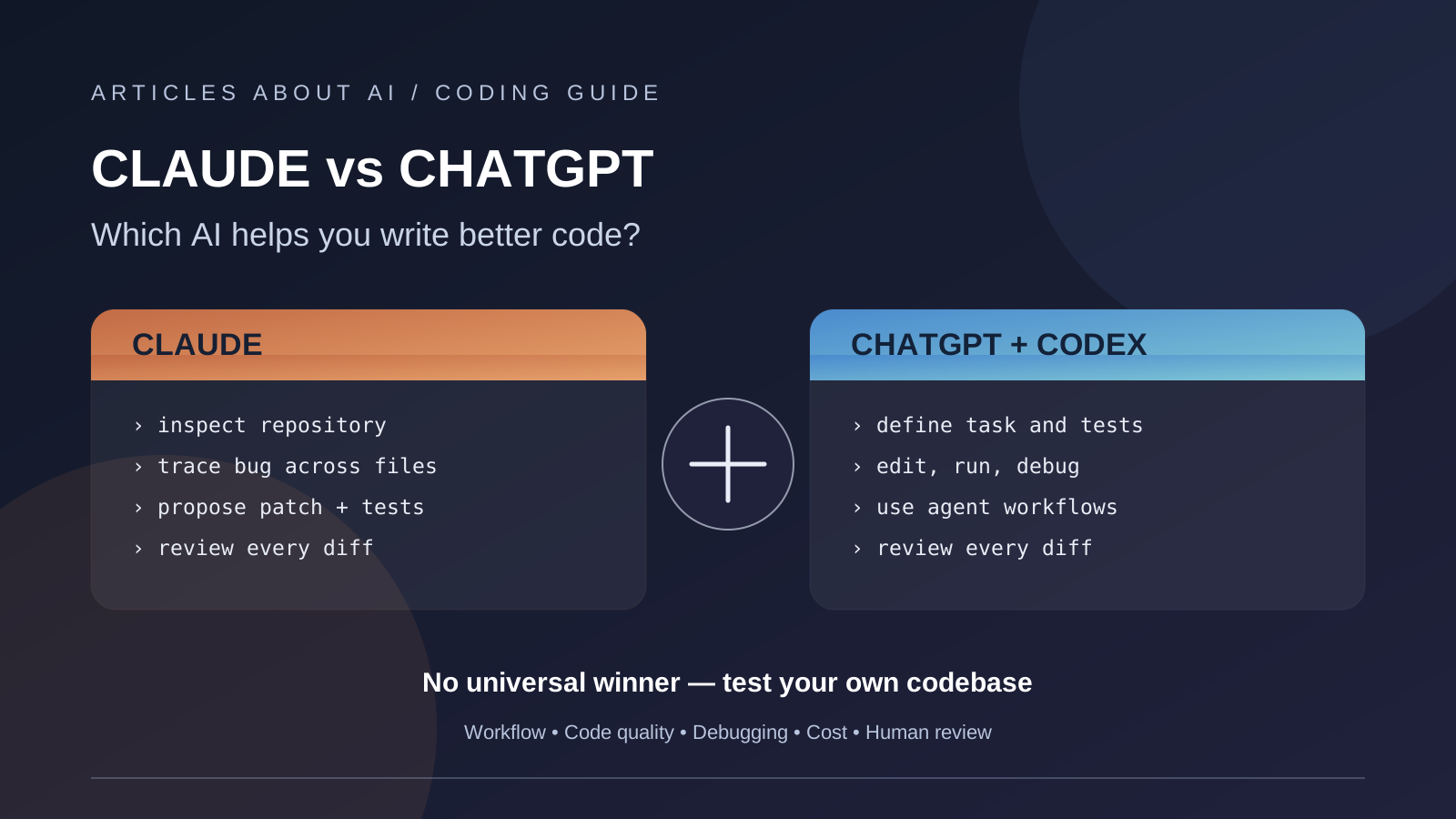
When developers search for Claude vs ChatGPT for coding, they usually want to know which assistant can help them ship reliable software—not just which one can produce a convincing code snippet. The practical comparison includes debugging, understanding an existing repository, implementing changes across files, writing tests, explaining unfamiliar code, and helping a developer review the result.
There is an important distinction from the start: Claude and ChatGPT are assistant products, while Claude Code and OpenAI Codex are coding-agent experiences. Results depend on the model, the tools enabled, the project context, the task, and the amount of human review. This article compares the real workflows rather than claiming a universal winner from an unverified head-to-head test.
Quick verdict
- Consider Claude and Claude Code when you want an assistant that can work with a codebase through terminal- and IDE-oriented workflows, investigate problems, and propose changes you can inspect.
- Consider ChatGPT and Codex when you want to combine coding with broader reasoning, task delegation, code review, and supported local or cloud-based development workflows.
- Choose by evidence from your own project. Give both tools the same bug, feature request, tests, repository instructions, and time budget; then compare accepted changes, not just the first answer.
Neither product is automatically best for every language, framework, repository size, or engineering team.
Claude vs ChatGPT for coding at a glance
| Developer task | Claude / Claude Code | ChatGPT / Codex |
|---|---|---|
| Explain a code snippet | Useful for walkthroughs, trade-offs, and follow-up questions | Useful for explanations, alternatives, and step-by-step debugging |
| Understand an existing project | Claude Code is designed to work with a codebase and development tools | Codex can work on scoped coding tasks and inspect project context in supported workflows |
| Debug a multi-file issue | Ask it to trace the failure, identify likely causes, and propose a testable patch | Ask it to reproduce the issue, make a focused change, and run relevant checks where available |
| Implement a feature | Specify acceptance criteria, files in scope, and tests | Specify acceptance criteria, expected behavior, and verification steps |
| Review code | Request a review focused on correctness, security, edge cases, and regressions | Request findings prioritized by severity, with file references and suggested tests |
| Automate work | Claude Code supports terminal-based and integrated coding workflows | Codex offers supported app, CLI, IDE, and cloud workflows, depending on account and setup |
| Best evaluation method | Inspect diffs, test results, tool permissions, and required human corrections | Inspect diffs, test results, tool permissions, and required human corrections |
This is a workflow comparison, not a benchmark table. We did not run a controlled experiment for this article, so the table should not be read as a claim that one assistant has a higher coding-accuracy score.
1. Code generation: a good-looking answer is not enough
Both assistants can generate functions, tests, scripts, SQL queries, and code explanations. But a snippet that looks correct in a chat window may still fail in the actual application because it assumes the wrong dependency version, ignores project conventions, mishandles an edge case, or changes an interface other code relies on.
To compare code generation fairly, give both assistants the same specification. Include the programming language, framework version, input and output examples, error behavior, and acceptance criteria. Ask for the smallest implementation that satisfies the requirements, plus tests that demonstrate the behavior.
Score the output on:
- Correctness: Does it pass the expected tests?
- Maintainability: Is it readable and consistent with the existing codebase?
- Completeness: Does it handle empty values, invalid input, and relevant edge cases?
- Scope control: Does it avoid unrelated refactoring?
- Reviewability: Can a developer understand why the change works?
Do not treat confident explanations or longer code as proof of better quality. The code must run in the intended environment.
2. Debugging and understanding an existing codebase
Debugging is different from generating a new function. The assistant needs to build a useful theory from error messages, logs, relevant files, dependency behavior, and reproduction steps. If it cannot inspect the necessary context, it may confidently recommend a fix for the wrong cause.
Claude Code is documented as a coding agent that can work with a codebase through the terminal and supported integrations. OpenAI describes Codex as a coding agent for writing, reviewing, and shipping code, with availability across supported clients and workflows. Exact capabilities depend on the tool, account, environment, and permissions.
For a fair debugging test, use a real but non-critical bug and provide both tools with the same reproduction steps. Measure whether the assistant:
- Finds the relevant code without changing unrelated files.
- Explains the likely root cause and distinguishes evidence from assumptions.
- Proposes a minimal fix.
- Adds or updates a regression test.
- Runs the appropriate checks—or clearly says which checks it could not run.
- Reports remaining uncertainty instead of claiming success without evidence.
The most useful assistant is the one that helps you verify a fix, not the one that merely produces a plausible patch fastest.
3. Claude Code vs Codex: the agent workflow matters
If you mainly need help understanding a concept or drafting a small function, the regular chat interface may be enough. If the task requires exploring multiple files, editing a project, running commands, and reviewing changes, the coding-agent workflow becomes much more important.
Claude Code supports terminal use and integrations including IDEs and other supported surfaces. OpenAI Codex provides supported app, CLI, IDE, and web-based workflows; availability of particular capabilities depends on the product, account, and rollout. Consult the current official documentation before choosing a setup for a team.
The workflow questions worth comparing are:
- Can the agent access the files it needs without being given unnecessary permissions?
- Can you see and review every proposed change?
- Can it run the project’s test and lint commands?
- Does it ask before consequential actions?
- Can you redirect the task when its approach is wrong?
- Can you reproduce what it did from the resulting diff, logs, and tests?
For a deeper tool-focused comparison, see our guide to Claude Code vs Codex vs Gemini CLI.
4. Code quality, testing, and security
Do not evaluate a coding assistant only on whether the first implementation compiles. A useful review should consider correctness, security, maintainability, performance, compatibility, and test coverage.
For every non-trivial change, ask the assistant to identify possible failure modes and propose tests. Then run the tests yourself in the project’s real environment. Review authentication and authorization logic carefully; check input validation, error handling, dependency changes, secrets, and any code that touches user data or external systems.
AI-generated code still needs normal engineering controls. Keep version control clean, review diffs, run automated tests, and use least-privilege permissions for agents that can execute commands or modify files. Never paste production credentials into a prompt, and do not allow an agent to deploy or perform destructive actions without appropriate approval.
For model-level benchmark results rather than product workflows, see our separate comparison: Claude Opus 5.5 vs GPT-6 Astra for Coding. Its benchmark discussion addresses a different question and should not be treated as a direct scorecard for the complete ChatGPT and Claude products.
5. Pricing: compare the complete workflow, not one headline number
Subscriptions and API usage are different billing models. As shown on the vendors’ official pages at the time of writing, ChatGPT Plus is listed at $20 per month in the United States, and Anthropic lists Claude Pro at $20 per month when billed monthly. Codex and Claude Code access is included with eligible plans, but usage limits, feature availability, and the exact workflows included differ. Prices and plan terms can change, and regional pricing or taxes may vary.
Official details:
- OpenAI Codex plans and pricing
- OpenAI: using Codex with your ChatGPT plan
- Anthropic Claude Code product page
If you use API keys, compare current API rates separately from subscriptions. Do not assume that a monthly plan and pay-as-you-go API usage are directly equivalent.
A better cost metric for professional work is cost per accepted change. Include model or subscription usage, retries, tool calls, review time, and the time required to repair mistakes. An inexpensive answer that needs extensive rework may cost more overall than a more expensive answer that passes the acceptance tests.
6. A practical 30-minute comparison test
You do not need a huge benchmark suite to make a sensible initial decision. Select three representative tasks from your own codebase and run them with both assistants under the same conditions.
| Test | What to provide | What to measure |
|---|---|---|
| Bug fix | Reproduction steps, relevant logs, and existing tests | Root-cause accuracy, minimality, and regression coverage |
| Small feature | Acceptance criteria and the same project context | Correctness, consistency, and scope control |
| Code review | The same change or pull request | Useful findings, missed defects, false alarms, and clarity |
Use a simple scorecard: correctness, test quality, code clarity, repository awareness, security, review effort, and total cost. Record whether the tool actually ran each check; do not award points for tests it only suggested.
For a meaningful result, repeat tasks where outcomes vary, and keep the model and tool settings consistent. A short test is a screening exercise, not scientific proof that one product is universally superior.
Which should you choose?
Choose Claude or Claude Code if its codebase workflow, interface, integrations, and results fit the way you work. Choose ChatGPT or Codex if its task workflow, supported integrations, and results better match your development process. If your team has varied workloads, it may be more useful to standardize the evaluation method than to force every developer to use one assistant.
For a broader overview of writing, research, coding, and multimodal work, read ChatGPT vs Claude vs Gemini: Which AI Assistant Is Best in 2026?.
Frequently asked questions
Is Claude better than ChatGPT at coding?
There is no universal answer. Performance depends on the model, task, context, tool access, and evaluation method. Test both against your own repository and acceptance criteria.
Is Claude Code the same as Claude?
No. Claude is Anthropic’s assistant and model family; Claude Code is a coding-agent experience designed to work with codebases and development tools.
Is ChatGPT the same as Codex?
No. ChatGPT is the broader assistant product. Codex is OpenAI’s coding agent and is available through supported ChatGPT plans and other supported workflows, subject to plan limits and availability.
Can I trust AI-generated code without reviewing it?
No. Review changes, run tests, and check security-sensitive logic. Treat generated code as a proposal that must pass your project’s engineering standards.
What is the fairest way to compare AI coding assistants?
Use identical tasks, context, and acceptance criteria. Measure accepted changes, test results, defects, review effort, and total cost rather than relying on anecdotes or a single benchmark.
Editorial note: This article compares documented product workflows and proposes a repeatable evaluation method. Articles About AI did not conduct a new controlled head-to-head coding benchmark for this article.