
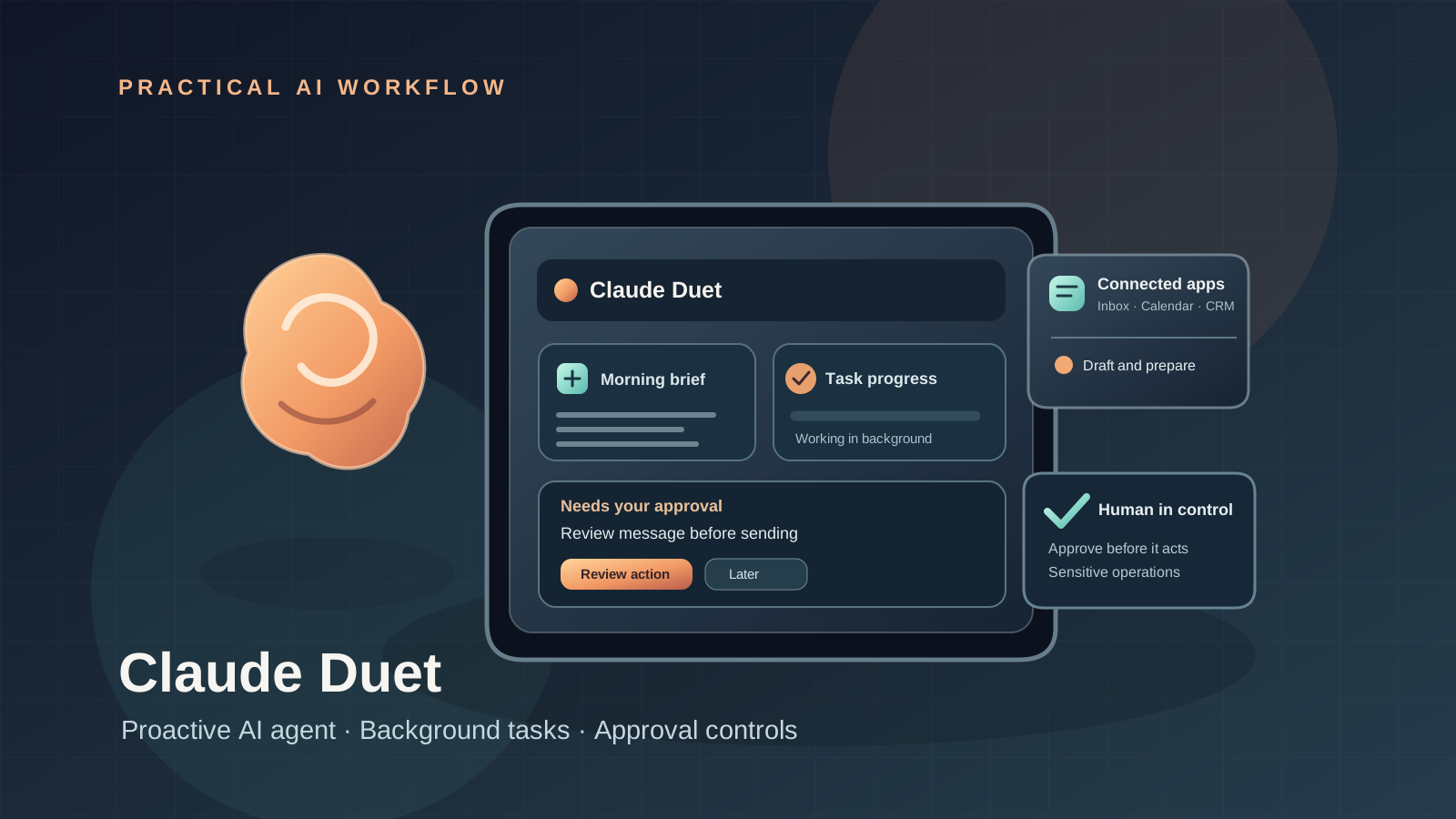
Anthropic introduced Claude Duet on October 21, 2026, as a research-preview app that turns Claude into a proactive work agent. Rather than waiting for you to open a chat for every task, Duet can prepare a morning briefing, watch connected apps for items that need attention, and work on tasks in the background. It asks for approval before carrying out sensitive actions.
This guide explains how to get access, prepare a useful first task, connect work tools responsibly, understand approval boundaries, and avoid burning through your Claude usage allowance. Because Duet is still in an early research preview, this article separates announced capabilities from features that are not yet available to everyone.
Quick answer: how to start using Claude Duet
- Check eligibility. Anthropic’s October 21 announcement says the research preview starts with Claude Pro and Max subscribers in the United States.
- Join the waitlist through Anthropic’s official Claude Duet announcement or the Claude Duet product page.
- Wait for access confirmation. Joining the waitlist does not mean access is immediate.
- Open Duet on iOS, Android, or the web at claude.ai once your account is enabled.
- Connect only the apps needed for your first workflow. Start with low-risk, read-oriented tasks.
- Give it one bounded task with a clear outcome, deadline, and limits on what it may do.
- Review the result and every requested approval before allowing it to send messages, make payments, sign documents, or delete content.
Availability note: This is a limited research preview, not a general release. Anthropic says Duet is included in Pro and Max during the preview and shares the same usage limits as the rest of Claude. Do not assume that Team or Enterprise accounts, users outside the US, or every subscriber already has access.
What is Claude Duet?
Claude Duet is a proactive AI agent designed for professionals and small-business owners who manage work across multiple apps. It is built around Claude Opus 5.5 and uses a cloud-based virtual machine with its own browser, so it can continue working when your phone or computer is not running the task locally.
The product has three main workflow patterns:
- A morning briefing: a short summary of important items from connected apps, with suggested next steps.
- Proactive notifications: Duet checks connected accounts periodically and contacts you when something needs attention. Anthropic says these checks happen every few hours, not continuously, partly to manage usage.
- Delegated tasks: you describe an outcome—such as preparing a dashboard, drafting follow-up messages, or building a forecast—and Duet works through the steps, then asks for input or returns a result.
Duet is separate from the main Claude app during this preview, although Anthropic says it can use your Claude memory, skills, and connected apps. It is not simply a normal chat with a different name: the key difference is that it can keep working in its cloud environment and initiate a message when it has an update or needs a decision.
Who can use Claude Duet right now?
Anthropic’s announcement dated October 21, 2026 states that the initial research preview is for US Claude Pro and Max subscribers, through a waitlist. The product is available as a standalone app on iOS and Android and on the web at claude.ai when access is granted.
Before planning a business workflow around it, verify these points on the official product page:
- Your account is on an eligible plan.
- The waitlist is open and your account has received access.
- The connected app or integration you need is supported.
- The action you want is allowed in the current preview.
- You understand how background work consumes the same usage allowance as regular Claude use.
Do not assume that a download from an app store, a paid subscription, or a VPN automatically grants access. Anthropic has not announced a guaranteed date for availability in Canada, the UK, Europe, or other regions in the source reviewed for this guide.
Step 1: Join the official waitlist
Start with Anthropic’s Introducing Claude Duet announcement. Read the eligibility information and follow its waitlist instructions. You can also review the official Claude Duet product page for the current description and access status.
Wait for Anthropic to confirm access before attempting to build a workflow around the service. Since this is a research preview, access may be staged and product behavior may change as Anthropic gathers feedback.
Avoid unofficial installers or third-party pages claiming to unlock Duet. Use Anthropic’s official links, and never share your Claude password, authentication code, or session tokens with a third party.
Step 2: Choose a low-risk first task
A useful first task is specific, reversible, and easy to verify. Do not start by asking an early-preview agent to manage your whole inbox, make purchases, or operate on important financial records without supervision.
Try a prompt like this:
Review the work items available in my connected apps from the last business day. Summarize the five items most likely to need my attention, explain why each matters, and draft suggested next steps. Do not send messages, change records, make purchases, or delete anything. Link each recommendation to the source item where possible, and clearly label any uncertainty.
This task gives you a chance to evaluate the quality of Duet’s summaries and source references before granting it a broader role. Check whether it missed an important item, misunderstood urgency, or inferred a fact that is not in the source.
A better way to delegate work
For more reliable results, specify five things:
- Outcome: what should exist when the task is done.
- Scope: which apps, records, or time period it should use.
- Constraints: what it must not change or disclose.
- Verification: what evidence or checks it should provide.
- Approval boundary: which actions must wait for your explicit decision.
For example:
Prepare a weekly sales dashboard from the approved sales spreadsheet. Use only the current quarter’s rows, identify missing or inconsistent values, and show the calculation behind each KPI. Do not edit the source spreadsheet, send the dashboard to anyone, or make decisions based on missing data. Return the dashboard for my review and list the assumptions separately.
This is better than saying “run my sales reporting” because it defines the deliverable and prevents an ambiguous request from turning into unnecessary actions.
Step 3: Connect only the apps you need
Anthropic says Duet can use more than 6,000 connectors and plugins in the Claude Marketplace. Its examples include Gmail and Slack, as well as business tools for invoices, payroll, contracts, customer relationships, marketing, and ecommerce. Availability can depend on the specific connector and account.
Before connecting an app:
- Confirm that it is the official integration you intended to use.
- Review the requested access and whether it is read-only or can change data.
- Connect only the tools required for the current workflow.
- Avoid granting access to personal or sensitive workspaces merely for convenience.
- Disconnect an integration when it is no longer needed.
A connector’s presence in a marketplace does not mean every action is available in Duet, or that every connected service has the same permission model. Check what Duet can actually read and change before relying on it.
Step 4: Use Claude Duet for practical work
Here are examples of workflows that match the kinds of tasks Anthropic has described. Treat the prompts as starting points and keep consequential actions behind review.
Workflow A: Inbox and Slack triage
Goal: identify messages that require a response without allowing the agent to send one automatically.
Prompt:
Review my unread work messages from the last 24 hours. Group them into urgent, needs a reply, waiting on someone else, and informational. For each urgent item, quote the relevant context, explain the deadline if one is explicitly stated, and draft a reply for my review. Do not send anything or infer a deadline that is not supported by the message.
Verify that the summary links to the original conversation and that the urgency ranking is justified. Duet may misread context or urgency, especially in long threads, so keep the source messages as the authority.
Workflow B: Invoice follow-up preparation
Goal: prepare follow-up drafts while leaving the financial decision to a person.
Prompt:
Review the invoices I have permission to access and list those marked overdue. Include invoice number, amount, due date, customer, and the source record for each item. Draft a polite reminder for each verified overdue invoice, but do not send reminders, change invoice status, or alter payment details. Flag missing or conflicting data instead of guessing.
Compare the list with the accounting system before acting. Do not treat a draft, generated report, or agent summary as proof that an invoice is valid or unpaid.
Workflow C: Weekly dashboard
Goal: produce a repeatable report with traceable calculations.
Prompt:
Build a dashboard from the approved sales data for the current quarter. Show total sales, week-over-week change, top products, and missing data. Include the formulas and source rows used for each metric. Do not edit the source data or share the dashboard. Flag any metric that cannot be calculated reliably.
Review formulas, filters, date boundaries, and any assumptions. If a chart looks plausible but its underlying calculation is wrong, the output is not ready to use.
Workflow D: Marketing campaign preparation
Goal: prepare assets for review without publishing automatically.
Prompt:
Draft a one-week campaign plan for this product using the approved brand guidelines. Include audience, channel, post copy, call to action, and a proposed publishing date for each item. Do not publish, spend advertising budget, change account settings, or make unsupported product claims. Mark all assumptions and return the plan for approval.
Review brand accuracy, factual claims, links, and dates before anything goes live.
Step 5: Understand approval and safety controls
Anthropic says Duet asks for approval before sending messages, making payments, signing documents, or deleting content. Its announcement also describes protections for sensitive information and safeguards against hidden instructions and prompt injection.
Those controls are important, but they do not make every action risk-free. You should still inspect what the agent is about to do, which account it will use, who will receive information, and whether the action can be reversed.
Keep these boundaries in place:
- Messages: verify recipient, content, attachments, and context before sending.
- Payments and purchases: verify merchant, item, amount, and payment method. Anthropic says some activities, such as trading securities or moving money between accounts, are off-limits even with approval.
- Documents and signatures: inspect the final version and the parties involved before signing or sending.
- Deletion and record changes: confirm the exact target and recovery options.
- Sensitive data: do not ask Duet to disclose health, financial, credential, or identity information to another party unless that disclosure is explicitly authorized and appropriate.
The model’s own assurance that an action is safe is not a substitute for your review.
Step 6: Manage Claude Duet usage limits
During the research preview, Duet shares the usage limits of your existing Claude plan. Its background checks count toward those limits, and larger tasks—such as building a financial model or a presentation—can require more model turns and background work than a short chat.
To use the allowance efficiently:
- Bundle related low-risk checks into one clearly scoped task.
- Ask for a concise briefing with links to source items instead of lengthy summaries of every record.
- Specify the relevant date range, apps, and output format.
- Avoid repeated broad requests such as “check everything again” unless there is a clear reason.
- Reserve large dashboards, forecasts, and multi-step projects for tasks where the expected value justifies the usage.
- Review whether a background check is useful before asking Duet to increase how often it contacts you.
Anthropic says Duet checks connected accounts every few hours rather than nonstop. Do not assume that it catches every new event immediately or that an absence of alerts means there is nothing important in the connected apps.
Step 7: Know the limitations of the research preview
Anthropic describes Duet as an early version. The company acknowledges that it may misread a conversation, judge urgency incorrectly, or miss something that arrives between checks. It is designed primarily around work tasks; personal errands such as booking tickets are not yet as strong. Anthropic also says the browser it uses is not yet visible to users in the preview.
That means you should not rely on Duet as the sole source of truth for deadlines, invoices, contracts, bookings, or urgent messages. Use it to prepare and organize work, then verify important details in the original application.
The product and its security controls may change during the preview. Recheck official documentation before adopting Duet for regulated work, high-impact decisions, or processes that require an audit trail.
Claude Duet vs. the regular Claude app
| Capability | Claude app | Claude Duet research preview |
|---|---|---|
| Main interaction | You open a conversation and prompt Claude | You can delegate work and receive proactive updates |
| Background work | Depends on the specific Claude feature and workflow | Runs assigned tasks in its cloud environment |
| Morning briefing | Not the central product workflow | A core announced capability |
| Connected apps | Depends on your account and enabled connectors | Uses connected apps to monitor work and carry out tasks |
| Sensitive actions | Depends on the feature and permission flow | Duet asks for approval for specified sensitive actions |
| Access | Depends on plan, product, and region | Waitlist for eligible US Pro and Max users during preview |
| Usage | Plan limits apply | Shares plan limits; background checks count toward them |
The practical difference is not simply model intelligence. Duet is designed to bring work to you and continue tasks in the background. That can save context switching, but it also makes clear scopes, permissions, and review more important.
If you are comparing developer-focused agents rather than business workflows, see our guide to Claude Code vs. Codex vs. Gemini CLI.
Security checklist before connecting a work account
Use this checklist before giving any proactive AI agent access to business data:
- Confirm that the account and connector are official.
- Read the permissions requested by each integration.
- Connect only the minimum apps required for the task.
- Start with read-only review and draft-only workflows.
- Require human review before external messages, purchases, signatures, and deletion.
- Verify source records for financial, legal, and customer-facing outputs.
- Know how to disconnect an app and revoke access.
- Avoid putting passwords, authentication codes, or secrets into prompts.
- Keep a separate record of high-impact actions and approvals where your business requires one.
- Reassess permissions when the workflow or business need changes.
For a deeper engineering perspective, read our guide to AI agent observability in production, which covers traces, metrics, logs, workflow evaluation, cost monitoring, and privacy-aware telemetry. Our article on AI agent safety and coding-agent monitoring explains why independent controls and audit evidence matter when agents can use tools.
Frequently asked questions
Is Claude Duet available to everyone?
No. Anthropic announced a research preview beginning with US Claude Pro and Max subscribers through a waitlist. Availability outside that group has not been confirmed in the announcement reviewed for this guide.
Is Claude Duet a separate app?
Yes. During the preview, it is available as a standalone app on iOS and Android and through claude.ai. Anthropic says it remains separate from the main Claude app for now.
Does Claude Duet use Claude Opus 5.5?
Anthropic says Duet is built around Claude Opus 5.5.
Does Duet keep working when my phone or laptop is off?
Its assigned tasks run in a cloud-based virtual machine with its own browser, so they do not require your local device to remain on for the work to continue.
Does Claude Duet have separate usage limits?
No separate allowance was announced for the preview. Duet shares the limits of the user’s Claude plan, and background checks count toward them.
Can Claude Duet send messages or make payments without asking?
Anthropic says it asks for approval before sending messages, making payments, signing documents, or deleting content. Review the exact action and details before approving. Some actions remain prohibited even with approval.
Can Duet use Gmail and Slack?
Anthropic lists Gmail and Slack among examples of connected apps. The integrations and permitted actions available to you may depend on your account and setup.
Is Claude Duet available in Canada or Europe?
Anthropic’s announcement starts with US Pro and Max subscribers. The source reviewed for this guide does not provide a confirmed rollout date for Canada or Europe.
Should a small business use Duet for financial work?
It may help prepare reports, forecasts, and invoice reminders, but the outputs should be checked against source records. Keep payments, financial transfers, accounting changes, and external communications under appropriate human control.
Bottom line
Claude Duet introduces a more proactive way to delegate work to Claude: it can brief you on connected apps, continue assigned tasks in the background, and request your decision when an action needs approval. Its value depends on the workflow, quality of connected data, and how well you define the task.
For the current research preview, start with a bounded, low-risk task; verify every important result; and keep human approval for consequential actions. Remember that access is limited to eligible US Pro and Max users on a waitlist, and background work uses the same plan limits as Claude.
Sources and further reading
- Anthropic: Introducing Claude Duet — October 21, 2026 — official announcement, access, capabilities, safety, and preview limitations.
- Official Claude Duet product page — product overview and current access information.
- Anthropic Newsroom — official announcements and updates.
- AI Agent Observability in Production: Traces, Metrics, Logs, and Privacy — related internal guide.
- Claude Code vs. Codex vs. Gemini CLI — related internal comparison.