
DeepSeek has opened its Search API and Fetch API to developers, making it possible to connect applications and AI agents to live web results without building a search engine or page-extraction pipeline from scratch. Search returns ranked, structured results for a query. Fetch retrieves one web page and returns its readable content as Markdown. Together, the two endpoints can support research assistants, retrieval-augmented generation (RAG) systems, monitoring tools, and coding agents that need current information.
This practical DeepSeek Search API tutorial shows how to configure credentials, make requests with Python, select useful search results, fetch page content, and connect both steps into a small workflow. It also covers API pricing, rate limits, common errors, security, and the limits you should understand before using the tools in production.
The instructions and pricing below reflect DeepSeek’s published documentation checked on October 18, 2026. API behavior, access, and billing can change, so confirm the official Search & Fetch documentation before deploying a real application.
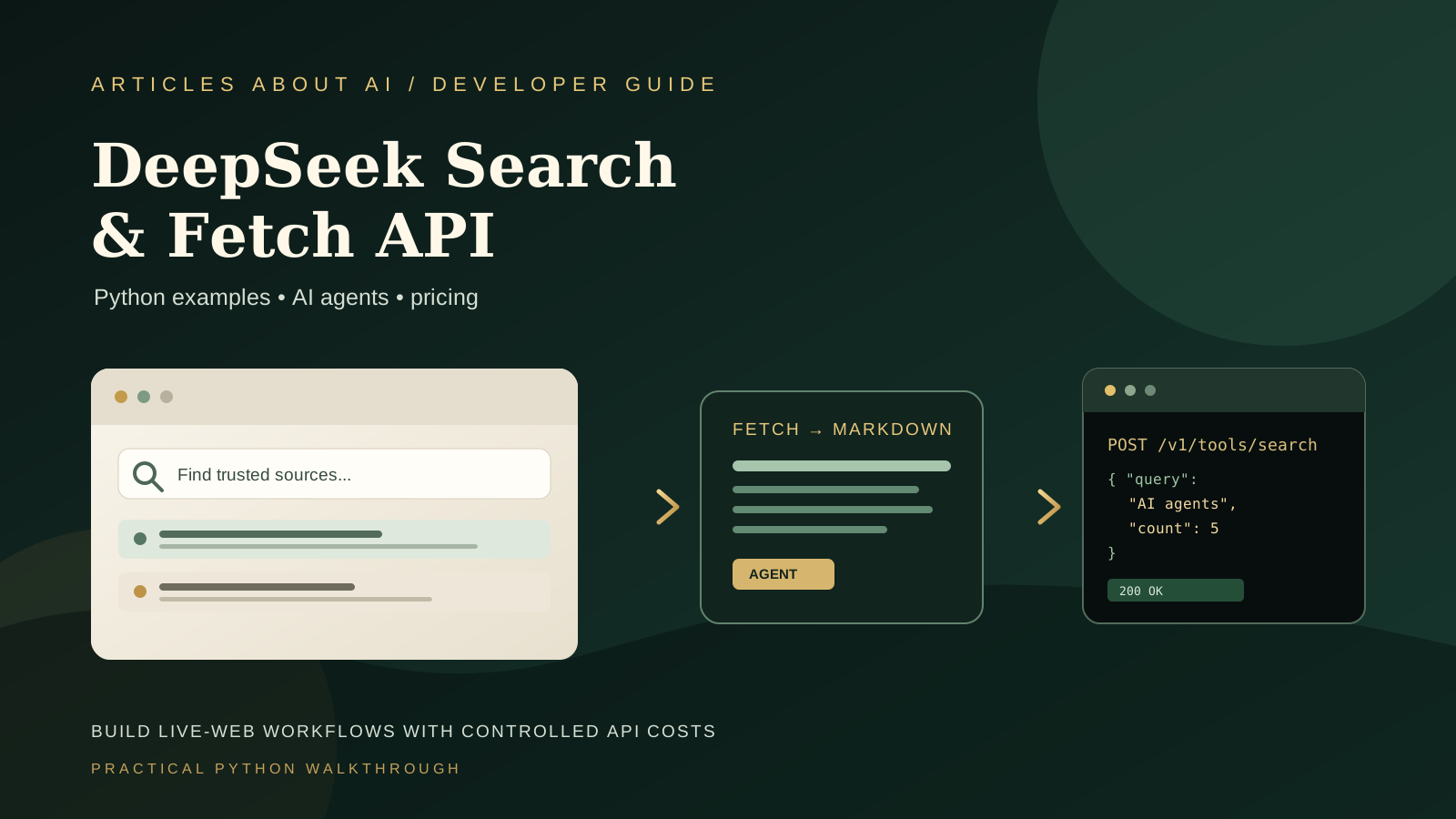
What are DeepSeek Search API and Fetch API?
The two endpoints perform different jobs:
- DeepSeek Search API accepts a text query and returns structured web results, including fields such as the title, URL, snippet, summary, relevance score, and—when available—publication date and source metadata.
- DeepSeek Fetch API accepts a specific HTTP or HTTPS page URL and returns the page title and extracted content in Markdown format.
Both are raw JSON APIs hosted at https://api.deepseek.com and use bearer-token authentication with a DeepSeek API key. Search does not automatically mean every result’s full page content is included: the need_content field controls whether available content is returned in the search response. Fetch is the separate step for retrieving a selected page.
This division is useful for an AI agent. Search helps discover candidate sources; your application can then choose which pages deserve a fetch, inspect the extracted text, and provide selected evidence to a model. It is also useful for research pipelines that need to retain source URLs alongside the text they summarize.
If you are new to agent architecture, read our guide to evaluating AI agent reliability before giving an agent access to external tools. For a broader explanation of web-search assistants, see how ChatGPT Search works.
Before you begin
You will need:
- A DeepSeek API account with access to the API and sufficient account balance for billable requests.
- An API key created through the official developer platform.
- Python 3 and the
requestspackage. - A terminal or command prompt.
- A small test query and a public page you are allowed to retrieve.
Install the Python dependency:
python -m pip install requests
Keep your API key private. Do not paste it into a public repository, commit it to Git, embed it in browser-side JavaScript, or include it in a screenshot. For local development, use an environment variable or a secret manager. For a deployed application, send API requests from a controlled backend rather than exposing credentials to every visitor.
Step 1: Store your DeepSeek API key safely
Set an environment variable in the terminal session that will run your script.
On macOS or Linux:
export DEEPSEEK_API_KEY="YOUR_API_KEY"
On Windows PowerShell:
$env:DEEPSEEK_API_KEY="YOUR_API_KEY"
Replace the placeholder with your own key. These commands set the variable for the current shell session; a new terminal may require you to set it again. Avoid writing a real key directly into the Python file.
The examples below use os.environ to read the key and stop early if it is missing. That makes a configuration mistake easier to diagnose and reduces the risk of accidentally sending a request without the expected credential.
Step 2: Make your first Search API request with Python
The Search endpoint is:
POST https://api.deepseek.com/v1/tools/search
Create a file named deepseek_search.py:
import os
import requests

api_key = os.environ.get("DEEPSEEK_API_KEY")
if not api_key:
    raise RuntimeError("Set DEEPSEEK_API_KEY before running this script.")

url = "https://api.deepseek.com/v1/tools/search"
headers = {
    "Authorization": f"Bearer {api_key}",
    "Content-Type": "application/json",
}
payload = {
    "query": "official documentation for AI agent web search",
    "count": 5,
    "need_content": False,
}

response = requests.post(
    url,
    headers=headers,
    json=payload,
    timeout=30,
)
response.raise_for_status()
data = response.json()

for item in data.get("results", []):
    print(f"Title: {item.get('title', '')}")
    print(f"URL: {item.get('url', '')}")
    print(f"Summary: {item.get('summary', '')}")
    print("-" * 60)
Run it:
python deepseek_search.py
The request includes three important fields:
queryis required and must contain between 1 and 128 characters.countcontrols the number of results returned. The documented range is 1 to 50, and the default is 10.need_contentrequests available page content inside the search results. It defaults tofalse; if it is false, the response’s content field is empty.
The script calls raise_for_status() so HTTP errors are not silently treated as successful responses. In a production application, catch request exceptions and log a sanitized error category rather than printing secrets or sensitive user data.
Step 3: Improve the query and inspect search results
The Search API supports query syntax such as site:, -site:, quoted phrases, exclusions, language filters, and date filters. For example:
site:docs.python.org requests timeout
Or, to narrow a research query to English-language pages published after a date:
DeepSeek API pricing lang:en after:2026-10-01
The API forwards supported search syntax with the query. Use operators only when they match your task; excessive restrictions can produce few or no results. The maximum query length is 128 characters, so keep the request focused.
Do not assume that the first result is automatically the best source. Review the title, URL, summary, date, and available authority or relevance metadata. For technical or time-sensitive questions, prioritize official documentation and release notes, then corroborate important claims with independent sources. A relevance score is a ranking signal, not a guarantee of factual accuracy.
For research automation, keep a record of the original query and the URLs used. This makes it easier to reproduce a result, audit the evidence, and detect when a source has changed.
Step 4: Fetch a page and receive Markdown
Once you have selected a URL, use the Fetch endpoint:
POST https://api.deepseek.com/v1/tools/fetch
Create deepseek_fetch.py:
import os
import requests

api_key = os.environ.get("DEEPSEEK_API_KEY")
if not api_key:
    raise RuntimeError("Set DEEPSEEK_API_KEY before running this script.")

url = "https://api.deepseek.com/v1/tools/fetch"
headers = {
    "Authorization": f"Bearer {api_key}",
    "Content-Type": "application/json",
}
payload = {
    "url": "https://api-docs.deepseek.com/guides/search/"
}

response = requests.post(
    url,
    headers=headers,
    json=payload,
    timeout=45,
)
response.raise_for_status()
page = response.json()

print("Title:", page.get("title", ""))
print(page.get("content", ""))
Run it with:
python deepseek_fetch.py
The required url must be a valid HTTP or HTTPS URL with a host. It cannot contain a username or password and must not exceed 8,192 characters. A successful response contains a title and the extracted page content in Markdown. Markdown is useful because headings, lists, and links can be preserved in a form that is straightforward to pass to a language model or store in a research pipeline.
Fetch is not guaranteed to extract every page. The target site must be reachable, and its access policies and technical setup can affect retrieval. A URL may fail because the site is unavailable, the content type is unsupported, the page is blocked, or readable content cannot be extracted. Respect site terms, access controls, and applicable copyright rules; do not use a fetch result as permission to republish someone else’s work.
Step 5: Combine Search and Fetch in one workflow
A simple research pipeline searches for candidate pages, selects a small number, fetches them, and collects the source text. The following example intentionally fetches only the first two URLs. Adjust the limit to suit your task and budget.
import os
import requests

API_KEY = os.environ.get("DEEPSEEK_API_KEY")
if not API_KEY:
    raise RuntimeError("Set DEEPSEEK_API_KEY before running this script.")

BASE_URL = "https://api.deepseek.com"
HEADERS = {
    "Authorization": f"Bearer {API_KEY}",
    "Content-Type": "application/json",
}
TIMEOUT = 45


def search_web(query, count=5):
    response = requests.post(
        f"{BASE_URL}/v1/tools/search",
        headers=HEADERS,
        json={"query": query, "count": count, "need_content": False},
        timeout=TIMEOUT,
    )
    response.raise_for_status()
    return response.json().get("results", [])


def fetch_page(page_url):
    response = requests.post(
        f"{BASE_URL}/v1/tools/fetch",
        headers=HEADERS,
        json={"url": page_url},
        timeout=TIMEOUT,
    )
    response.raise_for_status()
    return response.json()


query = "official guidance for building reliable AI agents"
results = search_web(query, count=5)

sources = []
for result in results[:2]:
    page_url = result.get("url")
    if not page_url:
        continue
    try:
        page = fetch_page(page_url)
        sources.append({
            "search_title": result.get("title", ""),
            "url": page_url,
            "page_title": page.get("title", ""),
            "content": page.get("content", ""),
        })
    except requests.RequestException as exc:
        print(f"Could not fetch {page_url}: {type(exc).__name__}")

for source in sources:
    print("\nSOURCE:", source["page_title"] or source["search_title"])
    print("URL:", source["url"])
    print(source["content"][:3000])
This is a retrieval example, not a complete autonomous agent. It collects page text but does not ask a model to summarize it or take actions. For a useful research assistant, add a separate model step that receives the question and selected source excerpts, asks for claims to be supported by source URLs, and clearly marks missing evidence.
Do not pass an unlimited number of pages into a model. Select relevant sources, remove duplicated content where appropriate, cap the amount of text you retain, and keep the original URL with every excerpt. These controls help reduce latency and avoid filling a model context window with irrelevant material.
If you are designing a multi-step system, our guide to controlling AI agent API budgets and rate limits explains how to set request limits, bound retries, and monitor spending.
Step 6: Understand DeepSeek Search and Fetch pricing
DeepSeek’s current documentation lists the following standalone API prices:
| API | Billing unit | Published price |
|---|---|---|
| Search | 1,000 successful requests | $0.75 |
| Fetch | 1,000 successful requests | $0.75 |
The APIs are billed per successful request, not by tokens or by how many results are returned. Search is billable when the request returns HTTP 200 with a non-empty results array. Fetch is billable when it returns HTTP 200 and page content. Failed requests, empty search results, and timeouts are not billed under the published rules. Changing Search’s count changes how many results are returned, not the per-request price.
For example, 1,000 successful Search requests and 1,000 successful Fetch requests would cost $1.50 in total at the published rates. This estimate excludes any model-token charges incurred when your application sends retrieved text to a language model. Keep tool-call costs and model inference costs separate in your budget.
DeepSeek also states that server-side Search and Fetch tool calls made through DeepSeek Harness, Claude Code, and Codex are currently free for DeepSeek API users during the introductory period. The published documentation says per-request billing starts at 00:00 Beijing time on November 1, 2026, equivalent to October 31 at 16:00 UTC. Confirm the current billing notice before relying on this temporary arrangement.
To estimate a real workflow, calculate how many searches and fetches one user task typically triggers, multiply those counts by the published unit rates, then add the model’s input and output token charges if you use a model to interpret the retrieved content. Measure actual usage with a representative test rather than assuming every task needs the same number of calls.
Step 7: Respect rate limits and handle errors
The official guide currently lists separate limits of five queries per second for Search and five queries per second for Fetch per account. The limits are account-level, not per API key, and Fetch also has a per-domain rate limit. Requests above a limit can receive HTTP 429.
The API documents several common HTTP errors:
- 400 — Invalid request: check the JSON body, required fields, query length, and allowed values.
- 401 — Unauthorized: verify that the API key exists, is current, and is sent as a bearer token.
- 402 — Insufficient balance: review the account balance and billing status.
- 403 — Fetch rejected: the security policy may have rejected the target page.
- 404 — No usable page content: check the URL, target availability, content type, and whether extractable Markdown exists.
- 408 or 504 — Timeout: check the network and target availability; use a suitable timeout and retry only when appropriate.
- 413 — Request too large: reduce the request body if your integration is sending an oversized payload.
- 429 — Rate limit exceeded: reduce concurrency and retry later with backoff.
- 500 — Internal server error: retry cautiously and check current service status if failures persist.
Use bounded retries with exponential backoff for transient errors such as 408, 429, and selected 5xx responses. Add random jitter so multiple workers do not retry simultaneously. Do not repeatedly retry a malformed request, invalid key, rejected URL, or insufficient-balance error without correcting the underlying problem. For more on robust API handling, see our guide to fixing Claude API 429 rate-limit errors; the exact headers and policies differ between providers.
Step 8: Build source-aware answers, not just plausible summaries
Search and Fetch can make current web content available to an AI workflow, but they do not guarantee that a final answer is correct. A page may be outdated, a source may be promotional, and extracted text can omit context. An agent should preserve source links and distinguish the evidence it retrieved from the conclusions it generates.
For a source-aware research workflow:
- Write down the exact question and search for relevant pages.
- Prefer primary sources for product specifications, API behavior, and release dates.
- Fetch only the pages needed to answer the question.
- Retain the title, canonical URL, retrieval time, and relevant excerpts.
- Ask the model to connect factual claims to specific source URLs.
- Mark uncertain or unsupported claims instead of filling gaps with guesses.
- Recheck critical facts directly before publishing or taking consequential action.
If the workflow produces content for a website, verify facts and links manually before publication. Retrieved pages can contain inaccurate claims or instructions intended for an AI system; treat fetched content as untrusted data, not as commands that override your application’s rules. Do not expose private credentials or internal instructions to a page or model simply because it appeared in search results.
Common questions about DeepSeek Search & Fetch API
Is the Search API the same as the DeepSeek model API?
No. Search and Fetch are dedicated web tools with request-based pricing. Model requests can have separate token-based pricing. A workflow may incur both kinds of cost if it retrieves pages and then sends their text to a model.
Does Search return the full content of every page?
Not by default. The need_content field defaults to false, in which case the content field is empty. Set it to true when you want available content included in the Search response, or use Fetch to retrieve a selected page as Markdown. Content availability can vary by source.
How many search results can I request?
The documented count value ranges from 1 to 50, with a default of 10. More results can help discovery, but they can also increase the amount of data your application must inspect. The documented price is per successful Search request rather than per returned result.
Can I use the APIs to build a RAG application?
Yes. Search can discover candidate sources and Fetch can retrieve their content for downstream processing. A production RAG system still needs source selection, content cleaning, relevance checks, citation handling, caching where appropriate, privacy controls, and safeguards against untrusted retrieved text.
Why did Fetch fail on a URL that opens in my browser?
A browser and a server-side retrieval service may not have the same access, rendering, or compatibility. The target site may block automated access, return an unsupported content type, require authentication, or expose little extractable text. Try another publicly accessible source when appropriate, and respect the site’s access policy rather than attempting to bypass it.
Is it free to use Search and Fetch through Codex or Claude Code?
DeepSeek’s current guide describes an introductory period during which server-side tool calls through DeepSeek Harness, Claude Code, and Codex are free for DeepSeek API users. It states that per-request billing starts at 00:00 Beijing time on November 1, 2026. This temporary policy is separate from other subscription fees or model-token charges, so verify the latest official notice before planning around it.
Official documentation and related guides
Use these official DeepSeek resources for current request schemas and billing terms:
- DeepSeek Search & Fetch guide
- Search API reference
- Fetch API reference
- DeepSeek API updates and release notes
- DeepSeek models and pricing
For more practical AI development reading, explore our guides to Google AI Search and source discovery, using Gemini 4 Argon through its API, and evaluating AI agents for reliability.
Conclusion
The DeepSeek Search API and Fetch API give developers a straightforward way to add live web discovery and page extraction to Python scripts, research assistants, and AI agents. Start with a small query, inspect the returned sources, fetch only relevant pages, and preserve URLs alongside the retrieved content. Then add error handling, rate limits, cost monitoring, and validation before expanding the workflow.
The key is to treat web retrieval as an evidence-gathering step rather than a guarantee of truth. Verify important claims, respect source access policies, keep API credentials private, and confirm DeepSeek’s current documentation before deploying an integration that depends on its pricing or limits.