
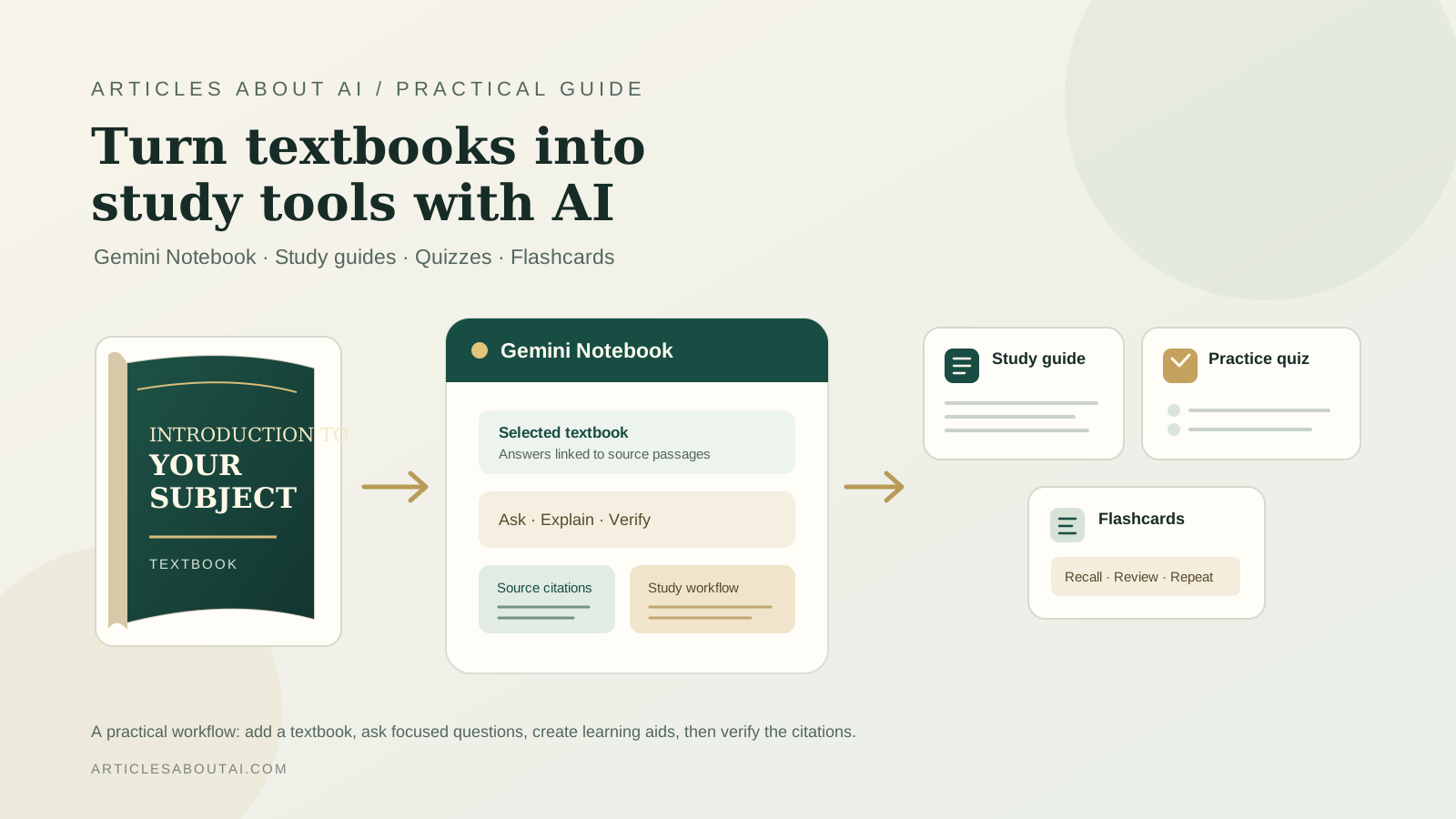
Google has added a catalog of hundreds of textbooks from providers in the United States and India—including OpenStax, Open Textbook Library, and S Chand Publishing—to Gemini Notebook. The books can be added to a notebook at no charge, then used as sources for answers with inline citations, study guides, practice quizzes, flashcards, and other learning materials. The announcement is a practical change for students: instead of beginning with a blank chat or manually importing every reading, eligible textbooks can now be discovered from inside the notebook.
This guide explains how to find the textbook catalog, build a study workflow around a selected book, and check the AI-generated material before relying on it. The catalog and its availability can change, so use Google’s original announcement about textbooks in Gemini Notebook as the reference for the rollout.
What is new about textbooks in Gemini Notebook?
Gemini Notebook—previously known as NotebookLM—is designed to work with a defined collection of sources. When a textbook is added, the notebook can answer questions grounded in that book and provide inline citations and links back to the original source. Google says the new catalog includes hundreds of textbooks from OpenStax, Open Textbook Library, and S Chand Publishing, available at no charge through the new Textbooks option.
That source-based approach is useful for studying because it gives you a way to inspect where an answer came from. It does not make every generated answer automatically correct, and it does not replace reading the assigned material. Treat the book as the evidence base, the generated study aids as practice tools, and citations as a route back to the relevant passage.
The new textbook catalog is different from importing a PDF you already have or adding an eligible purchased ebook from Google Play Books. Those options may also be available in Gemini Notebook, but the new catalog provides a dedicated way to browse participating textbook sources from within the product.
How to add a textbook to Gemini Notebook
Google’s announcement gives the central path: open a notebook, select Add sources, and choose Textbooks to browse the available catalog. Labels and interface details may vary as Google updates the product.
- Open Gemini Notebook. Visit Gemini Notebook and sign in to the Google account you want to use.
- Create or open a notebook. Keep a notebook focused on one course, exam, or subject so its sources remain easy to manage.
- Select “Add sources.” Look for the source-adding control in your notebook.
- Choose “Textbooks.” Browse the catalog that appears and look for a title relevant to your course.
- Add an available textbook. Follow the on-screen instructions to include it as a source.
- Ask a question about the book. Start with a focused request, such as asking for the main concepts in a particular chapter.
- Check the citations. Open the cited passages and make sure they support the answer before using it in notes or assignments.
If you do not see the Textbooks option, check Google’s announcement and current Gemini Notebook Help Center for availability and interface changes. Do not assume that every title, account, or region will show an identical catalog.
Turn a textbook into a study guide
Once the textbook is available as a source, ask for a structured study guide rather than a broad summary. A good guide helps you identify the concepts you need to understand and gives you a clear order for reviewing them.
Try this prompt in the notebook chat:
Create a study guide for [chapter or topic] using the selected textbook as the primary source. Organize it into learning objectives, key terms, core concepts, important examples, common misconceptions, and five review questions. Keep the explanation appropriate for a student preparing for an exam. Cite the textbook passages that support factual claims, and clearly identify anything the source does not explain.
Improve the result by narrowing the scope. Instead of asking for a guide to an entire introductory biology textbook, request one for cell structure, genetics, or a named chapter. Ask the model to distinguish essential definitions from supporting details, and check that the guide follows the terminology used by the textbook and your course instructor.
For a useful final study guide, include:
- Learning objectives: What you should be able to explain or do.
- Key terms: Definitions in the book’s context.
- Concept map: How the main ideas relate to one another.
- Worked examples: Examples or procedures that the source actually covers.
- Review questions: Questions that test understanding rather than only recognition.
- Source references: Citations that let you revisit the original explanation.
Generated material can omit a qualification or oversimplify a difficult concept. Compare important definitions and examples with the cited passage, particularly when preparing for a graded exam.
Generate practice quizzes from the textbook
Quizzes can help reveal what you understand and what you only recognize when you read it. Ask for questions based on a defined chapter or learning objective, and request explanations for the answers.
For example:
Create a 10-question practice quiz based on the selected textbook’s section on [topic]. Include a mix of multiple-choice and short-answer questions. Test definitions, conceptual differences, and application. Provide an answer key with a brief explanation and cite the relevant textbook passages. Do not introduce facts that are not supported by the source.
After completing the quiz, review incorrect answers first. Ask the notebook to explain why the correct answer follows from the textbook and why your selected answer does not. If a question appears ambiguous, open its citation and compare the wording with the source; do not assume that the generated answer key is infallible.
For more effective revision, ask for a second set of questions that tests the concepts you missed without simply repeating the same wording. Keep the difficulty appropriate to your course. A quiz that is too easy can create false confidence, while a quiz that depends on material outside the assigned chapter may not prepare you for the assessment you actually face.
Make flashcards for active recall
Flashcards are useful for short definitions, formulas, dates, processes, and distinctions. They are less effective when a complex idea is reduced to a vague one-line answer, so ask for concise cards that retain the necessary context.
Use a prompt such as:
Create flashcards from the selected textbook section on [topic]. Put one clear question or term on the front and a concise answer on the back. Include definitions, important distinctions, and steps in processes. Avoid duplicate cards, keep each answer faithful to the source, and cite the relevant passage where possible.
Good flashcards ask one thing at a time. For example, a card about a scientific process should test a specific stage or relationship, not ask the learner to reproduce an entire chapter. After generating the cards, check technical terms, symbols, units, and exceptions against the textbook.
Google also documents built-in flashcard and quiz features in Gemini Notebook. Their controls and availability may differ from a prompt-generated list, so consult the official flashcards and quizzes help page for the current workflow.
Ask questions that stay grounded in the book
A source-grounded notebook works best when your questions make the desired evidence explicit. Instead of asking “Explain everything about climate,” ask “According to the selected chapter, how does the text distinguish weather from climate? Cite the passage and give one example used by the author.”
Useful question patterns include:
- “Explain this concept in simpler language without changing the textbook’s definition.”
- “Compare these two terms using the textbook’s own distinctions.”
- “List the steps in this process in the order given by the source.”
- “What evidence or example does the author use to support this claim?”
- “Which part of this question cannot be answered from the selected textbook?”
- “Give me three application questions based only on this section.”
When studying multiple chapters, mention their titles or select the relevant sources if the interface allows it. That reduces the chance of mixing concepts from unrelated sections. For broader research workflows, see our guide to using NotebookLM for research, which explains how to organize sources, ask evidence-focused questions, and verify claims.
Verify citations and avoid common mistakes
Citations make an answer easier to audit, but they are not a guarantee that every sentence is correct. Open the cited source and check whether it supports the precise statement being made. Be especially careful with numerical values, equations, definitions, exceptions, and claims that compare two theories.
Use this checklist before studying from generated material:
- Does the cited passage support the full claim, not just mention the topic?
- Are definitions and technical terms consistent with the textbook?
- Have important conditions, exceptions, or units been left out?
- Does a quiz question have one defensible answer?
- Are answers based on the selected source, rather than unsupported background knowledge?
- Does the textbook match the edition and course syllabus you are studying?
If the notebook cannot find a clear source passage, treat the answer as uncertain and check the book manually. Do not use generated citations as a substitute for reading the original when a detail is important.
Availability, cost, and limitations
Google says the textbooks in the new catalog can be accessed in Gemini Notebook at no charge. The announcement names providers in the United States and India, including OpenStax, Open Textbook Library, and S Chand Publishing. It does not establish that every textbook is available in every country or that the catalog will remain unchanged.
Keep these practical limits in mind:
- Catalog coverage: Only participating and listed titles can be selected through this catalog.
- Account and region: The exact experience may vary. Check the current product interface and official help pages if the option is missing.
- Mobile experience: Google notes that the Gemini Notebook mobile app may have limitations for some source features. If you cannot find the textbook catalog on a phone, try the web version and consult the current help documentation.
- Accuracy: Generated guides, quizzes, and flashcards can contain omissions or errors. Verify important answers against the cited textbook.
- Copyright and course rules: Access to a textbook does not automatically grant permission to redistribute its contents. Follow the publisher’s terms and your institution’s rules when sharing notes or generated materials.
For the latest source controls and supported inputs, consult Google’s official guide to adding or discovering sources. The available controls may change as the rollout develops.
A practical 30-minute textbook study workflow
If you want to try the feature without reorganizing your entire course, use one chapter as a test:
- Minutes 0–5: Choose a chapter. Add an available textbook and identify the section you need to learn.
- Minutes 5–10: Build a guide. Ask for learning objectives, definitions, core ideas, and source citations.
- Minutes 10–20: Test yourself. Generate a short quiz and answer it before looking at the key.
- Minutes 20–25: Review weak areas. Use the explanations and cited passages to correct misunderstandings.
- Minutes 25–30: Create flashcards. Make cards only for facts, terms, and distinctions you need to remember.
This is a suggested workflow, not a guarantee of learning outcomes. Adjust the time to the subject and the difficulty of the material. For problem-solving subjects, spend more time working through examples yourself instead of relying mainly on summaries and cards.
Final take: use Gemini Notebook as a study partner, not a replacement for the textbook
The new textbook catalog gives students a more direct way to bring participating course books into Gemini Notebook and turn them into source-grounded study materials. The most useful workflow is straightforward: add a relevant book, ask focused questions, generate a study guide, test yourself with quizzes, and use flashcards for active recall. Then verify key claims against the cited text.
AI-generated study aids are best treated as a starting point for learning. Your course syllabus, instructor’s guidance, assigned edition, and the original textbook remain the authorities for what you are expected to know.