
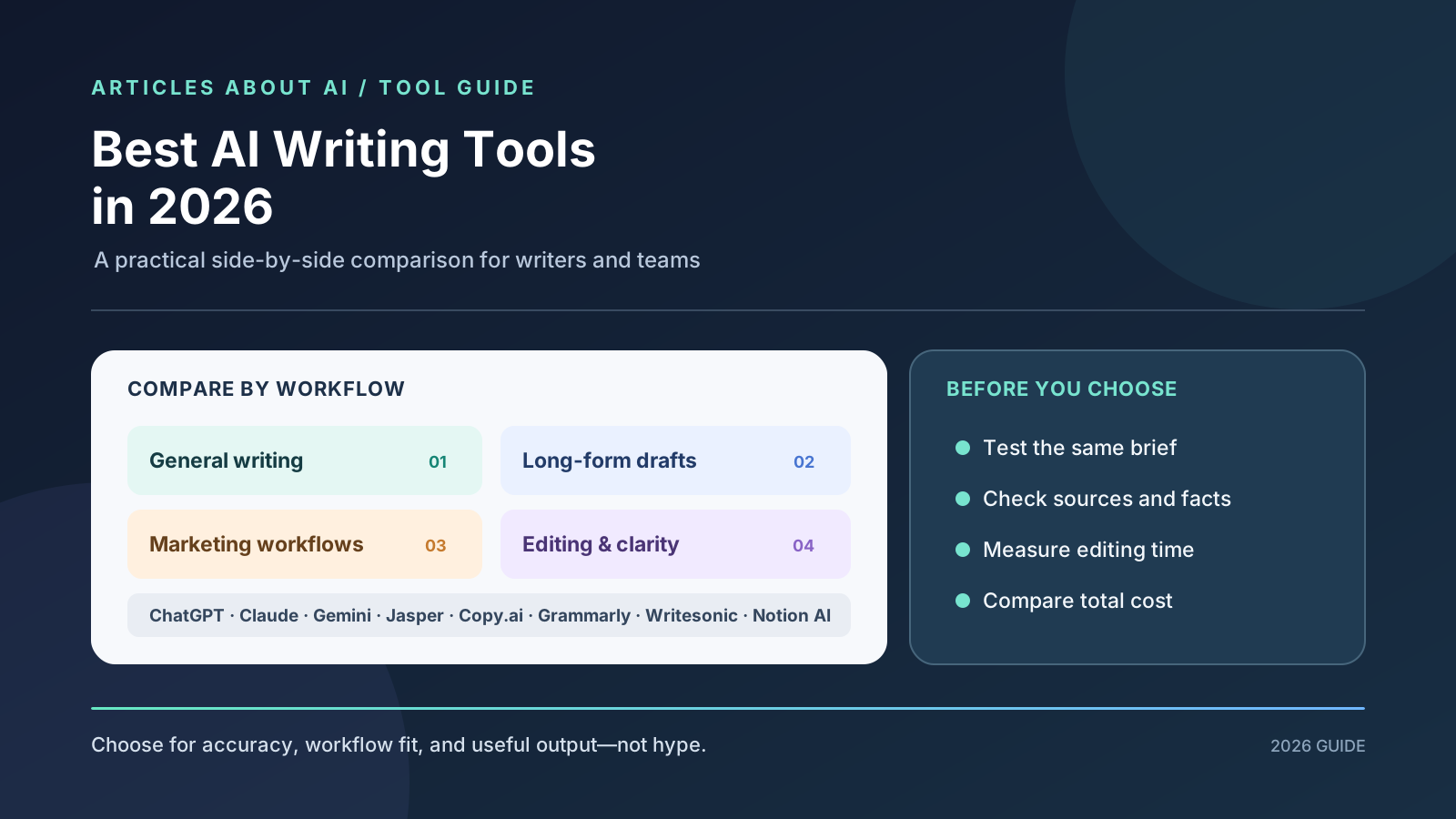
Choosing the best AI writing tool in 2026 depends on more than how quickly an app can generate a paragraph. A blogger may need outlines, source checking, and long-form editing. A marketing team may need brand voice controls, campaign workflows, and collaboration. A student may mainly want help clarifying a sentence, while an ecommerce business may need hundreds of consistent product descriptions.
This guide compares general-purpose AI assistants and specialist writing platforms by the work they are designed to support. It covers ChatGPT, Claude, Google Gemini, Jasper, Copy.ai, Grammarly, Writesonic, and Notion AI, with practical advice for choosing a tool without paying for overlapping features.
Quick verdict: Start with ChatGPT, Claude, or Gemini if you want a flexible assistant for drafting, revising, and working with supplied material. Consider Jasper or Copy.ai when marketing workflows, brand consistency, or repeatable campaign processes matter more than a general chat interface. Grammarly is a useful fit when editing and writing support inside everyday apps is the priority. Writesonic is worth evaluating for search-oriented content workflows, while Notion AI makes the most sense for teams already organizing their work in Notion. These are starting points—not a universal ranking based on a controlled benchmark.
Features, model access, usage limits, and prices can change. We have not run a controlled laboratory test of every product in this list, so this comparison distinguishes product fit from measured writing quality. Before subscribing, test the same real assignment in the tools you are considering and check the current terms on each provider’s official website.
Best AI writing tools in 2026: quick comparison
| Tool | Best starting use case | What to evaluate | Main trade-off |
|---|---|---|---|
| ChatGPT | Flexible drafting, brainstorming, research-assisted writing, and file-based work | Instruction-following, research workflow, editing control, and tool availability | Requires careful fact-checking and a clear brief |
| Claude | Long-form drafts, document work, and iterative editing | Voice consistency, handling of source material, and revision quality | Usage and feature access depend on plan and model |
| Google Gemini | Writing that benefits from Google-connected workflows | Workspace integration, source handling, and the quality of revisions | Availability differs by account and connected service |
| Jasper | Marketing teams and brand-led content operations | Brand controls, campaign workflows, collaboration, and governance | May be more platform than a solo writer needs |
| Copy.ai | Repeatable go-to-market and business content workflows | Workflow automation, integrations, team needs, and output review | Pricing and workflow features can be aimed at teams rather than casual use |
| Grammarly | Editing, clarity, tone, and writing support across apps | Quality of corrections, tone suggestions, and compatibility with your workflow | Editing support is not a substitute for research or a full content strategy |
| Writesonic | Search-focused content and marketing workflows | Research features, content optimization, and publishing process | Verify what is included in the plan you would actually buy |
| Notion AI | Writing and summarizing inside a Notion workspace | Fit with existing team documents, notes, and knowledge workflows | Most valuable when your work already lives in Notion |
The best tool is the one that improves your complete writing process—not necessarily the one that produces the most polished first draft. Measure how much editing remains, how many factual errors you catch, how easily you can maintain a consistent voice, and whether the workflow saves enough time to justify its cost.
1. ChatGPT: a flexible writing assistant
ChatGPT is a strong first option when writing is only one part of the task. You can ask it to brainstorm angles, turn a brief into an outline, revise a section, analyze supplied files, or help organize research. Depending on your account and available tools, web search and research features may also help you locate source material before drafting.
Where it fits
- Blog outlines, first drafts, FAQs, product copy, and email drafts.
- Rewriting content for different audiences or reading levels.
- Working from notes, documents, or a detailed editorial brief.
- Generating alternative headlines, introductions, and calls to action.
- Building repeatable workflows from saved instructions and examples.
ChatGPT is especially useful when you need to move between tasks in one workspace. For example, you can ask it to extract claims from a supplied report, draft an article outline, and then review the draft against the source. Each step still needs human oversight: a fluent explanation is not proof that the underlying claim is accurate.
Potential drawback: A broad assistant may need more guidance than a dedicated marketing platform to follow a strict brand system at scale. Without clear instructions, it can fall back on generic wording, repeat points, or produce claims that sound authoritative but are not supported.
To get better results, give the model the intended audience, purpose, source material, tone, structure, and exclusions. Our guide to writing better ChatGPT prompts covers how to make instructions more precise. For a focused comparison with Claude, see ChatGPT vs Claude for writing.
Official reference: ChatGPT plans and pricing.
2. Claude: long-form drafting and revision
Claude is worth testing when your workflow involves substantial documents, several rounds of editing, or careful work with supplied source material. Claude’s Projects and document-oriented capabilities can help organize ongoing work when they are available on your plan. Its web search and research features may also help with source discovery, depending on access.
Where it fits
- Developing a long draft from a detailed outline.
- Revising the structure and flow of an existing article.
- Reviewing a long document and identifying repeated ideas.
- Applying a style guide or examples supplied with the brief.
- Working through several revisions while preserving the central argument.
For long-form writing, the quality of the brief matters as much as the model. Ask Claude to preserve the claims supported by your sources, flag gaps, and identify sections that need stronger evidence rather than automatically filling them with plausible-sounding detail.
Potential drawback: Claude is not a substitute for independent verification, and its available models, limits, and tools depend on your plan and account. If your work relies on a specific integration or export format, confirm that it is supported before moving an entire workflow.
Official reference: Claude plans and pricing. For the task-by-task comparison, read ChatGPT vs Claude for writing.
3. Google Gemini: writing connected to Google’s ecosystem
Gemini may be a practical choice when your writing process already depends on Google services. Depending on your account, plan, and workspace settings, its available integrations and connected context can make it easier to work with material associated with Google products.
Where it fits
- Turning notes into a structured first draft.
- Rewriting and summarizing material you provide.
- Developing content alongside an existing Google-based workflow.
- Brainstorming headlines, angles, and alternative explanations.
- Organizing research before writing a report or article.
The key question is not whether Gemini can write a paragraph—it can generate many types of text—but whether its workflow fits the way you gather, review, and publish information. Check which integrations are actually enabled for your account and whether the output preserves links and source context you need.
Potential drawback: Connected features and model availability vary. Never assume that a feature shown in a product announcement is already available to every user. As with other AI assistants, verify factual claims and do not treat generated citations as proof without opening the original source.
Official reference: Google Gemini. If research is central to your content process, see our Gemini vs ChatGPT for research comparison.
4. Jasper: marketing content and brand operations
Jasper is designed around marketing content workflows rather than only open-ended chat. It may suit teams that need to produce different content formats while keeping brand guidance, campaigns, and collaboration organized in one system.
Where it fits
- Campaign content across multiple channels.
- Brand-led messaging and reusable content workflows.
- Coordinating writing across a marketing team.
- Standardizing how content is produced and reviewed.
- Managing repeatable marketing tasks where workflow controls matter.
For a team, the value of a platform like Jasper may come from the process surrounding the text: shared brand references, reusable workflows, review steps, and controls for consistent output. That can matter more than a small difference in the quality of a single paragraph.
Potential drawback: A specialist platform may be unnecessary for a solo blogger who only needs occasional outlines and revisions. Business plans can also use feature-specific or credit-based pricing, so compare the actual actions your team expects to run—not just the headline subscription price.
Before choosing Jasper, run a pilot with representative assets: a landing page, a campaign email, a product description, and a social post. Review the outputs for factual accuracy, consistency, editing time, and how much configuration was required.
Official references: Jasper and Jasper’s pricing documentation.
5. Copy.ai: repeatable go-to-market workflows
Copy.ai has expanded beyond one-off copy generation toward workflows for go-to-market teams. It is worth evaluating if your organization wants repeatable processes that connect research, messaging, and business content tasks.
Where it fits
- Creating and adapting sales and marketing messaging.
- Repeatable workflows for business content.
- Team-based content operations and integrations.
- Producing multiple variations from a consistent brief.
- Connecting content tasks to a wider go-to-market process.
The main evaluation question is whether Copy.ai’s workflow and integration capabilities solve a recurring business problem. If your team repeatedly performs the same multi-step process, structured workflows may be more valuable than asking a general assistant to recreate the process manually each time.
Potential drawback: A team-focused platform can be excessive for someone who writes a few blog posts each month. Review seat limits, workflow allowances, integrations, and the total annual cost. Do not assume that “unlimited words” means every workflow, integration, or advanced action is unlimited.
Official reference: Copy.ai pricing.
6. Grammarly: editing, clarity, and tone
Grammarly is a useful option when your biggest need is improving text you have already written. Its writing support can help identify grammar issues, suggest clearer phrasing, and adjust tone in supported applications and workflows.
Where it fits
- Correcting grammar, spelling, and punctuation.
- Making sentences clearer and easier to read.
- Adjusting tone for professional or conversational communication.
- Reviewing emails, reports, and everyday business writing.
- Providing writing assistance without moving every task into a separate chatbot.
For many writers, editing is where small time savings add up. A tool that works in the apps you already use may be more convenient than copying every paragraph into another interface. Test it on your real writing, especially if you work with technical terms, proper names, or a deliberate house style.
Potential drawback: A grammar and tone assistant cannot independently guarantee that an article is well researched, original, strategically useful, or factually correct. A sentence can be grammatically perfect and still contain a false claim. Avoid accepting every rewrite automatically; some suggestions may flatten your voice or change the intended meaning.
Official reference: Grammarly plans.
7. Writesonic: search-oriented content workflows
Writesonic is worth considering if your content operation is closely tied to search marketing and content optimization. Rather than evaluating it only as a text generator, inspect the complete workflow it offers for research, drafting, optimization, and review.
Where it fits
- Search-focused articles and landing-page drafts.
- Marketing content that needs a repeatable optimization process.
- Teams that want writing and related SEO functions in one workflow.
- Generating content briefs and draft variations for editorial review.
A search-oriented writing platform should help you satisfy the searcher’s intent, not merely insert a list of keywords. Useful content answers the question clearly, covers the important subtopics, cites reliable sources when necessary, and gives readers something they cannot get from a generic rewrite.
Potential drawback: SEO features, credits, content limits, and plan inclusions may change. Check whether the functions you need—such as source research, content optimization, brand controls, or publishing integrations—are included in the subscription you are evaluating.
Official reference: Writesonic.
8. Notion AI: writing inside an existing knowledge workspace
Notion AI is most compelling for teams and individuals who already use Notion for notes, documentation, project planning, and internal knowledge. Its value comes from helping with writing tasks in the environment where that information is already organized.
Where it fits
- Summarizing project notes and meeting documentation.
- Turning rough notes into a structured page.
- Drafting and revising internal documentation.
- Reorganizing existing knowledge into a clearer format.
- Supporting team workflows that already rely on Notion.
If your content starts with research notes, project briefs, or a shared editorial calendar in Notion, keeping the writing process close to those materials may reduce context switching. It can be particularly useful for internal drafts and documentation where the source context already exists in the workspace.
Potential drawback: It may be less attractive if you do not use Notion or if you need a dedicated SEO platform, specialist editing features, or a different publishing workflow. Evaluate it in the context of your existing tools rather than as a standalone AI writer.
Official reference: Notion AI.
Which AI writing tool is best for each task?
There is no reliable single winner for every writing job. Use this task-based shortlist to decide what to test first.
| Your main task | Tools to test first | What should decide the winner |
|---|---|---|
| Blog posts and long-form articles | ChatGPT, Claude, Gemini | Structure, voice, source fidelity, revision time |
| Research-backed content | ChatGPT, Gemini, Claude | Source quality, claim verification, transparent uncertainty |
| Grammar and sentence-level editing | Grammarly, ChatGPT, Claude | Accuracy of corrections and preservation of meaning |
| Brand marketing campaigns | Jasper, Copy.ai | Brand consistency, workflow repeatability, team controls |
| Search-focused content operations | Writesonic, ChatGPT, Jasper | Search intent, useful coverage, evidence, optimization workflow |
| Sales and go-to-market content | Copy.ai, Jasper, ChatGPT | Integration, repeatability, approval process, measurable time saved |
| Notes and internal documentation | Notion AI, ChatGPT, Gemini | Fit with the source workspace and ease of review |
| Occasional personal writing | Free tiers of general assistants and editing tools | Whether the free allowance covers your actual needs |
Treat this table as a shortlist, not a scorecard. A tool can be excellent for a particular team and still be the wrong choice for a different workflow.
How to compare AI writing tools fairly
A short, repeatable test is more useful than choosing based on a vendor’s demo. Use the same brief and source material for each tool, and judge the result against the same criteria.
Step 1: Prepare one realistic assignment
Choose a task you actually perform, such as a 1,000-word educational article, a product page, a newsletter, or a client email. Provide each tool with the same audience, purpose, constraints, source documents, and desired format. Do not give one tool a detailed brief and another a vague one.
Step 2: Use a simple evaluation rubric
Score each output from 1 to 5 against these criteria:
- Factual reliability: Can important claims be verified from credible sources?
- Instruction-following: Did it meet the requested structure, audience, and tone?
- Usefulness: Does the draft answer the reader’s real question?
- Voice: Does it sound appropriate for your publication or organization?
- Editability: Can you revise it without rebuilding the entire draft?
- Workflow fit: Does it work with your files, team, and publishing process?
- Time saved: How much human effort was needed to reach publishable quality?
Do not count word count as quality. A longer article can still be repetitive, poorly sourced, or unhelpful. Record the minutes spent correcting each draft and the number of factual or structural problems you found.
Step 3: Check source handling
For research-heavy content, ask the tool to separate supported facts, uncertain claims, and information that still needs verification. Open the original sources yourself. If the tool supplies citations, check that each link supports the statement attached to it. Our AI model benchmark guide explains why results from one evaluation do not automatically predict performance on another task.
Step 4: Test a second round of edits
First drafts do not show how well a tool handles feedback. Ask every tool to make the same changes: remove repetition, clarify a difficult section, preserve a named term, shorten the introduction, and correct a claim based on a supplied source. Note whether it makes the requested changes without damaging other parts of the draft.
Step 5: Compare the total cost
Check the current price, billing period, seat requirements, usage limits, credit systems, and cancellation terms on the official pricing page. Include the cost of any separate tools you still need. A low-cost writing assistant may be sufficient for a solo creator, while a larger team may justify a platform that reduces repetitive work and makes review more consistent.
Are free AI writing tools enough?
Free plans can be enough for occasional drafting, brainstorming, and light editing. They are a sensible place to start if you are still learning which tasks benefit from AI. However, free access can have message limits, restricted model access, smaller usage allowances, or fewer team features. The exact limits vary by product and change over time.
Before upgrading, list the specific problem a paid plan would solve. For example, you may need higher usage limits, access to a particular model, shared brand settings, research capabilities, integrations, or team administration. If you cannot name the bottleneck, continue testing the free option before paying.
Do not subscribe to multiple tools that solve the same problem unless your tests show a meaningful difference. Many writers can use one general assistant plus a focused editor. Marketing teams with complex approval and campaign processes may benefit from a specialist platform, but that is a workflow decision—not a rule that every business needs enterprise writing software.
How to use AI writing tools without publishing generic content
AI can speed up parts of writing, but publishing the first generated draft is rarely a reliable editorial process. Give the tool a clear role and keep a human responsible for the final article.
- Start with a real reader need. Define the question the article must answer and what readers should be able to do afterward.
- Build the outline before drafting. Check that each section adds new information rather than repeating an earlier point.
- Provide reliable sources. Use original documentation, research papers, or primary announcements for claims that need evidence.
- Ask for uncertainty to be flagged. Instruct the model not to invent quotations, statistics, product features, or personal experience.
- Add useful original analysis. Include examples, decisions, workflows, limitations, and explanations that help readers act.
- Edit for a human voice. Remove filler, vague claims, repeated conclusions, and generic transitions.
- Verify every important claim. Check product names, prices, dates, feature availability, and links before publication.
- Review the finished page. Make sure the headline, description, internal links, image, and formatting work together.
For publishers, AI should support editorial judgment rather than replace it. A useful article is accurate, specific, well organized, and written to satisfy the reader—not simply optimized to contain as many related keywords as possible.
Frequently asked questions
What is the best AI writing tool in 2026?
There is no universal winner. ChatGPT, Claude, and Gemini are flexible starting points for general writing. Jasper and Copy.ai are worth testing for marketing workflows, Grammarly for editing, Writesonic for search-oriented content operations, and Notion AI for writing inside an existing Notion workspace. Test the tools on your actual tasks before deciding.
Which AI writer is best for blog posts?
Start by comparing ChatGPT and Claude, and include Gemini if its connected workflow fits your process. Give each tool the same brief and sources, then compare accuracy, structure, voice, and editing time. The best result is the one you can verify and improve efficiently.
Are AI writing tools good for SEO?
They can help with outlining, drafting, rewriting, and content organization. They do not guarantee rankings. Search performance depends on satisfying user intent, providing useful and trustworthy information, site quality, competition, and many other factors. Keyword insertion alone does not make content valuable.
Is Jasper better than ChatGPT?
That depends on the workflow. Jasper may be a better fit for teams that need brand-led marketing operations and repeatable campaigns. ChatGPT may be more flexible for individual writers who want a general assistant for drafting, research, and varied tasks. Compare the features and total cost relevant to your team.
Can AI writing tools replace human editors?
They can help catch errors and suggest revisions, but human review remains important for factual accuracy, nuance, originality, brand voice, and accountability. A grammar checker cannot establish whether a claim is true, and a generated citation must still be checked against its source.
Should I pay for more than one AI writing tool?
Only if each tool provides a distinct benefit. A general assistant plus an editor may be enough for many people. A marketing team may need a specialist platform for shared brand settings, approvals, integrations, or repeatable workflows. Base the decision on evidence from your own pilot, not feature lists alone.
Final recommendation
For most people, begin with one general-purpose AI assistant and test it on real writing tasks before adding more subscriptions. Compare ChatGPT, Claude, and Gemini for drafting and revision; evaluate Grammarly if editing is your main bottleneck; and consider Jasper, Copy.ai, Writesonic, or Notion AI when their specialist workflows match a clear business need.
Use a consistent test, verify sources, track editing time, and check current pricing directly with each provider. The best AI writing tool in 2026 is the one that helps you produce more accurate, useful, distinctive work—not simply the one that writes the fastest.