
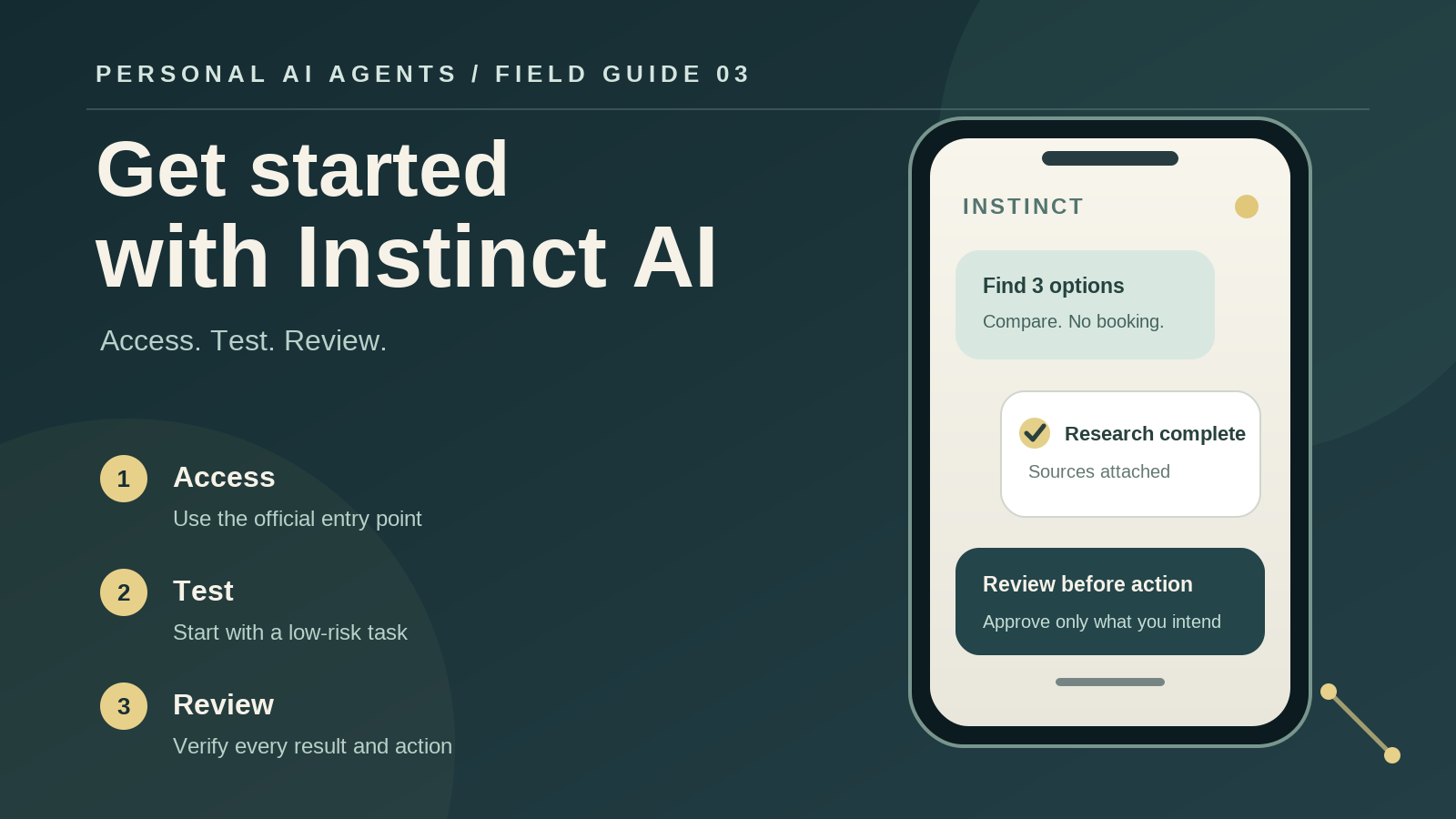
If you want to try Instinct AI, the first step is not downloading a conventional assistant app or configuring an automation workflow. Instinct is designed to be contacted by text or phone: you describe a task, and the personal AI agent can use a phone and computer to work toward completing it.
The practical challenge is getting access, understanding the setup that is actually available to your account, and choosing a first task that is easy to evaluate. This guide walks through those steps without assuming that every user sees the same onboarding screen or has access to every feature.
What you need before starting
Before opening Instinct, prepare three things:
- An official access route: Start from the Instinct website, not a third-party invite or login page.
- A phone or messaging channel: Instinct’s public site says you can text or call it. Use the contact method shown in your own account.
- A small task to test: Choose something with a clear result and no financial, account, or irreversible consequences.
Instinct’s public site currently describes the assistant as having no separate interface to learn. It says users can text or call it and that it can use a phone and computer in the same way a person does. Its examples include ordering ingredients, booking a train, ordering groceries, sending flowers, and finding a court for a weekend activity. Those examples describe the product’s intended scope—not a guarantee that every task, service, or region is supported.
Step 1: Open the official Instinct access page
Go directly to the official Instinct website. Use the site’s current Text Instinct or account entry point. The homepage links to the Instinct app domain, app.instinct.com.
Do not search for a random login result and enter your phone number or credentials there. Confirm that the address remains on an official instinct.com subdomain before proceeding.
The public website does not document every screen in the current onboarding flow, and the app’s login page is not fully exposed to public web crawlers. Follow the instructions shown by the official page rather than relying on screenshots from older guides.
Is Instinct AI open to everyone?
As of November 23, 2026, Instinct remains in a limited private beta, according to recent reporting. Access may depend on an invitation or availability through the official onboarding flow. The company’s current Terms of Service also refer to waitlist-status messages, but Instinct does not publish a guaranteed wait time or a complete public access manual.
If the official page offers a waitlist, use that option and keep the phone number you submitted available for updates. If it requests an invitation, ask someone you personally know who already uses Instinct whether they can share an official invite link. Do not buy invites or sign-in codes from strangers: a link may be invalid, already used, or connected to an account path you cannot verify.
The safest approach is to treat the official site as the source of truth. Access instructions can change as the beta expands.
Step 2: Complete the account flow shown to you
If Instinct asks for a phone number or verification code, enter it only on the official app page and use the code sent directly to your device. Never forward that code to an inviter, seller, or support account.
The current Terms say users may need to create an account, provide accurate and updated information, and protect their login credentials. They also state that a person may only have one account at a time. Avoid creating multiple accounts to get around an access restriction.
Once access is confirmed, look for the contact method Instinct provides. The public product description supports text and calls, but it does not guarantee that every messaging service or phone channel is available to every account.
Step 3: Start with a low-risk task
Your first task should test how Instinct understands instructions, gathers information, and reports back—not whether it can spend money or make a commitment.
Try a research-only request such as:
Find three coffee shops in my area that are open tomorrow afternoon. Compare their opening hours, location, and publicly listed reviews. Include links to the sources. Do not contact any business, make a reservation, or spend money.
This task has a few advantages:
- It has a clear deliverable: three options and a comparison.
- It gives Instinct constraints to follow.
- It lets you check the information independently.
- It explicitly prohibits external actions.
After the agent responds, open the source links yourself. Check whether the locations, hours, and details are correct. If the result is incomplete, ask it to fill a specific gap rather than repeating the entire task.
Step 4: Write a task that leaves little room for guessing
An AI agent is more useful when the request specifies the desired outcome and the limits of its authority. A short task brief can include five parts:
- Goal: What should be accomplished?
- Context: What details are relevant?
- Constraints: Budget, dates, location, preferences, or exclusions.
- Permission boundary: What may it do independently, and what requires your approval?
- Result: What should it send back?
For example, instead of “Find me a hotel,” write:
Research hotels in central Chicago for March 12–15. Keep the total below $700 including taxes, prioritize refundable rates, and compare cancellation policies. Return three options with official booking links. Do not book, enter payment information, or contact the hotels.
The more consequential the task, the more explicit the approval boundary should be.
Step 5: Ask follow-up questions while it works
You can refine a task through the same conversation. Useful follow-ups include:
- “Exclude non-refundable options.”
- “Keep the same dates and budget; change only the neighborhood.”
- “Show me the source for that price.”
- “Summarize what you have found so far.”
- “Stop before sending the message. Show me the draft first.”
If the agent asks a question, answer only the missing detail. Do not assume that a task is complete because the assistant says it has finished; check the actual booking, message, calendar entry, or other result.
Step 6: Connect accounts only when a task requires them
Some tasks may require access to email, calendars, websites, or other services. You do not need to connect everything at the beginning. Start without integrations, then add only the access needed for a task.
Before approving a connection, check:
- Which account is being connected?
- What information or actions will the permission allow?
- Is the connection necessary for the task?
- Can you disconnect it or remove previously collected data later?
- Does the task involve sensitive information or a financial commitment?
Instinct’s Terms explain that it may interact with third-party services on your behalf, and they require meaningful human oversight. They also state that actions or commitments it makes may be binding on you. Read the current Terms of Service and Privacy Policy before connecting accounts.
Optional: Use 1Password for supported sign-ins
If you already use 1Password, its official Instinct integration guide describes an approval-based way for Instinct to request a login without you sharing the password in the assistant’s chat.
The documented setup requires an eligible Individual or Family account on 1Password.com, the 1Password mobile app version 8.12.42 or later, and an Instinct account. The process is:
- Ask Instinct to connect to 1Password.
- Open the connection link and sign in to the official 1Password account.
- Review and approve the connection.
- When Instinct needs to sign in to a website, review the login request in 1Password and approve or deny it.
The integration supports Login items in Personal or Private vaults; passkeys, shared vaults, and some sign-in-provider logins are not supported in the current guide. Approval expires after 30 days. You can disconnect Instinct from the Integrations settings in 1Password. These details may change, so use the support guide as the authoritative setup reference.
Step 7: Try a second task only after reviewing the first
Once you have checked a research task, try something slightly more useful—but still reversible and low risk. For example:
Find two appointment options next week that fit the times I listed. Compare the locations and cancellation policies. Draft a message asking about availability, but do not send it or book anything until I approve.
This tests task planning and communication without granting permission to commit. If the agent needs more context, provide the minimum information necessary.
First-task prompts you can copy
Research and compare
Compare three options for [product or service]. Use my requirements: [requirements]. Include source links, total costs where available, and the main trade-offs. Do not purchase or contact anyone.
Organize a schedule
Review the dates and times I provided. Suggest a schedule that avoids conflicts and explain any assumptions. Do not add or change calendar events until I approve the proposed schedule.
Prepare a message
Draft a concise email to [recipient] about [purpose]. Use these details: [details]. Show me the draft and wait for my approval before sending it.
Plan an errand
Help me plan [errand] for [date or time window] near [location]. Check the relevant details and give me a step-by-step plan. Do not make bookings, payments, or commitments.
What to verify after every task
Use a quick review before trusting the result:
- Accuracy: Are names, dates, prices, links, and details correct?
- Scope: Did Instinct do only what you requested?
- Evidence: Can you open the source or confirmation yourself?
- Side effects: Did it send a message, create an account, change a setting, book something, or spend money?
- Next step: Is anything still waiting for your approval?
This matters because Instinct’s Terms explicitly warn that outputs and actions can be incorrect, incomplete, or irreversible. They place responsibility on users to review actions and maintain oversight.
Common setup problems
The official page does not let me in. Access is limited during the private beta. Follow the options shown on the official page; do not use third-party login sites.
My invitation link does not work. It may be expired, used, or unavailable. Ask the sender to verify it or use the official access route if one is offered.
I cannot find an app to install. Instinct’s public description says the interface is text or calls rather than a new app interface. Use the official contact route displayed to your account.
The agent cannot complete a website task. A service may require verification, block automation, or lack a supported workflow. Ask it to stop and report the blocker instead of repeatedly attempting the action.
It asks for sensitive information. Pause. Check why the information is needed and whether the task can be completed with less access. Do not paste passwords, one-time codes, or unnecessary financial or personal data into a chat.
Is Instinct AI free to start?
The Terms of Service revised November 17, 2026 state that Instinct is currently available without charge, while reserving the right to introduce fees and provide notice before they apply. That is the current official position; it is not a promise that the beta will remain free.
A practical first-day checklist
- Start from instinct.com and verify the official app domain.
- Complete only the access flow presented to you.
- Use the contact method available in your account.
- Begin with a research-only task.
- Check the result and its sources yourself.
- Set clear limits before asking the agent to send, book, buy, cancel, or change anything.
- Connect only the account or permission needed for the next task.
- Review the current Terms and Privacy Policy.
Related guides
- What Is Instinct AI? How the Personal AI Agent Works
- How to Use Instinct AI: A Complete Beginner’s Guide
- How to Evaluate AI Agents: A Practical Reliability Checklist
- 1Password for Agents: How to Let AI Agents Sign In Without Sharing Passwords
Sources
- Instinct official website — product description and current access entry point.
- Instinct Terms of Service — revised November 17, 2026; account, waitlist messaging, fees, third-party access, actions, and user oversight.
- Instinct Privacy Policy — current data-handling and connected-service information.
- 1Password Support: Connect 1Password to Instinct — official setup steps and supported login types.
- TechCrunch: Instinct remains a private-beta personal agent — November 21, 2026, reporting on its current beta status and capabilities.
Access, interface details, and feature availability can change. This guide was checked on November 23, 2026; use the official pages and your own account’s instructions for the latest flow.