
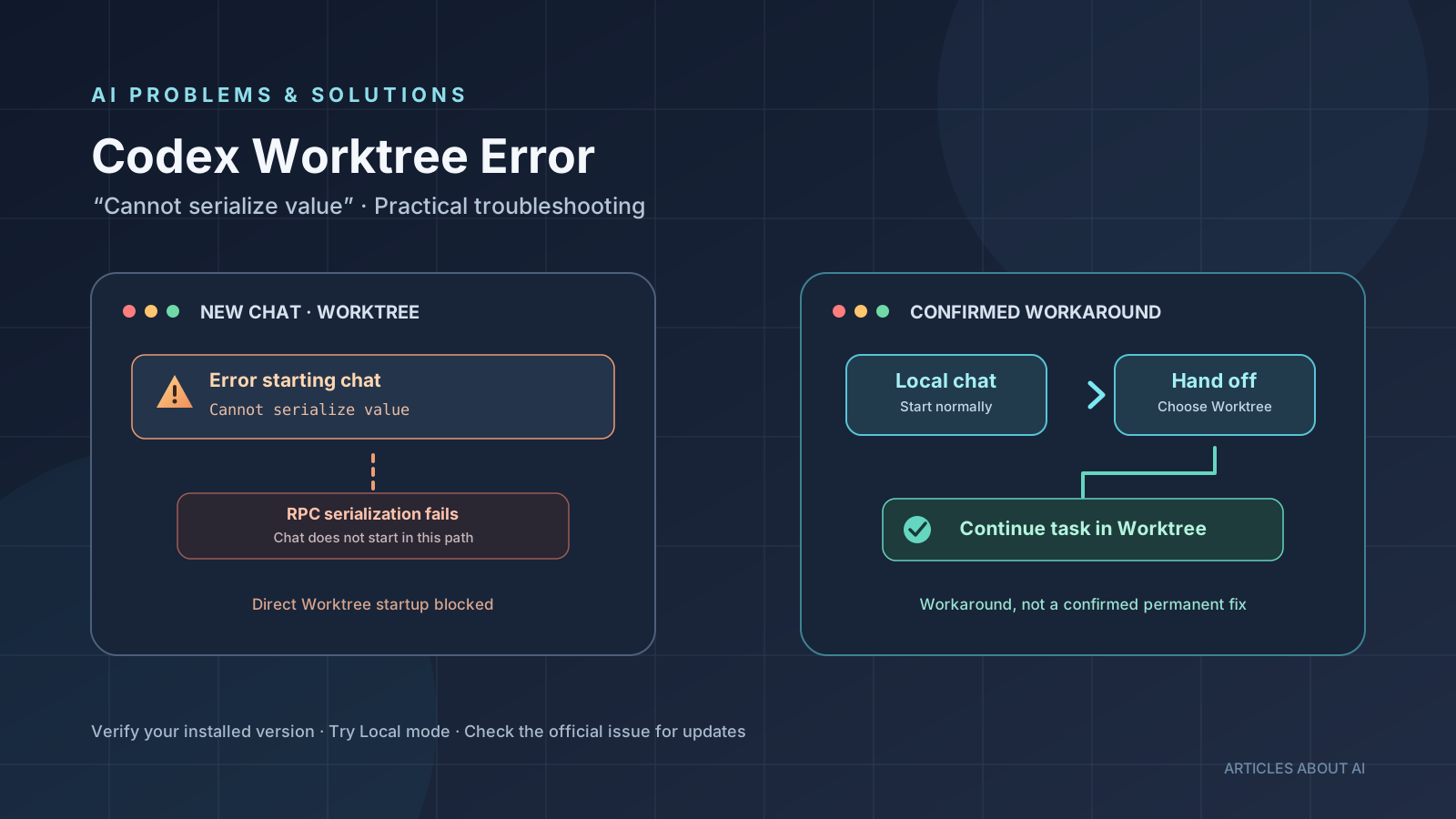
If Codex Desktop displays “Error starting chat — Cannot serialize value: (couldn’t stringify value)” when you create a new chat in Worktree mode, the problem may be a client-side startup failure rather than a mistake in your prompt or a broken Git repository. Reports published in October 2026 describe this behavior on both Windows and macOS. In the affected cases, a new chat starts in Local mode even though the direct Worktree startup fails.
The most reliable immediate approach is to switch the new chat to Local. If you still need a Worktree, users have also reported success by starting the conversation locally and then using Hand off → Worktree. These are workarounds, not proof that the underlying defect has been fixed for every installation.
This guide explains how to recognize the error, apply the available workarounds, check for updates safely, and distinguish confirmed observations from theories about the technical cause.
What does the Codex “Cannot serialize value” error mean?
The error appears when you submit the first message in a new Codex Desktop chat with Worktree selected. Instead of creating the chat and its associated worktree, the app shows an error and stops before the conversation starts.
The reported symptoms include:
- A new chat fails immediately after you submit its first prompt.
- The message reads “Error starting chat” and “Cannot serialize value: (couldn’t stringify value).”
- Starting a new chat in Local mode works in the same project.
- Existing conversations may continue to accept messages.
- The problem can persist after restarting the application.
A Windows report filed on October 21, 2026 describes the failure in Codex Desktop package 26.1016.6573.0. A separate macOS report describes the same message in version 26.1016.51333. The reports make the issue worth checking if you use either platform, but they do not establish that every user or every release is affected.
See the reports directly: Windows Worktree startup issue #55827 and macOS serialization error issue #55744.
Fix 1: Turn off New worktree for the new chat
This is the simplest confirmed workaround when you need to continue working immediately.
- Open the project in Codex Desktop.
- Start a new chat.
- Open the new-chat settings, commonly shown with a gear icon.
- Turn off New worktree or select Local / This computer, depending on the interface wording.
- Submit a short test prompt.
- If the chat starts normally, continue your task in Local mode.
The macOS report confirms that disabling New worktree allowed a new chat to start in the affected project without restarting the app. The Windows report also describes Local mode as working while direct Worktree startup failed.
This workaround changes where the chat runs. It does not repair the Worktree startup code, and it may not be the right long-term choice if you rely on isolated worktrees to keep concurrent coding tasks separate.
Before making code changes in Local mode, check the selected repository and branch. Local mode works in the project directory you have opened, so edits can affect your current checkout.
Fix 2: Start locally, then hand off to Worktree
If you want to keep using a Worktree, a second workaround reported by a Windows user is to create the chat in Local mode first and then hand it off to a Worktree. The report describes this sequence as successful in the same installation where direct Worktree startup failed.
- Start a new chat with Local or This computer selected.
- Send a harmless test prompt, such as: “Reply only Ready; do not read or change files.”
- Wait until Codex finishes responding.
- In the chat header, choose Hand off.
- Select Worktree as the destination.
- Wait for the handoff to complete before sending the real coding task.
- Confirm that the chat is now operating in the intended Worktree environment.
This method is useful because it avoids the failing path used when creating a new chat directly in Worktree mode. It is still a user-reported workaround, not a universal guarantee. If the handoff option is missing or the transfer fails, stay in Local mode temporarily and consult the current issue thread for updates.
For background on how Codex handles worktrees and transfers, read the official Codex worktrees documentation.
Fix 3: Check for an application update
Because the reports concern particular desktop builds, check whether a newer Codex Desktop version is available for your operating system.
- Open the app’s update or version information area, if available.
- Check the official Codex issue thread for reports from users on your platform.
- Install an update only through the application’s official update mechanism or an official OpenAI distribution channel.
- Retry direct Worktree startup with a small test prompt.
- If the error remains, use one of the workarounds above and add your exact app version and operating system to the relevant issue report.
Do not assume that an update has fixed the bug just because a newer version number exists. The public reports include user confirmations associated with later builds, but the issue evidence does not establish a single universally fixed version across Windows and macOS. Verify the behavior on your own installation.
You can also review the Codex issue tracker for later reports and maintainer responses. Look for a specific confirmation that matches your platform and the exact error message rather than relying on an unrelated Codex fix.
What is the confirmed cause?
The strongest common finding is that the failure occurs during the desktop client’s startup path for a new Worktree chat. Diagnostic excerpts in the reports identify a client-side TypeError during request serialization, before the expected chat startup completes. Local chat creation follows a different path and works in the reported cases.
Some community investigation has proposed that a document attribute map with a null prototype is not accepted by the serializer. An isolated reproduction using functions from an installed build reportedly reproduced the error, and normalizing JSON-compatible data avoided it in that test. However, the investigation also states that the original live request was not captured at a debugger breakpoint and that no complete graphical-app fix was verified.
That distinction matters: the evidence supports a serialization failure in the Worktree startup path, but the exact root cause has not been formally confirmed by an official OpenAI engineering statement in the reports cited here. It would be misleading to present the null-prototype explanation as an officially established root cause.
The issue is also not, by itself, proof that a repository is corrupt, that a prompt is invalid, or that a particular model is responsible. One Windows report says the failure occurred across models and that existing chats remained usable. Start troubleshooting with the environment selector and application version before changing Git state or deleting worktrees.
What not to do
Avoid destructive troubleshooting unless you have separate evidence that your repository or worktree data is damaged.
- Do not delete your Git repository. The reports do not show that deleting the repository is necessary.
- Do not remove every worktree as a first step. One reporter said cleanup did not resolve the error.
- Do not reinstall repeatedly without checking versions and issue updates. Restarting alone did not resolve every reported case.
- Do not patch bundled JavaScript files in the installed application. Such changes are fragile, may be overwritten by updates, and are not a supported general fix.
- Do not conclude that your prompt is at fault. The error was reproduced with ordinary first-message prompts.
If you have uncommitted work, make sure it is safely saved and backed up before attempting any Git cleanup. The workarounds described here should not require deleting your project or resetting its branch.
Is this the same as other Codex Desktop errors?
Not necessarily. Codex can fail at different stages, and the fix depends on the symptom.
If your app opens but the workspace-routing discovery step times out, see our guide to fixing the Codex Desktop workspace-routing discovery timeout. If a session begins but streaming disconnects on Windows, read how to fix Codex stream-disconnected errors on Windows. Those issues should not be treated as the same defect as a new Worktree chat failing with a serialization message.
For broader context on how Codex fits into AI-assisted coding, see our comparison of Claude Code, Codex, and Gemini CLI and our overview of Codex steering and follow-up controls in ChatGPT Desktop.
Frequently asked questions
Why does Codex work in Local mode but fail in Worktree mode?
In the reported cases, the new-chat request fails specifically on the Worktree startup path, while Local mode can start successfully. That difference points to an environment-specific client startup problem, not a general failure to send prompts. It does not prove the exact underlying code defect for every user.
Will switching models fix the error?
There is no verified evidence that changing models fixes this startup issue. A Windows report says it occurred across models. Try changing the chat environment first.
Is the error fixed in the latest version?
Do not assume so without checking the current release and the issue for your operating system. User reports mention successful behavior after updates in some environments, but there is no single version confirmation here that guarantees the fix for all affected installations.
Can I keep using Codex while waiting for a fix?
Yes, if Local mode works in your project, you can continue there while taking care to verify your repository and branch. If you need Worktree isolation, try the Local-to-Worktree handoff workaround and confirm that it completes successfully.
Where should I report the problem?
Use the relevant official issue thread: Windows issue #55827 or macOS issue #55744. Include the operating system, exact Codex Desktop version, the steps that reproduce the problem, and whether Local mode works. Remove private file paths, access tokens, and other sensitive information from logs before posting.
The bottom line
The Codex Desktop “Cannot serialize value” error is a reported failure when starting a new chat directly in Worktree mode. The most practical immediate fix is to switch to Local mode. If you need Worktree, try starting locally and then using Hand off → Worktree. Check for an official update, but verify the result instead of assuming a particular build resolves the issue.
The underlying serialization behavior has been investigated by users, but the precise root cause and a universal permanent fix should not be stated as confirmed until the project provides stronger evidence. This guide will need updating if the official issue threads establish a definitive fix or a confirmed affected-version range.
Sources
- OpenAI Codex issue #55827: Windows Worktree chats fail with “Cannot serialize value” — opened October 21, 2026.
- OpenAI Codex issue #55744: macOS new chats fail on first message — opened October 21, 2026.
- Codex Desktop Worktree error discussion on the OpenAI Developer Community — posted October 23, 2026.
- Official Codex worktrees documentation — reference for Worktree behavior and handoff.
- Codex issue tracker — check for new reports and maintainer updates.