
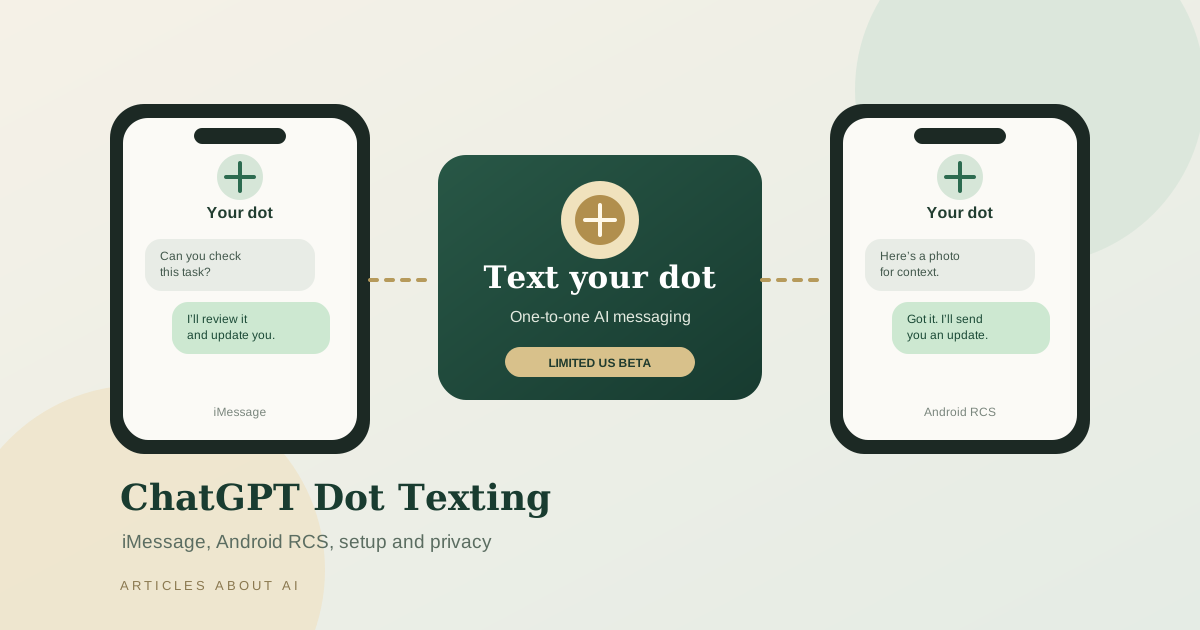
OpenAI is rolling out a texting channel for its ChatGPT Dot agent, allowing eligible users to reach their dot through iMessage on iPhone or RCS on Android. The beta supports one-to-one conversations using text, photos, and voice messages. It is designed to let a dot continue working with relevant context from ChatGPT while users interact through the messaging app they already use.
There is an important availability limitation: OpenAI’s current documentation says texting is a limited beta for ChatGPT Pro users in the United States. It is not available in Business or Enterprise workspaces, and access may not be enabled for every eligible Pro account. If you are outside the United States, including users in Iraq, do not assume that changing a phone setting will unlock the beta.
This guide explains how to find the setup option, verify a phone number, use iMessage or RCS, understand the privacy boundaries, and troubleshoot common setup problems. For the authoritative instructions, check OpenAI’s Text your dot announcement, texting setup guide, and Getting started with your dot.
What is ChatGPT Dot texting?
A dot is an AI agent in ChatGPT that can help manage tasks, keep track of work, and send progress updates. Texting adds a messaging channel to the existing dot experience. Instead of opening ChatGPT for every interaction, an eligible user can text their dot from the phone number linked during setup.
The feature is not simply a separate public chatbot number. The dot is associated with the user’s ChatGPT account and can use relevant context from ChatGPT and other connected channels, depending on the setup and permissions. OpenAI says the dot can choose where to contact the user, and users can specify a preferred channel—for example, asking for a text when something needs attention while keeping routine updates in ChatGPT.
The beta supports individual conversations. OpenAI’s current instructions say group chats, phone calls, and FaceTime are not supported through texting. You can call your dot inside ChatGPT, but that is a separate experience.
To understand how dots fit into the broader product, read our coverage of OpenAI’s Dots and Codex updates.
Who can use the texting beta?
According to OpenAI’s current help documentation:
- Texting is a limited beta for ChatGPT Pro users in the United States.
- Access is limited and may not be available to every Pro subscriber.
- ChatGPT Business and Enterprise workspaces are not eligible for this texting beta.
- A compatible phone and a verified number are required.
- Standard carrier messaging and data charges may apply.
The rollout window shown in OpenAI’s announcement is October 26–30, 2026. A rollout window does not mean every account receives the feature at the same time. If you have Pro but cannot find the Texting option, your account may not yet be included in the beta.
Do not confuse access to dots generally with access to texting specifically. OpenAI’s announcement about introducing dots describes broader availability for eligible plans and markets, while the dedicated texting documentation states a narrower US-only Pro beta. For feature eligibility, the specific texting documentation is the more relevant source.
How to set up ChatGPT Dot texting
The setup flow begins in the dot profile in ChatGPT. OpenAI’s current guide describes the following steps.
- Open your dot. Use the ChatGPT mobile app, desktop app, or a desktop web browser and open the profile for your dot.
- Choose Texting. If the feature is enabled for your account, select the Texting option in the dot profile.
- Enter your phone number. Follow the on-screen steps to verify the number you want to use.
- Review the confirmation and messaging notice. Check any provider, privacy, or carrier-charge information shown before enabling the channel.
- Save the contact card. Once setup is complete, you should receive contact information for your dot. Save it in your phone’s contacts.
- Start a one-to-one conversation. Send a message from the same verified number to begin texting your dot.
The Texting menu is the first checkpoint. If it is absent, repeatedly reinstalling the app or changing message settings is unlikely to solve an account-level eligibility issue. Check that you are signed in to the correct ChatGPT account and that the account is included in the beta.
Set up iMessage on iPhone
For iMessage, make sure iMessage is enabled and that you send messages from the phone number you verified during the setup flow. OpenAI specifically notes that the verified number matters: sending from a different number may not reach the dot.
After saving the contact card, open Messages and start a one-to-one conversation with your dot. You can send ordinary text, supported photos, and voice messages. If the dot sends you a request that needs approval, it may provide a link to review the request in ChatGPT.
If your message does not go through, confirm that iMessage is enabled, the sender number matches the verified number, and the Texting feature remains available in the dot profile. Do not assume that a failed message means the dot has lost its ChatGPT context; it may be a messaging or eligibility issue.
Set up RCS on Android
On Android, OpenAI’s instructions say to enable RCS in the messaging app you use. The exact menu name can vary by device, app version, carrier, and region, so look in the messaging app’s settings for RCS chats or a similarly named option.
The basic sequence is:
- Complete the phone-number verification in ChatGPT.
- Enable RCS in your Android messaging app, if it is supported by your device and carrier.
- Save the dot’s contact card when you receive it.
- Send a one-to-one message to your dot from the verified number.
- Test with a simple text before relying on photos or voice messages for an important task.
RCS availability depends on the messaging service, device, carrier, and network conditions. However, RCS support alone does not make the ChatGPT Dot texting beta available in every country. OpenAI’s published eligibility currently limits this beta to Pro users in the United States. Users elsewhere should wait for official availability rather than attempting to bypass regional restrictions.
What can you send to your dot?
The current texting channel supports three message types:
- Text: ask a question, send an instruction, or follow up on a task.
- Photos: provide a visual reference when the feature is available in your conversation.
- Voice messages: send a spoken message without typing it out.
The channel is designed for one-to-one conversations. It is not currently a way to add your dot to a group chat or use it for a phone call or FaceTime session. If you need a voice call with your dot, use the calling experience in ChatGPT where available.
A dot may also send a message proactively when it has a progress update or needs your attention. If an action requires approval, OpenAI says the dot can send a link so you can review the request in ChatGPT. Treat that link as a prompt to inspect the proposed action, not as a reason to approve automatically.
Privacy and security: what texting does—and does not—allow
Messaging an AI agent raises reasonable questions about phone access, personal conversations, and data sharing. OpenAI says the texting setup does not give the dot or OpenAI access to your other text conversations. The dot can text only the linked user, and only that user can text their dot through the configured channel.
That boundary is useful, but it should not be read as a promise that messages sent to the dot are private from the service processing them. Text, photos, and voice messages you deliberately send to the dot are inputs to the service and should be handled according to OpenAI’s terms and privacy documentation. The setup also uses a third-party messaging provider, and OpenAI’s help guidance advises caution when sharing sensitive information through text messages.
Practical safeguards:
- Avoid sending passwords, authentication codes, banking details, or other secrets in messages.
- Review each approval link inside ChatGPT before authorizing an action.
- Check the terms and privacy notices presented during activation.
- Remember that carrier messaging and data charges may apply.
- If you want to stop outgoing texts from your dot, OpenAI says you can reply STOP.
- If you want to remove or reset the dot’s conversations and saved memories, use the reset controls described in OpenAI’s dot help documentation.
These controls help you manage the channel, but they do not replace reviewing the privacy policy and understanding what information you choose to send.
Troubleshooting: why can’t I text my dot?
I cannot find the Texting option
Confirm that you are signed into the correct account and open your dot’s profile. The feature is a limited beta, currently restricted to eligible Pro users in the United States. Business and Enterprise workspaces are excluded, and not every eligible account necessarily has access yet.
My phone number will not verify
Enter the number you actually intend to use for messaging and follow the verification steps shown in ChatGPT. Check for typos and ensure you can receive the verification message. If verification continues to fail, use the help link provided in the product rather than repeatedly submitting different numbers.
My iPhone message does not reach the dot
Confirm that iMessage is enabled and that you are sending from the verified phone number. Save the dot’s contact card and start a one-to-one conversation with that contact.
RCS is unavailable on my Android phone
Check whether your messaging app, device, carrier, and region support RCS. If the option is missing, consult the messaging app or carrier’s support documentation. Keep in mind that resolving RCS availability does not override the beta’s account and country eligibility rules.
I am outside the United States
OpenAI’s current texting guide describes a US-only Pro beta. If you are in Iraq or another country outside the supported region, the feature may not be offered to your account yet. Do not assume that using a US-format phone number or changing a device setting guarantees eligibility.
I want to stop receiving messages
Reply STOP to stop outgoing texts from your dot, as described in OpenAI’s help documentation. If you later want to use the channel again, check the current in-product instructions and availability.
ChatGPT Dot texting vs. messaging inside ChatGPT
| Capability | Texting channel | ChatGPT app |
|---|---|---|
| One-to-one text messages | Supported in the beta | Supported |
| Photos and voice messages | Supported in the beta | Depends on the available ChatGPT features |
| Proactive updates | Can be sent by text when configured | Can appear within ChatGPT |
| Approval requests | May arrive as a link to review in ChatGPT | Review can take place in ChatGPT |
| Group chats | Not supported | Not the purpose of the dot texting channel |
| Phone calls and FaceTime through texting | Not supported | Calling the dot inside ChatGPT is separate |
| Availability | Limited US Pro beta | Depends on dot and ChatGPT availability |
The main advantage of texting is convenience: it brings a dot into the messaging interface on a compatible phone. It does not replace the ChatGPT app, and some actions or approvals still send you back to ChatGPT.
For readers comparing subscription options, our ChatGPT Free vs. Plus guide explains how ChatGPT plans differ. For developers building AI workflows, our guide to API usage budgets and rate limits covers a separate but related question: how to keep automated work within controlled limits.
Frequently asked questions
Is ChatGPT Dot texting free?
OpenAI’s documentation describes texting as a benefit of an eligible dot experience, but carrier message and data charges may apply. Review the notice shown during setup and your mobile plan terms.
Can I text my dot from WhatsApp or Telegram?
OpenAI’s current texting documentation specifies iMessage on iPhone and RCS on Android. It does not describe WhatsApp or Telegram as supported texting channels for this beta.
Can my dot read my other iMessages or SMS messages?
OpenAI says setting up texting does not give the dot or OpenAI access to your other text conversations. The messages you deliberately send to the dot are still processed as inputs to the service.
Can I use the feature with a Business or Enterprise workspace?
Not in the current texting beta described by OpenAI’s help documentation. The beta is limited to eligible ChatGPT Pro users in the United States.
Can I use it from Iraq?
The current published beta is limited to Pro users in the United States. Users in Iraq should not expect access unless OpenAI expands the supported regions and makes the feature available to their account.
Does texting give the dot permission to perform every action automatically?
No. If the dot needs approval, OpenAI says it can send a link to review the request in ChatGPT. Review the proposed action carefully before approving it.
The bottom line
ChatGPT Dot texting adds a convenient way to reach an AI agent through iMessage or Android RCS, with support for text, photos, voice messages, and selected proactive updates. But access is limited: OpenAI currently describes it as a beta for eligible ChatGPT Pro users in the United States, with Business and Enterprise excluded.
If the Texting option appears in your dot profile, verify your phone number, save the contact card, and test a simple one-to-one message. If it does not appear, check official eligibility guidance instead of assuming a device setting is the problem. Use the channel thoughtfully, avoid sharing sensitive information, and review approval requests inside ChatGPT.
Official sources: Text your dot · Message your dot: channels and setup · Getting started with your dot · Introducing dots.