
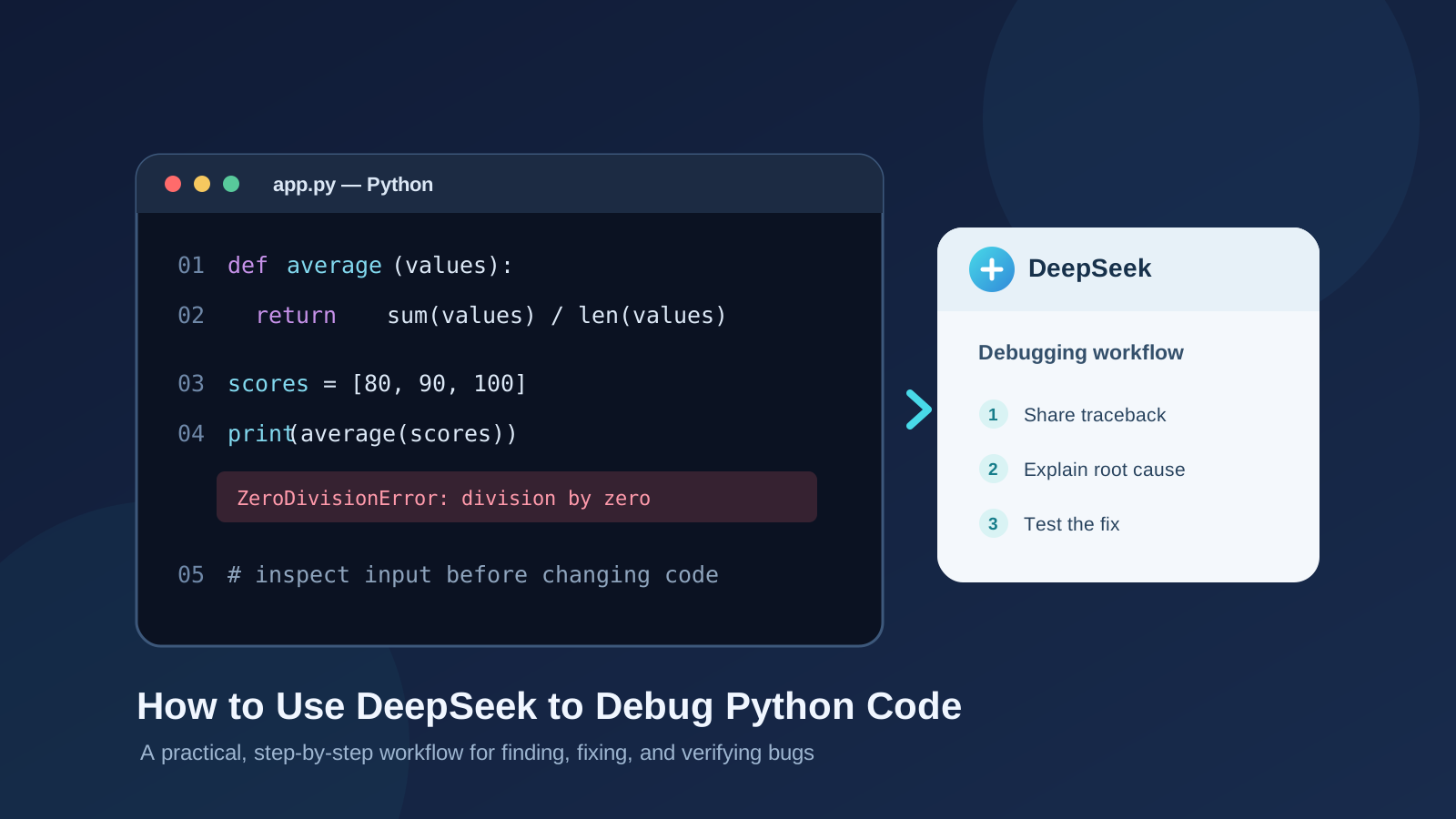
A Python program can fail for many reasons: a variable may not exist, a function may receive the wrong type, a list index may be out of range, or an assumption about incoming data may be incorrect. DeepSeek can help you investigate these problems, explain error messages, suggest possible fixes, and draft tests. The important part is to give it the right evidence and verify every proposed change.
This guide shows how to use DeepSeek as an AI debugging assistant in a repeatable Python workflow. You will learn how to prepare a useful debugging prompt, share a traceback, isolate the failing code, assess suggested fixes, and confirm that the original problem is actually resolved.
The examples use ordinary Python code and can be adapted to a local Python environment, VS Code, PyCharm, Jupyter, or another editor. DeepSeek’s web interface and available model options may change, so use the coding-capable model currently offered in your account rather than relying on a model name in an older tutorial.
1. Prepare the Python error before asking DeepSeek
Start by reproducing the problem. Run the program again and capture the complete error message, including the traceback. A traceback normally shows the sequence of calls that led to the exception and identifies the line where Python finally raised it.
For example, this code contains a simple bug:
def calculate_average(numbers):
    total = sum(numbers)
    return total / len(numbers)

scores = []
print(calculate_average(scores))
Running it raises:
ZeroDivisionError: division by zero
The immediate cause is that len(numbers) is zero, so the function attempts to divide by zero. But the correct fix depends on what an empty list is supposed to mean in the application. Should the function return None, raise a clearer exception, or treat an empty list as invalid input? That is a design decision, not something an AI assistant should silently guess.
Before opening DeepSeek, collect:
- The complete traceback, not only the final exception line.
- The smallest code sample that still reproduces the bug.
- The input that triggers the failure.
- The expected behavior.
- The actual behavior.
- Your Python version and relevant package versions, if the issue may depend on them.
Remove API keys, passwords, access tokens, private customer data, and other secrets before sharing code or logs with any AI service.
2. Open DeepSeek and describe the problem clearly
Open the official DeepSeek website at deepseek.com and start a new conversation. Choose an available model suitable for code analysis if the interface offers model selection.
Do not begin with a vague instruction such as “fix my Python code.” Give DeepSeek the context needed to reason about the problem. A useful first prompt is:
Act as a careful Python debugging assistant.

I will provide:
1. The relevant Python code.
2. The complete traceback.
3. The input that causes the error.
4. The behavior I expected.

First, explain the root cause and identify the exact line involved.
Do not rewrite the entire program.
Do not invent missing requirements.
Suggest the smallest safe fix and explain why it works.
If the intended behavior is unclear, ask me a question before changing the code.
This prompt makes the debugging task more specific. It also asks for a diagnosis before a rewrite, which helps you distinguish the cause of a bug from a proposed solution.
3. Paste a minimal reproducible example
Now provide the example code, traceback, and expected behavior. For the average function, you could send:
Here is the code:

def calculate_average(numbers):
    total = sum(numbers)
    return total / len(numbers)

scores = []
print(calculate_average(scores))

Traceback:
ZeroDivisionError: division by zero

Expected behavior:
The function should handle an empty list explicitly instead of crashing
with an unclear division error.

Please explain the cause, show the smallest correction, and include
one test for an empty list and one test for a normal list.
A minimal reproducible example is more useful than an entire application because it removes unrelated code. If the problem disappears when you simplify the program, add back the relevant dependency or function one piece at a time until the failure returns.
For larger projects, share only the functions, configuration, and data structures necessary to understand the issue. Explain how the pieces connect. If a bug depends on a library, include the package name and version rather than asking DeepSeek to guess your environment.
4. Ask DeepSeek to explain the root cause before accepting a fix
A helpful debugging response should answer three questions:
- What condition caused the exception?
- Why did the program reach that condition?
- What change prevents the failure while preserving the intended behavior?
For this example, a reasonable correction is to define the behavior for an empty input:
def calculate_average(numbers):
    if not numbers:
        raise ValueError("numbers must not be empty")

    return sum(numbers) / len(numbers)

scores = [80, 90, 100]
print(calculate_average(scores))
The function now raises a more descriptive exception when it receives an empty list. For a non-empty list, it calculates the average as before.
This is not the only valid design. If an empty list is expected in your application, returning None or a domain-specific result may be more appropriate. Ask DeepSeek to compare alternatives against your requirements rather than treating one generic fix as universally correct.
You can use a follow-up prompt:
Explain why this change is safer than catching every exception.
What assumptions does it make about the input?
Show the behavior for an empty list, a list of integers, and a list
containing an invalid value.
5. Use DeepSeek to investigate common Python exceptions
You can apply the same method to many Python errors. Share the relevant code and traceback, then ask for the cause, a minimal fix, and a test that demonstrates the expected behavior.
| Python error | What it commonly indicates | Useful debugging question |
|---|---|---|
NameError |
A name is not defined in the current scope | Where should this variable or function be defined or imported? |
TypeError |
An operation received an unsupported type or number of arguments | What types reach this expression at runtime? |
IndexError |
A sequence index is outside its valid range | Which input makes this index invalid? |
KeyError |
A dictionary does not contain the requested key | Is the key optional, misspelled, or absent from the data? |
AttributeError |
An object does not provide the requested attribute | What is the object’s actual type at this point? |
ValueError |
A value has the right general type but is unsuitable | Which input value violates the function’s requirements? |
ZeroDivisionError |
A division operation uses zero as its denominator | Which calculation can produce a zero denominator? |
For example, if you encounter a KeyError, do not simply ask DeepSeek to replace dictionary indexing with .get(). That might hide a missing required field. Ask whether the key is mandatory, whether the input schema is correct, and what the program should do when the key is absent.
Similarly, an except Exception: block may suppress useful evidence. Ask DeepSeek to explain which specific exception should be handled and which failures should remain visible.
6. Ask for a minimal patch instead of a full rewrite
When debugging an existing project, broad rewrites can introduce new bugs. Ask DeepSeek to preserve the current structure and change only what is necessary.
Use this prompt:
Propose a minimal patch for the bug.

Requirements:
- Preserve the existing function names and public interfaces.
- Do not change unrelated behavior.
- Do not add dependencies unless essential.
- Explain each changed line.
- Identify any assumptions or possible side effects.
- Show the final corrected function separately.
If DeepSeek suggests several changes, ask it to separate essential corrections from optional refactoring. Review the diff yourself before applying it. For a real project, use version control so you can inspect and revert changes safely.
A useful practice is to ask DeepSeek for a patch or a focused code block, apply it locally, and run the program yourself. Do not replace a working project file with a long generated version without comparing what changed.
7. Generate regression tests for the proposed fix
A program that no longer crashes is not necessarily correct. The fix may only work for the one input that exposed the bug. Ask DeepSeek to create tests for both the failing case and normal behavior.
For the average function, a small test using Python’s built-in assertions could be:
def calculate_average(numbers):
    if not numbers:
        raise ValueError("numbers must not be empty")
    return sum(numbers) / len(numbers)

assert calculate_average([80, 90, 100]) == 90

try:
    calculate_average([])
except ValueError as error:
    assert str(error) == "numbers must not be empty"
else:
    raise AssertionError("Expected ValueError for an empty list")
You can also ask DeepSeek to write tests using pytest, a widely used Python testing framework. For example:
import pytest

def test_calculate_average():
    assert calculate_average([80, 90, 100]) == 90

def test_calculate_average_rejects_empty_list():
    with pytest.raises(ValueError, match="must not be empty"):
        calculate_average([])
The tests should reflect the behavior your application actually requires. Review generated tests for missing edge cases, incorrect expected values, and assumptions that were never part of the specification.
8. Verify the fix in your own Python environment
After applying the correction, run the original failing input first. Then run the new tests and the broader test suite.
A practical verification sequence is:
- Re-run the exact command that originally failed.
- Confirm that the original input now produces the expected result.
- Run tests for normal, empty, boundary, and invalid inputs.
- Run the project’s existing test suite.
- Check that unrelated functionality still works.
- Review the final code changes before committing them.
For difficult problems, use Python’s built-in debugger rather than relying only on an AI explanation. The official Python pdb documentation explains breakpoints, stepping through source lines, inspecting stack frames, and post-mortem debugging. You can use breakpoint() at a relevant line and inspect variable values while the program is paused.
For example:
def calculate_total(items):
    breakpoint()
    return sum(items)

print(calculate_total([10, 20, 30]))
DeepSeek can help you decide what to inspect, but the debugger shows what your program is actually doing. This distinction is important when a bug depends on runtime state, environment variables, external services, or data that is not included in the prompt.
9. Debug multi-file projects without losing context
A bug in a real application may involve more than one function. It can originate in a data-loading function and appear later in a calculation or API response. In that situation, provide a short map of the relevant files and explain the path from input to failure.
For example:
Project structure:
- app.py: starts the application
- services/data_loader.py: reads incoming records
- services/summary.py: calculates totals
- tests/test_summary.py: contains unit tests

The error occurs when summary.py processes an empty record list.
Traceback and relevant functions are below.

Trace the data flow and identify where the invalid state first appears.
Do not assume the error should be fixed in the line where it is raised.
Recommend the smallest change and tests for the affected functions.
This helps DeepSeek consider upstream causes rather than patching only the final line. If you provide multiple files, label each one clearly and include only the relevant sections. Keep the conversation updated when you change the code, otherwise the assistant may reason from an outdated version.
For broader AI-assisted codebase work, compare this workflow with our guide to using Gemini to optimize a large Python codebase and our practical comparison of DeepSeek vs Claude for coding.
10. Improve your debugging prompts with a repeatable template
When you debug Python regularly, reuse a structured prompt. Replace the placeholders with the actual details of the problem:
You are helping me debug a Python application.

Python version:
[version]

Relevant packages:
[package names and versions]

Expected behavior:
[what should happen]

Actual behavior:
[what happens]

Minimal reproducible code:
[paste code]

Complete traceback:
[paste traceback]

Input that triggers the issue:
[paste a safe sample]

Please:
1. Identify the likely root cause and explain the evidence.
2. Distinguish confirmed facts from assumptions.
3. Ask for missing information if needed.
4. Suggest the smallest safe correction.
5. Explain possible side effects.
6. Create tests for the failing case and normal behavior.
7. Tell me how to verify the result locally.

Do not invent files, functions, runtime output, or test results.
Do not claim the issue is fixed until I run the code and tests.
The template encourages evidence-based debugging and makes it easier to compare DeepSeek’s proposed diagnosis with the actual program behavior.
11. What DeepSeek cannot verify for you
DeepSeek can generate plausible explanations and code, but a plausible answer is not proof that the diagnosis is correct. It may misunderstand a traceback, overlook an upstream problem, suggest an outdated package method, or produce a test that does not cover the real failure.
It also cannot automatically inspect your local environment merely because you paste an error message. Unless you explicitly connect an appropriate tool or provide the relevant output, it does not know your installed package versions, environment variables, file contents, or runtime state.
For this reason:
- Never paste secrets or private production data into a prompt.
- Check package APIs against their official documentation.
- Run generated code in a controlled local environment.
- Inspect file changes before applying them.
- Keep backups or use Git before substantial edits.
- Treat security-sensitive code and production incidents as requiring human review.
If you want to compare different AI coding assistants, see Claude vs ChatGPT for coding and DeepSeek vs Claude: coding performance and cost. The best choice depends on the task, the model version, the context available, and how carefully you validate the output.
Conclusion: Use DeepSeek as a debugging partner, not an automatic repair button
The most reliable way to use DeepSeek for Python debugging is to reproduce the error, share a minimal example and complete traceback, ask for a diagnosis before a rewrite, apply a focused correction, and verify it with tests and the real Python runtime.
This approach works for common exceptions such as NameError, TypeError, IndexError, KeyError, and `ZeroDivisionError), as well as more complicated multi-file problems. It also keeps you in control of the code and reduces the risk of accepting a plausible but incorrect patch.
DeepSeek can speed up the investigation. Your tests, debugger, documentation, and engineering judgment establish whether the fix is actually correct.
Frequently asked questions
Can DeepSeek debug Python code?
Yes. You can provide Python code, a traceback, the input that triggers the problem, and the expected behavior. DeepSeek can explain likely causes, suggest corrections, and draft tests. You must run and verify the result in your own environment.
How do I ask DeepSeek to fix a Python error?
Paste the complete traceback and a minimal reproducible code sample. Explain what you expected to happen and ask DeepSeek to identify the root cause before proposing the smallest safe fix.
Can DeepSeek fix Python code automatically?
DeepSeek can generate corrected code, but a chat response does not prove that your local files have been changed or that the program works. Apply the suggested change yourself or through a tool you trust, then run tests.
Which Python errors can DeepSeek help explain?
It can help investigate common exceptions such as NameError, TypeError, IndexError, KeyError, AttributeError, ValueError, and ZeroDivisionError, provided you share enough context.
Is DeepSeek better than a traditional Python debugger?
They serve different purposes. DeepSeek can explain code and suggest hypotheses. Python’s pdb debugger lets you pause execution, inspect live values, and step through the program. Using both can be more effective than relying on either alone.
Should I paste my entire Python project into DeepSeek?
Usually not. Start with the smallest code sample that reproduces the issue. Add related functions or files only when necessary, and remove credentials, secrets, personal information, and confidential data before sharing.