
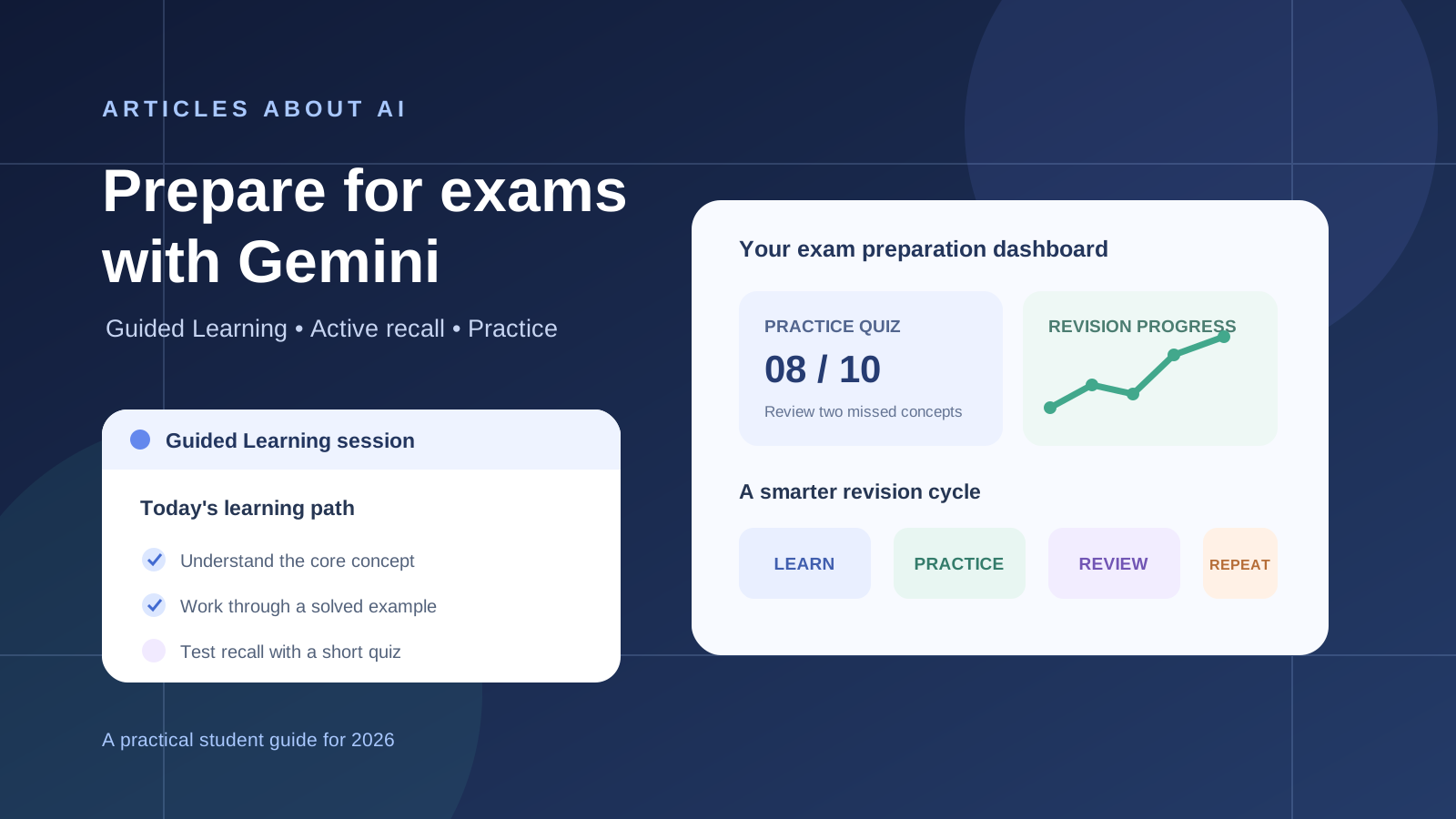
Preparing for an exam is not simply a matter of reading notes repeatedly. You need to understand the material, identify gaps in your knowledge, practice applying concepts, and remember important information under exam conditions. Gemini Guided Learning can support this process by acting as an interactive tutor rather than a tool that only gives you finished answers.
Google describes Guided Learning as a learning experience that uses questions, step-by-step explanations, and interactive support to help people understand a subject. It can also work with uploaded course materials and provide visual explanations. This makes it useful for reviewing difficult topics, preparing practice questions, and checking whether you can explain an idea in your own words.
This guide explains how to use Gemini Guided Learning to prepare for school, college, and university exams in 2026. It also explains how to combine Guided Learning with quizzes, flashcards, study materials, and a realistic revision schedule—without treating AI-generated answers as an authoritative answer key.
What is Gemini Guided Learning?
Gemini Guided Learning is a mode in the Gemini app designed to help users learn through a guided conversation. Instead of immediately giving a complete answer, it can break a topic into smaller steps, ask questions, explain the reasoning behind a solution, and check your understanding as you progress.
Google introduced Guided Learning as an experience built around active learning. Its stated purpose is to help learners develop understanding, not merely obtain an answer. Depending on the topic and response, Gemini may also use diagrams, images, videos, and interactive quizzes to make an explanation easier to follow.
For exam preparation, this approach can help you:
- Understand concepts you find difficult instead of memorizing isolated definitions.
- Work through mathematical, scientific, and logical problems step by step.
- Turn a broad syllabus topic into smaller learning objectives.
- Practice explaining ideas and identifying gaps in your understanding.
- Review uploaded notes, documents, or images when file support is available.
- Generate follow-up questions and additional practice.
Guided Learning is not a guarantee that every explanation or generated question is correct. Use your syllabus, textbook, instructor’s materials, and official exam guidance as the primary references.
How to open Guided Learning in Gemini
The exact interface can change as Google updates Gemini. Google’s current Help Center describes the following desktop workflow:
- Open Gemini and sign in.
- In the prompt area, select Add files.
- Open More tools at the bottom of the prompt area.
- Select Guided Learning.
- Enter the subject or question you want to study, then submit the prompt.
- If you want Gemini to use your own material, attach an eligible file or image with the prompt.
On mobile, open the Gemini app or visit Gemini in a mobile browser. Tap Add files, then choose Guided Learning if the option is available. Google notes that learning tools are being gradually rolled out in the Gemini mobile app; if you cannot find the option, try the web version at gemini.google.com.
You need to be signed in to Gemini. Feature visibility can vary by device, account, age settings, language, region, and rollout status. If the menu labels differ, consult Google’s official instructions for learning tools in Gemini.
Step 1: Turn your exam syllabus into a learning plan
Start with the syllabus rather than asking Gemini to teach an entire subject at once. A syllabus gives the session a defined scope and helps you avoid spending time on material that is not part of the exam.
If your syllabus is a PDF, upload it when file uploads are available. You can also paste the list of units or attach a clear image of the relevant pages.
Use this prompt:
I am preparing for an exam in [subject] on [exam date]. Here is my syllabus. Divide it into manageable topics and learning objectives. For each topic, identify the prerequisite knowledge, the concepts I should understand, and the types of questions I should be able to answer. Ask me about my current level before recommending what to study first. Do not assume that every topic has equal importance.
Review the resulting outline against your official course syllabus. Correct missing topics, remove material that is outside the exam scope, and ask Gemini to organize the remaining topics into a sequence.
A useful plan should distinguish between:
- Topics you already understand and need to maintain.
- Topics you partly understand and need to practice.
- Topics you have not studied or find especially difficult.
- Topics that require problem-solving rather than memorization.
Do not rely on Gemini to predict which questions will appear in your exam. It can organize revision, but your instructor’s syllabus and published exam guidance remain the reliable basis for deciding what to cover.
Step 2: Learn difficult topics through guided questions
Choose one difficult topic at a time. Ask Gemini to teach it at your current level, then let the conversation proceed in small steps. If the explanation is too advanced, ask for a simpler example. If it is too basic, request a more technical explanation.
Try this prompt:
Act as a patient tutor for [subject]. Help me understand [specific topic] using Guided Learning. Start by asking one question to assess what I already know. Then explain the topic in short stages, using an example where useful. After each stage, ask me a question and wait for my answer before continuing. If I make a mistake, explain the reasoning and give me another opportunity to try.
This is more useful than asking for a long summary because it makes you retrieve and apply information during the session.
For a calculation-based subject, use:
Help me solve this [mathematics/physics/chemistry] problem step by step. Do not reveal the final answer immediately. Ask me what I would do first, check my reasoning, and give me a hint if I get stuck. After we solve it, give me a similar problem with different values so I can test whether I understand the method.
For a theory-based subject, use:
Teach me [topic] as if I am preparing for a university exam. Explain the central idea, define the essential terms, compare related concepts, and give me one example. Then ask me to explain the idea in my own words and point out anything important that I missed.
The objective is to understand why an answer is correct, not to memorize the wording of Gemini’s explanation.
Step 3: Study from your own notes and course materials
Your lecturer’s slides, assigned readings, textbook chapters, and class notes should guide your preparation. When supported by your Gemini account, upload the relevant material and ask Guided Learning to work with it.
A focused prompt might be:
Use the attached lecture notes as the main source for this study session. Identify the key learning objectives and explain each one in the order used in the notes. Ask me questions to check my understanding. If you introduce information that is not in the uploaded material, clearly label it as additional context.
For a long document, work chapter by chapter or section by section. Ask Gemini to identify the page, heading, or passage supporting an important claim when that information is available. Open the original material to verify definitions, formulas, dates, and other details before adding them to your revision notes.
If your main task is extracting information from a document rather than learning through a tutor conversation, see our guide on how to use Gemini to analyze a PDF and extract important details. You can also read how to use textbooks in Gemini Notebook for study guides, quizzes, and flashcards.
Step 4: Generate exam-style practice questions
After studying a topic, test your knowledge without looking at the explanation. Ask Gemini to create questions based on the material you have covered.
Use this prompt:
Create a practice quiz about [topic] for a [high school/college/university] exam. Include 10 questions: multiple-choice, short-answer, and problem-solving questions where appropriate. Ask one question at a time and wait for my response. Do not show the answer before I attempt each question. After I answer, explain whether I am correct and why.
For a more demanding review, try:
Create a second quiz that tests application and reasoning rather than simple definitions. Include common misconceptions and questions that require me to connect two or more concepts. Keep the questions within the scope of my syllabus.
Review the questions before relying on them. AI-generated quizzes may contain ambiguous wording, incorrect answer choices, or material that your course does not cover. Compare important questions with your textbook, instructor’s practice papers, and official exam specifications.
Google also provides other exam-preparation features in Gemini. Depending on availability, users can ask for quizzes, flashcards, and study guides based on class materials. Google has separately announced practice tests for selected standardized exams, including the SAT and other tests in supported markets. These are distinct tools and should not be confused with Guided Learning itself.
Step 5: Use active recall instead of rereading
Active recall means trying to retrieve information from memory before looking at the answer. It is a practical way to discover what you actually remember and what still needs revision.
After a Guided Learning session, close your notes and ask Gemini to test you:
Test my understanding of [topic] using active recall. Ask me five questions one at a time. Do not provide hints unless I ask. At the end, summarize which concepts I recalled accurately and which ones I should review.
You can also ask for a teach-back exercise:
Ask me to explain [topic] as if I were teaching it to another student. Evaluate my explanation for accuracy, missing steps, unclear terms, and misconceptions. Give feedback, then ask me to try again.
For subjects that involve definitions, dates, formulas, vocabulary, or short factual answers, flashcards can support repeated review:
Create concise question-and-answer flashcards from the attached course material. Keep each card focused on one concept. Include a short explanation for difficult answers and do not add facts that are unsupported by the material.
Review difficult cards more frequently than the ones you consistently answer correctly. Do not treat recognizing an answer on a flashcard as proof that you can solve a full exam question.
Step 6: Build a revision schedule around your exam date
Once you know which topics need attention, ask Gemini to arrange your remaining study time. Give it the real exam date, your available hours, the subjects you need to cover, and the topics you find most difficult.
Try this prompt:
My exam is on [date]. I can study for [number] hours on [days]. My syllabus contains [topics]. My strongest areas are [topics], and my weakest areas are [topics]. Build a realistic revision schedule with learning sessions, practice questions, active-recall reviews, and rest periods. Reserve time for a final mixed practice test. Do not schedule more study time than I have available.
A practical revision cycle for each topic can look like this:
- Learn: Use Guided Learning to understand the concept.
- Practice: Solve problems or answer exam-style questions without seeing the solution first.
- Review: Check mistakes against your course materials and write down why they happened.
- Recall: Return later and explain or solve the topic from memory.
- Reassess: Update your list of strong and weak areas based on your results.
Treat the timetable as a draft. If a topic takes longer than expected or your quiz results reveal a gap, adjust the next sessions instead of trying to follow an unrealistic schedule. For a broader comparison of study assistants and revision tools, see the best AI tools for students in 2026.
Step 7: Prepare for the exam with a timed practice session
In the final stage, move from learning individual topics to practicing under conditions similar to the real exam.
Ask Gemini:
Create a timed practice session for my [subject] exam based on the syllabus I provided. Include a balanced mix of question types and difficulty levels. Present the questions without answers first. After I finish, mark my responses using clear explanations, identify recurring mistakes, and recommend the three highest-priority topics for my final revision.
If your institution provides past papers or official sample questions, use those as the main benchmark. A quiz generated by Gemini can provide extra practice, but it is not a substitute for an official past paper or a validated exam resource.
After the practice session, create a short error log with three columns:
| Mistake | Why it happened | What to do next |
|---|---|---|
| Forgot a definition | Weak recall | Review the concept and test it again |
| Used the wrong formula | Confused similar formulas | Compare when each formula applies |
| Misread the question | Rushed the wording | Underline the task and relevant data |
| Could not explain a concept | Incomplete understanding | Return to Guided Learning and teach it back |
Use the error log to choose your final revision tasks. Repeating questions you already answer confidently is usually less useful than addressing a specific, recurring weakness.
Useful Gemini Guided Learning prompts for different subjects
The best prompt depends on the kind of exam you are taking. These examples give Gemini a clear task while keeping you responsible for the reasoning.
Mathematics and physics
Teach me [topic] for an exam. Ask me to identify the relevant formula and explain why it applies before solving the problem. Give hints when needed, then create two new problems that test the same method.
Biology and chemistry
Help me understand [process or concept]. Break it into stages, explain the role of each component, and ask me to predict what happens if one stage changes. Finish with exam-style questions.
History and social sciences
Help me revise [period, event, or theory]. Build a timeline or comparison where appropriate, distinguish established facts from interpretations, and quiz me on causes, consequences, evidence, and significance.
Computer science
Teach me [programming or computer science concept]. Explain the underlying logic, walk through a small example, and then give me a problem to solve without showing the solution. Review my reasoning and identify edge cases.
Languages
Help me prepare for a [language] exam. Test my vocabulary and grammar, ask me to write short responses, correct errors with explanations, and give me a new exercise targeting the mistakes I make.
Guided Learning vs. Gemini Study Notebooks: which should you use?
Guided Learning and Gemini Study Notebooks can both support students, but they serve different parts of the study process.
| Feature | Gemini Guided Learning | Gemini Study Notebooks |
|---|---|---|
| Main purpose | Interactive tutoring and step-by-step understanding | Organizing study around learning goals and course materials |
| Best use | Working through difficult concepts and reasoning | Structuring revision and tracking topic progress |
| Learning interaction | Guided questions, explanations, and checks for understanding | Personalized lessons, diagnostic quizzes, and follow-up study |
| Course materials | Can use uploaded files or images in a learning prompt | Designed around a collection of study sources and materials |
| When to choose it | When you need help understanding a topic | When you need a structured workspace for a course or exam |
Google announced Study Notebooks in 2026 as a dedicated learning space with personalized lessons and progress tracking. Availability and supported account types can vary as the feature rolls out. Read Google’s official introduction to Study Notebooks for current details.
You do not need to choose only one. You can use a notebook to organize course sources and track topics, then use Guided Learning when you need a deeper explanation or interactive practice.
Common mistakes to avoid when studying with Gemini
AI can make exam preparation more organized, but using it carelessly can create a false sense of confidence.
- Reading explanations without testing yourself: Understanding an explanation while looking at it is not the same as recalling it during an exam.
- Asking for answers too early: Request hints and questions before asking for a complete solution.
- Uploading too much material at once: Focus each session on a chapter, unit, or defined topic.
- Trusting generated facts without checking: Verify important claims, formulas, dates, and quotations against course materials.
- Practicing only easy questions: Include application, comparison, and problem-solving tasks.
- Ignoring the exam format: Practice the question types, timing, and permitted materials relevant to your actual assessment.
- Following an unrealistic timetable: Build the schedule around your real availability and revise it when necessary.
- Sharing sensitive information: Avoid uploading personal records, confidential institutional information, or material you are not authorized to share.
Use Gemini as a tutor and practice partner—not as the source of truth for your course.
Frequently asked questions
Is Gemini Guided Learning free?
Google’s Help Center explains how to use Guided Learning in Gemini, but access and feature availability can change. Check the current Gemini interface and Google’s official Help Center for account-specific availability rather than assuming every feature is included in every plan.
Can Gemini Guided Learning help with university exams?
Yes. You can use it to understand university-level concepts, work through examples, review lecture material, and practice explaining complex ideas. The quality of the session depends on the clarity of your prompts and the accuracy of the materials you provide.
Can I upload lecture notes or PDFs to Guided Learning?
Google’s instructions allow users to attach files or images to a Guided Learning prompt when upload options are available. Supported file types, limits, and availability can vary. For important course content, verify generated explanations against the original document.
Can Gemini create exam questions and flashcards?
Gemini offers study tools that can generate quizzes, flashcards, and study guides from class materials, subject to current availability. Review the generated content for errors and alignment with your syllabus before using it for revision.
Is Guided Learning better than a normal Gemini chat?
They are designed for different interaction styles. A normal chat can provide a direct explanation or answer. Guided Learning is intended to support a more interactive process, using questions and step-by-step guidance to help you develop understanding.
Can Gemini predict the questions in my exam?
No. Gemini can generate practice questions based on the topics and materials you provide, but it cannot reliably know which questions your examiner will choose. Use official sample papers and your course guidance to understand the exam format.
Final thoughts
Gemini Guided Learning can make exam preparation more interactive by helping you break down difficult subjects, practice reasoning, and identify gaps in your understanding. Its greatest value comes when you actively answer questions, solve problems, and explain concepts—not when you simply collect AI-generated summaries.
Start with your official syllabus, choose one topic, and ask Gemini to guide you through it. Then test yourself without notes, review your mistakes, and use the results to plan the next study session. That approach makes Guided Learning a practical part of a disciplined revision routine rather than a replacement for studying.