
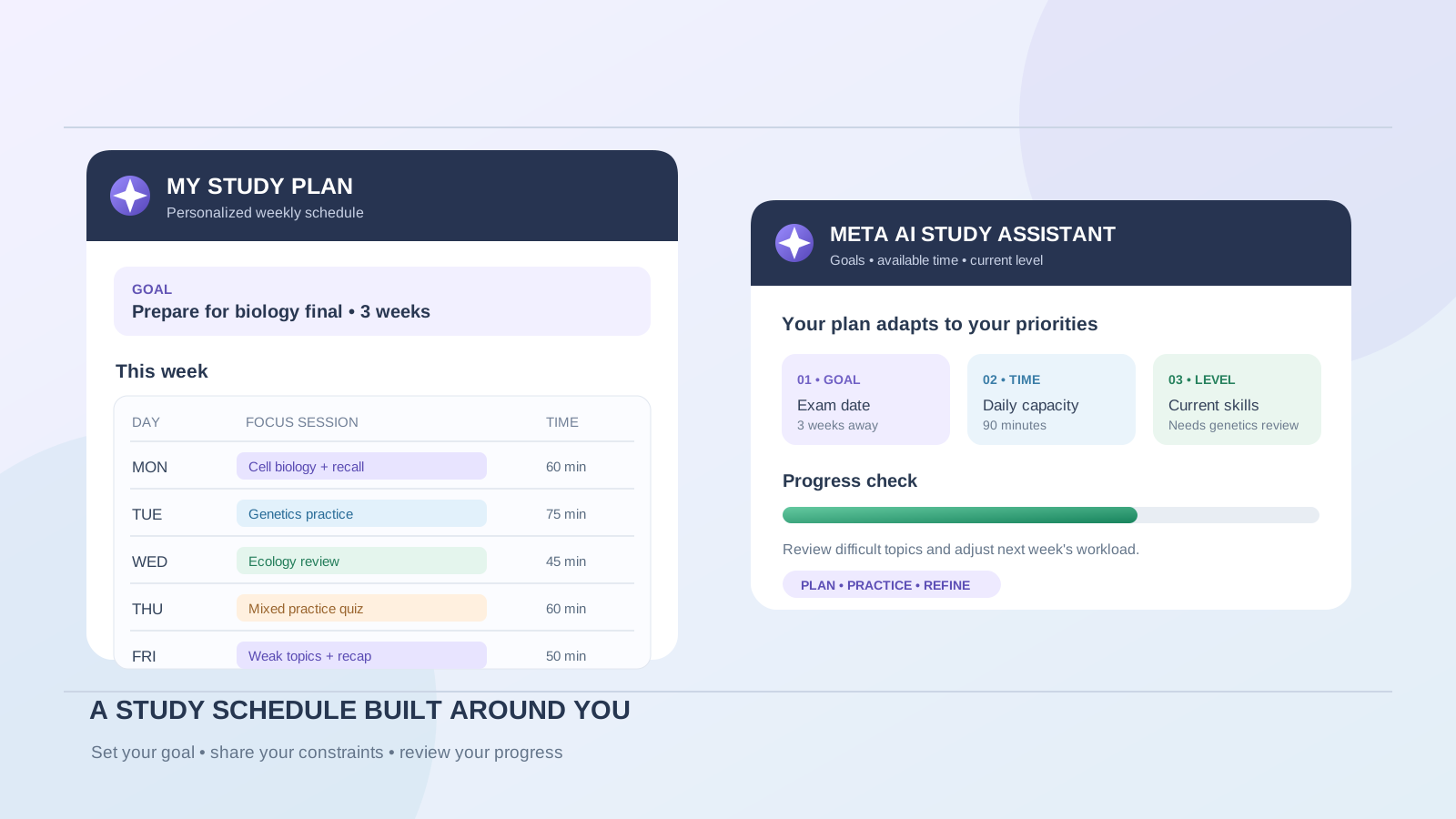
A useful study plan should reflect more than a list of subjects and dates. It needs to account for your exam schedule, current understanding, available study hours, difficult topics, and the time you need for practice and review. A timetable that ignores those details can look organized while remaining difficult to follow.
Meta AI can help you turn those details into a personalized study schedule. You can describe your learning goal, share your current level and study materials, explain your weekly availability, and ask Meta AI to organize the work into manageable sessions. You can then refine the plan as your priorities change.
This guide explains how to build that plan step by step, with ready-to-use prompts for school, university, and independent learning. The goal is not to let AI decide how you should learn. It is to use Meta AI to create a realistic starting schedule that you review, test, and adjust.
What Meta AI can contribute to a personalized study plan
Meta’s student-focused guide, AI Study Tools: Your Guide to Smarter Learning, describes using Meta AI to create personalized study plans. It recommends giving the assistant information about your goal, learning context, current level, resources, topics, and milestones, then refining the plan through follow-up requests.
Meta also explains that students can use its AI tools to summarize study materials, create practice questions, break down difficult topics, and have interactive discussions. These activities can become parts of a study schedule rather than separate, unplanned tasks.
For example, a weekly plan might include:
- Learning a new chapter or concept.
- Reviewing lecture notes and textbook sections.
- Practicing problems or answering questions.
- Revisiting topics that caused mistakes.
- Testing recall without looking at the notes.
- Reviewing progress and adjusting the next week’s workload.
The assistant can draft and revise this structure from the information you provide. It does not automatically know your syllabus, deadlines, actual knowledge gaps, or personal commitments unless you explain them or provide relevant materials. If you are comparing study assistants, see The Best AI Tools for Students in 2026. For a different guided-learning approach, read How to Use ChatGPT Study Mode to Master Difficult University Subjects.
Step 1: Define the study goal and deadline
Start by identifying exactly what you want to achieve. “Help me study biology” is too broad to produce a useful timetable.
A clearer goal includes:
- Subject or course: for example, biology, mathematics, economics, or computer science.
- Target outcome: prepare for a final exam, understand a difficult unit, complete a course, or improve a particular skill.
- Deadline: the exam date, assignment date, or date by which you want to finish.
- Topics: the chapters, modules, or skills that must be covered.
- Success criteria: what you should be able to explain, solve, write, or demonstrate.
Prompt:
Help me create a personalized study plan for my university biology course. My final exam is on [date]. I need to study cell biology, genetics, evolution, and ecology. My goal is to understand the main concepts and solve exam-style questions independently. First, organize the topics by priority and identify the information you still need from me before creating the schedule.
Asking Meta AI to identify missing information before drafting the plan can prevent it from making assumptions about your course or deadline.
Step 2: Explain your current knowledge and difficult topics
A personalized plan should not allocate identical time to every subject. You may already understand some chapters while struggling with others.
Describe your current level honestly. You can use a simple scale:
- Strong: you can explain the topic and answer questions without notes.
- Developing: you understand the basics but make mistakes in some questions.
- Needs attention: you struggle to explain the topic or apply it.
If you have a syllabus, a list of learning outcomes, a recent quiz, or instructor feedback, share the relevant material with Meta AI where your interface supports uploads.
Prompt:
Here is my current understanding of the course topics:
- Cell biology: strong
- Genetics: needs attention
- Evolution: developing
- Ecology: developing
Use this information to prioritize my study time. Explain why you recommend the allocation, and leave room for me to change it after I complete practice questions.
Do not let a self-assessment become a permanent label. A topic that seems easy may reveal gaps during practice, while a difficult topic may become manageable after a focused review.
Step 3: Share your actual weekly availability
A schedule is only useful if it fits your real life. Tell Meta AI how much time you can study on each day, including days when you have classes, work, family responsibilities, or other commitments.
For example:
| Day | Available study time |
|---|---|
| Monday | 90 minutes |
| Tuesday | 60 minutes |
| Wednesday | 120 minutes |
| Thursday | 60 minutes |
| Friday | 90 minutes |
| Saturday | 150 minutes |
| Sunday | 60 minutes |
Prompt:
Build the study schedule around this availability. Do not schedule more than the time listed for each day. Use study blocks of 25 to 50 minutes with short breaks. Keep Sunday lighter for review and preparation. Include realistic time for practice questions rather than filling every available minute with reading.
You can also specify preferred study times, days when you cannot study, and whether you prefer shorter sessions or longer blocks. Ask Meta AI to show the total study time for each day and the week so you can check that the schedule respects your limits.
Step 4: Ask Meta AI to generate the first weekly study plan
Once you have provided your goal, topics, current level, deadline, and availability, ask for a structured schedule.
Prompt:
Create a personalized seven-day study plan using the information I provided.
For every session, include:
- Day and suggested duration.
- The exact topic or chapter to study.
- A specific learning objective.
- The activity, such as reading, solving problems, explaining a concept, or answering practice questions.
- A short way to check whether I understood the material.
Give more time to topics I identified as difficult. Include review of previously studied topics and at least one mixed practice session. Do not invent chapter numbers or course requirements that I have not supplied. Mark any missing information clearly.
A useful plan should describe what you will do, not merely name a subject. “Study genetics” is vague. “Review Mendelian inheritance, solve ten problems, and explain why each incorrect answer is wrong” is an actionable session.
Step 5: Add active recall and practice questions
Reading notes repeatedly can create a feeling of familiarity without showing whether you can remember or apply the material. Include activities that require you to retrieve information and solve problems without immediately looking at the answer.
Meta’s guide to studying with AI describes using Meta AI to generate custom quizzes, practice questions, summaries, and explanations.
Ask Meta AI to build these activities into your schedule:
Active-recall prompt
For each topic in my study plan, create five questions that test whether I can recall and explain the main concepts without looking at my notes. Ask one question at a time. Wait for my answer before giving feedback.
Practice-problem prompt
Create practice problems at my current course level for [topic]. Start with two basic questions, then increase the difficulty. Do not reveal the solutions until I have attempted each question. After I answer, explain the reasoning and identify the concept behind any mistake.
Review prompt
Add a short review session for topics studied earlier in the week. Use new questions rather than repeating the same examples. Focus on concepts I previously answered incorrectly.
The point is to make practice part of the timetable, not an optional task that gets postponed until the end.
Step 6: Turn lecture notes and course materials into study sessions
If you have lecture slides, textbook excerpts, class notes, or a course outline, provide the relevant materials when your Meta AI interface supports file or image uploads.
Ask Meta AI to use the material as the basis for the plan:
Use the attached lecture notes and course outline to identify the topics I need to cover. Organize them into study sessions before my exam on [date]. For each session, reference the relevant section or heading from the material. Do not add topics that are not in the supplied course material unless you clearly label them as optional background.
You can then request a study activity for each section:
Turn the section on [topic] into a 40-minute study session. Include a short explanation, key terms to learn, three questions that test understanding, and one application problem. Keep the activities aligned with the supplied notes.
If you regularly work with a collection of documents, Google’s NotebookLM can be another option for asking questions about supplied sources and following citations back to them. See our guide to How to Use NotebookLM for Research: A Practical Workflow.
Step 7: Review your progress and adjust the schedule
A study plan should change when new information becomes available. You may finish a chapter earlier than expected, discover a weakness in a practice test, or lose a study session because of an unexpected commitment.
At the end of each day or week, tell Meta AI what you actually completed.
Progress-review prompt:
Review my progress against the study plan:
- Completed: [topics and tasks]
- Not completed: [tasks]
- Difficult areas: [topics]
- Practice results: [scores or mistakes]
- Available time next week: [hours or schedule]
Revise the next week’s plan. Give more attention to topics where my practice results show gaps. Move unfinished tasks only where there is enough time, and do not increase my total available study hours.
Meta’s study-plan guide recommends continuing in the same conversation when refining a plan, because the assistant can use the context already provided in that thread. Keep your original goal and constraints available, and restate important details if you start a new chat.
Step 8: Create a realistic final-week revision plan
The final week before an exam should not simply repeat the first week at a faster pace. Prioritize the topics most relevant to the exam, practice under realistic conditions, and leave time to review mistakes.
Final-week prompt:
My exam is on [date]. Create a final seven-day revision plan using my syllabus, completed topics, and practice results. Prioritize weak areas and high-importance learning outcomes. Include timed practice, review of incorrect answers, and short recall sessions. Leave the final evening lighter and do not introduce large new topics unless they are essential and still uncovered.
If your instructor has provided a revision guide or exam specification, use that as the source for topic priorities. Do not ask AI to predict exam questions as if it knows what will appear.
A complete prompt to create a personalized study plan
If you want to generate the first draft in one request, copy this prompt and replace the bracketed details:
Act as my study-planning assistant. Create a realistic, personalized study plan based on the information below.
Subject or course: [subject]
Learning goal: [what I want to achieve]
Exam or deadline: [date]
Current level: [beginner, intermediate, advanced, or topic-by-topic assessment]
Topics to cover: [list of chapters or learning outcomes]
Strong topics: [topics I understand]
Difficult topics: [topics I need to improve]
Available time: [days and hours]
Study preferences: [short sessions, longer sessions, preferred time of day, and other constraints]
Available resources: [textbooks, lecture notes, slides, practice papers, or other materials]
Build a weekly timetable with a specific task and objective for every session. Include active recall, practice questions, review of mistakes, and time for breaks. Allocate more time to difficult topics without ignoring the others. Do not invent syllabus requirements or exam details. Identify missing information before making assumptions.
After presenting the plan, explain how I should review my progress and what information I should provide to update the next week.
Example: A one-week personalized study plan
The following is an illustrative schedule for a university student preparing for a biology exam. It is an example, not a schedule generated from an actual student’s results.
| Day | Study session | Objective |
|---|---|---|
| Monday | Cell biology review + recall questions | Explain core structures and functions |
| Tuesday | Genetics concepts + practice problems | Apply inheritance principles |
| Wednesday | Evolution lecture notes + concept map | Connect mechanisms and examples |
| Thursday | Genetics problem set | Identify and correct recurring mistakes |
| Friday | Ecology review + short quiz | Explain key relationships and processes |
| Saturday | Mixed practice test + error review | Test understanding across all topics |
| Sunday | Light recall + next-week planning | Identify remaining gaps and adjust priorities |
After completing the week, share your practice results and unfinished tasks with Meta AI. The next schedule should reflect what you learned, rather than simply copying the same timetable.
Common mistakes to avoid when using Meta AI as a study planner
Creating a schedule without a clear deadline
A plan for an exam in two weeks should look different from a plan for learning a subject over a semester. Always provide the target date or learning period.
Allocating equal time to every topic
Equal time may be convenient, but it does not necessarily reflect your current understanding or course priorities. Use practice results and the syllabus to decide where more attention is needed.
Filling every free hour
A schedule with no breaks or flexibility is difficult to maintain. Leave room for rest, unexpected commitments, and tasks that take longer than expected.
Treating an AI-generated plan as an official syllabus
Meta AI may suggest a topic that is not part of your course or overlook an instructor requirement. Compare the plan with your actual course outline and learning outcomes.
Measuring progress only by completed reading
Finishing a chapter does not prove that you can recall or apply its ideas. Include quizzes, problem-solving, explanations, and review of incorrect answers.
Trusting every explanation or answer
AI can make factual or reasoning mistakes. Verify important information against your textbook, lecture materials, instructor guidance, and reliable academic sources.
Frequently asked questions
Can Meta AI create a personalized study schedule?
Yes. Meta’s student guide describes using Meta AI to create personalized study plans. It recommends sharing your goal, learning context, current level, resources, topics, and milestones, then refining the result through follow-up prompts.
What information should I give Meta AI before creating a study plan?
Provide your subject, learning goal, exam date or deadline, current understanding, topics to cover, available study hours, preferred session length, and relevant course materials. The more specific and accurate the information, the more useful the draft schedule can be.
Can Meta AI create a study plan for multiple subjects?
You can ask it to organize several subjects around their deadlines, difficulty, and available study time. Provide the exam dates and topic lists for each subject, and check that the resulting weekly workload is realistic.
Can Meta AI use my lecture notes to personalize the plan?
Meta’s student guidance describes uploading study materials such as lecture slides and notes in supported Meta AI experiences. Availability and supported file types may vary by platform and region. Check the materials and resulting topic references before relying on the schedule.
Can Meta AI update my study plan when I fall behind?
You can report completed tasks, missed sessions, and new priorities in the same conversation and ask Meta AI to revise the timetable. Review the changes to ensure it does not create an unrealistic workload or remove essential topics.
Is Meta AI a replacement for a teacher or academic adviser?
No. It can help organize study time and generate practice activities, but it does not replace your instructor’s syllabus, feedback, or academic guidance. Verify important explanations and requirements using your course materials.
How can I make my AI study plan more effective?
Use specific goals, realistic time limits, active-recall questions, practice problems, and regular progress reviews. Adjust the schedule based on what you can actually explain and solve, not only on how many pages you have read.
Final thoughts
Meta AI can help turn a broad academic goal into a structured study plan by organizing subjects, deadlines, available hours, learning priorities, and practice activities. The most useful plan is not necessarily the most detailed one; it is the one you can follow, evaluate, and improve.
Start with accurate information, compare the schedule with your real course requirements, and use practice results to decide what needs more attention. Treat Meta AI as a planning and learning assistant while keeping responsibility for your study decisions and academic progress.