
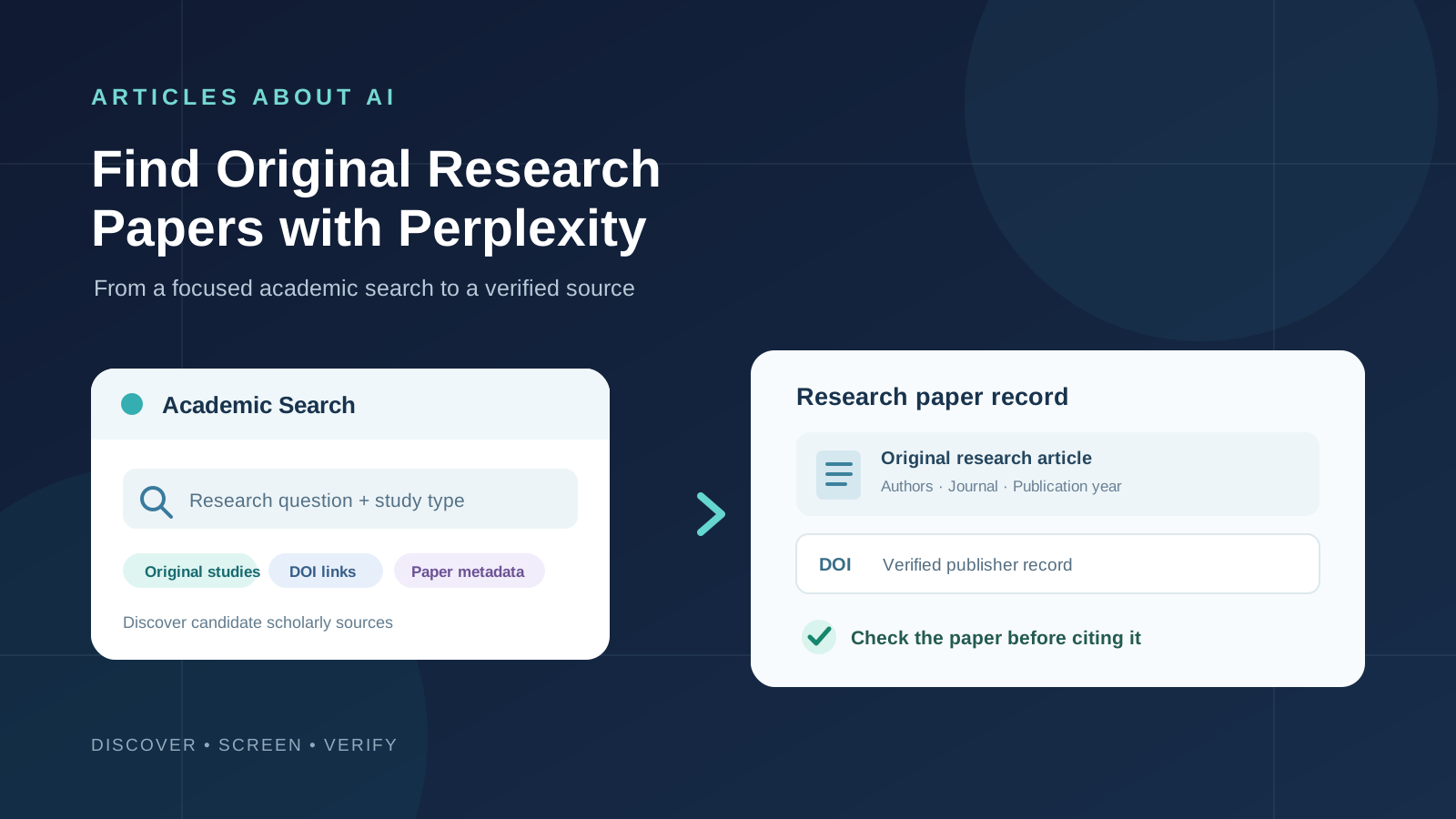
Finding original research papers is not the same as finding web pages that discuss a scientific topic. A useful search should lead you to the study itself: the paper published by the researchers, its journal or repository record, and enough bibliographic information to verify what was actually investigated.
Perplexity can help with this discovery process. Its search experience provides source-linked answers, and its Academic search focus is designed to prioritize scholarly material. You can use it to explore a research question, identify relevant papers, collect author and publication details, and follow links to the original publication.
However, Perplexity is an AI answer engine, not a complete or reproducible scholarly database. Its summaries may combine research papers with other web sources, and a citation in an AI answer does not prove that the linked paper supports the claim. This guide explains how to use Perplexity to find original research papers, distinguish primary studies from reviews, and verify each result before citing it.
Can Perplexity find original research papers?
Yes. Perplexity can help discover academic literature and provide links to sources. Perplexity’s official explanation of Pro Search describes search across different source types, including academic papers, and says answers include direct source links. Perplexity also presents Academic as a search focus for research-oriented queries.
Academic-focused search is useful when you want scholarly material rather than a general overview. University library guides describe using Perplexity’s Academic focus to prioritize academic sources, including material indexed through services such as Semantic Scholar and PubMed. The exact interface, source coverage, and available search options can change, so check the focus or source selector shown in your account.
Keep one limitation in mind: an academic filter does not guarantee that every result is an original, peer-reviewed research article. Results can include review papers, preprints, conference papers, abstracts, or records that point to secondary pages. You must inspect the publication record and the paper itself.
What counts as an original research paper?
An original research paper reports a study or analysis conducted by its authors. It normally describes a research question, methods, data or participants, results, and an interpretation of those results.
Common types include:
- Experimental studies: Researchers conduct an experiment, intervention, or controlled test and report the results.
- Observational studies: Researchers analyze observations without assigning the exposure or intervention, such as cohort, case-control, and cross-sectional studies.
- Clinical trials: Researchers evaluate an intervention in human participants under a defined protocol.
- Qualitative research: Researchers collect and analyze interviews, focus groups, field observations, or other non-numerical data.
- Computational or technical research: Authors introduce or evaluate a model, algorithm, dataset, or system and report experiments or analyses.
- Case studies and original datasets: Authors document a specific case, dataset, or investigation, depending on the journal’s article classification.
These are different from review articles. A narrative review summarizes existing literature; a systematic review uses a defined search and selection method to synthesize previous studies; and a meta-analysis statistically combines results from multiple studies. Reviews are valuable, but they are not the original study behind an individual finding.
Step 1: Open Perplexity and select an academic search focus
- Visit Perplexity and sign in if required.
- Start a new search.
- Open the search focus or source selector near the prompt box, where available.
- Choose Academic if it appears in your interface.
- Enter a specific research question rather than a broad subject.
- Review the cited sources and open the papers that appear relevant.
If the Academic option is not visible, use the available search experience and explicitly ask for scholarly papers, journal records, and original studies. You can also search a named scholarly source or database directly. Feature names and availability may vary by account, plan, region, and product updates.
A focused query usually produces more useful results than a broad phrase. Instead of searching for:
Artificial intelligence in education
try:
Find original empirical research papers published from 2022 to 2026 that evaluate the effect of generative AI writing assistants on university students’ writing performance. Prioritize controlled experiments and observational studies. For each paper, provide the exact title, authors, publication year, journal or conference, DOI, study design, sample, and a direct link to the publisher or repository record. Separate original studies from review articles and preprints.
This prompt gives Perplexity a defined topic, date range, study type, and metadata requirements.
Step 2: Use research prompts that target primary studies
The words in your query influence the type of literature you discover. Include terms that describe the study design or evidence you need.
Useful search terms include:
- “original research article”
- “primary study”
- “empirical study”
- “randomized controlled trial”
- “cohort study”
- “case-control study”
- “cross-sectional study”
- “experimental evaluation”
- “longitudinal study”
- “qualitative study”
- “dataset and methods”
- “published journal article”
You do not need to include every term in one query. Choose the terms that match your research question.
Prompt 1: Find original studies on a topic
Find original research papers about [research topic]. Prioritize studies in which the authors collected or analyzed original data. Exclude general news coverage and do not treat review articles as primary studies. For each result, provide the exact title, authors, year, journal, DOI, study design, and the direct publisher or repository link. If you cannot verify a field, mark it as unverified instead of guessing.
Prompt 2: Find recent empirical papers
Identify empirical research papers on [topic] published between [start year] and [end year]. Prioritize peer-reviewed journal articles and clearly label conference papers, preprints, and other publication types. Explain briefly why each paper qualifies as an original study.
Prompt 3: Search for a particular methodology
Find original studies on [topic] that use [methodology, population, or dataset]. Return the paper title, authors, year, sample or dataset, research method, main outcome, DOI, and a link to the original paper. Do not infer a method from the abstract if it is not stated.
Prompt 4: Find foundational research
Find influential original research papers that introduced or first tested important methods or findings related to [topic]. Distinguish the original paper from later reviews and papers that merely cite it. Provide publication details and a direct source link for each result.
Prompt 5: Find papers that report conflicting results
Find original studies that report different or conflicting findings about [research question]. For each study, identify its design, population or dataset, outcome measure, and reported result. Do not claim that the studies contradict each other until you compare their methods and definitions.
Step 3: Ask Perplexity for a paper-by-paper results table
A list of titles is not enough to decide whether a paper belongs in your research. Ask Perplexity to organize its findings into a table with consistent fields.
Use this prompt:
Create a research discovery table for the papers you found. Include:
- Exact paper title
- Authors
- Publication year
- Journal, conference, or repository
- DOI
- Article type: original research, review, systematic review, meta-analysis, preprint, or other
- Study design and data source
- Population or sample, if applicable
- Direct publisher or repository URL
- Evidence that the paper is an original study
Do not fill missing details from assumptions. Mark unavailable information as “not verified” and keep review articles separate from original studies.
This makes it easier to screen search results and identify missing metadata. It also exposes a common problem: a result may look relevant in a generated summary while its linked page is only a news report, a review, or a citation to another paper.
Step 4: Open the original paper, not just the Perplexity summary
When a result looks relevant, follow its citation and identify the most authoritative version available.
Check these locations in order:
- Publisher page: The journal or conference publisher’s article page is often the best place to confirm the title, author list, publication date, abstract, and DOI.
- DOI record: A DOI is a persistent identifier. Open the DOI link and confirm that it resolves to the same paper and publication record.
- Institutional repository: A university or research institute may provide an author manuscript or accepted version.
- Preprint server: Platforms such as arXiv or medRxiv can provide early research versions. Check whether a later peer-reviewed version exists.
- Scholarly index: Services such as Semantic Scholar and PubMed can help locate records and related papers, but follow the record to the actual article or full text when possible.
A search result that links to an abstract is still useful for discovery, but it does not mean you have accessed the full paper. If the full text is behind a paywall, record that limitation and use a legitimate institutional library or open-access version if available.
Step 5: Verify that the paper is original research
Before adding a result to your reference manager or literature review, inspect the article page and the paper itself.
Use this checklist:
- Does the article describe a research question or objective?
- Does it explain how the researchers collected or analyzed data?
- Does it report original results, experiments, observations, or analysis?
- Is the article labeled as an original article, research article, clinical trial, or another primary-study type by the publisher?
- Is the record a review, editorial, commentary, protocol, letter, or news article instead?
- Does the title, author list, year, journal, and DOI match across the publisher page and the paper PDF?
- Is the version a preprint, accepted manuscript, or final published article?
The presence of a methods section is a useful clue, but not sufficient by itself. A systematic review also has methods, for example, but it synthesizes previous studies rather than reporting a newly conducted primary study. Use the publisher’s article classification and the paper’s actual content together.
Step 6: Ask follow-up questions to improve the search
Perplexity supports follow-up questions, allowing you to refine an initial discovery search without starting over. Use follow-ups to narrow the population, date range, research design, or outcome.
Examples:
- “Show only randomized controlled trials and cohort studies.”
- “Find papers that include adult participants and exclude studies on children.”
- “Prioritize studies with publicly accessible full text.”
- “Find the publisher version of this paper and confirm its DOI.”
- “Find earlier original studies cited by this paper.”
- “Find newer studies that attempted to replicate these results.”
- “Separate peer-reviewed papers from preprints.”
- “Which results are based on original data rather than a review of previous literature?”
For a larger question, Perplexity’s Pro Search can conduct a more involved search and synthesize information from multiple sources. Its official Pro Search guide describes multi-step searching and source citations. Use this for broad exploration, but do not mistake a longer AI-generated report for a complete systematic literature search.
Step 7: Build a reliable collection of research papers
Once you have screened the results, save the verified records in a reference manager or research folder. Keep the original metadata with each PDF or link.
A simple tracking table can include:
| Field | What to record |
|---|---|
| Paper title | Exact title from the publisher |
| Authors | Full author list or the citation format you use |
| Year | Official publication year |
| Source | Journal, conference, or repository |
| DOI | Verified DOI link, if available |
| Article type | Original study, review, preprint, and so on |
| Method | Study design or analytical approach |
| Sample or dataset | Population, sample size, or dataset |
| Main finding | A brief description checked against the paper |
| Limitations | Important limitations stated by the authors |
| Access | Publisher full text, open-access copy, or abstract only |
For a deeper workflow, you can use NotebookLM for research to work with a defined collection of source documents, or read our guide to comparing multiple research papers with Claude after you have collected the papers.
How to verify Perplexity citations and avoid incorrect references
AI search tools can return a convincing answer with a citation that is incomplete, mismatched, or not strong enough to support the statement. A paper may exist but discuss a different population or outcome from the one described in the answer.
Use these checks for every paper you intend to cite:
- Open every citation. Do not rely on the citation text displayed in the generated answer.
- Match the bibliographic details. Confirm title, authors, year, journal, and DOI against the publisher or repository record.
- Read the abstract and methods. Confirm that the study actually addresses your research question and uses the stated design.
- Check the results section. Make sure the reported finding is present in the paper and is not an overstatement.
- Read the limitations. Note restrictions involving sample size, population, measurement, confounding, or generalizability.
- Check publication status. Look for corrections, retractions, updated versions, or a later peer-reviewed publication.
- Cite the paper itself. In academic writing, cite the original publication or an appropriate primary record, not Perplexity’s generated summary.
Perplexity’s own research guidance emphasizes checking the original sources behind AI-generated claims. Independent research guidance also recommends treating AI-discovered references as leads that must be checked before they are used in scholarly work.
Perplexity vs. Google Scholar and specialist research tools
Perplexity is useful for conversational discovery: you can describe a question in natural language, ask for a structured list, and refine the results through follow-up prompts. It is not a replacement for every scholarly search platform.
- Perplexity: Useful for exploratory searches, question refinement, source discovery, and quick explanations with citations.
- Google Scholar: Useful for broad scholarly discovery, citation trails, and finding versions of academic works.
- PubMed: Useful for biomedical and life-science literature, with structured records and filters.
- Semantic Scholar: Useful for discovering academic papers and exploring related research.
- Institutional library databases: Important when you need access to subscribed journals, subject-specific indexes, or a documented search strategy.
For a systematic review, evidence synthesis, or research project that must be reproducible, define the databases, search strings, date limits, inclusion criteria, and screening process in advance. Record the search date and preserve the search history. An AI answer engine can help generate keywords and identify leads, but it should not be the only record of a formal literature search.
You can also explore our guide to using Deep Research in ChatGPT and our comparison of ChatGPT, Claude, and Gemini for academic writing for other AI-assisted research workflows.
Common problems when using Perplexity to find research papers
Perplexity returns review articles instead of original studies
Add phrases such as “original empirical study,” “primary research,” or a specific study design. Ask Perplexity to label reviews separately, then inspect each publisher page to confirm the article type.
A paper title appears, but there is no DOI
Not every scholarly work has a DOI. Search the exact title and first author on the publisher site or in a trusted scholarly index. Do not let Perplexity invent a DOI to complete a table; mark it as unavailable if you cannot verify it.
The citation opens a page that does not contain the claimed result
The answer may have misinterpreted the source or linked to a secondary page. Search the exact paper title, open the publisher record, and check the abstract and relevant section yourself. Exclude the claim if the original source does not support it.
The paper is a preprint
A preprint is a manuscript shared before formal peer review. It can be valuable, especially for emerging topics, but label it clearly. Check whether a peer-reviewed version has since appeared and whether its findings or text have changed.
The full text is unavailable
Use your university or public research library, the publisher’s open-access options, or a legitimate institutional repository. Do not assume that an abstract provides enough information to evaluate the methods and limitations.
Frequently asked questions
Can Perplexity search for peer-reviewed research papers?
Perplexity’s Academic focus is intended to prioritize scholarly material, and its search can surface academic papers. However, you should verify peer-review status on the journal or publisher page because academic search results can include different publication types.
Is Perplexity good for finding original research articles?
It can be useful for discovering candidate papers, generating search terms, and following citations. It should be treated as a discovery assistant rather than a definitive academic database. Confirm each paper’s article type and bibliographic details before citing it.
How do I find the DOI of a research paper with Perplexity?
Ask Perplexity to provide the DOI and publisher link, then verify both against the publisher’s article page or DOI resolver. If no DOI is listed by the publisher, record that no DOI was found rather than guessing.
Can Perplexity find free full-text research papers?
It may surface open-access papers, preprints, and institutional repository copies. Availability varies by paper. Check the publisher page and legitimate repositories for an accessible version; a citation or abstract does not guarantee free full-text access.
Can I use Perplexity for a systematic literature review?
You can use it during early exploration to identify terminology, possible papers, and search strategies. A formal systematic review requires a documented, reproducible search across appropriate databases, predefined inclusion criteria, and transparent screening. Do not rely on Perplexity alone for that process.
Should I cite Perplexity in my research paper?
Usually, cite the original research paper or other primary source that supports the statement. Perplexity can help you find the source, but its generated summary is not a substitute for reading and citing the underlying publication. Follow your institution’s rules if you need to disclose AI assistance.
Final thoughts
Perplexity can make the first stage of academic literature discovery faster. With a focused research question and the Academic search option, you can identify candidate papers, request publication metadata, and refine results by study design, date, or population.
The important work begins after the search. Open the publisher or repository record, confirm that the article is genuinely original research, check the DOI and publication details, and read the methods and results before relying on its findings. Use Perplexity to find the paper—not as a replacement for the paper.
Sources and further reading
- Perplexity Help Center: What is Pro Search?
- Perplexity: AI Research — tools and research workflows
- Temple University Libraries: Popular chatbots and research
- University of Guelph Library: GenAI Research Tools
- CASRAI: Perplexity AI for Academic Research
For related workflows, see How to Use NotebookLM for Research, How to Use Deep Research in ChatGPT, and How to Use Claude to Compare Multiple Research Papers.