
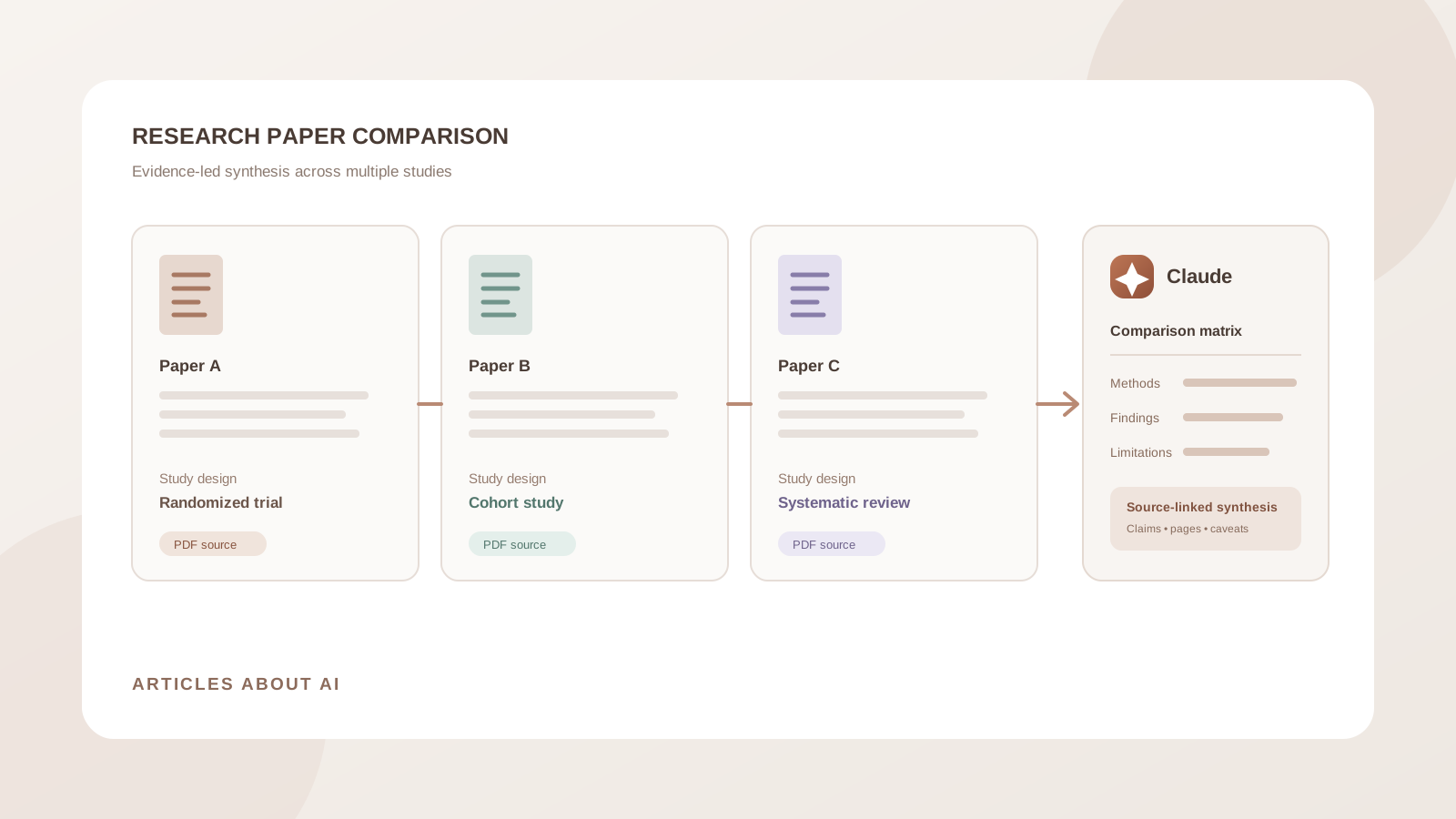
Comparing research papers is more demanding than summarizing them one at a time. A useful literature review must identify where studies agree, where their results differ, how their methods affect the strength of the evidence, and which questions remain unanswered. Reading several PDFs side by side can make it easy to overlook differences in sample size, definitions, study design, or measurement periods.
Claude can help organize this work by analyzing multiple uploaded documents, extracting comparable details, and building a structured evidence matrix. You can use a single chat for a focused comparison or create a Claude Project to keep a larger collection of papers available across related research conversations.
The important distinction is that Claude can assist with evidence extraction and synthesis, but it does not replace reading the papers, checking their methods, or making scholarly judgments. This guide shows how to compare multiple research papers with Claude while keeping each claim traceable to its original source.
Can Claude compare multiple research papers?
Yes. Anthropic’s file-upload documentation says Claude supports PDF and several other document formats. The current help page describes attaching up to 20 files in a chat, with a 500 MB per-file upload limit. Additional token and context limits still apply, so uploading many large papers at once does not guarantee that every detail will receive equal attention.
For PDFs, Anthropic documents an important distinction: Claude can analyze text and visual elements in PDFs of up to 100 pages, while PDFs from 101 to 1,000 pages are processed as text only. PDFs longer than 1,000 pages cannot be uploaded through the documented chat workflow. Page references should use the page numbering shown in the PDF viewer, not necessarily the printed page number inside the paper.
Claude can help you:
- Extract each paper’s research question, methods, sample, data, and findings.
- Compare study designs, populations, interventions, outcomes, and measurement periods.
- Identify agreements, contradictions, and differences in reported results.
- Compare limitations, assumptions, and potential sources of bias.
- Build a literature review matrix with paper-level evidence.
- Identify themes and possible research gaps for further investigation.
The reliability of the comparison depends on the papers’ readability, the prompt, the available context, and the quality of the source documents.
Choose the right Claude workflow for your paper collection
There are two practical ways to work with multiple papers.
Option 1: Upload papers to one Claude chat
Use this approach when you have a manageable group of papers and want a focused comparison in one conversation.
- Open Claude.
- Start a new chat.
- Select the + button near the prompt box.
- Choose Add files or photos.
- Select the research-paper PDFs or supported document files.
- Wait for the uploads to finish.
- Ask Claude to inventory the papers before comparing them.
Anthropic also supports dragging and dropping files into the chat. Supported document formats include PDF, DOCX, CSV, TXT, HTML, ODT, RTF, EPUB, JSON, and XLSX. XLSX uploads require code execution and file creation to be enabled.
Do not begin with a request to compare everything immediately. First confirm that Claude can identify each paper correctly and has not confused their titles, authors, or publication details.
Option 2: Create a Claude Project for ongoing research
A Project is useful when you expect to revisit the same group of papers across multiple chats. Anthropic’s Projects documentation explains that projects have their own chat histories and knowledge bases. Files added to project knowledge can be used as context in chats within that project.
To set one up:
- Open Projects in Claude and select New Project.
- Give the project a descriptive name, such as Literature Review — AI in Medical Imaging.
- Open the project’s knowledge area and use the + button to add research papers.
- Upload the relevant PDFs and supporting notes.
- Add project instructions explaining the research question, comparison criteria, citation expectations, and preferred output format.
- Start a chat inside the project and ask Claude to compare the papers by name.
Anthropic says Projects are available to free users as well, with a maximum of five projects on the free plan. Enhanced project knowledge using retrieval-augmented generation (RAG) is a paid-plan feature. See the official Projects overview and RAG for Projects guide for current details.
A Project is not a substitute for a clear comparison protocol. Tell Claude which research question the papers address and which variables should be compared.
Step 1: Create an inventory of the research papers
Before asking for a literature synthesis, make sure Claude has identified the uploaded sources correctly. A paper inventory helps prevent a common problem: attributing a finding from one study to another.
Use this prompt:
Prompt 1: Build a paper inventory
Review every research paper attached to this chat or available in this Project. Do not compare the findings yet.
Create a table with these columns:
- File name
- Exact paper title
- Authors
- Publication year
- Journal or conference, if stated
- Research question or objective
- Study type or research design
- Population, sample, or dataset
- Main outcome or topic
- PDF page count
Use only information found in each paper. If a field is missing, unreadable, or uncertain, write “not stated” or “needs verification.” Do not infer bibliographic details from the file name.
At the end, list any files that could not be read or identified reliably.
Review this inventory before proceeding. Correct file names or replace unreadable PDFs if necessary. If a paper is a preprint, conference version, or revised manuscript, record that status rather than treating it as a peer-reviewed journal article.
Step 2: Extract the same information from every paper
A fair comparison requires consistent extraction. If you ask different questions about each paper, the final table may compare details that are not equivalent.
Use a common extraction framework:
Prompt 2: Extract comparable study details
For each uploaded paper, extract the following information separately:
- Research question and hypothesis
- Background and motivation
- Study design and methodology
- Population, sample size, or dataset
- Inclusion and exclusion criteria, if reported
- Intervention, exposure, or independent variables
- Outcomes and measurement methods
- Main results, including numerical results where available
- Statistical methods and uncertainty measures
- Authors’ stated limitations
- Funding and conflicts of interest, if disclosed
- Authors’ conclusions
For every extracted item, identify the source paper and provide the PDF viewer page number and section heading where possible. Keep each paper separate. Do not fill missing fields with assumptions, and do not treat an abstract as a substitute for the full methods and results.
This step creates a consistent evidence base. It is especially important when comparing clinical studies, observational research, experiments, benchmark evaluations, or papers that use different datasets.
Step 3: Build a research paper comparison matrix
Once the extraction is complete, ask Claude to place equivalent details side by side. A matrix is more useful than a broad paragraph because it makes differences visible.
Prompt 3: Create a comparison matrix
Compare the uploaded papers in one table.
Use these columns:
- Comparison criterion
- Paper A
- Paper B
- Paper C
- Similarities
- Differences
- Source and PDF page for each important entry
Compare the research question, study design, sample or dataset, methods, outcome measures, main findings, limitations, and strength of evidence.
Do not rank papers simply by the size or significance of their reported results. Explain when study designs, populations, outcome definitions, or measurement periods make a direct comparison inappropriate. Mark unavailable information as “not reported.”
If you have more than three papers, ask Claude to include one column per paper or create a long-form table with one row per paper and criterion. The best layout depends on the number of studies and the complexity of the research question.
Step 4: Identify where the studies agree and disagree
A literature review should explain the pattern across studies, not just repeat each abstract. Ask Claude to separate consistent findings from conflicting results.
Prompt 4: Find agreements and contradictions
Analyze the papers as a group and identify:
- Findings reported consistently across multiple studies
- Findings that conflict or point in different directions
- Differences that may be explained by study design, sample, setting, measures, or follow-up period
- Results supported by only one paper
- Claims that cannot be compared directly
For every point, name the papers involved and provide the supporting page or section references. Do not resolve a contradiction by choosing one result without explaining the evidence and methodological differences.
A difference in results does not automatically mean that one paper is wrong. A randomized trial, observational cohort, qualitative study, and systematic review answer different kinds of questions. Their findings may be complementary rather than directly contradictory.
Step 5: Evaluate methods and limitations before drawing conclusions
Two papers can reach similar conclusions while providing very different levels of evidence. Compare how the studies were designed and conducted before deciding how much weight to give their results.
Prompt 5: Evaluate methodological quality
Compare the methodological strengths and limitations of each paper.
Examine:
- Study design and whether it fits the research question
- Sample size and participant or dataset selection
- Control groups, randomization, or comparison conditions where relevant
- Measurement validity and outcome definitions
- Missing data and potential attrition
- Confounding variables and possible bias
- Statistical uncertainty and robustness checks
- Generalizability and external validity
- Funding and disclosed conflicts of interest
Separate limitations explicitly acknowledged by the authors from concerns you infer from the methods. Label inferences clearly and cite the relevant paper sections. Do not assign a numerical quality score unless a defined appraisal framework is specified.
For a formal evidence review, use a discipline-appropriate appraisal framework and have a qualified reviewer check the assessment. Claude’s methodological critique is a starting point, not a validated risk-of-bias assessment.
Step 6: Ask Claude to identify research gaps
After comparing methods and findings, you can ask which questions remain unanswered. Treat these as candidate gaps to investigate, not proof that no prior research exists.
Prompt 6: Identify potential research gaps
Based only on the uploaded papers, identify potential gaps in the research.
Look for:
- Populations or settings that are missing or underrepresented
- Outcomes that are not measured
- Short follow-up periods
- Small or narrow datasets
- Inconsistent definitions or measurement methods
- Conflicting findings that need further investigation
- Questions raised by the authors but not answered
For each potential gap, explain which papers support the observation and cite the relevant sections or pages. Distinguish a gap in this uploaded collection from a gap in the wider published literature. Do not claim that no research exists unless that has been independently established.
This distinction matters. A set of five papers may omit a topic that is well covered in other journals. To assess the wider literature, you need a separate, systematic search of scholarly databases and relevant registries.
Step 7: Draft a literature review from the comparison
When the evidence matrix is complete and checked, ask Claude to help organize a narrative review. Provide the target discipline, audience, citation style, and word count.
Prompt 7: Draft a literature review
Using the verified comparison matrix and uploaded papers, draft a structured literature review on [research topic] for [academic level or audience].
Organize it by themes rather than writing one isolated paragraph per paper:
- Introduction and scope
- Main research themes
- Areas of agreement
- Conflicting findings and possible explanations
- Methodological strengths and limitations
- Unanswered questions and potential research gaps
- Conclusion
Attribute each claim to the correct paper. Use only bibliographic information and findings verified in the source documents. Do not invent references, DOI numbers, quotations, page numbers, or publication details. If a citation detail is missing, flag it for manual completion.
Do not submit the generated literature review without checking every citation against the original paper and your reference manager. Claude can help organize citations, but the presence of a plausible-looking reference does not prove that the source exists or supports the sentence.
Step 8: Verify the comparison and citations
Before using Claude’s analysis in a thesis, manuscript, grant proposal, or research report, perform a source check.
- Verify every paper identity. Confirm title, authors, journal, publication year, and DOI from the publisher or scholarly database.
- Check numerical results. Reopen the cited page and confirm sample sizes, effect estimates, confidence intervals, p-values, and units.
- Check the methods. Make sure Claude has not confused a cross-sectional study with a longitudinal study or an observational association with a causal effect.
- Inspect tables and figures. Confirm that the correct group, denominator, time point, and footnotes were used.
- Check every comparison claim. Confirm that both papers actually measured the same outcome in a sufficiently comparable way.
- Keep uncertainty visible. If a result is missing, ambiguous, or unreadable, preserve that limitation instead of filling it in.
For PDFs, Anthropic notes that page numbers should refer to the numbering in the PDF viewer. Printed page numbers inside a journal article may not match the viewer’s page count.
If you need Claude to search for additional papers beyond the uploaded collection, use the separate Research feature where available. Anthropic describes Research as a multi-step web and connector research workflow that produces citations. It is currently available on paid plans, and web search must be enabled. See Use Research on Claude. Research can discover additional material, but newly found papers still need to be screened and checked before inclusion in a formal review.
Common problems when comparing papers with Claude
Claude overlooks one of the uploaded papers
Ask Claude to repeat the paper inventory and list every file it actually used. If a file is missing, upload it again or analyze the collection in smaller batches. Do not assume that attaching a file means every part of it was successfully processed.
The comparison table contains unsupported details
Ask Claude to identify the exact source passage and PDF viewer page for each disputed cell. If it cannot locate the evidence, mark the detail as unverified and check the paper yourself.
Claude treats different studies as directly comparable
Tell Claude to identify differences in population, study design, intervention, outcome definition, and follow-up period before synthesizing results. A table should expose these differences rather than hide them.
A long PDF’s charts or figures are not analyzed
Anthropic’s current upload guidance distinguishes PDFs of up to 100 pages, where visual elements can be analyzed by supported Claude models, from PDFs of 101 to 1,000 pages, which are processed as text only. For a critical figure, provide the relevant page separately or inspect it manually.
The literature review includes references that are not in the uploaded papers
Require Claude to use only the uploaded sources for the synthesis and to flag missing bibliographic information. Verify all references against publisher records, Crossref, PubMed, or the relevant scholarly index before citing them.
Frequently asked questions
Can Claude compare multiple PDFs at once?
Yes. Anthropic documents support for up to 20 file attachments in a chat. The practical number of papers you can compare depends on file sizes, extracted text, document length, and Claude’s context limits.
Can Claude compare research papers in a Project?
Yes. You can add papers to a Project’s knowledge base and refer to them in chats within that Project. This is useful for ongoing literature reviews and research topics that require multiple sessions.
Can Claude create a literature review matrix?
Yes. Ask it to extract the same fields from every paper and organize the results into a table. Require source names and PDF page references for important claims, then verify the entries.
Can Claude identify research gaps?
Claude can identify potential gaps within the papers you provide, such as missing populations, outcomes, or unresolved findings. It cannot establish that a gap exists across the entire literature without a broader search.
Can Claude replace a systematic literature review?
No. A systematic review requires a documented search strategy, database coverage, eligibility criteria, screening, duplicate handling, and transparent appraisal. Claude can assist with parts of that workflow, but it does not replace the protocol or human review.
Final thoughts
Claude can make multiple-paper analysis more organized by extracting consistent study details, building comparison matrices, highlighting agreements and contradictions, and drafting a thematic literature review. A single chat works for a focused collection, while Projects are useful when you need to revisit the same papers over time.
The most dependable workflow is evidence-first: inventory the files, extract the same fields from every paper, compare methods before conclusions, and verify important claims against the original PDFs. Use Claude to accelerate reading and synthesis—not to replace scholarly judgment or source verification.
Official Anthropic sources
- Upload files to Claude
- How can I create and manage projects?
- What are Projects?
- Retrieval augmented generation (RAG) for Projects
- Use Research on Claude
For related workflows, read our guide to using Claude to analyze a long technical report, compare ChatGPT vs Claude vs Gemini for academic writing, or learn how to use Gemini to analyze a PDF and extract important details.