
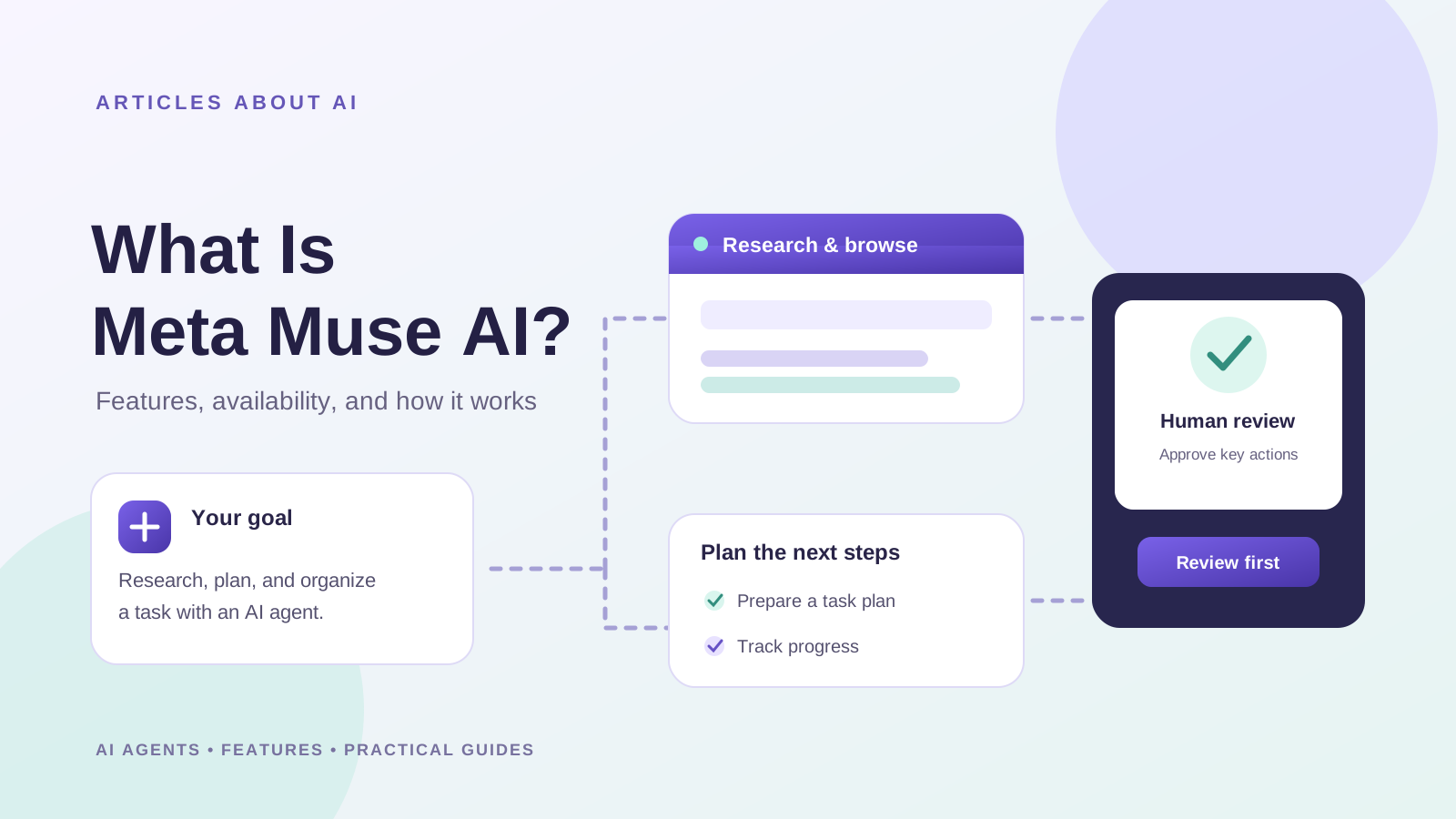
Meta Muse is a personal AI agent from Meta designed to do more than answer questions. Instead of only generating a response in a chat window, Muse can work through multi-step tasks, use a browser, connect with supported apps, and continue working in the background while keeping the user involved in important decisions.
Meta introduced Muse on September 8, 2026, describing it as a personal agent powered by Muse Spark. The company says people can interact with Muse through its app and WhatsApp, give it goals, and review or approve certain actions before they happen. Its official product information describes use cases such as organizing tasks, browsing the web, managing connected information, creating documents, setting reminders, and helping with shopping or bookings.
This guide explains what Meta Muse AI is, how it differs from a conventional chatbot, its main announced features, availability, pricing approach, and the privacy controls users should understand before connecting personal accounts.
What is Meta Muse AI?
Meta Muse is an AI agent designed to carry out tasks on a user’s behalf, rather than simply replying to individual prompts. You describe an outcome, and Muse can plan steps, use available tools, and make progress toward that goal. Depending on the task and the services connected, this may involve navigating websites, working with calendar or email information, preparing documents, or monitoring something over time.
Meta describes Muse as a personal agent that can learn from interactions and remember information a user has chosen to share. The company says people can manage connected-app permissions and ask Muse to forget specific things it has learned.
Muse should not be confused with every product that carries the Meta AI name. Meta AI is the company’s broader assistant experience, while Muse is positioned specifically around agentic work: using tools and taking multi-step actions to help complete tasks.
For background on the product’s early adoption, see our report on Meta Muse reaching 10 million US downloads in 40 days. Download estimates show interest in the app, but they do not by themselves prove that an AI tool is accurate or suitable for every task.
How does Meta Muse work?
A traditional chatbot usually responds to a question or instruction with text, images, or another generated output. An AI agent can take additional steps using tools and connected services. Muse is designed around this second approach.
A typical workflow looks like this:
- Describe the goal. Tell Muse what you want to accomplish in ordinary language, such as organizing a schedule or researching a purchase.
- Plan the work. Muse determines which supported capabilities and steps may help complete the task.
- Use tools and connected apps. When permitted and relevant, it can browse the web or work with connected services to gather information and carry out steps.
- Request approval when needed. Meta says Muse asks before certain sensitive actions, including sending emails or making purchases.
- Review progress. Users can inspect an activity trail showing what Muse has done and what it plans to do.
The exact workflow depends on the task, the connected apps, permissions, and the features available to the account. Agentic systems can make mistakes, misunderstand instructions, or encounter websites that change. Review the proposed action and the result, especially when money, personal information, bookings, or messages are involved.
Key Meta Muse AI features
1. Multi-step task execution
Muse is designed to break a broader goal into smaller actions and work through them. Rather than asking for a list of suggestions and completing every step yourself, you can ask it to help move a task forward.
Meta gives examples such as booking travel, sending an email, and coordinating plans. Whether a particular action is possible depends on the services available, permissions granted, and any approval required.
2. A browser inside Muse Secure VM
Meta says Muse runs on a dedicated virtual machine called Muse Secure VM, with its own browser. The company describes this environment as a way for the agent to navigate the web and perform tasks while separating its working environment from the user’s ordinary device session.
A browser-based agent can help with activities such as filling out forms, researching options, and navigating supported websites. However, a website may change its layout, block automation, require extra verification, or present information that needs human judgment. Users should check important details before confirming a transaction or submitting information.
3. Connections to everyday apps
Meta says users can connect Muse to supported services such as email, calendars, Instagram, and other apps. Access is intended to be configurable, so a user can choose which services to connect and what the agent is allowed to do.
Connecting an account can make an agent more useful because it can work with relevant context instead of relying only on information typed into a prompt. It also increases the importance of checking permissions carefully. Grant only the access needed for the task, and disconnect services you no longer want Muse to use.
4. Background work and goal tracking
According to Meta’s product information, Muse can continue working on tasks after the user closes the app, track goals, and provide updates or suggestions when relevant. This is a central difference between an agent and a chatbot that waits for the next message.
Background execution does not mean every task will finish successfully or without intervention. Muse may need clarification, run into a limitation, or pause until you approve an action. Check its status and activity trail rather than assuming that a task has been completed.
5. Documents, reminders, research, and shopping support
Meta lists capabilities that include browsing the web, creating documents, setting reminders, tracking goals, generating images, and helping with purchases. The product is intended to support a range of personal and productivity tasks, not only conversation.
Availability can vary by feature and rollout. Treat product examples as descriptions of intended or supported use cases, not a guarantee that every function is available to every user in every country or connected app.
6. User approvals and an activity trail
Meta says Muse requests approval before certain consequential actions, such as sending an email or making a purchase. It also provides an audit trail so users can review actions already taken and actions planned.
These controls are useful, but they do not remove the need for oversight. Read the details of an email before sending it, confirm dates and prices before making a booking, and verify the recipient and amount before approving a purchase. Permission settings should be reviewed periodically as your needs change.
Is Meta Muse AI free?
Meta says Muse offers free access for many common needs, with usage limits. Users who reach a limit may need to wait for it to refresh or consider a paid subscription for additional usage. Exact plan names, prices, limits, and availability can change, so check the official Muse product page before making a purchase decision.
Do not assume that every feature is unlimited or included in the free experience. The practical value of an AI agent depends on the tasks you need it to complete, the available usage allowance, and whether it can work with the services you already use.
Where is Meta Muse available?
When Meta introduced Muse in September 2026, it said the product was rolling out in the United States on iOS, Android, and the web at muse.ai. Meta’s product pages may be updated as access expands, and the availability of individual features can differ by device, account, and region.
If Muse does not appear in your app store or you cannot access the web experience, check the official Muse page and your local app-store listing for the latest supported regions and requirements. Do not assume that changing your device region or using an unofficial download will provide safe or supported access.
Official product page: Meta Muse.
Is Meta Muse AI safe? Privacy and security considerations
An AI agent can be more useful than a basic chatbot because it may access connected apps and perform actions. That same capability means users should think carefully about permissions, credentials, and the consequences of mistakes.
Meta says Muse uses a dedicated secure environment, keeps credentials in a secure store that the agent cannot read directly, asks for approval before certain sensitive actions, and does not share Muse conversations or virtual-machine data with Meta’s advertising systems. Meta also says users can manage app access and opt out of having interactions used to train its AI models.
These are statements from the company about its design and policies, not an independent security audit. Before using Muse for sensitive work:
- Connect only the accounts and services that are necessary.
- Review exactly what each connection allows Muse to read or change.
- Check an action before approving emails, purchases, bookings, or data sharing.
- Avoid giving an agent unnecessary access to confidential work, financial accounts, or sensitive personal records.
- Review Meta’s current privacy information and settings, since product policies and controls may change.
- Remember that AI-generated summaries and actions can be wrong; independently verify high-impact information.
Meta announced plans for a further Muse Confidential VM design in which the virtual machine and its data would be encrypted with a key held by the user. The company described this as a future feature in its September announcement, so check current official documentation rather than assuming that every part of that design is already available.
For more context on Meta’s product direction, read our coverage of Muse Wonder and Muse Wonder Full, which focuses on Meta’s model announcements rather than the consumer agent experience.
Meta Muse vs ChatGPT: are they the same kind of AI?
Both Muse and ChatGPT can help with questions, research, writing, and other everyday tasks, but their product experiences and available tools are different. Muse is presented by Meta as a personal agent that can use a dedicated browser and connected services to work through tasks in the background. ChatGPT offers a broader assistant experience with capabilities that depend on the selected model, tools, account, and plan.
The fairest comparison is not simply to ask which brand is better. Compare the specific job you want done, the integrations you need, the level of control offered, the quality of the result, and how much checking is required. For a broader overview, read our ChatGPT vs Claude vs Gemini comparison.
Muse may appeal to people who want an agent to make progress across connected services. Another assistant may fit better if its research tools, writing workflow, integrations, or regional availability better match your needs. Product features change quickly, so compare the current versions rather than relying on old feature lists.
Who should consider using Meta Muse?
Muse is worth exploring if you want help coordinating multi-step personal tasks and are comfortable reviewing an AI agent’s work. Potentially useful scenarios include organizing a schedule, researching options, preparing a document, tracking a goal, or managing a workflow across supported connected apps.
It may be a poor fit if the service is unavailable in your region, your work requires strict controls that the consumer product does not provide, or you are not comfortable granting an agent access to connected accounts. For consequential tasks, keep a human review step even when the system can perform actions automatically.
Frequently asked questions
Is Meta Muse the same as Meta AI?
No. Meta AI is Meta’s broader AI assistant experience. Muse is positioned as a personal AI agent designed to use tools and connected services to carry out multi-step tasks.
Can Meta Muse browse the internet?
Meta says Muse has a browser through Muse Secure VM and can navigate websites to help complete tasks. The sites and actions it can use depend on the task, available tools, and any required permissions or approvals.
Can Muse send emails or make purchases?
Meta says Muse can handle tasks such as sending emails and making purchases, but it asks for approval before certain sensitive actions. Review the details before approving any message or transaction.
Does Meta Muse keep working when I close the app?
Meta says Muse can continue working on assigned tasks in the background. Some tasks may still require clarification, approval, or user intervention, and successful completion should be verified.
Is Meta Muse available worldwide?
Meta initially announced a rollout in the United States on iOS, Android, and the web. Check the official product page and your app-store listing for the latest availability in your region.
Is Meta Muse free to use?
Meta says Muse includes free usage with limits and offers subscription options for users who need more. Check the official product page for current limits and prices.
Final verdict
Meta Muse is an example of the shift from conversational AI toward personal AI agents that can use tools, connect to services, and work through multi-step tasks. Its appeal is the possibility of handing off parts of a workflow rather than receiving advice and completing every step manually.
The key questions are whether Muse supports the tasks and services you need, whether it is available to you, and whether its permission and review controls match your comfort level. Start with a low-risk task, inspect what the agent does, and expand access only when you understand the controls.
Official sources
- Meta: Introducing Muse, the personal AI agent
- Meta AI: Official Muse product page and features
- TechCrunch: Meta debuts its Muse AI agent. Will consumers trust it?
Editorial note: Feature descriptions and privacy statements attributed to Meta reflect the company’s published materials. Availability, subscription terms, and individual capabilities may change.