
Meta Muse is designed to do more than answer a question: Meta describes it as a personal AI agent that can browse the web, work through multi-step tasks, and continue working in the background. That makes it a potential tool for organizing research—but it does not mean every statement it returns is automatically correct.
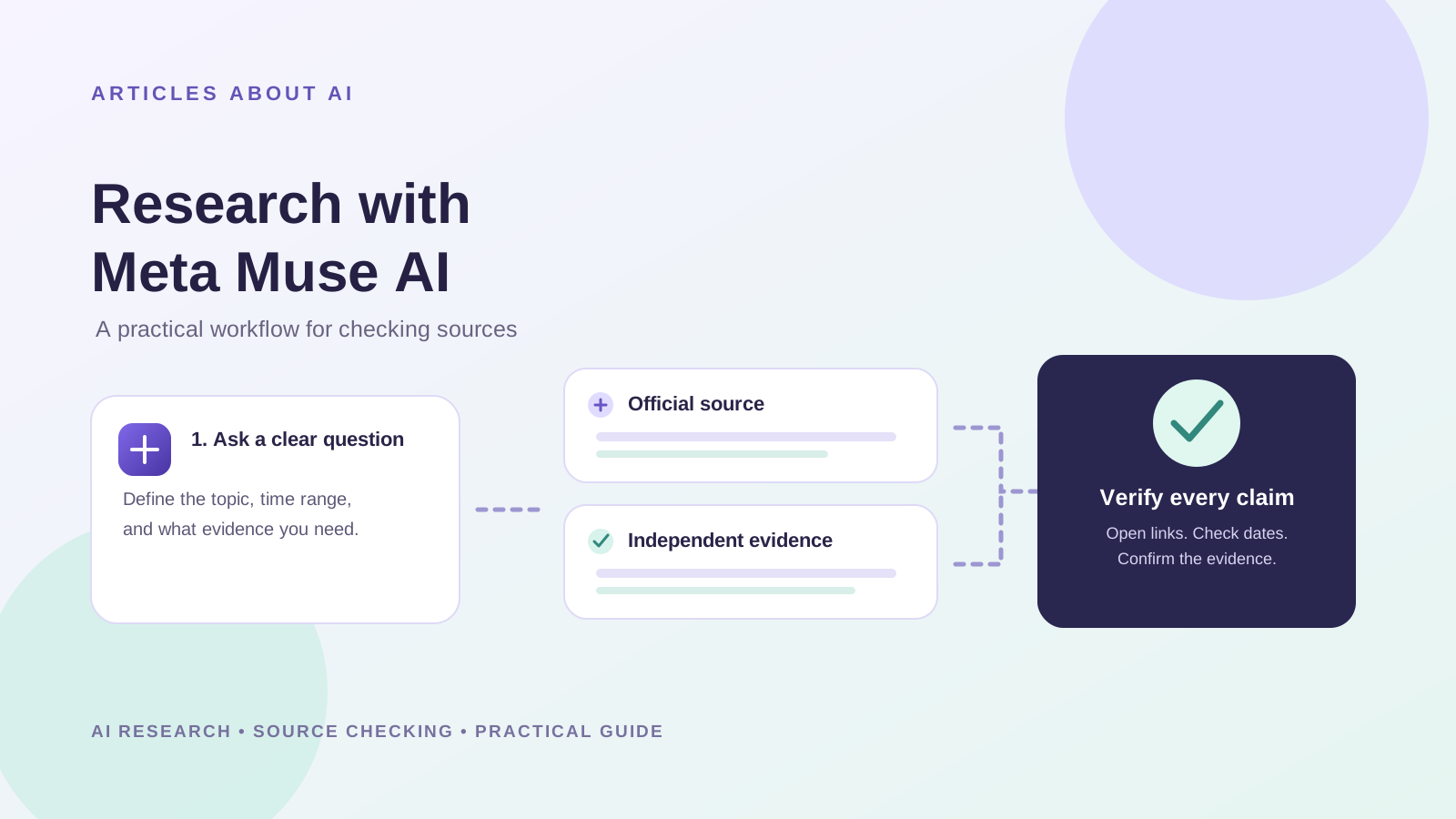
This guide explains how to research a topic with Meta Muse AI and verify every source. It gives you a repeatable workflow for gathering evidence, checking links, comparing claims, and turning findings into a research brief. The steps below are a practical method you can follow; they are not a claim that we independently ran a live Muse session or measured its accuracy.
Can Meta Muse AI research a topic?
Meta says Muse can use its own browser, work across multiple steps, and help users complete tasks. Its official product page also describes research-related capabilities and connected-app workflows. Actual results depend on access, the task, available features, and the sources the agent can reach.
Treat Muse as a research assistant, not as the final authority. It may miss relevant sources, misunderstand a page, cite material that does not support a claim, or summarize outdated information. The goal is to use it to organize the work while checking important evidence yourself.
For an overview of the product, read our guide to what Meta Muse AI is, its features, and how it works. For context on its launch, see our report on Meta Muse reaching 10 million US downloads in 40 days.
Step 1: Choose a research question with a clear scope
Vague prompts tend to produce broad summaries that are difficult to verify. Before starting, specify:
- Question: What exactly do you need to find out?
- Time range: Do you need the latest information, a historical overview, or both?
- Geography: Does the answer depend on a country or region?
- Evidence standard: Do you need official documentation, academic research, company announcements, government data, or a mixture?
- Deliverable: Should the result be a comparison table, timeline, brief, or list of verified claims?
For example, instead of asking “Research AI agents,” use a prompt such as:
Research how personal AI agents handle user approval before sending emails or making purchases. Prioritize official product documentation and technical safety material. For each factual claim, provide the exact source URL, publication date when available, and a short explanation of what the source actually establishes. Separate confirmed facts from claims that remain uncertain. Do not invent sources or fill gaps with guesses.
This prompt makes the scope and evidence requirements explicit. It does not guarantee that Muse will follow every instruction, so the next steps matter.
Step 2: Ask Muse to build a source list before writing the summary
Ask for a source inventory first. Request the source title, publisher, URL, date, source type, relevant passage, and the specific claim it may support.
A useful source list should distinguish:
- Primary sources: official documentation, product release notes, original research papers, government records, datasets, or direct statements from the organization involved.
- Independent reporting: reputable journalism that adds context or independently checks a claim.
- Secondary commentary: blogs, opinion pieces, and summaries that may help explain a topic but should not replace the original evidence.
For a product feature, start with the official product page or documentation. For a scientific claim, look for the original paper and its methods. For a breaking news claim, look for the original announcement and independent reporting.
Ask Muse to label any source it could not open or verify. A URL appearing in an answer is not proof that the page exists or supports the claim.
Step 3: Open each source and verify the claim
Do not rely on a generated citation alone. Open the link and check the page yourself. For every important statement, ask:
- Does the page load, and is it the source named in the answer?
- Does the source directly support the exact claim, or only a related point?
- Is the page current enough for the question?
- Is the statement a reported fact, an estimate, a forecast, or the publisher’s own claim?
- Does the source include limitations, conditions, or qualifications that the summary omitted?
If a source says a feature is planned, do not rewrite that as if it is already available. If a company describes its own privacy safeguards, attribute those statements to the company rather than presenting them as an independent audit.
Step 4: Cross-check important claims with independent evidence
For consequential or disputed claims, seek a second source that is independent of the first. Two pages repeating the same press release are not two independent confirmations.
Use this simple evidence hierarchy:
| Claim type | Best starting point | What to check |
|---|---|---|
| Product feature | Official documentation or release notes | Availability, rollout limits, and date |
| Scientific result | Original study or preprint | Methods, sample size, limitations, and replication |
| Public statistic | Original dataset or government source | Definition, time period, and methodology |
| Breaking news | Original statement plus reputable reporting | Timing, attribution, and independent confirmation |
| Security or privacy claim | Technical documentation and independent assessment, if available | Scope of the claim and what has actually been tested |
Ask Muse to identify disagreements between sources rather than forcing them into a single confident answer. If evidence conflicts, record the conflict and explain what remains unresolved.
Step 5: Ask Muse to produce a claim-evidence table
Once you have collected and checked sources, ask Muse to organize the results into a table with these columns:
- Claim
- Supporting source
- Exact URL
- Publication date
- Evidence or quotation to check
- Confidence level and reason
- Caveat or conflicting evidence
- Verification status
Use “verified” only after you have opened the source and confirmed that it supports the claim. Until then, label the item “unverified” or “needs review.” Confidence labels generated by an AI agent are not a substitute for evidence.
Step 6: Turn the checked evidence into a research brief
After the verification pass, ask Muse to draft a concise brief containing:
- The main answer in a few sentences.
- The strongest evidence and links.
- Important dates, figures, and definitions.
- Disagreements or gaps in the evidence.
- What cannot yet be concluded.
- A list of sources for further reading.
Ask it to keep citations next to the claims they support. Then compare the brief with your claim-evidence table and remove any sentence that lacks support. This final editorial check is essential before publishing or sharing the report.
A reusable Meta Muse research prompt
Copy and adapt this prompt for a topic you are investigating:
Act as a research assistant for this question: [insert your question].
- Define the scope and identify the key subquestions.
- Search for primary sources first, then use reputable independent sources for context.
- For each source, provide its exact title, publisher, URL, publication date if available, and the claim it supports.
- Separate direct evidence, interpretation, and uncertainty.
- Do not invent citations, quotations, statistics, or publication dates. If you cannot access or verify a source, say so.
- Identify claims that need a second independent source.
- Produce a claim-evidence table and a concise research brief.
- Mark all items that still need human verification. Do not label them verified unless the source has been checked.
This prompt establishes a process, not a guarantee. You still need to open sources and check the evidence.
What Meta Muse cannot guarantee during research
Even when an agent can browse and coordinate tasks, several failure modes remain possible:
- Incorrect summaries: a page may be misread or important context may be omitted.
- Weak citations: a linked page may mention the subject without supporting the exact claim.
- Outdated information: an older source may no longer describe the current product or policy.
- Source dependence: several articles may repeat one original claim without independent confirmation.
- Incomplete coverage: relevant studies, documents, or counterarguments may be missed.
- Automation errors: websites can change, restrict access, or return incomplete information.
For these reasons, avoid using an AI-generated research brief as the sole basis for medical, legal, financial, safety-critical, or other high-impact decisions.
How to assess whether the research was successful
Use this checklist before accepting the result:
- The question and time range are clearly defined.
- The important claims have links to relevant sources.
- The source pages open and support the claims attributed to them.
- Dates and numbers match the original material.
- Important claims have independent corroboration where appropriate.
- Limitations and conflicting evidence are included.
- Unverified statements are clearly marked.
- The final brief does not contain claims absent from the evidence table.
If the answer fails one of these checks, ask Muse to revise the specific section, then verify the revised sources again.
Is Meta Muse better than a traditional AI chatbot for research?
Muse is designed to act as an agent that can use a browser and carry out multi-step work, while a conventional chat workflow may require you to manage more of the browsing and organization yourself. Whether that makes Muse better depends on the task, access to sources, and the quality of its output. Neither an agent workflow nor a polished summary guarantees factual accuracy.
For broader assistant comparisons, see our ChatGPT vs Claude vs Gemini comparison. Meta has also announced its Muse Wonder and Muse Wonder Full models, a related development in its agent-model work.
Frequently asked questions
Can Meta Muse AI search the web?
Meta’s official product information describes Muse as having a dedicated browser and the ability to navigate websites. The actions available to an individual user may depend on product access, features, and permissions.
Does Meta Muse always provide accurate sources?
No AI research workflow should be assumed accurate by default. Open each source, check its date, and confirm that it directly supports the statement. Mark inaccessible or unverified sources clearly.
What sources should I trust most?
Start with primary sources for the original evidence, such as official documentation, original research, government data, or direct announcements. Use independent reputable reporting to add context and cross-check important claims.
Can I use Meta Muse to write a research report?
You can ask it to organize findings into a report, but the report should be drafted from verified evidence. Review citations and remove any unsupported statement before sharing or publishing it.
Is this guide a benchmark of Meta Muse’s research accuracy?
No. This is a reproducible workflow for using and checking an AI agent. It does not report measured accuracy or claim that a controlled test of Muse was performed.
Official sources
- Meta: Introducing Muse, the personal AI agent
- Meta AI: Muse features and capabilities
- Meta AI Research: How We Built Safety Into Muse
Editorial note: Product capabilities described here are attributed to Meta’s published materials. This guide recommends verifying individual claims independently; it does not certify the accuracy of any particular Muse-generated answer.