
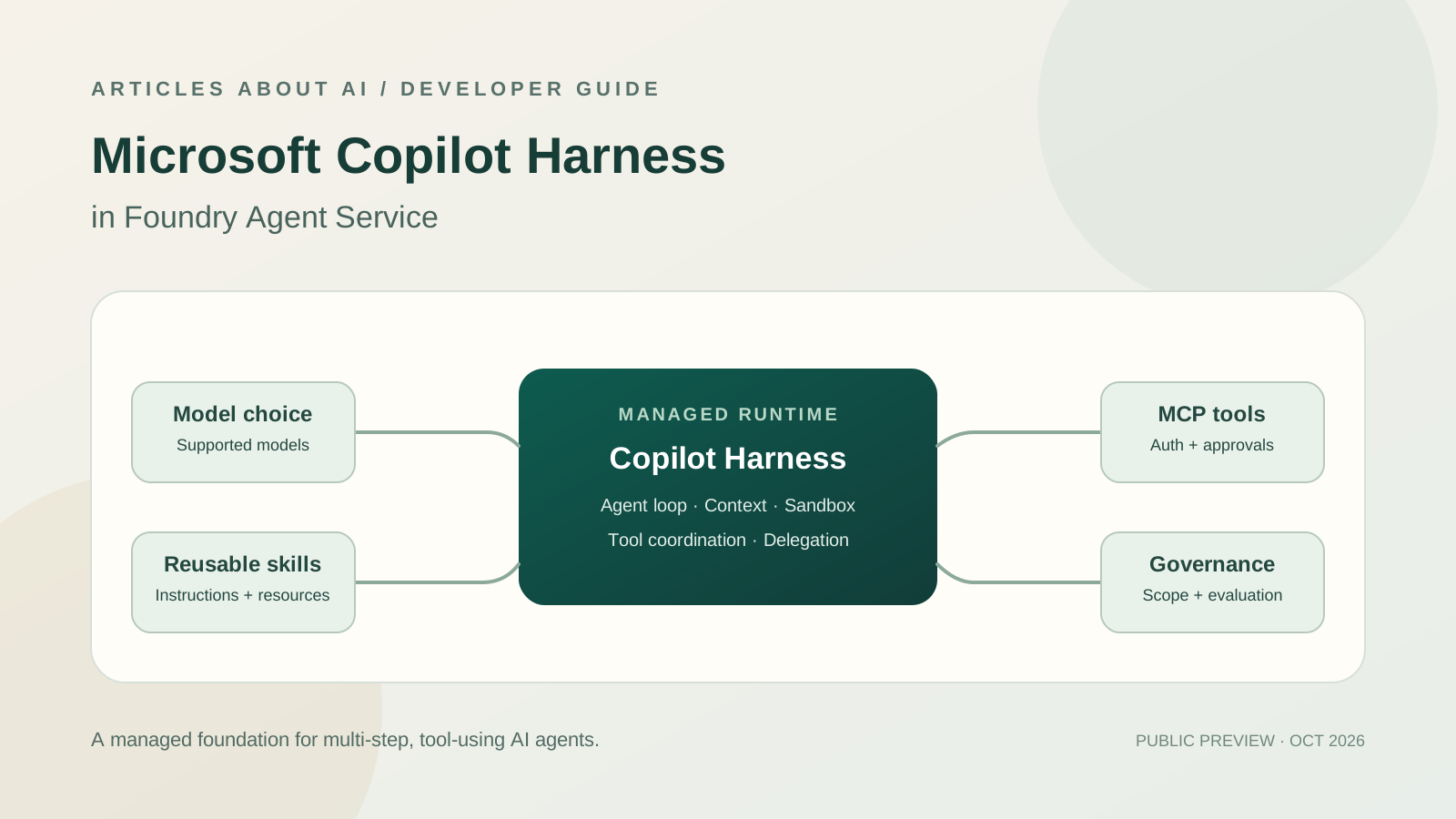
Microsoft introduced the Microsoft Copilot harness in Foundry Agent Service in public preview on October 28, 2026. It gives developers a managed execution layer for building AI agents that use tools, work with files and code, apply reusable skills, delegate bounded tasks, and handle complex multi-step workflows. Instead of building and maintaining every part of an agent runtime, developers define the agent’s instructions, knowledge, tools, and model while Foundry manages the execution loop and sandbox.
This guide explains what the Copilot harness does, how it differs from a basic prompt agent or a hosted agent, how to get started, and what to consider about tool permissions, model choice, evaluation, and cost. The details below are based on Microsoft’s official announcement and Foundry documentation; preview features and regional availability can change.
Official sources: Introducing the Microsoft Copilot harness in Foundry Agent Service, Microsoft’s Copilot harness announcement, and Microsoft Azure announcements.
What Is the Microsoft Copilot Harness in Foundry?
An AI model can interpret instructions and reason about a problem, but a production agent needs more than a model call. It needs working context, a way to invoke tools, an execution environment, rules for handling intermediate results, and controls that keep actions within the intended scope. The harness is the runtime and orchestration layer that coordinates those pieces.
Microsoft’s new Foundry option brings the Copilot harness—also used across Microsoft and GitHub Copilot experiences—to Foundry Agent Service. The aim is to let teams build agents without having to implement the same orchestration machinery for every application. Microsoft runs the agent loop and sandbox; developers supply the domain-specific instructions, skills, tools, and supported model.
The October 28 public preview combines four important capabilities:
- Reusable skills: Package instructions, scripts, and supporting files into procedures an agent can apply to recurring tasks.
- Connected tools: Connect supported Foundry tools and Model Context Protocol (MCP) tools, with authentication and approvals explicitly configured.
- Execution and delegation: Allow agents to work with files and code and delegate bounded subtasks to built-in subagents.
- Source-controlled definitions: Create and test agents in Foundry, or keep their definitions and supporting resources alongside application code.
This is not a guarantee that an agent will always complete a task correctly. It is a managed foundation for planning and executing work, and teams still need evaluations, access controls, monitoring, and human review for consequential actions.
How to Get Started
Microsoft says developers can start in the Microsoft Foundry portal or use the Azure Developer CLI (azd) to keep agent definitions in source control. The general process is:
- Choose the Foundry project. Confirm that your subscription, project, model deployment, and region support the preview features you intend to use.
- Create a prompt agent. Select the Microsoft Copilot harness when creating the agent. Microsoft’s announcement says the harness is selected at creation time; switching the harness after creation is not currently supported in this preview.
- Define the agent’s task. Write clear instructions describing its purpose, required output, permitted actions, and boundaries. Keep instructions focused on observable outcomes rather than vague goals such as “do everything automatically.”
- Add skills. Package repeatable procedures and supporting resources as reusable skills. A skill should explain when it applies, what steps to follow, and what evidence is required before reporting success.
- Connect tools. Add only the tools needed for the job, including supported MCP tools where appropriate. Configure authentication and approval requirements deliberately.
- Select a supported model. Choose a model available for your Foundry deployment and test the agent with representative tasks before relying on it.
- Evaluate and monitor. Test normal cases, missing data, failed tool calls, permission denials, and ambiguous requests. Inspect task activity and generated files where the service exposes them.
- Deploy gradually. Start with a low-risk workflow and a narrow permission scope. Expand only after evaluation results show that the agent behaves as expected.
The official Foundry blog includes an example of defining a skill and an agent with azd, then deploying and invoking it. Follow Microsoft’s current quickstart rather than copying configuration blindly, because required model names, project endpoints, regions, and CLI versions depend on your environment.
Skills, Tools, MCP, and Subagents: What Each Part Does
The harness is useful when a task needs several capabilities to work together. These components have different roles:
Skills describe reusable procedures. A research skill might tell the agent to gather public evidence, separate verified facts from assumptions, cite sources, and identify gaps. A support skill could define the checks to perform before proposing a resolution. Skills help avoid rewriting the same task procedure in every prompt.
Tools let the agent interact with systems. A tool may retrieve data, search a knowledge source, execute code, or call an external service. Tool access is not the same as permission to perform every possible action: configure the narrowest available permissions and require approval for high-impact operations.
MCP connects supported external capabilities. The Model Context Protocol provides a standard way to expose tools and context to AI applications. Microsoft says the Foundry harness can connect supported MCP tools, with authentication and approvals explicitly configured. Before connecting a server, review who operates it, what data it can access, what actions it can execute, and how credentials are handled.
Subagents handle bounded subtasks. A main agent may delegate a discrete activity and then coordinate the result. Delegation can help separate work, but it also introduces more tool calls, intermediate outputs, and potential failure points. Define each subtask clearly and validate its output before allowing it to affect a final decision.
A reliable design makes these boundaries explicit. For example, a market-research agent might use a research skill, a web-search tool, and a bounded analysis subtask. It should not be given access to billing or production infrastructure merely because those tools are available in the same environment.
When Should You Use the Copilot Harness?
The harness is most relevant when an agent needs to coordinate several steps, tools, files, or delegated tasks and adapt as intermediate results arrive. Examples include:
- Research workflows that collect evidence, analyze documents, and produce a sourced report.
- Engineering assistants that inspect code, run checks, and prepare a proposed patch.
- Business operations agents that gather information from connected systems and draft an action for review.
- Document workflows that read source files, transform information, and generate structured outputs.
- Internal support agents that use approved knowledge sources and tools to investigate a case.
For a short question-answer bot with one knowledge source and a small number of predictable actions, the standard prompt-agent approach may be simpler. A more capable harness can introduce extra latency and consumption without improving a straightforward task. Choose based on the workflow’s complexity, risk, and evaluation results—not because the newest option is automatically best.
Copilot Harness vs. Standard Prompt Agents vs. Hosted Agents
Foundry provides different levels of abstraction. Microsoft’s guidance distinguishes the Copilot harness from agents where developers provide their own runtime.
| Approach | Best fit | Main trade-off |
|---|---|---|
| Prompt agent without the Copilot harness | A relatively straightforward task with supported tools and simple orchestration | Less built-in machinery for complex coordination |
| Prompt agent with the Copilot harness | Multi-step work that benefits from reusable skills, managed execution, files, and delegated tasks | Less control over the underlying agent loop; preview limits apply |
| Hosted agent | A team needs its own framework, agent loop, middleware, dependencies, or runtime behavior | More engineering responsibility for implementation and recovery |
Microsoft also announced general availability of long-running resilience for hosted agents. That is a related but distinct capability: hosted agents let developers bring their own framework, while Foundry manages hosting. For work that can run for hours or days, applications should save progress and make external actions safe to retry. Restarting a task without checking whether an earlier external action already succeeded can create duplicate records or messages.
Model Choice and Multi-Model Development
One reason to use a shared harness is to avoid tying all orchestration code to a single model family. Microsoft describes the harness as supporting a choice among supported Foundry models, so teams can select a model for the task without rebuilding the entire orchestration layer.
That does not mean all models are interchangeable. Evaluate them on your own workflow for output quality, tool selection, latency, context needs, reliability, and total cost. A model that performs well on a coding task may not be the most economical option for extracting fields from routine documents. Keep the model deployment and configuration explicit, and re-run evaluations when you change either the model or the agent instructions.
For a broader view of agent design, see our guides on evaluating AI agent reliability and AI agent observability and production tracing.
Security, Permissions, and Governance
A managed harness does not remove the need for security engineering. Treat the agent as software that can use the credentials and tools you provide.
- Apply least privilege. Grant only the access required for the task, and separate read-only investigation from actions that change data or infrastructure.
- Require approval for consequential actions. Keep a human review step for actions such as modifying production systems, publishing externally, or changing access permissions.
- Control MCP connections. Verify the server, its owner, authentication flow, available tools, and data exposure before enabling it.
- Protect secrets and customer data. Do not embed credentials in prompts or source-controlled configuration. Use your organization’s approved secret-management approach.
- Test failure cases. Check how the agent behaves when a tool returns an error, data is missing, a permission is denied, or a tool result contains misleading instructions.
- Keep evidence. Log relevant actions and evaluate outputs so that failures can be reproduced and corrected.
- Review generated changes. For code or configuration changes, run tests and inspect the diff before merging or deploying.
For related guidance, read our article on AI agent security and dynamic permissions and the practical guide to controlling AI agent API usage budgets and rate limits.
Pricing: What Changes in December 2026?
Microsoft’s Foundry announcement states that billing for the Copilot harness runtime begins December 1, 2026. Before that date, harness runtime usage is free under the announced preview terms, but model inference and separately billed tools or connected services may still incur their own charges.
From December 1, the announcement lists consumption-based runtime rates of US$0.0994 per vCPU-hour and US$0.0118 per GiB-hour for sandbox compute and memory. Actual charges can vary by region and agreement, and model inference, external tools, storage, or other services may be billed separately.
These rates should not be treated as a complete estimate for a production agent. Measure the full workflow, including repeated tool calls, model usage, evaluation runs, failed attempts, and idle or active runtime as applicable. Set budget alerts, define usage limits where available, and test the cost of a typical task before scaling it to many users.
Limitations to Check Before Building
Because the Copilot harness in Foundry is in public preview, verify current supported regions, models, tools, and preview limits in Microsoft’s documentation. The set of capabilities visible in a project may differ from the examples in an announcement. Microsoft also notes that existing agents are unchanged and that switching an agent’s harness after creation is not supported in the current preview.
Do not assume that an agent can safely run unattended simply because the platform manages its runtime. Complex tasks can still fail because of incorrect assumptions, unreliable tools, incomplete source data, or poorly scoped instructions. Evaluate against realistic cases and decide which actions must remain subject to human approval.
Frequently Asked Questions
Is the Microsoft Copilot harness in Foundry generally available?
The Microsoft announcement dated October 28, 2026 describes the Copilot harness in Foundry Agent Service as public preview. Check the official Foundry documentation for the latest regional and feature availability.
Do I need to build my own agent loop?
Not when using the managed Copilot harness. Microsoft runs the agent loop and sandbox. You define the agent’s instructions, skills, connected tools, and supported model. Choose hosted agents instead when you need to bring your own framework or runtime behavior.
Does the harness support MCP tools?
Microsoft says the preview supports connected MCP tools, with authentication and approvals explicitly configured. Check the current supported-tool list and validate each server before connecting it.
Can I change the harness after creating an agent?
Microsoft’s announcement says harness selection happens when creating the agent and that switching the harness after creation is not supported in the current preview.
Is runtime usage free?
Microsoft says Copilot harness runtime billing begins December 1, 2026. Before then, the harness runtime is free under the announced terms, but model inference and separately billed tools or connected services can still cost money. From December 1, the announced rates are US$0.0994 per vCPU-hour and US$0.0118 per GiB-hour, subject to regional and contractual variation.
Is the Copilot harness right for every AI agent?
No. It is most useful for workflows that need coordinated, multi-step execution, reusable skills, connected tools, and delegation. Simpler tasks may be easier and cheaper with a standard prompt agent.
Final Takeaway
The Microsoft Copilot harness in Foundry gives developers a managed way to build more capable multi-step agents without maintaining every part of the execution runtime themselves. Its practical value comes from combining reusable skills, connected tools, controlled execution, and model choice—not from replacing testing or governance. Start with a narrow workflow, measure quality and cost, validate permissions, and expand only when the agent demonstrates reliable results.
Sources
- Microsoft Foundry Blog: Introducing the Microsoft Copilot harness in Foundry Agent Service
- The Official Microsoft Blog: Introducing the Microsoft Copilot harness
- Microsoft Azure Blog: Announcements
- Microsoft Learn: Agents powered by the GitHub Copilot harness overview
- Microsoft Learn: Compare Copilot Studio agent harnesses