
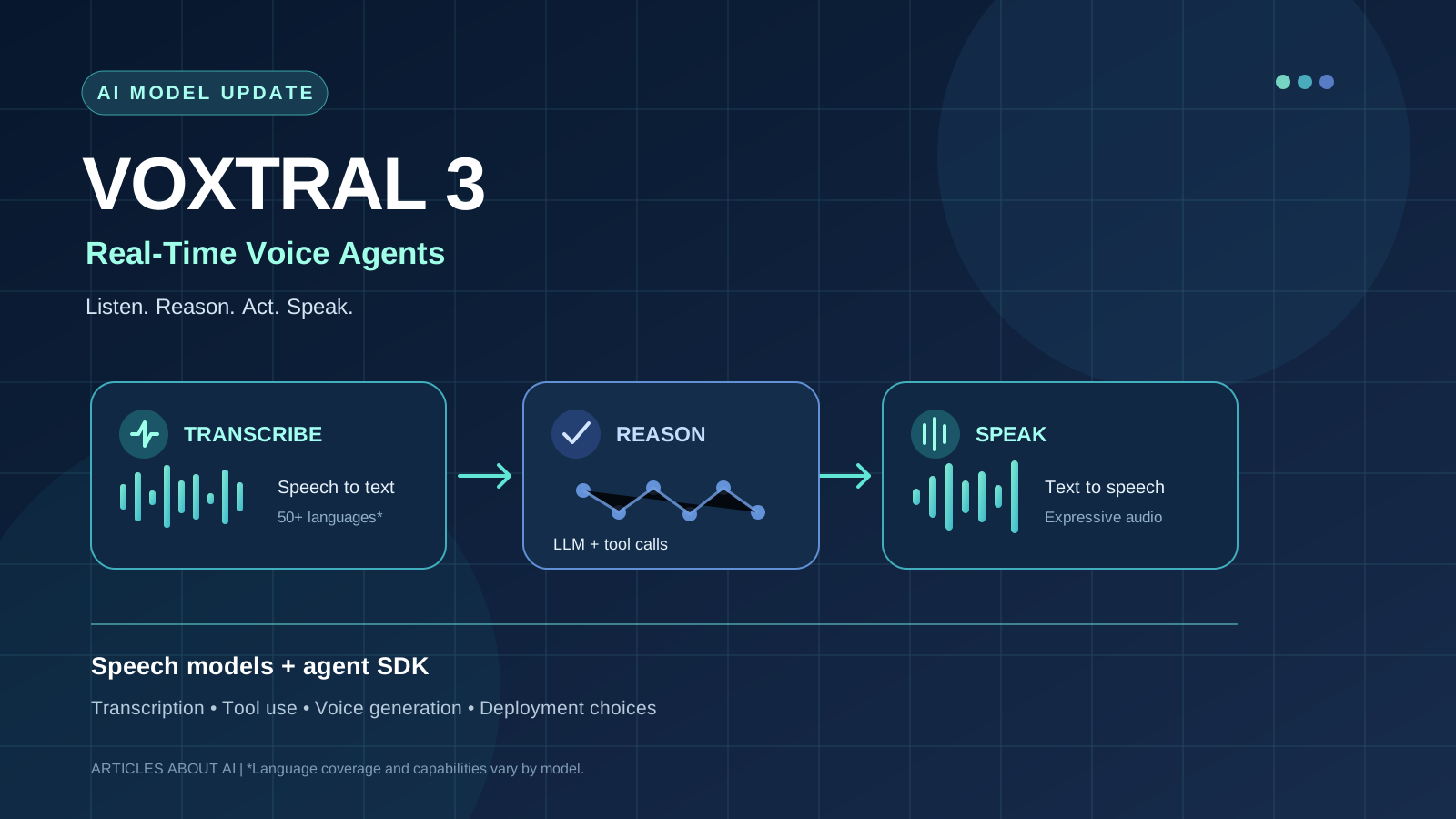
Mistral AI introduced Voxtral 3 on October 20, 2026, bringing together a new family of speech models and a software development kit for building voice agents. The release is designed for applications that need to listen to a person, interpret what they mean, use connected tools, and respond aloud without treating each stage as a separate, disconnected interaction.
For developers, the key question is not simply whether Voxtral can transcribe audio. It is whether its combination of speech recognition, speech generation, real-time streaming, and tool integration can make production voice assistants easier to build and operate.
This guide explains the Voxtral 3 models, the capabilities Mistral has announced, official API prices, deployment options, and the practical checks teams should make before choosing it.
What is Mistral Voxtral 3?
Voxtral 3 is Mistral’s latest speech-model family for transcription and speech generation, accompanied by a voice-agent SDK. Mistral describes the SDK as a real-time pipeline that combines listening, reasoning, tool calls, and spoken responses. The general-purpose language model used for reasoning can be selected separately from the speech models.
That distinction matters: Voxtral 3 is not one model that independently performs every part of a conversation. Instead, the system combines specialized audio models with a reasoning model and connected business tools.
According to Mistral, the family was introduced on October 20, 2026, and is available through its API. The company also describes options for deploying the stack on an organization’s own infrastructure or in a private cloud. Availability and deployment requirements should be confirmed in the current official documentation before a production commitment.
Voxtral 3 models at a glance
The launch includes three transcription options and a text-to-speech model.
| Model | Main purpose | Notable capabilities |
|---|---|---|
| Voxtral Mini Transcribe 3 | Batch audio transcription | Multilingual transcription, speaker diarization, context biasing |
| Voxtral Mini Transcribe Realtime 3 | Live transcription for interactive systems | Streaming audio, configurable latency, end-of-turn detection |
| Voxtral Small Transcribe 3 | Higher-accuracy transcription | Multilingual recognition, speaker diarization, context biasing |
| Voxtral Mini TTS 3 / Voxtral Speech 3 | Text-to-speech generation | Expressive speech, language and dialect coverage, voice adaptation features |
Model names, feature availability, and preview status can change. Use the official Voxtral 3 announcement and Mistral model documentation as the source of truth for current specifications.
1. Multilingual transcription and speaker diarization
Speech-to-text converts recorded or live speech into text. Voxtral 3’s transcription models add features that are especially useful when audio contains multiple speakers or domain-specific vocabulary.
More than 50 languages
Mistral says Voxtral Small Transcribe 3 supports more than 50 languages. This can help teams working with international customer support, multilingual meetings, interviews, and voice interfaces serving users across regions.
Language coverage alone does not guarantee equal accuracy for every accent, recording condition, or domain. Before deployment, test the languages and dialects your users actually speak, including noisy environments, overlapping speech, uncommon names, and technical terminology.
Speaker diarization
Speaker diarization identifies which speaker said which part of a recording. It is useful for meeting notes, interviews, call analysis, and transcripts where speaker turns matter. It is not the same as verifying a person’s identity: identifying a voice segment should not be treated as proof that the speaker is a particular individual.
Context biasing
Mistral’s transcription models support context biasing, which lets developers supply terms or contextual hints to improve recognition of relevant words. A support system, for example, may need to recognize product names, company terminology, or specialist vocabulary that a general transcription system could mishear.
Context hints should be tested carefully. They can improve recognition of expected terms, but they do not remove the need to review transcripts when errors could affect a legal record, medical workflow, financial decision, or customer commitment.
2. Real-time transcription for voice agents
Voxtral Mini Transcribe Realtime 3 is intended for streaming use cases rather than only processing a completed audio file. Mistral documents configurable latency from 80 milliseconds to 2,400 milliseconds and built-in end-of-turn detection for this model.
End-of-turn detection helps a system estimate when a person has finished speaking, so an assistant can respond at an appropriate time. If the system responds too early, it may interrupt the caller; if it waits too long, the conversation can feel sluggish. The right latency setting depends on the use case, network conditions, and the cost of an incorrect interruption.
The model documentation describes a WebSocket-based streaming session. Developers should evaluate actual end-to-end latency—not just model latency—because network transport, reasoning, tool execution, and speech generation all contribute to the time a user experiences.
3. Voxtral TTS 3: generating expressive speech
Voxtral Mini TTS 3, also referred to as Voxtral Speech 3 in Mistral’s announcement, converts text into generated speech. Mistral describes support for more than 35 languages and over 50 dialects, with controls for emotional expression and pacing. The documentation also describes voice-cloning features and multiple audio output formats.
This can be useful for spoken customer support, interactive assistants, accessibility features, voice interfaces, and applications that need localized audio. However, teams should listen to generated samples in the target languages and contexts before relying on vendor benchmark claims.
Voice adaptation and consent
Mistral describes a Pro Voice adaptation feature that can reproduce aspects of a speaker’s vocal character and style using a recording sample. Voice cloning raises important consent and impersonation risks. Use only recordings you are authorized to use, follow applicable law and provider policies, and disclose synthetic speech where users could otherwise mistake it for a genuine recording.
Do not use a generated voice as a security credential or as proof of a person’s identity. Similar-sounding outputs can occur, and audio generation alone is not an authentication system.
4. The Voxtral voice-agent SDK: listen, reason, act, and speak
The SDK is one of the most important parts of the Voxtral 3 announcement. A practical voice agent needs more than accurate transcription and a natural voice. It also needs to interpret the request, choose whether to call a tool, handle the result, and respond without losing track of the conversation.
Mistral says its SDK is built on LiveKit and supports a streaming pipeline connecting transcription, a reasoning model, tool calling, and speech output. The company describes integrations for phone and browser-based conversations, including SIP and WebRTC, along with function calling, web search, and retrieval over a company’s own systems.
A customer-service agent could, for example:
- Listen to a caller’s request and transcribe it.
- Determine whether the caller is asking about an invoice, appointment, or account.
- Call an authorized business tool to retrieve the relevant information.
- Check the tool result and decide whether more information is needed.
- Speak a response and allow the caller to interrupt or clarify.
That workflow is a design example, not a guarantee that every deployment is safe or accurate by default. Developers still need authorization checks, validation of tool arguments, failure handling, audit logs, and human escalation for high-impact actions. For a broader testing framework, see our guide to evaluating AI agents beyond benchmarks and our article on AI agent observability and production tracing.
Voxtral 3 API pricing
Mistral’s launch announcement lists the following prices for the speech models:
| Model | Published price |
|---|---|
| Voxtral Mini Transcribe 3, batch | $0.0035 per minute |
| Voxtral Mini Transcribe Realtime 3 | $0.008 per minute |
| Voxtral Small Transcribe 3 | $0.0040 per minute |
| Voxtral Speech 3, text-to-speech | $13 per 1 million characters |
These are the published model prices in Mistral’s announcement, not a complete estimate of the cost of running a voice agent. A production system may also incur costs for the reasoning model, agent infrastructure, telephony, retrieval, storage, monitoring, and other connected services. Prices and preview terms can change, so verify the current official Voxtral 3 page and model pages before budgeting.
To estimate cost, start with expected audio minutes and generated characters, then add the costs of reasoning and tool execution. Test representative conversations rather than assuming every request has the same length or complexity.
Can you run Voxtral 3 locally?
Mistral says Voxtral 3 can be accessed through its hosted API and describes self-deployment options for organizations that want to keep audio processing within their own infrastructure. This may be important for companies with data-residency, privacy, or internal-network requirements.
However, self-deployment of the stack should not be confused with a blanket statement that every Voxtral 3 model has downloadable open weights. The exact deployment method, commercial terms, infrastructure requirements, and availability can differ by component. Check the model-specific documentation and obtain confirmation from Mistral for the configuration you intend to run.
If your organization is comparing hosted and self-managed AI, our guide to open-weight vs. closed AI models explains the broader trade-offs around control, cost, and operational responsibility. Mistral has also described other deployment options in our coverage of Mistral Managed Deployments.
Voxtral 3 vs. a traditional speech pipeline
A conventional voice assistant may use one provider for speech recognition, another for text-to-speech, and separate services for orchestration and tool calling. Voxtral 3’s approach aims to make these components work together in a single real-time agent pipeline.
| Consideration | Separate speech services | Voxtral 3 approach |
|---|---|---|
| Integration work | Teams connect and maintain multiple services | Mistral provides a voice-agent SDK for a combined pipeline |
| Model choice | Flexible, but integrations must be maintained | Speech models are specialized; the reasoning model can be selected separately |
| Latency | Depends on sequential calls and each provider | Streaming pipeline is designed to reduce waiting between stages |
| Data control | Depends on every provider and deployment | Mistral describes hosted API and self-deployment options |
| Evaluation | Each component and the full pipeline need testing | Each model and the complete agent still need testing |
This is not an independent performance ranking. The best architecture depends on the languages, latency targets, integrations, privacy rules, and cost profile of the application. A bundled SDK can reduce integration effort, but it does not automatically outperform every combination of specialized providers.
How developers should evaluate Voxtral 3
Before adopting Voxtral 3 for real users, run a small, repeatable evaluation.
- Transcription quality: Measure word error rate on representative audio, including names, accents, background noise, and domain-specific vocabulary.
- Speaker attribution: Check whether diarization assigns speech to the correct speaker, especially during interruptions or overlapping speech.
- Turn-taking: Measure false end-of-turn detections, interruptions, and response delays in live conversations.
- Speech quality: Review pronunciation, intelligibility, pacing, emotional appropriateness, and consistency across target languages.
- Tool reliability: Test invalid arguments, missing records, API timeouts, permission denials, and ambiguous user requests.
- End-to-end latency: Measure from the end of a user utterance to the start of an appropriate spoken response, including reasoning and tool calls.
- Cost per completed task: Include transcription, generated speech, reasoning, telephony, infrastructure, and failed or repeated calls.
- Privacy and security: Confirm where audio and transcripts are processed, what is retained, who can access them, and how users are informed.
Do not rely solely on vendor-provided benchmarks. Mistral’s comparisons are useful starting points, but independent tests using your own task distribution are necessary to establish whether a system meets your production requirements.
Limitations and questions to check
Voxtral 3 is a new release, and some capabilities are described in public-preview documentation. Teams should verify the current status of each endpoint and SDK component before designing a long-term dependency.
Also consider these operational limits:
- Recognition quality may vary by language, accent, microphone, background noise, and domain.
- A low-latency transcription model does not guarantee low latency for the entire agent.
- Tool-calling agents can still make incorrect decisions or take unintended actions unless application permissions and checks are enforced.
- Voice cloning requires careful consent, disclosure, and abuse prevention.
- API pricing is only one part of the total cost of a deployed voice agent.
- Hosted API and self-deployment options may have different availability, configuration, and data-handling implications.
For teams already building with Mistral, a controlled prototype is a reasonable way to measure these trade-offs. For a new production system, avoid assuming that a launch announcement or a benchmark chart substitutes for operational testing.
Who should consider Voxtral 3?
Voxtral 3 is worth evaluating for developers building multilingual customer-support agents, service-desk assistants, spoken copilots, meeting and call workflows, or applications that need real-time audio plus tool use. Its combination of transcription, speech generation, and agent orchestration may be particularly attractive to teams that want to reduce integration work or need greater control over where audio is processed.
It may be less suitable if your application depends on a language or endpoint that is not supported, requires a proven production track record that a new release cannot yet demonstrate, or has strict requirements that the available deployment configuration does not meet.
The decision should come from a representative test: compare accuracy, turn-taking, end-to-end latency, failure recovery, privacy controls, and total cost against your existing solution.
Final verdict
Mistral Voxtral 3 is a notable move toward integrated voice-agent development. Its announced combination of multilingual transcription, real-time audio, expressive speech generation, and tool-connected orchestration targets a real engineering challenge: making spoken AI useful in complete workflows, not just producing a transcript or a convincing voice.
The strongest reason to evaluate it is the integrated pipeline and the option to consider self-deployment—not an assumption that every model is best-in-class for every task. Verify current model availability, test with your users’ languages and audio, and measure the full agent before committing.
Official sources
- Mistral AI: Introducing Voxtral 3
- Mistral documentation: Voxtral Mini Transcribe Realtime 3
- Mistral documentation: Voxtral TTS 3
- Mistral Legal Center: Voxtral 3 model lifecycle