
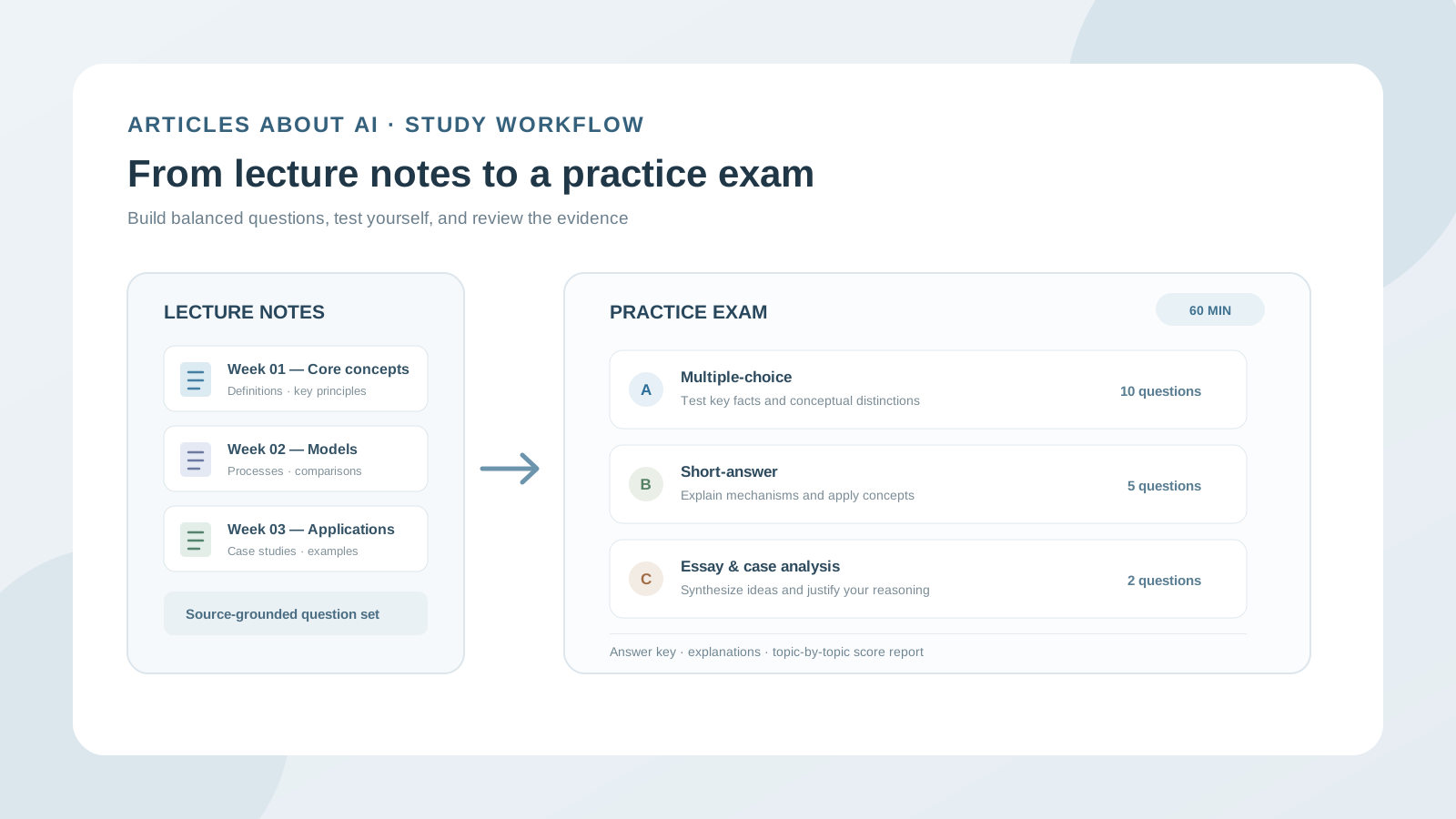
Lecture notes contain the material you are expected to understand, but they do not automatically tell you whether you can recall it, explain it, or apply it under exam conditions. One effective way to test your preparation is to turn those notes into a practice exam.
ChatGPT can help you create a question paper from lecture notes, PDF handouts, and presentation slides. You can ask it to generate multiple-choice questions, short-answer problems, essay prompts, case studies, an answer key, and explanations. With a carefully designed prompt, you can also control the difficulty, topic coverage, question count, and time limit.
The important part is to make the test reflect your actual course material. A generic quiz may include facts your lecturer never covered or miss topics that matter. This guide shows you how to build a source-grounded mock exam, take it without seeing the answers, evaluate your performance, and use the results to plan revision.
Can ChatGPT create a practice exam from lecture notes?
Yes. You can upload supported documents and ask ChatGPT to generate questions based on their contents. OpenAI’s file-upload documentation lists common formats such as PDF, DOCX, PPTX, and TXT, although available features and limits depend on your plan, account settings, and the file itself.
ChatGPT’s Study Mode can also work with uploaded notes, slides, and PDFs when file uploads are available. OpenAI says you can ask Study Mode to quiz you, create practice questions, explain incorrect answers, and make flashcard-style review material. For a complete mock exam with a defined structure and answer key, a regular chat is often easier to control; use Study Mode afterward for interactive practice and feedback.
See OpenAI’s official documentation:
Step 1: Prepare your lecture notes before uploading
The quality of a generated exam depends on the quality and completeness of the material you provide. Before attaching files, make sure they are the correct versions and cover the topics included in your assessment.
Useful source materials include:
- Lecture notes saved as PDF, DOCX, or TXT.
- PowerPoint slides exported as PPTX or PDF.
- Course handouts and reading summaries.
- A course syllabus or official list of learning objectives.
- A lecturer-provided exam guide or assessment rubric.
- Your own annotated notes, clearly separated from the lecturer’s original material.
If the course is spread across several weeks, upload the relevant lectures together when the file limits allow it. Use descriptive filenames such as Week_01_Cell_Biology.pdf, Week_02_Genetics_Slides.pptx, and Statistics_Revision_Notes.docx. If you have a long course pack, create a separate exam for each unit first, then combine the topics into a cumulative mock exam.
Check the source material
Before generating questions, confirm that:
- The files open and the pages or slides are complete.
- The text is readable, especially in scanned PDFs.
- Important diagrams, equations, tables, and labels are legible.
- The notes correspond to the correct course and exam period.
- You have not accidentally included answer sheets or a previous exam you are not allowed to use.
For image-heavy or scanned notes, ChatGPT may not interpret every chart, symbol, or page correctly. OpenAI recommends trying a clearer file or pasting the relevant text if Study Mode does not use an uploaded file correctly. Check any diagram-based or calculation-based questions against the original material.
Step 2: Ask ChatGPT to map the lecture content first
Do not immediately request 50 questions. First ask ChatGPT to identify what is actually covered in your notes. This creates a coverage map that you can review before the exam is generated.
Upload the lecture materials and use this prompt:
Prompt: Analyze my lecture notes before creating an exam
I am preparing for a [course name] exam at [university level].
Review the attached lecture notes and identify:
- Each major topic and subtopic.
- The key definitions, principles, processes, formulas, and examples.
- The learning objectives that can reasonably be assessed from these notes.
- Topics that appear repeatedly or receive substantial attention.
- Any unclear, incomplete, contradictory, or unreadable material.
Return a topic coverage table with the source filename and page or slide reference where available.
Use only the uploaded materials. Do not add outside facts or guess what my lecturer considers important. Do not create exam questions yet.
Review the topic map. Correct missing sections and tell ChatGPT which topics are outside the exam scope. If you have an official syllabus, use it to check whether the lecture notes cover the full assessment.
This step matters because an exam can contain excellent questions and still be a poor practice test if it ignores an entire unit.
Step 3: Define the exam format and difficulty
A useful mock exam should resemble the assessment you are preparing for. If your lecturer has provided an exam structure, follow it. Otherwise, create a balanced test that samples different kinds of knowledge and thinking.
Specify these details before generating questions:
| Exam setting | Example |
|---|---|
| Course level | Second-year undergraduate |
| Topics | Lectures 1–6 |
| Total questions | 20 |
| Multiple-choice | 10 questions |
| Short answer | 6 questions |
| Essay or case analysis | 4 questions |
| Duration | 60 minutes |
| Total marks | 50 |
| Difficulty | 30% foundational, 50% intermediate, 20% advanced |
| Source boundary | Uploaded lecture materials only |
These are example settings, not a recommended structure for every subject. A mathematics exam may need worked problems; a history exam may need source interpretation and essays; a biology exam may need diagrams, mechanisms, and experimental scenarios.
Use a prompt to generate the complete exam
Prompt: Create a realistic practice exam from my lecture notes
Using only the lecture files and the approved topic map in this conversation, create a practice exam for [course name] at [level].
Exam specifications:
- Topics: [list the units or lectures].
- Total questions: [number].
- Question types: [multiple-choice, short answer, calculations, essays, case studies].
- Duration: [minutes].
- Total marks: [number].
- Difficulty: [describe the required balance].
Requirements:
- Cover all approved topics in a balanced way.
- Test recall, understanding, application, analysis, and evaluation where appropriate.
- Write original questions; do not claim they are actual or predicted exam questions.
- Use clear wording and provide all information needed to answer each question.
- Make distractors plausible but ensure each multiple-choice question has one defensible best answer.
- Include marks and suggested time for each section.
- Base every question on the uploaded material. Add a source page or slide reference to the private answer key, not beside the question.
- Flag any question that cannot be supported clearly by the notes.
Present the question paper first. Do not show the answers or explanations until I ask for the answer key.
If your instructor has published a sample format, provide it as a reference and ask ChatGPT to follow its structure without copying the sample questions.
Step 4: Generate different types of exam questions
A strong practice exam should test more than memorization. The following prompts help you create question types that assess different levels of understanding.
A. Multiple-choice questions
Use multiple-choice questions to test definitions, conceptual distinctions, relationships, and common misconceptions.
Create 10 multiple-choice questions from the uploaded lecture notes. Each question must have four answer options (A–D) and exactly one best answer. Make the distractors plausible and based on common misunderstandings, not obviously incorrect statements. Mix easy, medium, and difficult questions. Do not reveal the correct answers yet. Keep a source reference for each question in a separate answer key.
After generation, check that the question does not have two defensible answers and that the correct option is supported by the notes.
B. Short-answer questions
Short-answer questions test whether you can explain a concept without relying on recognition.
Create six short-answer questions that require me to define, describe, distinguish, or explain concepts from the lecture notes. Assign 2–5 marks to each question. For the answer key, specify the essential points required for full marks and acceptable alternative wording. Do not reveal the answers in the student version.
C. Application and scenario questions
Application questions ask you to use a concept in a new situation. They are especially useful in science, medicine-related coursework, economics, law, business, engineering, and social sciences.
Create four scenario-based questions using principles from the uploaded notes. Each scenario must require application or analysis rather than simple recall. State any assumptions and information needed to answer. Include a marking rubric and explain which course concept each question assesses in the separate answer key.
Make sure the scenarios do not introduce specialist facts that were never covered in the course unless those facts are explicitly provided in the question.
D. Essay and discussion questions
Essay prompts test synthesis, comparison, evaluation, and argument construction.
Write three university-level essay questions based on the uploaded lecture materials. Each question should have a clear scope and invite a reasoned argument. For the answer key, provide an outline of the concepts and evidence a strong answer should address, a suggested structure, and a marking rubric. Do not write a complete essay for me.
E. Calculation and problem-solving questions
For mathematics, physics, chemistry, statistics, and engineering, the test should assess the method as well as the final result.
Create five calculation or problem-solving questions based on the formulas and worked examples in my notes. Use new values and contexts while preserving the methods taught in the course. State units, assumptions, and rounding rules. In the separate answer key, show the complete working, explain each step, and identify common calculation errors. Do not introduce formulas that are absent from the supplied materials unless you clearly label them as additional information.
Step 5: Keep the answer key separate
Seeing the correct answers while taking a test weakens the value of the exercise. Ask ChatGPT to generate two distinct sections or, preferably, request the question paper first and the answer key only after you finish.
Use this prompt after the exam is ready:
Create a separate instructor-style answer key for the practice exam. For each question, include:
- The correct answer or a model response.
- A concise explanation of the reasoning.
- The marks assigned to each required point.
- The lecture filename and page or slide reference supporting the answer.
- Why the other multiple-choice options are incorrect, where relevant.
- Any ambiguity or uncertainty in the source material.
Do not add unsupported facts. If the notes do not provide enough information to establish an answer, flag the question for review instead of inventing a solution.
Save the question paper separately from the answer key. If you want to simulate exam conditions, do not open the answer key until you have completed the full test.
Step 6: Take the practice exam under timed conditions
A mock exam is most useful when you attempt it as if it were the real assessment.
- Copy the question paper into a separate document or print it.
- Set a timer for the specified duration.
- Answer without looking at the answer key or asking ChatGPT for hints.
- Mark questions you are uncertain about, but do not interrupt the test to research them.
- Stop when the time expires, even if some questions remain unanswered.
- Keep your original answers so you can compare them with the marking guide.
If you prefer to take the test inside ChatGPT, ask it to present one question at a time and wait for your answer. However, a separate document or printed question paper may provide a more realistic exam simulation because it reduces the temptation to ask for help during the test.
Step 7: Mark your answers and identify knowledge gaps
After completing the exam, paste your answers and request structured feedback. For essay questions, include the marking rubric and ask for comments on reasoning rather than only a score.
Prompt: Mark my completed practice exam
Compare my answers with the separate answer key and marking rubric.
- Mark each question using the stated criteria.
- Show the marks earned and available for each question.
- Explain why an answer is correct, partially correct, or incorrect.
- Identify the exact concept or step I misunderstood.
- Link each mistake to the relevant lecture topic and source page or slide.
- Calculate my total score and percentage.
- Group my mistakes by topic and by error type: missing knowledge, misunderstood concept, weak application, incomplete explanation, or calculation error.
- Recommend the three highest-priority topics to review.
Do not award marks for claims that are not supported by the marking rubric. If my answer is defensible but differs from the model wording, explain that rather than marking it wrong automatically.
Treat the score as a diagnostic estimate, not an official grade. ChatGPT may misinterpret an answer, overlook an alternative valid explanation, or apply a rubric inconsistently. Review disputed marks yourself and ask your instructor when the course’s marking expectations are unclear.
Step 8: Create a second exam that targets your weak areas
Repeating the same questions can make you remember the wording instead of learning the underlying concepts. Once you know where you struggled, create a new test with different questions that assess the same learning objectives.
Based on my results, create a second practice exam focused on these weak topics: [insert topics].
Do not repeat the original questions or simply change names and numbers. Test the same underlying concepts in new ways. Include more application and analysis questions for the topics I misunderstood. Keep the question paper separate from the answer key and include source references in the answer key.
This creates a useful cycle: test, diagnose, review, and test again. You can also ask ChatGPT to generate a short set of flashcards for definitions or facts you repeatedly forget.
For guided question-by-question revision, see How to Use ChatGPT Study Mode to Master Difficult University Subjects.
Step 9: Adapt the workflow to your subject
Different disciplines require different assessment styles. A question set dominated by multiple-choice questions may be unsuitable for a course that expects you to interpret evidence or construct an argument.
| Subject | Useful practice exam formats |
|---|---|
| Biology and medicine-related courses | Mechanisms, diagrams, experimental interpretation, clinical-style scenarios where appropriate |
| Mathematics and statistics | Multi-step calculations, proofs, interpretation of results, error analysis |
| Physics and engineering | Worked problems, units, assumptions, diagrams, design constraints |
| History and politics | Source analysis, chronology, comparison, evidence-based essays |
| Law | Issue spotting, application of rules to hypothetical facts, structured reasoning |
| Economics and business | Data interpretation, case studies, calculations, evaluation of trade-offs |
| Computer science | Code tracing, debugging, algorithm analysis, design questions |
| Literature and languages | Text interpretation, close reading, grammar, argument, written responses |
Use your course’s assessment criteria as the final guide. Ask ChatGPT to adapt the question types to the way your instructor assesses the subject, rather than assuming that every course should use the same exam template.
How to make ChatGPT-generated practice exams more accurate
AI-generated questions are not automatically aligned with your lecturer’s expectations. Use these checks before relying on a mock exam:
- Check topic coverage: Compare the exam against the syllabus and lecture list.
- Check source support: Confirm that each question and answer can be traced to the notes or approved readings.
- Check the difficulty: Make sure the questions match your academic level and the assessment format.
- Check answer uniqueness: Multiple-choice questions should have one defensible best answer.
- Check calculations: Recalculate numerical answers independently and verify units, assumptions, and rounding.
- Check terminology: Preserve the definitions and technical language used by your lecturer.
- Check omissions: Ask ChatGPT to list topics in the syllabus that were not tested.
- Check for ambiguity: Remove questions that can reasonably be interpreted in more than one way.
A useful final quality-control prompt is:
Audit this practice exam as an assessment designer. Compare every question with the uploaded lecture notes and topic map. Identify unsupported claims, ambiguous wording, duplicate questions, missing topics, incorrect answer keys, and mismatches between marks and expected answer length. Return a table of issues and suggested corrections. Do not silently rewrite the exam; explain each issue first.
Common mistakes to avoid
Asking for an exam without uploading the actual notes
If you only provide a course title, ChatGPT may create a generic test based on general knowledge. That can be useful for broad revision, but it is not necessarily representative of your lectures. Upload the relevant course materials and explicitly restrict the questions to them.
Requesting too many questions at once
A very large question bank can contain repetition and uneven topic coverage. Start with a manageable exam, inspect it, and then generate targeted question sets for additional practice.
Accepting a questionable answer key
A confidently written explanation can still be wrong. Check answers against the original notes, textbook, and instructor materials—especially for technical subjects, numerical problems, and topics where terminology matters.
Practicing only recognition questions
Multiple-choice questions are useful, but they do not fully test whether you can explain a concept or apply it. Include short answers, calculations, essays, and scenarios when they match your course.
Treating a generated score as a prediction of your real grade
A ChatGPT score is not a validated prediction of exam performance. The real assessment may use different questions, marking standards, and time pressure. Use the score to find gaps, not to estimate a guaranteed result.
Uploading confidential or restricted materials without checking the rules
Before uploading unpublished exam papers, student records, research participant information, or institution-owned materials, check your university’s policies and the service’s privacy settings. Never upload restricted assessment content unless you are authorized to do so.
Frequently asked questions
Can ChatGPT make a test from a PDF of lecture notes?
Yes. Upload the PDF and ask ChatGPT to identify its topics before generating questions. For better results, specify the exam format, difficulty, question count, marks, and whether the answers should be hidden. Check important questions and answers against the original document.
Can ChatGPT create multiple-choice questions with answers?
Yes. You can request four or five options, one best answer, plausible distractors, explanations, and source references in a separate answer key. Review each item to make sure it has one defensible correct answer.
Can ChatGPT create a timed mock exam?
Yes. Specify the duration, number of questions, marks, and suggested time per section. ChatGPT can prepare a timed question paper, but you should use an independent timer and avoid asking for hints while taking the test.
Can I use PowerPoint lecture slides?
Yes, you can upload supported presentation files such as PPTX, or export the slides as PDF. Check that diagrams, formulas, and small text are readable. If a particular slide is important, tell ChatGPT its slide number and ask it to summarize the content before writing questions.
Is ChatGPT Study Mode useful for practice exams?
Yes. OpenAI says Study Mode can use uploaded course materials, quiz users, generate practice questions, and explain incorrect answers. It is particularly useful for interactive practice. For a complete exam with a fixed structure and separate answer key, first create the paper in a regular chat, then use Study Mode to review weak topics.
How do I stop ChatGPT from adding information that is not in my notes?
Tell it to use only the uploaded files, cite the source page or slide for every question and answer, and mark unsupported material as “not covered in the supplied notes.” Then inspect the output against the original documents. This reduces the risk but does not guarantee that every generated item is accurate.
Should I use ChatGPT to predict my actual university exam questions?
No. ChatGPT cannot reliably know what your instructor will ask unless an authorized exam blueprint or sample format has been provided—and even then, it should create practice questions, not claim to predict the real paper. Use it to test your understanding of the published course material.
Final thoughts
ChatGPT can turn lecture notes into a structured practice exam that tests recall, understanding, and application. The most reliable workflow is to map the course content first, define the exam blueprint, generate a question paper without answers, complete it under timed conditions, and then review your mistakes against a separate evidence-based answer key.
The value is not simply in producing more questions. It is in discovering which topics you can explain confidently, which ones you only recognize, and which ones need another round of focused study. Use the generated exam as a practice tool, verify its content against your course materials, and keep your instructor’s syllabus and assessment rules as the authority.
Official sources
- OpenAI Help Center — Using Study Mode in ChatGPT. Explains how Study Mode works with uploaded notes and how to use quizzes and practice questions.
- OpenAI Help Center — Uploading files and audio to ChatGPT. Lists supported file types, upload workflows, and current limits.
- OpenAI — Study Mode. Product overview of guided learning, knowledge checks, and study support.
Related guides on Articles About AI
- How to Use ChatGPT Study Mode to Master Difficult University Subjects
- How to Use ChatGPT to Analyze a PDF and Extract Key Findings
- The Best AI Tools for Students in 2026
- How to Use Gemini Guided Learning to Prepare for Exams in 2026
- How to Use Claude Projects to Organize University Research
This guide is for educational purposes. ChatGPT features, file limits, and university AI-use policies can change. Check current OpenAI documentation and your institution’s rules before using AI with course or assessment materials.