
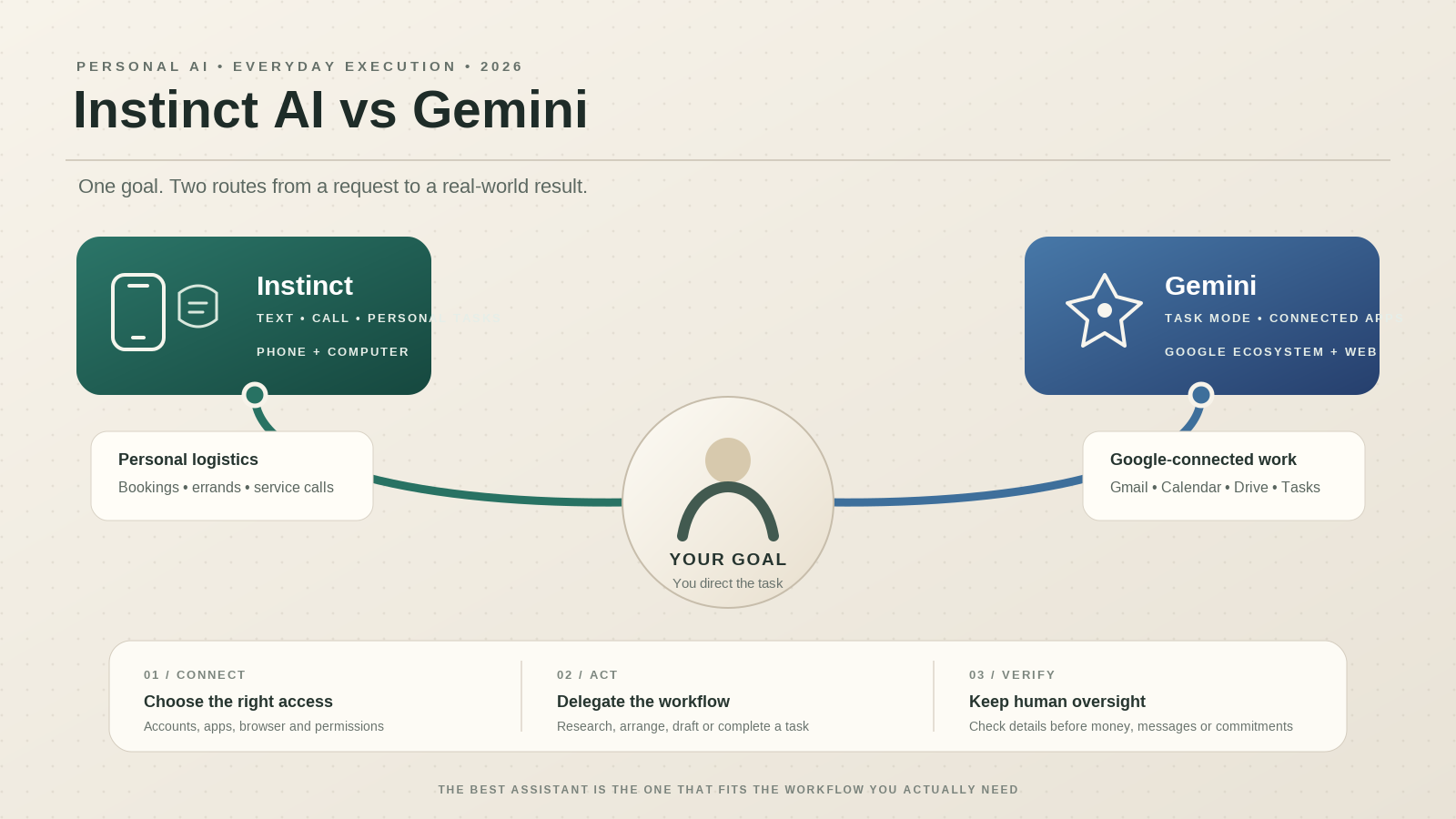
Instinct AI and Google Gemini are no longer just chatbots competing to write the better answer. Both can now help users move from a request to an action: finding services, handling messages, scheduling events, shopping, and coordinating multi-step tasks. The important difference is how each product organizes that work.
Instinct is designed as a personal assistant you can text or call. Its official site says it can use a phone and computer to carry out practical tasks such as ordering groceries, booking a train, sending flowers, or finding a place to play sport. Gemini is a much broader product family: the Gemini app, Connected Apps, task workflows, Google Workspace features, and the newer agentic experiences Google has introduced during 2026.
The short answer is that Gemini offers the broader ecosystem and stronger Google-native workflow coverage, while Instinct is more deliberately centered on personal delegation across everyday services. Gemini may do more for someone whose digital life already runs through Google. Instinct may feel more direct for someone who wants to hand off consumer errands through a simple text-or-call interaction. Neither product is guaranteed to complete every task on every website.
Instinct AI vs Gemini: quick comparison
| Area | Instinct AI | Google Gemini |
|---|---|---|
| Product focus | Personal assistant for errands, bookings, and practical tasks | General AI assistant with connected apps and task-oriented agent features |
| Main interaction | Text or call; the assistant can use a phone and computer | Gemini app, Task mode, connected apps, and supported browser workflows |
| Everyday tasks | Travel, groceries, reservations, flowers, services, and subscriptions | Email and calendar tasks, shopping, bookings, calls, bills, reminders, and research workflows |
| Connected services | Services the user connects, plus browser interaction with other third-party sites | Google apps, supported third-party Connected Apps, and custom MCP connections |
| Browser actions | Instinct describes using a phone and computer; public feature-by-feature availability is not fully documented | Tasks can use a local Chrome browser or a remote browser, subject to device, permission, and account conditions |
| Research and documents | Primarily positioned around personal task completion | Stronger breadth for research, cited reports, and creating files such as documents and spreadsheets |
| Recurring work | Personal assistance and task delegation; public scheduling details are limited | Tasks can be scheduled, with recurring workflows and usage limits tied to availability and plan |
| Current access | Terms say the service is currently free, but fees may be introduced with notice | Tasks are free in six countries and require Google AI Pro or Ultra in many other supported markets |
| Best fit | Consumer errands and personal logistics through a simple assistant interaction | People who rely on Google services and want one assistant for research, apps, and multi-step workflows |
This comparison describes documented product capabilities, not a promise that every feature is enabled for every account. Gemini’s connected apps vary by device, language, country, and account type. Instinct’s third-party actions depend on the service, permissions, and website involved.
1. Two different ideas of a personal AI assistant
Instinct starts with a simple proposition: instead of opening a separate dashboard for every task, tell one assistant what you need. Its homepage says users can text or call Instinct, and that it can use a phone and computer in the same way a person does. The examples are deliberately practical: order ingredients, book a train, send flowers, or find a court for the weekend.
That makes Instinct a consumer-oriented task delegate. The user describes an outcome, provides relevant context, and lets the assistant work through the services needed to reach it. The emphasis is not on producing a long answer; it is on arranging something in the outside world.
Gemini begins from a broader foundation. It can answer questions, understand files and images, search, create content, and connect to Google services. Its agentic capabilities are now more substantial than the older idea of a chatbot with a few extensions. Google’s current documentation describes Tasks in Gemini as a way to assign complex workflows and manage schedules for ongoing tasks. Examples include organizing an inbox, creating a to-do list, monitoring flight or hotel prices, conducting research with cited sources, and packaging results into downloadable files.
Google has also used the name Gemini Spark for a 24/7 personal agent announced in May 2026. Public announcements describe Spark as a cloud-based agent that can continue working in the background and coordinate tasks across Google tools. The current Gemini Help Center provides the clearest eligibility rules for Tasks in Gemini; Google’s public material does not provide a complete one-to-one feature map showing that every Spark capability is identical to every Task-mode feature. It is safer to check the actual controls available in an account rather than assume the names are interchangeable.
2. Everyday errands: where Instinct has a clear identity
For personal logistics, Instinct has a focused product identity. Its official examples include grocery orders, travel arrangements, flowers, and finding local activities. Its privacy policy also describes everyday tasks such as scheduling appointments, researching and booking travel, and managing subscriptions.
A request such as “find a suitable restaurant and arrange a reservation” or “compare train options and organize the journey” fits naturally into Instinct’s model. The assistant can use connected services and, under its terms, interact with other third-party websites and platforms through its browser functionality. That matters when the service needed for a task does not have a dedicated integration.
Gemini can now handle many of the same categories. In a November 17, 2026 product update, Google described Tasks in Gemini handling appointment scheduling, bill analysis, shopping, and grocery workflows. Google also described agentic calling, purchases through Google Pay, and interactions with more than 60 popular apps. Some of the more advanced experiences are rolling out by market, however, and the same announcement identifies U.S.-specific conditions for certain calling and messaging features.
The difference is therefore not that Instinct can act while Gemini cannot. Both can act when the relevant tool, account, and permission are available. Instinct is more directly framed around personal errands; Gemini combines errands with a much wider set of Google services and knowledge-work features.
For practical examples of Instinct’s approach, see How to Use Instinct AI to Manage Everyday Tasks, How to Use Instinct AI to Book Restaurants and Make Reservations, and How to Use Instinct AI to Handle Personal Errands.
3. Connected apps: Gemini’s biggest structural advantage
Gemini has a significant advantage for people who already use Google products throughout the day. Its Connected Apps documentation describes access to services such as Gmail, Google Calendar, Docs, Drive, Keep, and Tasks. Depending on the device and account, Gemini can also work with phone and messaging apps, supported third-party services, and custom apps connected through Model Context Protocol.
That creates a useful foundation for tasks that cross several parts of a digital life. Gemini might summarize an email thread, use the details to prepare a calendar event, create a document, or search for information in connected files. Google’s Workspace features also let eligible users create Docs, Sheets, and Slides, conduct research across files and long threads, draft or send email, schedule meetings, and create Google Tasks without constantly switching applications.
The trade-off is that a large ecosystem is not the same as universal access. Google says the Connected Apps list varies by location, language, device, and the Gemini app being used. Personal accounts and work or school accounts also follow different rules. Workspace administrators can control which apps and features are enabled for an organization.
Instinct uses a different approach. Its privacy policy says it can access services a user connects or uses to sign in, and its browser functionality may interact with other third-party websites that have not been separately connected. That can be convenient for consumer tasks across the open web, but the public documentation does not provide a complete, account-by-account directory of every supported integration and action.
Practical verdict: Gemini is stronger when the work depends on Google Workspace or a broad catalog of connected apps. Instinct is attractive when the user wants a single personal assistant to coordinate a task across services without first thinking about which integration to open.
4. Browser use and real-world actions
The ability to operate a browser is one of the most important differences between an ordinary chatbot and an AI agent. It is also where availability and safeguards matter most.
Instinct’s official site says it can use a phone and computer, while its terms describe interactions with connected services and other third-party platforms. This is a broad description of its intended operating model, but it is not a public guarantee that every website, checkout flow, or account action will work. A site may block automation, require a human verification step, or demand information that should not be passed through a chat.
Gemini’s current task documentation is more explicit about browser modes. It can use a local Chrome browser on a desktop or a separate remote browser in the cloud. Local browsing requires the device and Chrome to remain awake and running while the task is in progress. A remote browser can continue working after the device is closed, although some steps—such as signing in—may pause until the user takes over. Google says Chrome requests permission the first time it connects, and asks for confirmation for each task that involves web browsing.
This distinction is useful when planning a workflow. A user who wants an agent to keep working while a laptop is closed should check whether the task is using the remote browser, rather than assume every Gemini browser action runs in the cloud. Likewise, an Instinct user should verify the actual outcome on the third-party site rather than relying only on the assistant’s summary.
5. Research, files, and knowledge work
Gemini is the stronger general-purpose environment for research and document production. Tasks in Gemini can research a topic with cited sources and create downloadable documents, spreadsheets, PDFs, and presentations. Google Workspace features add the ability to work across Gmail, Drive, Docs, Sheets, Slides, and Calendar. For a student, analyst, project manager, or small-business owner, this breadth can be more valuable than a narrowly focused personal assistant.
Instinct can gather information as part of completing a personal task. For example, researching travel options or comparing service providers is part of its stated use case. But the product’s public positioning is not centered on being a general research studio or a document-production workspace. If the objective is a cited research report, a complex spreadsheet, or a long document assembled from many files, Gemini is the more natural starting point.
That does not mean Gemini’s output should be accepted without checking. A citation can be irrelevant, a summary can omit context, and a generated file can contain mistakes. For a practical comparison of other assistant workflows, see Instinct AI vs ChatGPT: Which AI Assistant Is Better for Everyday Tasks? and Instinct AI vs Claude: Comparing AI Agents and Personal Assistants.
6. Recurring tasks and background automation
Recurring work is where Gemini’s newer task features become particularly important. Google’s May 2026 announcement described Gemini Spark as a cloud-based personal agent that could run in the background, set recurring tasks or triggers, and assemble workflows from emails, chats, and documents. The current Tasks in Gemini Help Center also documents schedules and ongoing tasks.
This can support routines such as monitoring prices, preparing a regular briefing, extracting deadlines from incoming messages, or reviewing a set of files on a schedule. The precise features and usage limits depend on account eligibility and the plan available in the user’s region.
Instinct is designed around ongoing personal assistance and remembering useful context, but its public documentation is less explicit about a full recurring-workflow scheduler. It is reasonable to use it for delegated personal tasks where the capability is available; it is not reasonable to assume that every account has the same background scheduling controls as Gemini’s documented task system.
7. Privacy, permissions, and human oversight
Both assistants can work with sensitive information, so the privacy comparison should be based on their current policies rather than broad marketing claims.
Instinct’s Privacy Policy, revised November 17, 2026, says that information received directly through Google Workspace APIs is not used to evaluate, fine-tune, train, or improve AI models, and is not used for advertising. The same policy says other information supplied through the service may be used to develop and improve its products, including model training, unless the user opts out in settings. Information placed in Instinct’s Vault is treated differently: the policy says Vault materials are used only to provide the service and not to train AI models. The policy also explains that data handling differs between Google Workspace and other connected services.
Google’s Gemini Apps Privacy Hub was updated November 24, 2026. It says Gemini Tasks requires History to be on. The notice describes information that can be collected during task execution, including connected-app data, browser information, remote-browser cookies, screen captures, and details about tool calls. Google says a subset of chats may be reviewed by human reviewers and used to improve services. Users can manage model-training controls in Gemini History, but turning History off makes Tasks in Gemini unavailable.
The practical implication is that neither assistant should receive unrestricted access by default. Connect only the apps required for the task, review the permissions, avoid placing passwords or payment-card details directly in task instructions, and check the final action before money is spent or a message is sent.
Instinct’s terms require meaningful human oversight and say users remain responsible for reviewing actions. Google likewise warns that Gemini can make mistakes, that some tasks need confirmation, and that scheduled tasks can sometimes run while the user is offline. These are not minor details: they are part of deciding whether an assistant is suitable for a particular job.
8. Pricing and availability
Instinct’s Terms of Service, last revised November 17, 2026, say the service is currently available without charge. The same terms reserve the right to introduce fees later, with notice before those fees become payable. This means “free today” should not be treated as a permanent pricing promise.
Gemini’s task pricing is more complicated because access depends on country and plan. Google’s current Help Center says Tasks in Gemini is available without a Google AI subscription in Australia, Canada, India, Japan, South Korea, and the United States. In other supported markets, it requires Google AI Pro or Ultra, with exceptions for the European Economic Area, Nigeria, Switzerland, and the United Kingdom. Users must be at least 18, use a personal Google Account, and keep History enabled.
For U.S. customers, Google lists Google AI Pro at $19.99 per month or $199.99 annually, while Google AI Ultra starts at $99.99 per month. These are plan prices, not a separate fee for each task, and local prices, offers, usage limits, and feature availability can differ. The Google AI plan page also shows higher Tasks usage limits for paid tiers.
This means Gemini can be the lower-cost option for users in the six countries where Tasks is free. In other supported markets, Instinct’s current no-charge access may be less expensive for a user who only needs personal task delegation. The comparison should always be made against the actual plan and feature availability shown in the user’s account.
Which assistant should you choose?
Choose Instinct if:
- You want a personal assistant that you can text or call.
- Your main needs are errands, reservations, travel arrangements, and contacting services.
- You prefer to delegate an outcome rather than build a workflow from separate apps.
- You want to use connected services and browser-based interactions for practical consumer tasks.
Choose Gemini if:
- Your email, calendar, documents, and files already live in Google services.
- You want research, cited summaries, and downloadable documents as well as task execution.
- You need recurring workflows, scheduled tasks, or price monitoring.
- You want a broad assistant that can combine personal tasks with knowledge work.
Final verdict
Gemini can do more across the broader digital workspace; Instinct is more focused on personal assistance. Gemini’s combination of Connected Apps, Tasks, browser workflows, and Google Workspace gives it a wider documented feature set. Instinct’s appeal is its direct, personal-task model: describe what you need by text or call and let the assistant coordinate the work.
For someone deeply invested in Gmail, Calendar, Drive, and other Google services, Gemini is likely the more capable all-round choice. For someone who primarily wants a personal operator for errands and consumer logistics, Instinct may be the simpler fit. The best choice is not the assistant with the longest feature list. It is the one that can reliably complete the specific tasks you need, with permissions and oversight you are comfortable granting.
Frequently asked questions
Is Instinct AI better than Gemini?
Not for every use case. Gemini has a broader Google ecosystem, research tools, and task workflows. Instinct is more directly positioned around personal errands and practical delegation through text or calls.
Can Gemini do the same things as Instinct?
There is meaningful overlap. Gemini Tasks can handle shopping, travel-related website tasks, appointments, email and calendar workflows, and other connected-app actions. The exact features depend on the user’s region, account, device, and plan.
Is Tasks in Gemini free?
It is available without a Google AI subscription in Australia, Canada, India, Japan, South Korea, and the United States. In many other supported markets it requires Google AI Pro or Ultra, with regional exceptions. Check Google’s current Help Center for the latest eligibility rules.
Does Instinct work with Google Workspace?
Instinct’s Privacy Policy says users can connect Google Workspace, including products such as Gmail and Google Calendar. The data it receives depends on the permissions and services the user connects.
Which assistant is safer for private information?
Neither should be given more access than necessary. Instinct has a specific no-model-training commitment for data received directly from Google Workspace APIs, while other materials have separate opt-out and Vault rules. Gemini requires History on for Tasks and documents human review and data-use controls. Read the current policies and configure each account before connecting sensitive services.
Sources and further reading
- Instinct official website
- Instinct Terms of Service — revised November 17, 2026
- Instinct Privacy Policy — revised November 17, 2026
- Google: Put Gemini to work for you — November 17, 2026
- Google Help: Manage your tasks and workflows in Gemini Apps
- Google Help: Use and manage Connected Apps in Gemini
- Google Gemini Apps Privacy Hub — updated November 24, 2026
- Google AI plans and pricing
- Google: The Gemini app becomes more agentic — May 19, 2026
- Google Workspace: Create content, schedule events, and coordinate tasks across Workspace — September 9, 2026